Become a MacRumors Supporter for $50/year with no ads, ability to filter front page stories, and private forums.

levmc

macrumors 6502a
Original poster
I used to have a wireless one like this: https://www.amazon.com/Cloud-Home-P...&keywords=mycloud&qid=1594147357&sr=8-13&th=1

I bought it in 2014 and I forgot how expensive it was but it stopped working after 3 years, and I didn't have a back up of it. If I were to have backed it up, would another wireless one be needed or could a normal external one back it up?

It was very convenient to use with my laptop since I didn't have to plug it in and out. Are there any disadvantages with it?
 
As an Amazon Associate, MacRumors earns a commission from qualifying purchases made through links in this post.
IMHO No! Your better bet is get good external that’s modern quick like this OWC Envoy Express where you can install your own NVME drive in case the drive fails in couple of years so you can replace it on your own schedule!
 
How much data do you have to back up?
If it's below 2tb, I'd suggest you buy a 2.5" bare drive either 1tb or 2tb (again, depends on your needs). I like Toshiba and HGST (Hitachi) drives.

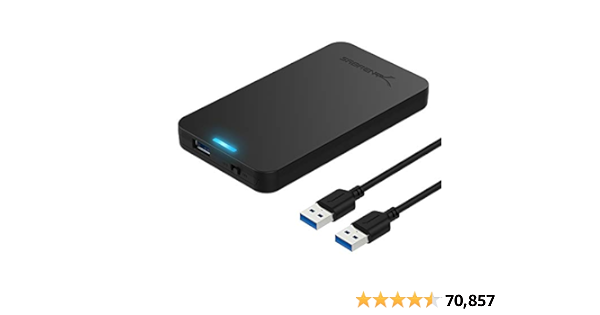
Then, get a USB3 external enclosure like this:
Cheap and it snaps together without tools.

Then, use either CarbonCopyCloner or SuperDuper as your backup software.
Both are free to download and use for 30 days.
 
I have to backup about 1TB, but I don't feel like I need to backup because all the important things are stored in cloud anyway. (Using something like Box, for example).

I was also thinking of getting an external SSD to boot the system from. How big of a space would I need for just operating the system (provided that I store large files in internal HDD)?

I was thinking of getting this: https://www.amazon.com/RAVPower-Por...ords=external+drive+ssd&qid=1594230774&sr=8-5

Do you have to change SSD to exfat too like HDD for it to work with both W and M?
 
As an Amazon Associate, MacRumors earns a commission from qualifying purchases made through links in this post.
Register on MacRumors! This sidebar will go away, and you'll see fewer ads.