Become a MacRumors Supporter for $50/year with no ads, ability to filter front page stories, and private forums.

BDD888

macrumors newbie
Original poster
How do I set it not to load with the last website visited? I already looked in Preferences. Didn't notice any options to disable. I have 6.0.4.
 
Shut Off Resume Feature.

System Preferences -> General -> Un-Check "Restore Windows When Quitting and Re-opening Apps"

That should help.
 
System Preferences -> General -> Un-Check "Restore Windows When Quitting and Re-opening Apps"

That should help.

Thanks dude. For some reason I had "restore windows ...apps" checked. I usually don't. Maybe it was checked during an OS upgrade.
 
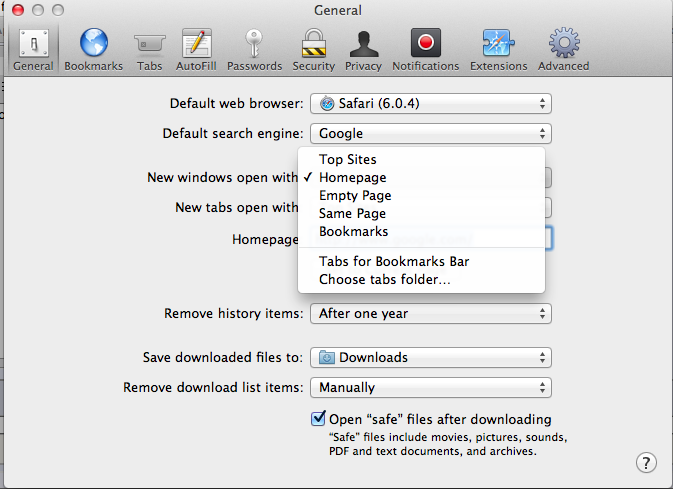
OP just so you know you can also set this preference in Safari's preferences as well…

2415h93.png
 
Noticed that Drew. Had it set to Homepage but it kept returning to the "last page visited". Now it's good.

Thanks guys.
 
Register on MacRumors! This sidebar will go away, and you'll see fewer ads.