There are several ways.
• Open a new
Finder window/tab. In the sidebar, click
Applications (under the Favorites section). Within Applications, scroll down and then open the
Utilities folder. Double click the Activity Monitor icon .
• In macOS Tahoe 26, look at the
Dock and click the
Apps
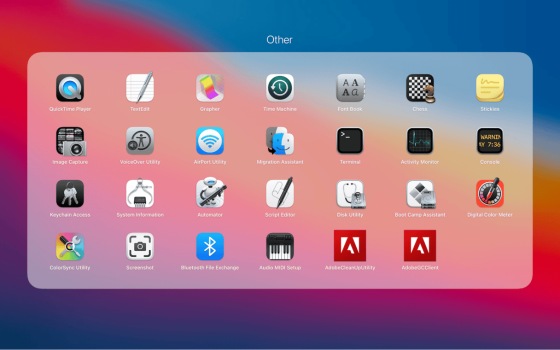
Spotlight shortcut. Scroll down until you see the
Other section. Click the Activity Monitor icon.
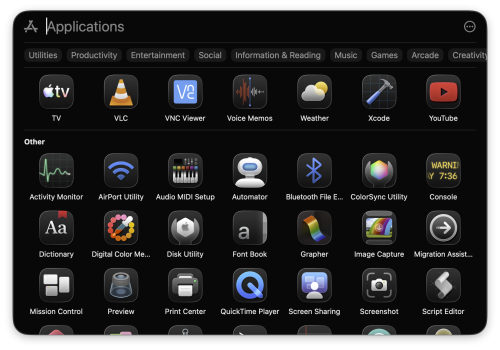
• As
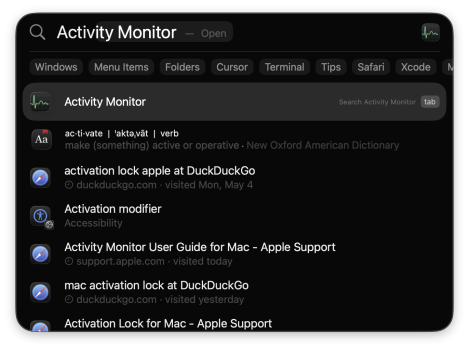
@Ben J. noted, you can start typing and Spotlight will auto fill (then just press the Enter key to launch the app).
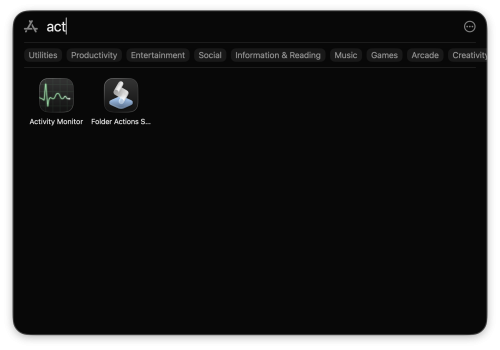
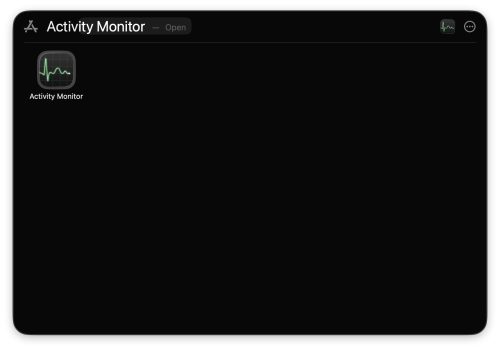
In earlier macOS versions (e.g., Sequoia 15), you’ll go to the
Dock and click on
Launchpad — typically, the same position, to the immediate right of the Finder (icon). You’ll then look for the
Other folder, click to open it. Find and click on Activity Monitor to launch it.
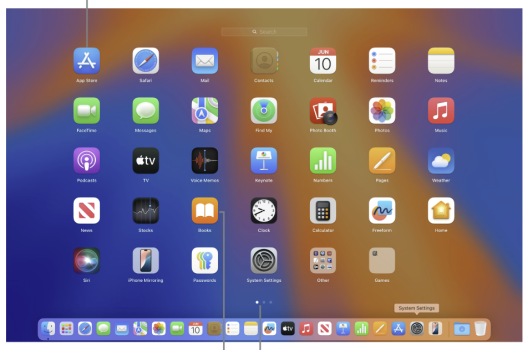
• You can, as also noted by Ben, (alternatively) invoke Spotlight via a
keyboard shortcut:
Command +
spacebar
On your Mac, Spotlight is the place to view all your apps and quickly open them.

support.apple.com
When you get into Activity Monitor:
Learn how to use Activity Monitor on your Mac to view information about how apps are using the processor, disks, memory, network, and more.
support.apple.com



