Become a MacRumors Supporter for $50/year with no ads, ability to filter front page stories, and private forums.

citivolus

macrumors 65816
Original poster
Sep 19, 2008
1,259
296
This 6K display looks very interesting but doesn't seem to be getting much attention. Wondering what I am missing?
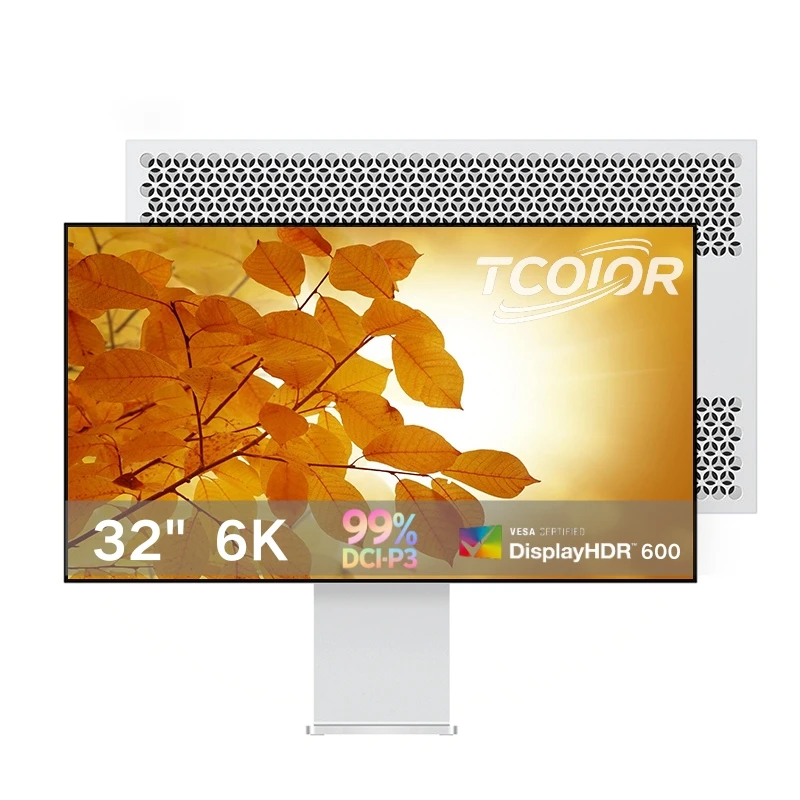


As the price continues to drop on Alibaba (currently $688 plus shipping), I am considering getting one to put next to my Pro Display XDR for a dual setup. Thoughts?
 
That Tcolor is the one I would get if I were ordering from Alibaba. The main advantage I can see for the competing Kuycon is that it is glossy, whereas I believe the Tcolor is matte. I don't know which has better QA. Tcolor is kind of an unknown quantity at this point, but the Kuycon has its issues for QA judging by online reports. However, to give Kuycon credit, they have apparently been fairly responsive for customer service, with legit repair issues being addressed quickly and satisfactorily. And to give Tcolor credit, I do know that there is a fellow Canadian that has already purchased this model to use with a Mac mini, with success.

There are two main issues that I don't like about the Kuycon:
1. Buggy firmware - at least in macOS - that causes some problems on DisplayPort 1.4 / Thunderbolt 4 Macs.
2. It has no buttons and relies on a remote control for adjustments.

The Tcolor has physical side buttons. I don't know about firmware bugs with the Tcolor, but if I were buying one of these Chinese ones, I'd get the Tcolor.

However, I won't be buying either as I already own the LG UltraFine 6K 32U990A as I wanted a name brand with local retail and warranty support. Ironically I paid less for the LG (which includes a Thunderbolt 5 hub) than what it costs to ship a Kuycon to Canada. One problem with the LG though is the height adjustable stand isn't actually very height adjustable and it doesn't have cable management either, so I ended up buying the Alibaba universal VESA stand that is used for those Chinese 6K models.
 
Thanks @EugW. I’ve never bought from Alibaba and recognize Tcolor is an unknown, but I am intrigued at the opportunity to add a similar looking and relatively similar performing display side by side with my Pro Display XDR at a low cost.

I also agree with you on the buttons thing. I converted an iMac screen into a separate monitor as described in this forum and am familiar with the Realtek firmware using a remote control, and I much prefer buttons on the display.
 
Last edited:
Back down to $680 again. @citivolus are you going to take the plunge? It's literally a full US$1000 less than the Kuycon.
 
Back down to $680 again. @citivolus are you going to take the plunge? It's literally a full US$1000 less than the Kuycon.
I know! So tempted. I may hold off because my biggest desire these days is to get a 5K or 6K display with 120Hz refresh rate. Seems like it’s a possibility with rumors of an updated Studio Display coming out early next year. If that happens then I will sell my Pro Display XDR and get 2 Studio Display 2’s. But of course I will probably then need to upgrade my Mac to an M5 Pro or Max just to support multiple displays at 120Hz. Argh!
 
  • Like
Reactions: EugW
I’m very close to ordering this monitor. I’ve spoken to their support person for some time now, and he’s replied to all of my questions (and I’ve asked quite a few) in a somewhat satisfactory matter.

For instance, they said they would update the monitor before shipping, to prevent the 10 bit issue reported in the Kyocon thread. They also said they’re using the same panel as the Kyocon monitor, and that the difference in specifications comes from Kyocon using inaccurate numbers. We’ll see who’s right.

I’m a bit put off by the lack of reviews, but I might be willing to take the chance. However, what would be the best way to test the monitor when I receiver it? I’m far from any kind of expert, and I don’t own any sensors of calibration tools.
 
Interesting! With all of the announcements now coming out of new monitors, I’ve decided to hold off getting this one in hopes of a 5K or 6K monitor with >120Hz refresh rate being released soon.
 
@Runar3 ”…they said they would update the monitor before shipping, to prevent the 10 bit issue reported in the Kyocon thread.”

It doesn’t look like the TCoior monitor uses the same video scaler chipset as the Kuycon G32P - it looks like it has a MediaTek board rather than the G32P’s RealTek controller.
So the firmware is likely to be completely different, and won’t suffer from the same ‘issues’ as RealTek’s firmware.

To test for stuck pixels and backlight bleed etc you can use:

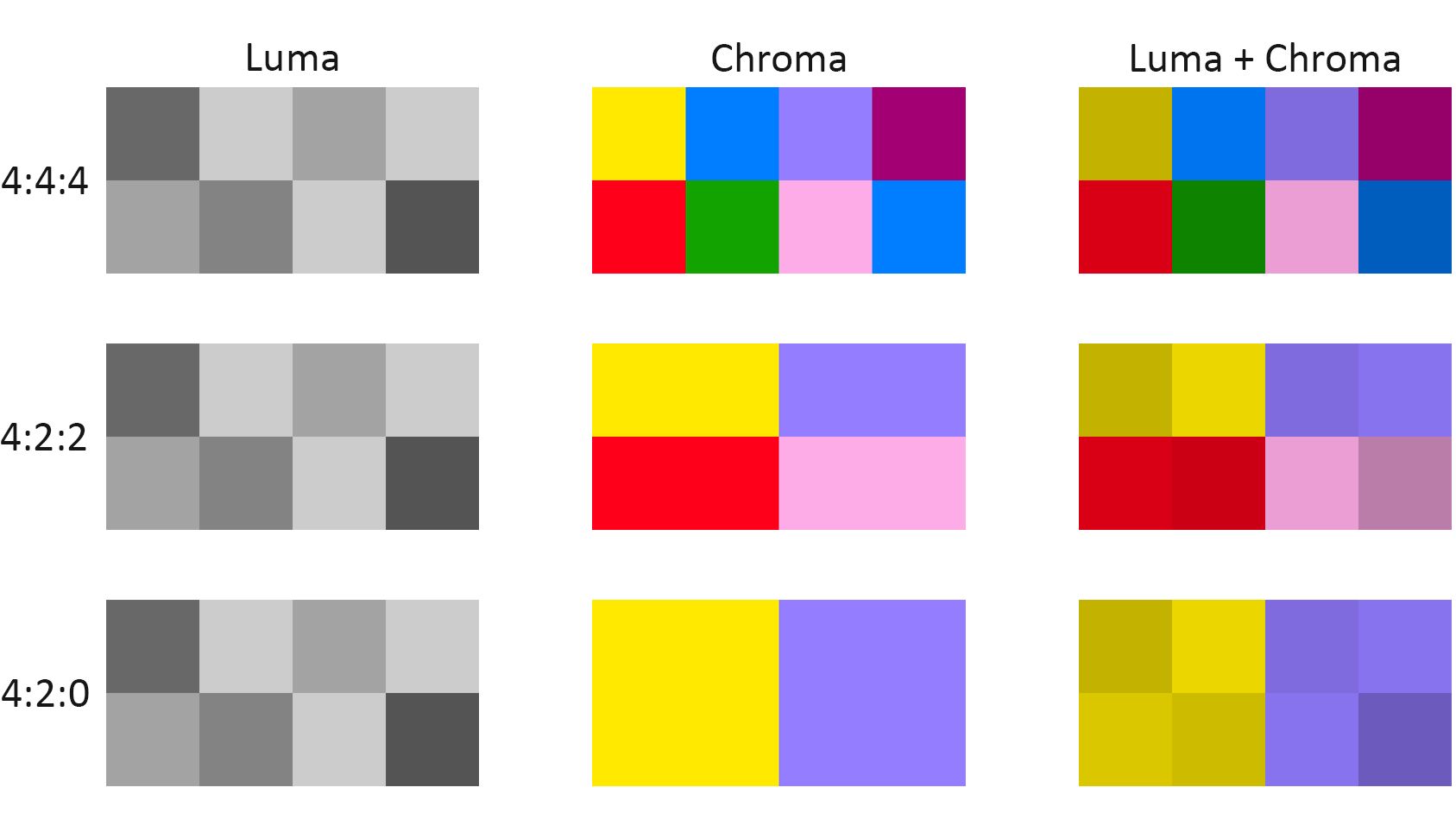
To test for whether the screen is running in full RGB mode, or reduced rate YCbCr 4.2.2 mode, which doesn’t give clear coloured text, you can use the HOW TO TEST FOR CHROMA SUBSAMPLING on this page (scroll down to find it).

I posted how to do the test earlier:
 
Last edited:
  • Like
Reactions: Runar3
Interesting! With all of the announcements now coming out of new monitors, I’ve decided to hold off getting this one in hopes of a 5K or 6K monitor with >120Hz refresh rate being released soon.
I’ve considered the same, but a new >120Hz 5K or 6K monitor will probably cost quite a bit more than I’m willing to spend on a monitor at the moment, not to mention that noone knows when the new Studio Display is coming out, so this one from Tcolor feels like a good deal (on paper, at least).
 
It doesn’t look like the TCoior monitor uses the same video scaler chipset as the Kuycon G32P - it looks like it has a MediaTek board rather than the G32P’s RealTek controller.
So the firmware is likely to be completely different, and won’t suffer from the same ‘issues’ as RealTek’s firmware.
Interesting. Maybe they got tired of my questions and just replied randomly! Hopefully there are no other or similar issues with the MediaTek board.

And thank you for the links to the tests!
 
This 6K display looks very interesting but doesn't seem to be getting much attention. Wondering what I am missing?


As the price continues to drop on Alibaba (currently $688 plus shipping), I am considering getting one to put next to my Pro Display XDR for a dual setup. Thoughts?

its about 1/4 as bright as your XDR display
 
its about 1/4 as bright as your XDR display
So if I normally run my XDR at 50% brightness, does that mean it is displaying at 500 nits, which is 25% brighter than the reported max of 400 nits for the Tcolor?
 
So if I normally run my XDR at 50% brightness, does that mean it is displaying at 500 nits, which is 25% brighter than the reported max of 400 nits for the Tcolor?
Sounds about right to me. Not sure if that 400 nits on the monitor in question is peak or sustained. I’d also take those quoted specs with a bucket of salt - because seriously, what are you going to do if it doesn’t meet your expectations?
 
because seriously, what are you going to do if it doesn’t meet your expectations?
Return it, see how well the Alibaba Guarantee works, or attempt a chargeback.

Also, 1/4 of the XDR qualifications for 15% of the price doesn’t sound too bad to me.
 
Register on MacRumors! This sidebar will go away, and you'll see fewer ads.