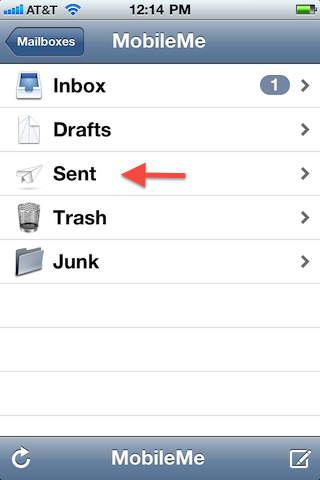
You have to look under EACH account. In my case, I have 4 email accounts on my iphone. I had trouble finding some SENT emails, and then figured out that my DEFAULT email is not the one I thought it was.
Did you figure it out? In you mail accounts window, scroll down to where it shows each accout (the accounts that show at the top of the window are basically just your inboxes). Then click on whichever mail account you want and it will show you your sent items, etc.
How annoying. One nice thing about blackberry is it showed sent and received in the same screen. The sent ones had a little outgoing icon next to them and the received ones an incoming icon. I think it does this in the Android too.
Why do you need to see a copy of the email you have just typed? The outgoing email sound will alert you that your email has been sent successfully, and if there is any problem you'll get an email in your inbox from the 'postmaster'.
How annoying. One nice thing about blackberry is it showed sent and received in the same screen. The sent ones had a little outgoing icon next to them and the received ones an incoming icon. I think it does this in the Android too.
Oh, I disagree. I have always thought Blackberry's way was annoying. I don't want my sent messages with my received messages. My desktop isn't set up that way!