Become a MacRumors Supporter for $50/year with no ads, ability to filter front page stories, and private forums.
Change from Page View to Normal View, find the Page Break, highlight it and Delete. But, using command-F to Find and Replace? I don't think so.
 
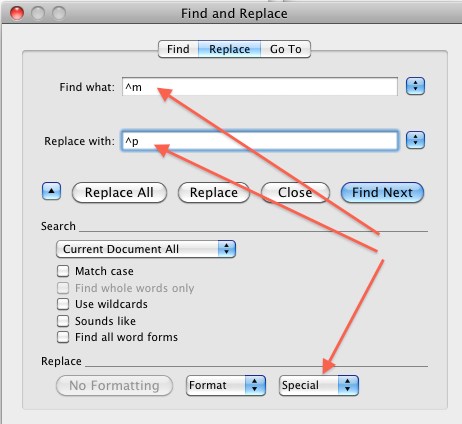
In Word 2008, and the bottom of the Replace dialogue box, there's an expansion arrow, which reveals a "Special" menu.
Use that to put Manual Page Break in the "Find what" box, and Paragraph Mark in the "Replace with" Box.

word_find_replace.jpg


(It's what rc135tx said, by doing it manually, but it still works in Word 2008.)
 
Register on MacRumors! This sidebar will go away, and you'll see fewer ads.