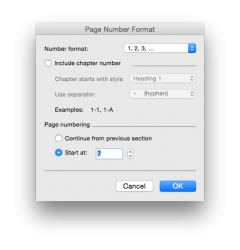
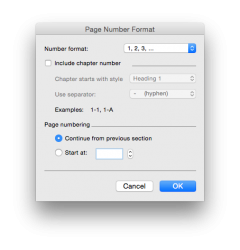
I have inherited a 30 page Word document with an index. There are two pages numbered as page 7 which, of course, fouls up the index. In fact the numbering goes 7, 8, 7, 8, 9 and thereafter each page increments by one.
I have deleted page numbers and then added page numbers and get the same result.
When I look at the footers I see this
Page 6 Even Page Footer Section 6, Same as Previous
Page 7 Odd Page footer section 8 Same as Previous
Page 8 Even Page Footer Section 10 Same as Previous
Page 7 (the 2nd one) Odd Page Footer Section 11 Same as Previous
Page 8 (the 2nd one) Even Page Footer - Section 12 same as Previous.
I have checked the formatting and the section and page breaks throughout appear correct - I have no idea what is happening here.
One solution would probably be to start a new document and copy and paste but I hope to find a less arduous solution here.
Brian
I have deleted page numbers and then added page numbers and get the same result.
When I look at the footers I see this
Page 6 Even Page Footer Section 6, Same as Previous
Page 7 Odd Page footer section 8 Same as Previous
Page 8 Even Page Footer Section 10 Same as Previous
Page 7 (the 2nd one) Odd Page Footer Section 11 Same as Previous
Page 8 (the 2nd one) Even Page Footer - Section 12 same as Previous.
I have checked the formatting and the section and page breaks throughout appear correct - I have no idea what is happening here.
One solution would probably be to start a new document and copy and paste but I hope to find a less arduous solution here.
Brian
Last edited: