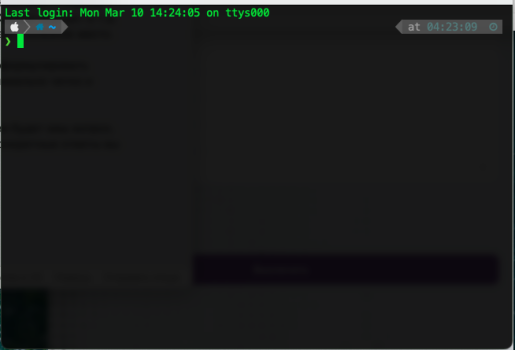
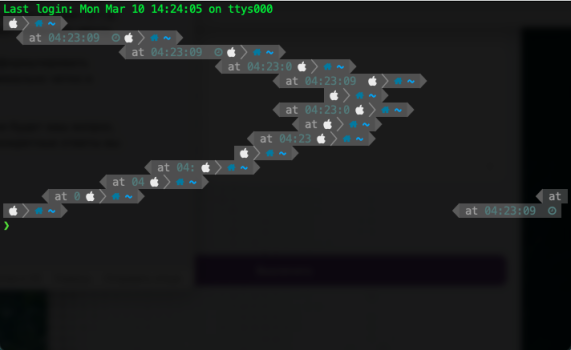
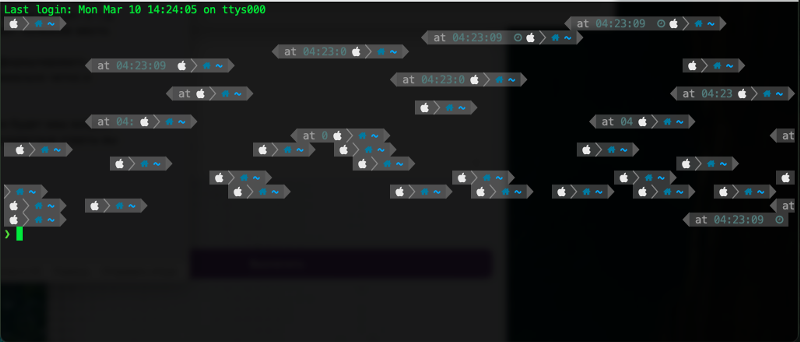
I'm starting to master the command line, installed homebrew and powerlevel10k, font MesloLGS NF Regular 14. When I try to scale the window (namely, reduce it), the symbols and text mix up on the screen, turning into mush, how can this be fixed?

Yes. Normal behavior. Terminal have a fixed width. When you run programs which output text, depending on program, the output is formatted based on the fixed width. Your shell prompt is created by such a program. The output text is in a buffer. When you resize Terminal window, you are changing fixed width, but previous command output is in buffer based on previous fixed width. The “clear” command self explanatory.
It's important in this situation to separate "Terminal" and the command-line. The UNIX command-line has a long history going back to 70s. The "man page" for zsh is over 500 printed pages and that's just the commands built into it and not all the UNIX commands (there are hundreds) assumed for the environment. Truly mastering the UNIX command-line typically takes years if not decades.
The issue you are having is with Terminal, Apple's tool for emulating 1970s-era terminals in order to access the command-line in the GUI age. There may be better terminal emulators than Apple's but Apple's works pretty well and comes with good defaults out-of-the-box.
Your screenshots do not look as expected from a working configuration. I am not familiar with the font you mentioned and that is the first thing I would check. I find SF Mono works pretty well. These are generally personal decisions but as a general rule I would pick from the "Fixed Width" collection.
In a generic configuration, Terminal should open to something like this:
The AI was right. The issue is not at all with zsh. You resized the terminal window AFTER the data was written to the terminal.
Let's go back many years to when I first started using the command line on a terminal. This was the 1970's and many "terminals" used paper and a typewriter-like mechanism to print letters one at a time to the paper. It makes a lot of noise.
Then someone invented a glass CRT that would display text. There were electronics inside the perfectly emulated paper typewriter. Just like with a paper terminal when the computer sent a "new line" character the already printed chargers would all move up by one line. These glass terminals worked just like the paper ones except there was no permanent record of what was typed. With paper, you would take the printout back to your desk.
Then after PCs became common some one wrote an app that perfectly emulated the glass terminal that was emulating the paper typewriter. But for one thing. What happens if you resize the screen AFTER text is written???? THios was not possible with paper. Many of these apps say "resizing already printed paper is "nonsense" so that is what the app does, nonsense. Other people who wrote these terminal emulators invented less nonsensical ways to handle this. But there is no standard. The most common way to handle resizing is to reprint all the lines of test as if they were printed on the new-size simulated paper but this involves some guessing.
In any case zsh is a command line interpreter and works with one line of text at a time. It does not even know about "screens". It was written to read one line and then print the results. Just as if you were using a typewriter. This is the way it was going back to the late 1960s