
Got a tip for us?
Let us know
Become a MacRumors Supporter for $50/year with no ads, ability to filter front page stories, and private forums.
16" M1 Pro vs M1 Max Geekbench scores (violin plot)
- Thread starter mmjrk
- Start date
- Sort by reaction score
You are using an out of date browser. It may not display this or other websites correctly.
You should upgrade or use an alternative browser.
You should upgrade or use an alternative browser.

aevan
macrumors 601
Hey, I parsed Geekbench scores and did a quick violin plot. I was wondering if I made a mistake going with M1 Pro instead of M1 Max. Seems like M1 Max is around 4-5% faster in multi-core and 1-2% faster in single-core workloads. Not a huge deal IMHO 🙂 View attachment 1878286View attachment 1878287
They should be identical in CPU-related tasks, so I’m not even sure about that 4-5%.

wilberforce
macrumors 68040
You should always use only the highest reported scores from Geekbench, for each config.
Lower scores are due to other processes running in the background
Lower scores are due to other processes running in the background
Multi core benefits from memory bus 400gb/s compared to pro's 200gb/sThey should be identical in CPU-related tasks, so I’m not even sure about that 4-5%.

JamieLannister
macrumors 6502a
Looks like uterus and vagina comparisonHey, I parsed Geekbench scores and did a quick violin plot. I was wondering if I made a mistake going with M1 Pro instead of M1 Max. Seems like M1 Max is around 4-5% faster in multi-core and 1-2% faster in single-core workloads. Not a huge deal IMHO 🙂 View attachment 1878286View attachment 1878287
wilberforce
macrumors 68040
nvm
Source:

 www.anandtech.com
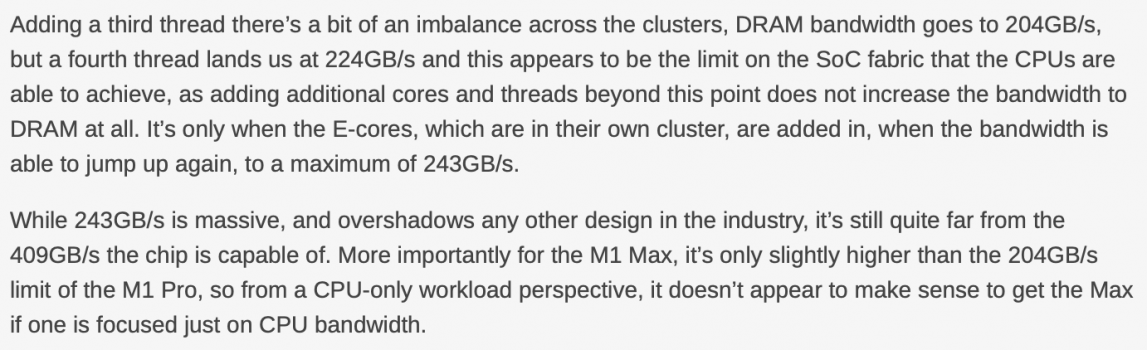
Actually it doesn't, not for CPU performance. From anandtech:Multi core benefits from memory bus 400gb/s compared to pro's 200gb/s
Source:
Apple M1 Pro and M1 Max: Specs, Performance, Everything We Know
Apple takes its fight against Intel to a second round.

243 GB/s and 204 GB/s are quite a difference. It's a 19.1% increase. It could easily explain the 5% difference in multicore performance.Actually it doesn't, not for CPU performance. From anandtech:
aevan
macrumors 601
243 GB/s and 204 GB/s are quite a difference. It's a 19.1% increase. It could easily explain the 5% difference in multicore performance.
It's not "quite a difference" unless you're into benchmarks and numbers. You wouldn't notice that 5% difference in real life. It's basically the same CPU.

i9inkers
macrumors member
I wouldn’t argue with them, they need something to hang on to when trying to justify the 1K extra they paid. I wouldn’t be paying 1K more for 5% I tell you that much. 33% more cost for 5% yield looool, nooooIt's not "quite a difference" unless you're into benchmarks and numbers. You wouldn't notice that 5% difference in real life. It's basically the same CPU.

LFC2020
macrumors P6
Picked up my base model 16" M1 pro today, for what I use it for, it's overkill for me.


Learn to read, people. In the first post, I said that 5% it's not a big deal IMHO. Also, I didn't get the Max, I got Pro.I wouldn’t argue with them, they need something to hang on to when trying to justify the 1K extra they paid. I wouldn’t be paying 1K more for 5% I tell you that much. 33% more cost for 5% yield looool, noooo
If I found out Max is +10% CPU performance over Pro, I could easily justify spending +$200 for a model with a 24-core GPU. That is not the case.
I was trying to find out if I made the right decision (now that we know Pro does not support High Power Mode) and also help other people make informed decisions. Instead of being thankful that someone put effort into statistics (albeit on a small sample), you're trying to start arguments and disprove points that nobody made.
I didn't say 5% multi-core performance is quite a difference, I said +19% memory bandwidth is quite a difference and could explain that 5% performance difference. Also, I didn't say this is noticeable in common workloads.It's not "quite a difference" unless you're into benchmarks and numbers. You wouldn't notice that 5% difference in real life. It's basically the same CPU.
UnexpectedHuman
macrumors member
The main benefit of the faster memory, given Anand Tech’s results, will be the ability to sustain more DRAM loads at the same time.
The synthetic benchmarks all focus on one aspect of performance, but consider a real system running Thunderbolt IO and also heavy GPU use at the same time as the CPU. On the Max, there should be less slowdown due to bus contention. But how much gain you see will be very application dependent.
I think the main reasons to go for the Max are (i) if you need 64GB, (ii) if you need 32 GPU cores and (iii) if you need the extra video accelerator block. The extra memory bandwidth is what allows you to use these all concurrently with the CPU running flat out without too much slowdown.
The synthetic benchmarks all focus on one aspect of performance, but consider a real system running Thunderbolt IO and also heavy GPU use at the same time as the CPU. On the Max, there should be less slowdown due to bus contention. But how much gain you see will be very application dependent.
I think the main reasons to go for the Max are (i) if you need 64GB, (ii) if you need 32 GPU cores and (iii) if you need the extra video accelerator block. The extra memory bandwidth is what allows you to use these all concurrently with the CPU running flat out without too much slowdown.
UnexpectedHuman
macrumors member
As an aside, this might be particularly important for some Thunderbolt audio interfaces. These minimise audio latency by using very small sample buffers. Any long sample DMA delays risk resulting in audio dropouts. The extra DRAM channels on the Max will minimise this.

DaakuMaujii
macrumors member
I get very similar and consistent results between runs for the M1 Pro 10 CPU / 16 GPU with 16GB RAM.Picked up my base model 16" M1 pro today, for what I use it for, it's overkill for me.
View attachment 1878833
View attachment 1878836
View attachment 1878837
Single-core score: 1764
Multicore score: 12408
OpenCL score: 36557
Metal score: 41709
Even Intel architecture CPU benchmark through Rosetta 2 is incredibly fast:
Single-core score (Intel architecture): 1347
Multicore score (Intel architecture): 9606
That's 75% to 80% of it's native performance through Rosetta 2!
The Macbook has no problems playing games. Factorio (Intel binary through Rosetta) at full-screen native resolution on high quality does not even tax the system enough as the game runs at a steady (capped) 60 fps.
But the best part is that, even during a stress test of 100% CPU load for several minutes or playing Factorio, the Macbook only gets slightly warm to the touch (think cat on lap instead of a burning toaster) and fan noise is barely audible. I'm seeing temperatures of around 55˚C (~130˚F) on-die core temperature with Stats. Unfortunately no support for fan RPM yet.
The battery still needs to calibrate, so there is nothing yet to say about battery life with certainty. But under 100% CPU load, the system draws ~3150mA from the battery (8694mAh full charge capacity) for an estimate of 7+ hours of battery life; with ~700mA for light browsing for an estimate of 15+ hours battery life; and idling at ~490mA for an estimate of 21+ hours of battery life.
The Notch in unobtrusive in dark mode. It does hide menu bar items if there are too many (e.g. from Stats). But fortunately you can move all standard system menu bar items into Control Centre. I do use Ctrl+Scroll to zoom in on portions of the screen often, that's when the Notch become visible, especially in high contrast situations with white background. But I think, like the Notch on the iPhone taking a small bite out of the display, I could get used to it (I personally would prefer a webcam-less Macbook and use an iPhone or iPad for video calls).
And last comment for now, finally no longer accidentally triggering items on the Touch Bar. I've never found a good use case for the Touch Bar in my workflows so I had it set to always show function keys anyway, but would still accidentally open Apple Music every once in a while.
Coming from a Macbook Pro 16" 2019 with 6-core Intel i7, this performance to noise/temperature and battery life is huge difference and a worthy upgrade by itself. No longer loud fan noise obscuring sound from games, or having an uncomfortably hot system on the lap.
Edit: one more thing, I like the new keyboard. The keys have decent travel depth and put up slightly more resistance (required heavier punches) than the 2019 generation, but do make a more clickity sound for the keys near the center (like the 2016-2018 generation, but a softer sound).
Last edited:
2021 MBP M1 Pro 8-Core CPU / 14-Core GPU / 16GB RAM (Base Model) (on battery)
Single-core: 1760 (1.9x)
Multi-core: 9791 (4.7x)
OpenCL: 30693 (3.9x)
Metal: 36389 (5.1x)
2017 MBP i5-7287U 2-Core CPU / 16GB RAM (plugged in)
Single-core: 948
Multi-core: 2105
OpenCL: 7921
Metal: 7194
To be honest, I was so hyped up that I am underwhelmed by these numbers 🤣
Single-core: 1760 (1.9x)
Multi-core: 9791 (4.7x)
OpenCL: 30693 (3.9x)
Metal: 36389 (5.1x)
2017 MBP i5-7287U 2-Core CPU / 16GB RAM (plugged in)
Single-core: 948
Multi-core: 2105
OpenCL: 7921
Metal: 7194
To be honest, I was so hyped up that I am underwhelmed by these numbers 🤣
Last edited:
Marathonianbull
macrumors newbie
Weird... I get the whole "violin" within one single MacBook 16" M1 Pro 16 Gb, i.e. multi-core CPU scores varying between 11300 and 2675 after each Start-up / Restart (see corresponding thread)!
Last edited: