


Apple will release iOS 27 in September, and despite the company's focus this year on refining its flagship operating system and nixing bugs, there are still many additional features on the way, not least of which is Apple's new context-aware Siri, re-tooled for the generative AI era.
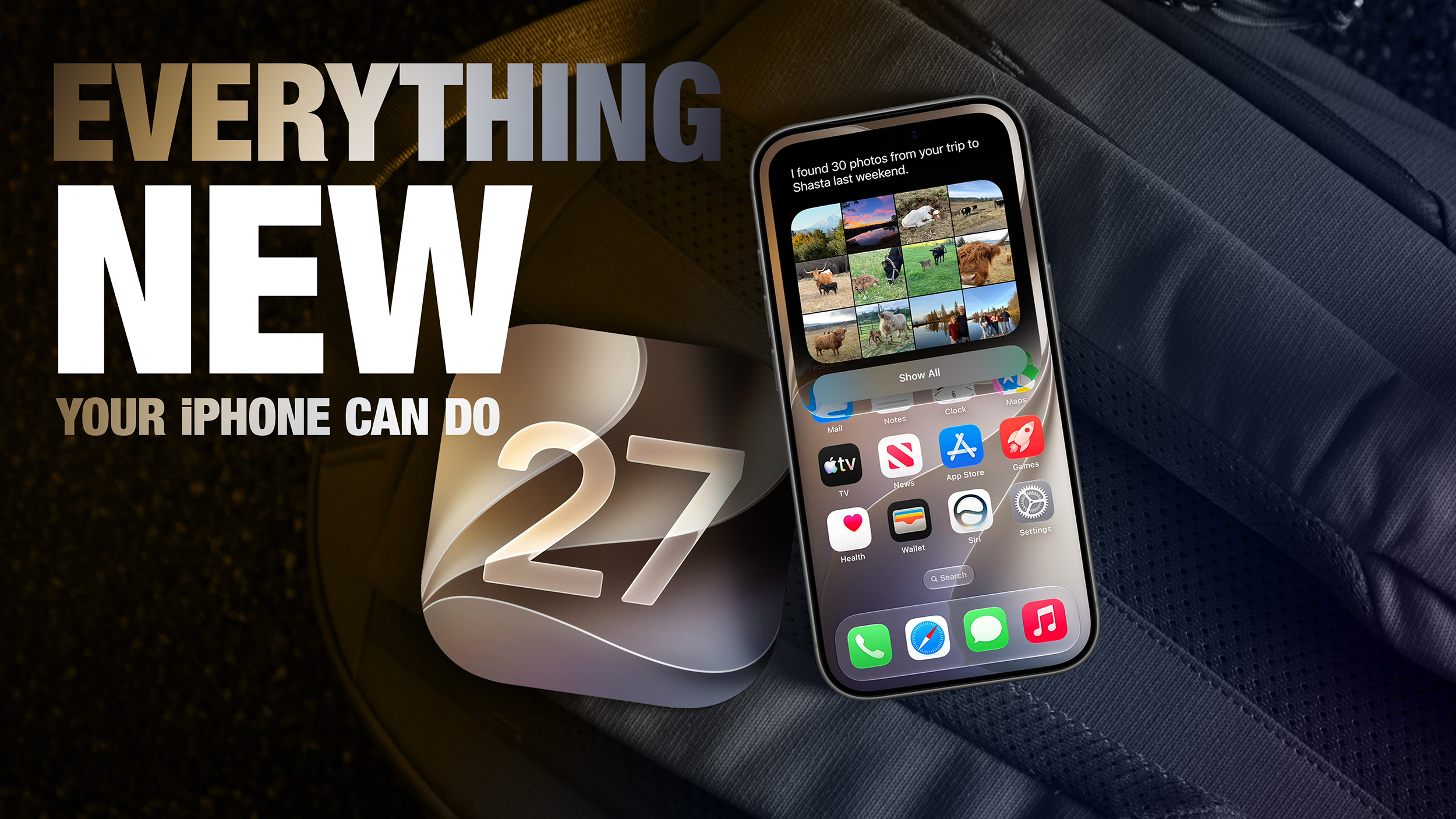
This year's major iPhone software update isn't all about AI, though, as the following feature list testifies. iOS 27 is currently in public beta – if you're OK with that, you can install it today.
Extend Your Photos and Lock Screen Wallpaper
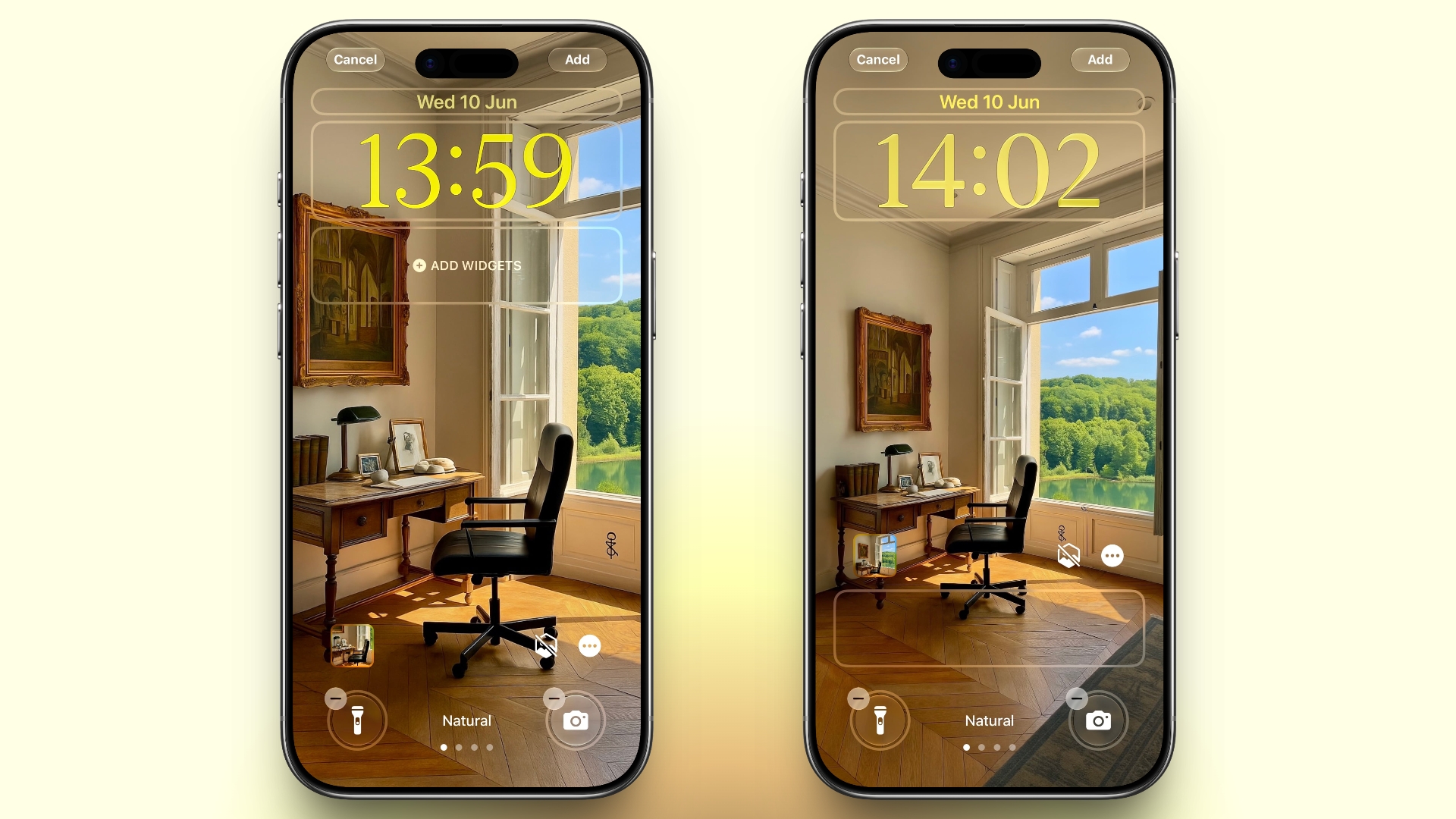
A new wallpaper extension feature in iOS 27 uses Apple Intelligence to automatically expand a photo beyond its original boundaries so it fills the entire Lock Screen more naturally. If a photo is cropped too tightly, doesn't match your iPhone's aspect ratio, or it leaves empty space when positioned on the Lock Screen, iOS 27 can generate additional image content around the edges with the "Extend" option. It will analyze the existing image and create matching background details that blend with the original photo, so there's no need for aggressive cropping. The Extend option can also be found in the Photos app.
Organize Your Safari Tabs
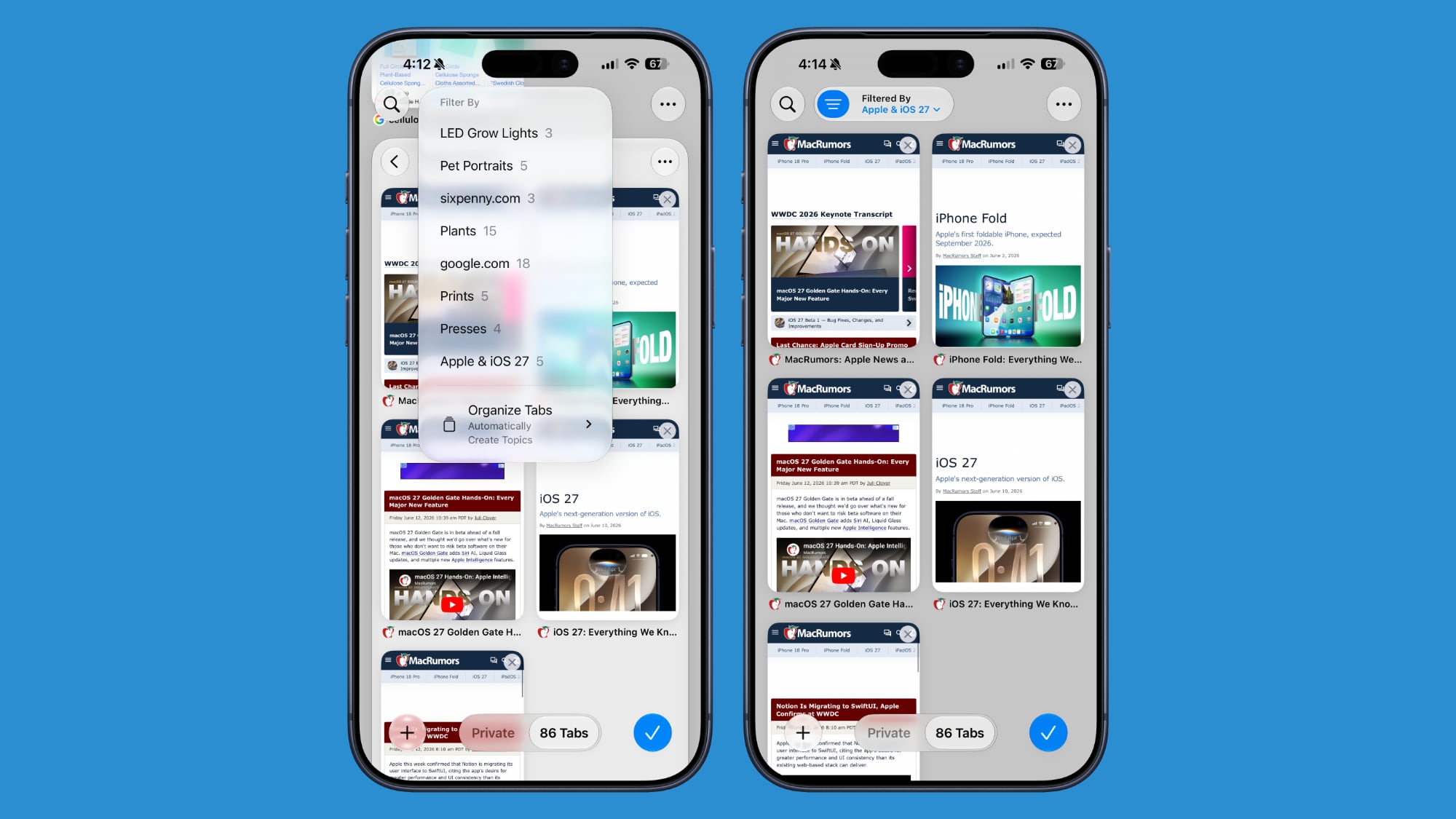
Safari uses Apple Intelligence to automatically organize your open tabs into related topics, making them easier to browse and manage. For example, if you're shopping for a new refrigerator while planning a vacation, Safari groups tabs for each activity into separate topic-based collections. You can enable this feature by opening Tab View, tapping the three-line icon in the top-right corner, and turning on Automatically Create Topics.
Use Natural Language for Reminder and Calendar Entries
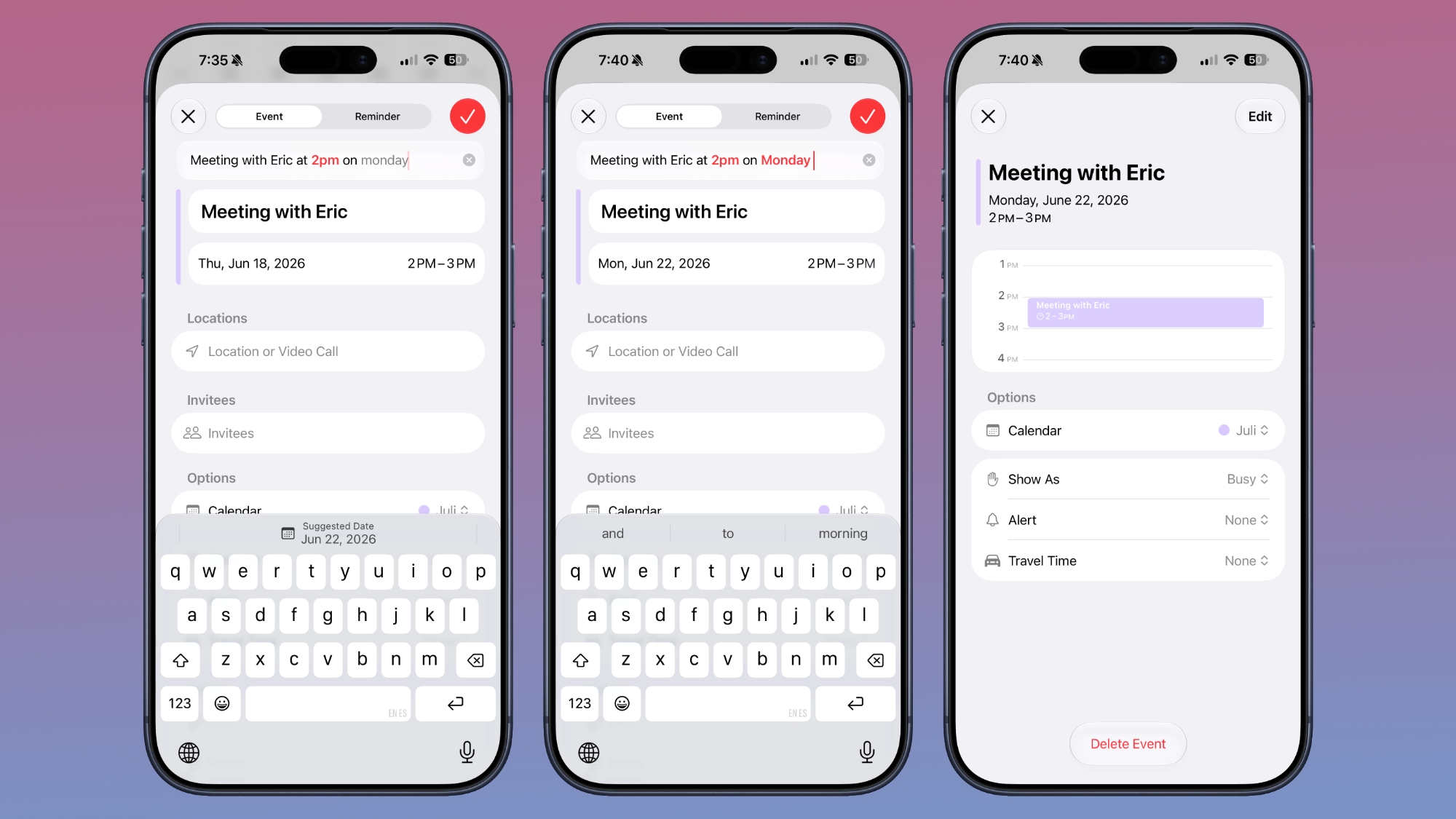
In the Reminders app, you can now create reminders using natural language, and Apple Intelligence will automatically fill in details such as the date, time, and location. For example, if you type "Pick up Dad at 6 p.m. tonight" or "Send the photos to Eric tomorrow at 3 p.m.," Reminders extracts the relevant information and adds it to the reminder automatically.
The Calendar app also supports natural language input, identifying people, dates, and locations as you type. You can then tap the suggested information to quickly add it to your event.
Inline Reply to Messages From Android Users
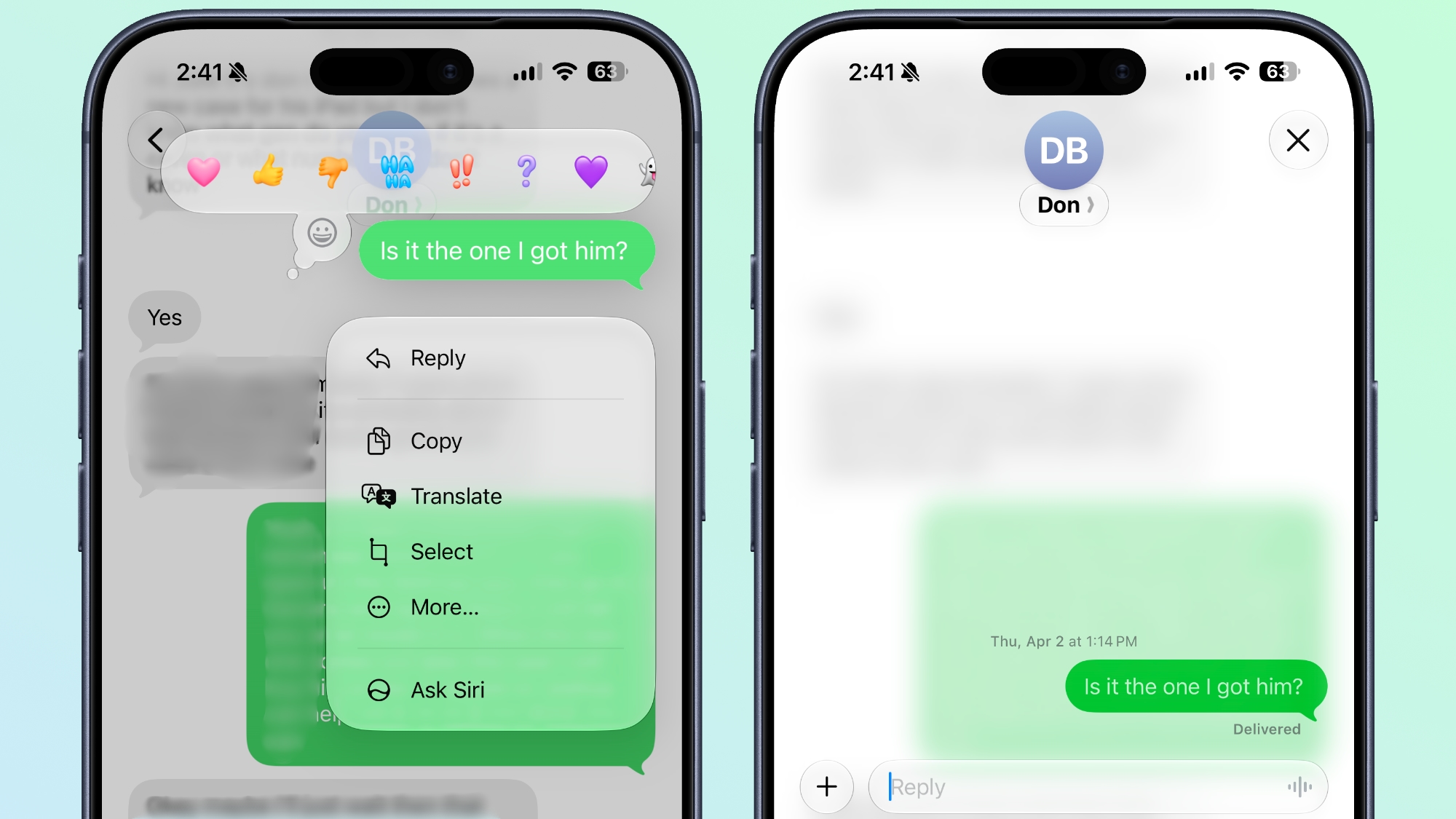
In the Messages app, you can now long press on a specific message from an Android user (a green chat bubble) and get an option to reply to it. That contrasts with iOS 26, where inline replies are limited to blue bubbles sent over Apple's iMessage platform.
Upgrade Your Wallet Passes
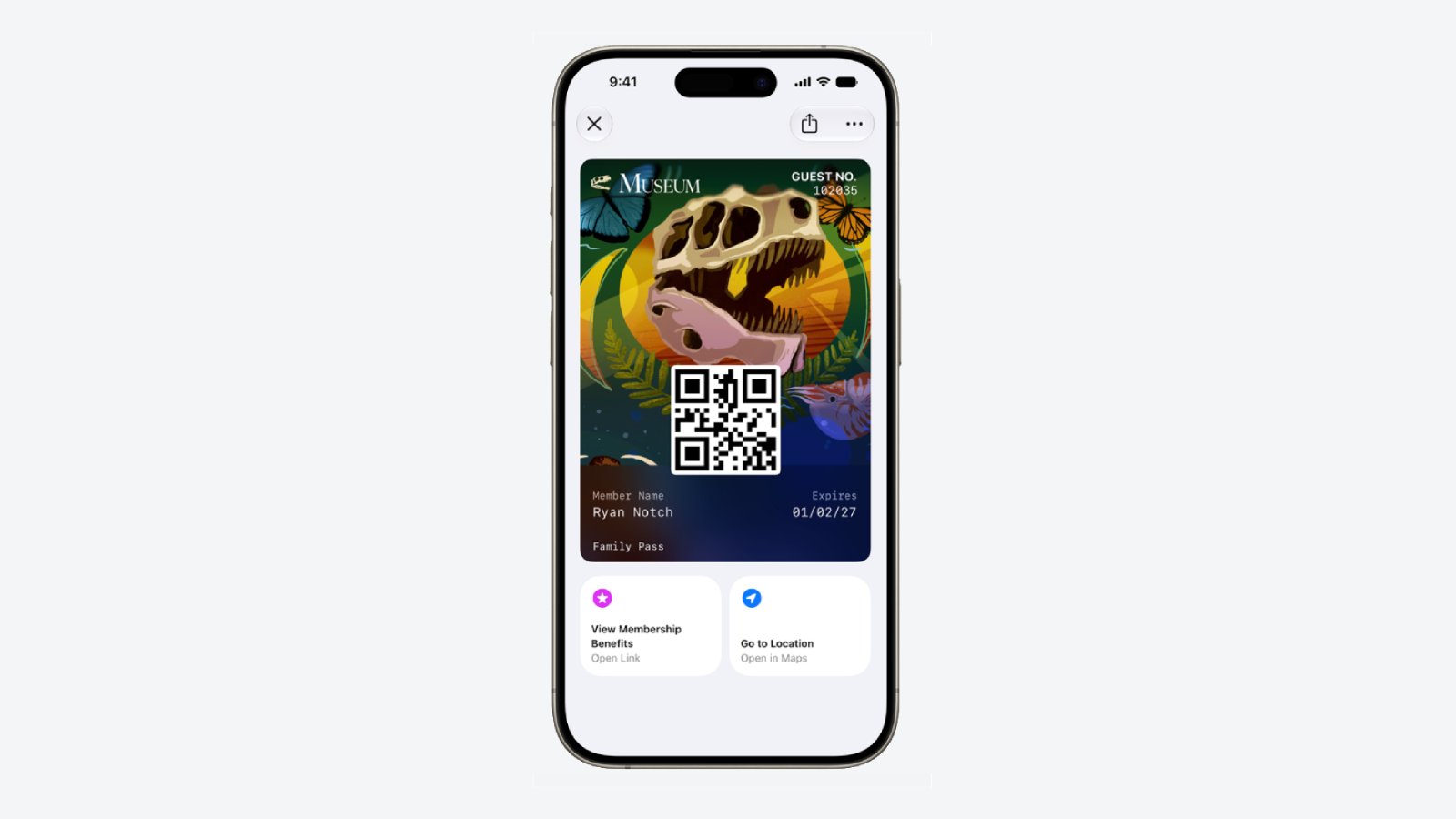
Apple has expanded the redesigned pass experience in the Wallet app with iOS 27, bringing the enhanced design introduced for airline boarding passes in iOS 26 to additional pass types. Membership, gift, loyalty, and rewards cards can now use a new Poster Generic layout with a background image, a logo, customizable header and footer fields, main information, and an optional barcode. Passes can also include up to two quick actions at the bottom, such as getting directions to a venue or checking a rewards points balance.
Describe Your Next Shortcut
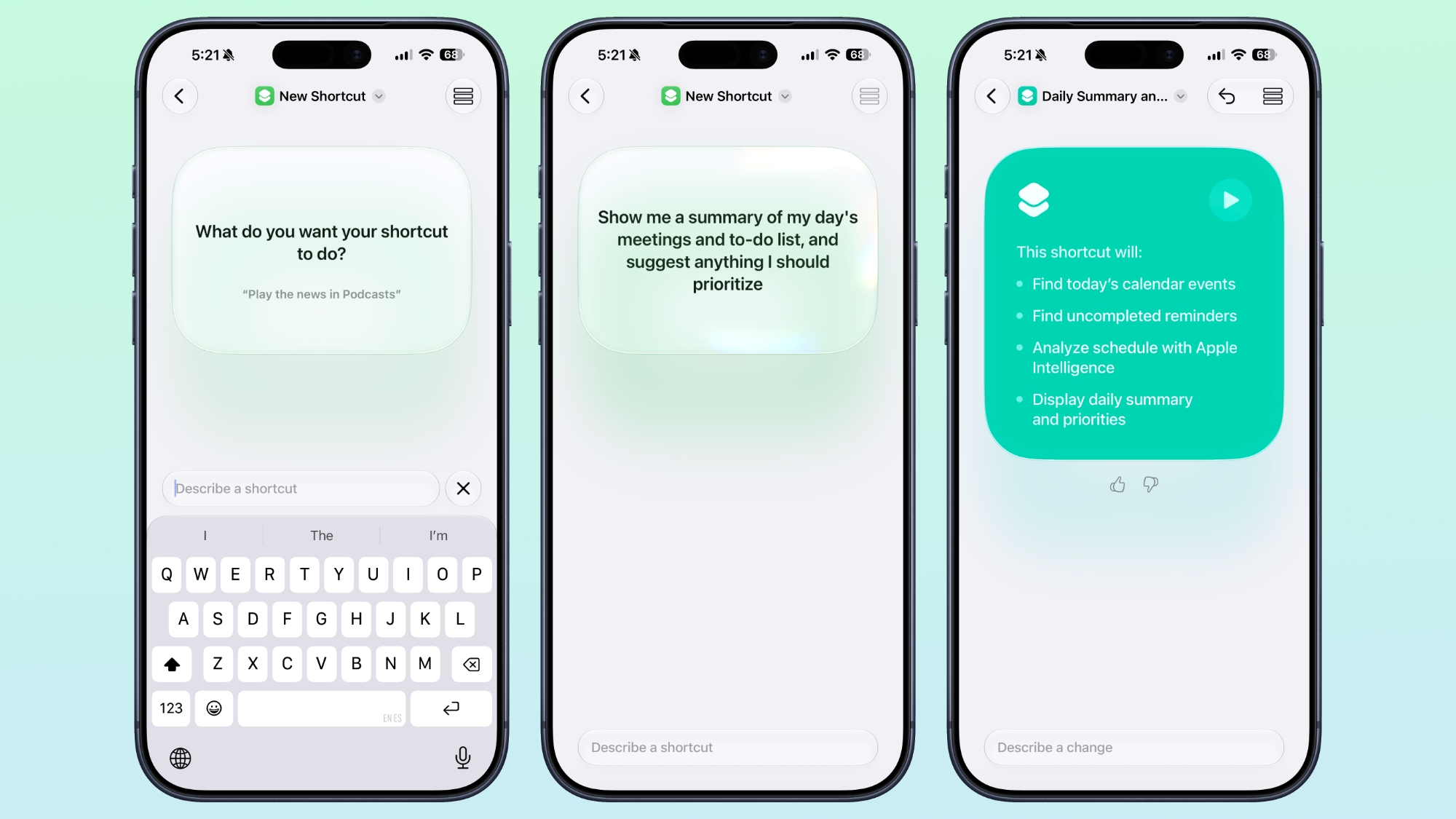
Apple Intelligence makes creating shortcuts much more accessible by letting you build them with natural language. Tapping New Shortcut in the Shortcuts app opens a Describe a Shortcut interface, where you simply explain what you want the shortcut to do. You can describe a single action or a more complex automation, and Apple Intelligence selects the appropriate actions and assembles the shortcut automatically.
For example, you could create a shortcut that sets tomorrow's alarm based on your first Calendar event, enables Sleep Focus, and dims the bedroom lights each evening, or one that displays your first meeting, the weather, and today's reminders every morning. Like existing shortcuts, these automations can be triggered by factors such as the time of day, your location, app activity, system events like taking a screenshot, incoming notifications, and more.
Get a Better Flyover of Your City
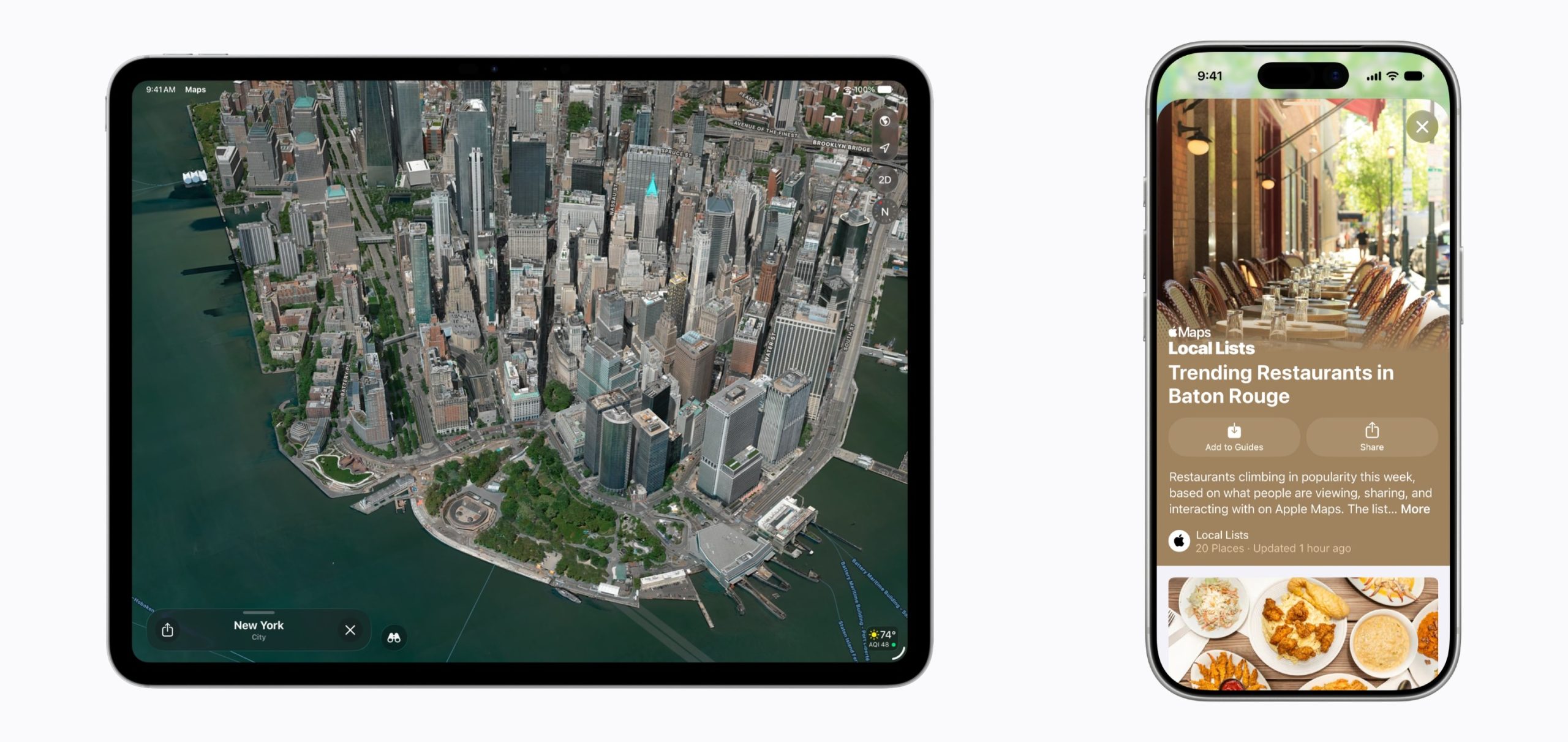
Apple is enhancing the Flyover feature in Maps with iOS 27, using Apple Intelligence models to improve aerial imagery with greater texture and sharper detail. Trees, buildings, and other landmarks appear more realistic, with more accurate geometry and improved lighting effects.
According to Apple, the update makes select cities around the world look more lifelike, from the shape of individual trees to the way light reflects off glass skyscrapers. Flyover already offers detailed 3D views of landmarks, roads, parks, and buildings in more than 350 cities, so iOS 27 is essentially using AI to further improve the quality of those visualizations.
Ask Siri What Your Camera Sees
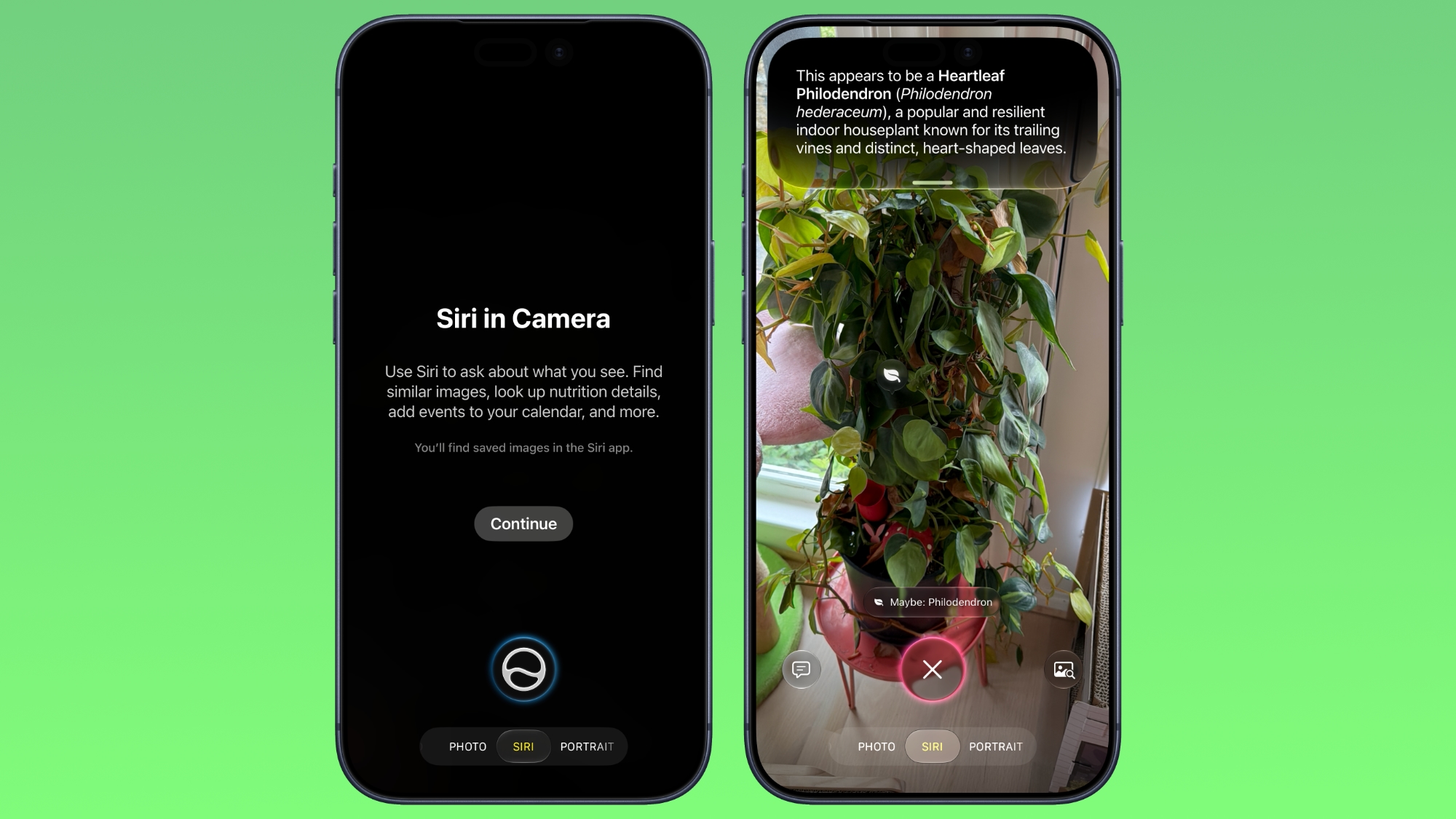
The iOS 27 Camera app has a new "Siri" mode that is available in addition to the video, photo, and other camera modes. The new mode uses Visual Intelligence to identify objects in the frame and provide information about them. It can be used to identify plants, animals, food, and more. If it's food you want info on, for example, it can tell you what it is, and how many calories are in it.
Other examples Siri mode can be used for include capturing a photo of an event flyer and adding a date to the Calendar app, text translation, splitting a bill, and more.
Make Your Lock Screen Clock More Compact
... Click here to read rest of article
Article Link: 30 New Things Your iPhone Can Do in iOS 27


