My cousin's MacBook Pro 13-inch hard drive failed today (flashing folder with question mark). Tried reinstalling OS X but the hard drive wouldn't show up. Looking to invest in a SSD (120-130 GB is good). Anyone know any affordable brands along with what tools I would need to replace the current HD to a SSD.

Got a tip for us?
Let us know
Become a MacRumors Supporter for $50/year with no ads, ability to filter front page stories, and private forums.
Affordable SSD to replace MacBook Pro 13-inch (June 2012)?
- Thread starter ronaldcastillo
- Start date
- Sort by reaction score
You are using an out of date browser. It may not display this or other websites correctly.
You should upgrade or use an alternative browser.
You should upgrade or use an alternative browser.
Hi,
see Crucial's or Samsung's websites for the SSD.
The tools you need :
- a good quality Phillips #00 screwdriver
- a Torx 6 tool
See : https://fr.ifixit.com/Guide/MacBook+Pro+13-Inch+Unibody+Mid+2012+Hard+Drive+Replacement/10378
see Crucial's or Samsung's websites for the SSD.
The tools you need :
- a good quality Phillips #00 screwdriver
- a Torx 6 tool
See : https://fr.ifixit.com/Guide/MacBook+Pro+13-Inch+Unibody+Mid+2012+Hard+Drive+Replacement/10378
I can definitely recommend a crucial mx100 I stuck that in my old macbook and it made the thing absolutely fly.
This SSD will replace the HD right? I notice there's a few that replace the optical drive as well. Does Crucial sell the screw drivers and tools I would need as we'll?

charlyham
macrumors regular
I like this SSD
Samsung Electronics 840 EVO-Series 250GB 2.5-Inch SATA III Single Unit Version Internal Solid State Drive MZ-7TE250BW
$118.99
Sold by Amazon.com LLC
http://www.amazon.com/Samsung-Elect...F8&qid=1409513826&sr=1-1&keywords=samsung+evo
I use Husky Precision screwdrivers. One has slotted and phillips and another is torx. You can get them at Home Depot.
http://www.homedepot.com/p/Husky-8-IN-1-Phillips-and-Slotted-Screwdriver-Set-74501/100074336
Charly
Samsung Electronics 840 EVO-Series 250GB 2.5-Inch SATA III Single Unit Version Internal Solid State Drive MZ-7TE250BW
$118.99
Sold by Amazon.com LLC
http://www.amazon.com/Samsung-Elect...F8&qid=1409513826&sr=1-1&keywords=samsung+evo
I use Husky Precision screwdrivers. One has slotted and phillips and another is torx. You can get them at Home Depot.
http://www.homedepot.com/p/Husky-8-IN-1-Phillips-and-Slotted-Screwdriver-Set-74501/100074336
Charly
Last edited:
As an Amazon Associate, MacRumors earns a commission from qualifying purchases made through links in this post.
I just installed a Crucial MX100 256GB yesterday, and I am very impressed. It was money well spent.
The install is quick and easy. The tool kit with precision torx drivers that I ordered ended up being a cheap kit coming from China, and isn't due in for weeks yet, so I had to improvise. The improvisation is that the torx screw heads have hexagonal symmetry, so if you can find a small enough allen wrench/hex key, you can get by. I believe the size that fits well is 0.9mm.
The install is quick and easy. The tool kit with precision torx drivers that I ordered ended up being a cheap kit coming from China, and isn't due in for weeks yet, so I had to improvise. The improvisation is that the torx screw heads have hexagonal symmetry, so if you can find a small enough allen wrench/hex key, you can get by. I believe the size that fits well is 0.9mm.

I notice Amazon sells the MX100 a little cheaper than Crucial.com. Can anyone suggest a website/place where I can buy the screwdriver and Torx 6 tool for a cheap price?

PowerBook-G5
macrumors 65816
Another vote for the MX100. If all you need is 128 GB (or any capacity, for that matter!), get it on Amazon! Currently it's only $75!
http://www.amazon.com/gp/aw/d/B00KFAGCUM/ref=redir_mdp_mobile#
I got this #00 driver and it works ok:
http://www.amazon.com/gp/aw/d/B0053611PO/ref=redir_mdp_mobile?keywords=torx%20t6&qid=1405016800&ref_=sr_1_1&sr=8-1
I also bought this T6 driver and it worked great:
http://www.amazon.com/gp/aw/d/B0053611PO/ref=redir_mdp_mobile?keywords=torx%20t6&qid=1405016800&ref_=sr_1_1&sr=8-1
http://www.amazon.com/gp/aw/d/B00KFAGCUM/ref=redir_mdp_mobile#
I got this #00 driver and it works ok:
http://www.amazon.com/gp/aw/d/B0053611PO/ref=redir_mdp_mobile?keywords=torx%20t6&qid=1405016800&ref_=sr_1_1&sr=8-1
I also bought this T6 driver and it worked great:
http://www.amazon.com/gp/aw/d/B0053611PO/ref=redir_mdp_mobile?keywords=torx%20t6&qid=1405016800&ref_=sr_1_1&sr=8-1
Another vote for the MX100. If all you need is 128 GB (or any capacity, for that matter!), get it on Amazon! Currently it's only $75!
http://www.amazon.com/gp/aw/d/B00KFAGCUM/ref=redir_mdp_mobile#
I got this #00 driver and it works ok:
http://www.amazon.com/gp/aw/d/B0053...rds=torx t6&qid=1405016800&ref_=sr_1_1&sr=8-1
I also bought this T6 driver and it worked great:
http://www.amazon.com/gp/aw/d/B0053...rds=torx t6&qid=1405016800&ref_=sr_1_1&sr=8-1
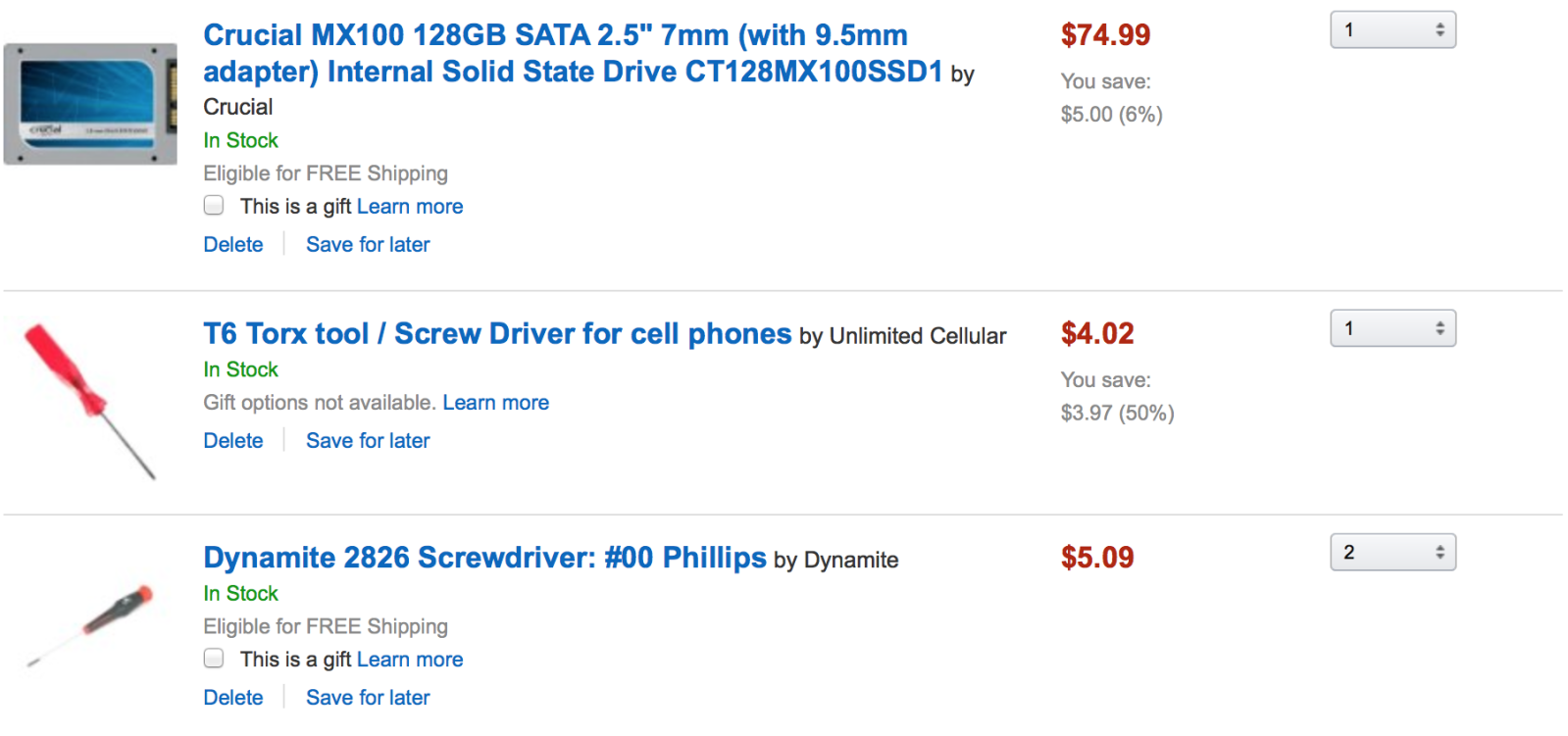
Are these all the things I would need to replace my dead HD to a SSD?
As an Amazon Associate, MacRumors earns a commission from qualifying purchases made through links in this post.
PowerBook-G5
macrumors 65816
That is all that is needed to swap out the drives. After you install the SSD you can boot from a Time Machine backup disk where you should be able to format the SSD, reinstall OS X, and restore your files.
That is all that is needed to swap out the drives. After you install the SSD you can boot from a Time Machine backup disk where you should be able to format the SSD, reinstall OS X, and restore your files.
Thinking of just reinstalling a fresh version of OS X. All I would need is to partition the SSD to Mac then install OS X using a flash drive right?
PowerBook-G5
macrumors 65816
Thinking of just reinstalling a fresh version of OS X. All I would need is to partition the SSD to Mac then install OS X using a flash drive right?
Yes, you can also do it that way by installing it from the USB.
Yes, you can also do it that way by installing it from the USB.
Thanks! Last question, got a friend that owns a 2010 MacBook Pro, will the MX100 fit into that MB as well?

PowerBook-G5
macrumors 65816
Thanks! Last question, got a friend that owns a 2010 MacBook Pro, will the MX100 fit into that MB as well?
As far as I know it will fit in the 2010 MacBook Pro, seeing as it has a SATA interface. Anyway, I hope that your cousin enjoys his SSD! It makes a world of a difference compared to a HDD.
MMcCraryNJ
macrumors 6502
I would look at slightly bigger than 120GB. Trust me you don't expect to use it, but people do.
I'll second this...
I actually purchased my 2012 cMBP with a 128GB SSD from Apple...and I have to constantly delete files to keep more than 10GB free on this drive. Going to look into getting a 500GB 840 EVO when the prices drop just a little further.


Mr. Retrofire
macrumors 603
You do not need two #00 screw drivers. 😉
Are these all the things I would need to replace my dead HD to a SSD?
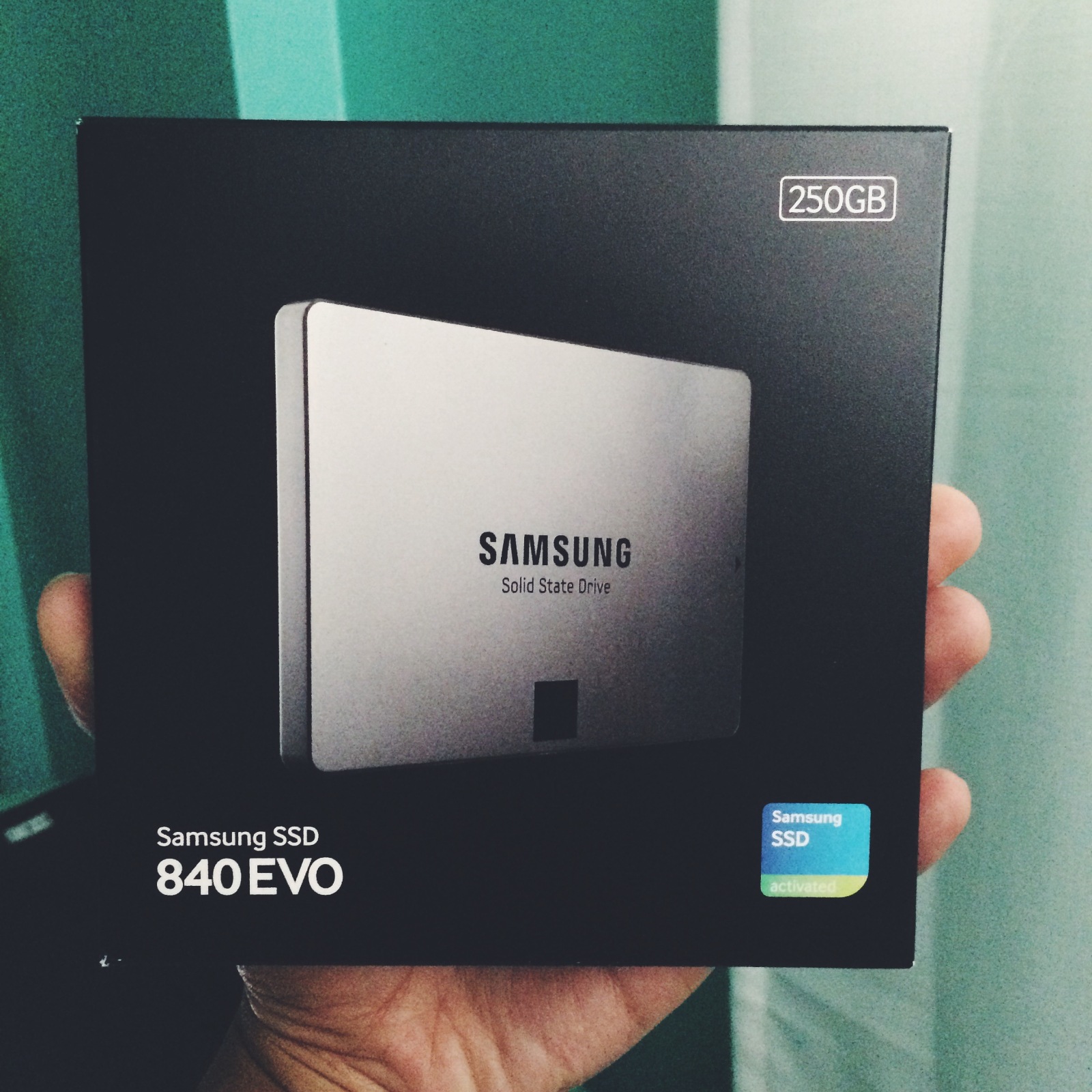
Ended up going with the Samsung 840 Evo ($118.99 at Best Buy). Ordered the screwdrivers from macsales.com but anyone know what store I may be able to get them locally?
The 00 Phillips you can find anywhere. A cheap set of precision screwdrivers will have it. The torx driver will be tougher. It's a crap shoot with larger cain stores, but if you have a local mom and pop hardware store, odds are good they have some laying around. If not, check a tool shop like Fastenal Supply.
Also, a small hex key will work, I believe it was an 0.9mm hex key that did it for me.
Enjoy your "new" mac.
Also, a small hex key will work, I believe it was an 0.9mm hex key that did it for me.
Enjoy your "new" mac.
The 00 Phillips you can find anywhere. A cheap set of precision screwdrivers will have it. The torx driver will be tougher. It's a crap shoot with larger cain stores, but if you have a local mom and pop hardware store, odds are good they have some laying around. If not, check a tool shop like Fastenal Supply.
Also, a small hex key will work, I believe it was an 0.9mm hex key that did it for me.
Enjoy your "new" mac.
Gun shops that sell gunsmithing supplies often will have T6 torx drivers/bits too.
I ended up installing the SSD into my cousin's MacBook Pro (followed all the steps on iFixIT, but somewhat the SSD isn't showing up in Disk Utility when I boot from Mavericks USB. Help!?