On my iPad (but this also applies to my iPhone), I have a lock screen with a picture and a bunch of lock screen widgets set up, along with an appearance for the home screen (icon size, style, color, dark/light, all that stuff).
There is no way to change the background picture. All I can do is create a new lock screen and home screen combo with a new picture, but then all the widgets, appearances, icon colors are back to default. I don't want to change those, and I don't want to spend time fishing out the lock screen widgets I want and their specific sub-category each time I change the background picture.
Is there something I'm missing or is there just no way to change JUST the background picture on iOS? This used to be possible some previous version several years ago, I'm 100% certain of this.
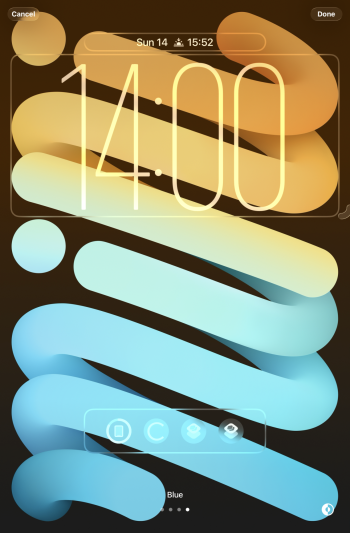
Attached is a screenshot of the lock screen edit page. There is no button to change the background.
There is no way to change the background picture. All I can do is create a new lock screen and home screen combo with a new picture, but then all the widgets, appearances, icon colors are back to default. I don't want to change those, and I don't want to spend time fishing out the lock screen widgets I want and their specific sub-category each time I change the background picture.
Is there something I'm missing or is there just no way to change JUST the background picture on iOS? This used to be possible some previous version several years ago, I'm 100% certain of this.
Attached is a screenshot of the lock screen edit page. There is no button to change the background.