This isn’t the exact video I watched, but it shows the process.Can you give a link to that video?

Got a tip for us?
Let us know
Become a MacRumors Supporter for $50/year with no ads, ability to filter front page stories, and private forums.
Anyone using different keyboard than the magic keyboard?
- Thread starter chmania
- Start date
- Sort by reaction score
You are using an out of date browser. It may not display this or other websites correctly.
You should upgrade or use an alternative browser.
You should upgrade or use an alternative browser.


amancalledsun
macrumors 6502
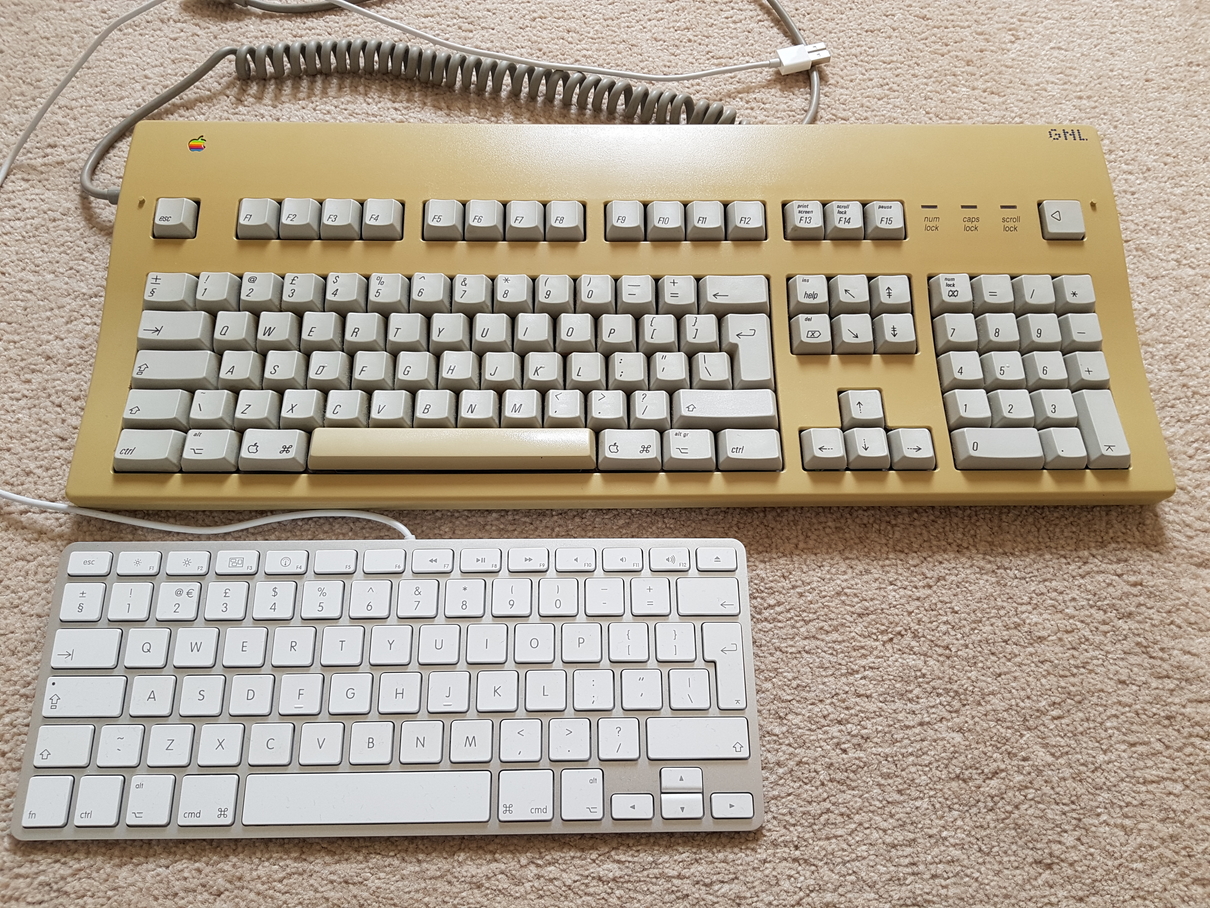
Why are there two control keys and no caps lock? Weird.I still* use Matias USB2.0 keyboards https://matias.ca/usb2keyboard/ both for my then first (2007) Mac Minis and now with my Intel 2018 and M1 ones. Found a review here: https://lowendmac.com/misc/06/0103.html
*) because each key shows all 3-4 possible characters you can use it for (in combination with shift, alt, and shift & alt); the USB2.0 port is a bonus - easy access for a USB stick or anything else that doesn't need UB3 speeds
View attachment 2575181
Don't know why there are two control keys, but there's a caps lock to the right of the space bar, next to a third control key 🙄Why are there two control keys and no caps lock? Weird.
AlaskaMoose
macrumors 601
Thanks!"One point that should help this board be an enduring presence on your desk is its detachable cable. My favorite keyboards for typing quality, inexplicably, have featured non-removable cables, but one of Matias’s tweaks to its Tactile Pro over the years was to give it a Micro USB port. They pack not one, but two, very long Micro USB to USB Type-A cables for it in the box and a USB Type-C adapter to help it out with modern Macs."
From: https://reviews.ofb.biz/safari/article/1271.html
The thorough review includes the specs that I was interested in knowing.
MacMorrison
macrumors 6502
I miss the compact Apple wired aluminum USB keyboard, which was only available for a short time before they upgraded to wireless products (the 78-key A1242, launched March 2009, quickly discontinued December 2010 after the 3rd Apple Wireless Keyboard was released in October 2009). It only came with iMacs in early and mid-2009.
The LoFree 1970s looks pretty reasonable at $100. I'm not sure what its battery life is like - you can also connect with USB-C.

The LoFree 1970s looks pretty reasonable at $100. I'm not sure what its battery life is like - you can also connect with USB-C.
Last edited:
I miss the compact Apple wired aluminum USB keyboard, which was only available for a short time before they upgraded to wireless products (the 78-key A1242, launched March 2009, quickly discontinued December 2010 after the 3rd Apple Wireless Keyboard was released in October 2009). It only came with iMacs in early and mid-2009.
The LoFree 1970s looks pretty reasonable at $100. I'm not sure what its battery life is like - you can also connect with USB-C.
What about this one? https://us.macally.com/products/usb-keyboard-compact-versatile-aluminum
MacMorrison
macrumors 6502
It looks very close to the Apple one.
And this one looks good too - mechanical switches and Bluetooth from Macally:

And this one looks good too - mechanical switches and Bluetooth from Macally:
MacMorrison
macrumors 6502
I had some cheap plastic Macally keyboards at work, but I found their lettering rubbed off (this was years ago). No problems with their durability or functions, otherwise.
This Lofree Cyberpunk100 keyboard is kind of garish, but in a way that I like:

This Lofree Cyberpunk100 keyboard is kind of garish, but in a way that I like:

Xstyle
macrumors member
I have the long magic keyboard with numerics, as this:
Apple Magic Keyboard with Numerics (on Amazon)
I am about to sell my 27" 2017 iMac (boxed!) so not sure if I should also sell the keyboard & mouse with it, just a pain to buy something else though to replace to use with my docked MBP.
Apple Magic Keyboard with Numerics (on Amazon)
I am about to sell my 27" 2017 iMac (boxed!) so not sure if I should also sell the keyboard & mouse with it, just a pain to buy something else though to replace to use with my docked MBP.
As an Amazon Associate, MacRumors earns a commission from qualifying purchases made through links in this post.
I use the Satechi X1 Slim Backlit Keyboard
I like it becasue it has the same layout and function keys as the Apple keyboard but it has a backlight. I use it plugged in (wired mode) so that I never have to worry about charging it.
UPDATE: I wouldn't reccomend this keyboard. Literally 2 days after posting this the delete key, backslash key and return key stopped working. I took off the delete keycap to see if something was stuck under it and the scissor mechanism broke. The other 2 keys still do not work. This keyboard is junk now and I've only had it for 4 months. DO NOT BUY!
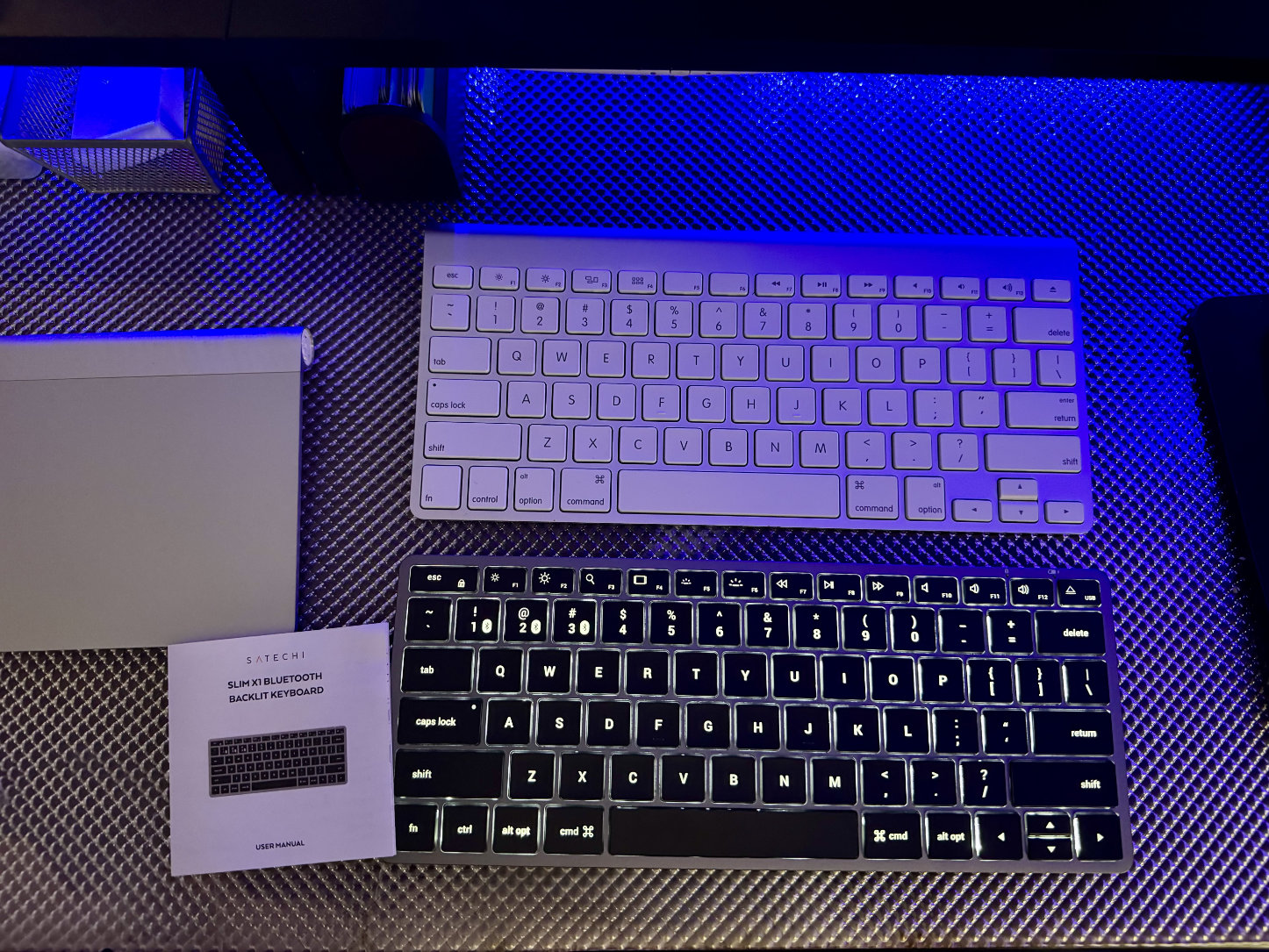
I like it becasue it has the same layout and function keys as the Apple keyboard but it has a backlight. I use it plugged in (wired mode) so that I never have to worry about charging it.
UPDATE: I wouldn't reccomend this keyboard. Literally 2 days after posting this the delete key, backslash key and return key stopped working. I took off the delete keycap to see if something was stuck under it and the scissor mechanism broke. The other 2 keys still do not work. This keyboard is junk now and I've only had it for 4 months. DO NOT BUY!
Last edited:
UPDATE: I wouldn't reccomend this keyboard. Literally 2 days after posting this the delete key, backslash key and return key stopped working. I took off the delete keycap to see if something was stuck under it and the scissor mechanism broke. The other 2 keys still do not work. This keyboard is junk now and I've only had it for 4 months. DO NOT BUY!
Yep, you're far from the only one; Satechi's "X" keyboards seem to have a poor reputation for reliability.
Satechi just introduced two new lines of slim keyboards, the "EX" and "LX" models. Unlike the older "X" series, these keyboards have no lighting. Although it's too soon to draw any conclusions about the products' quality, the impression I get is that they may be an improvement over the "X" line. I might try the Slim LX3, the wired full-size version.
The first pic with 2 keyboards. I use exactly the same keyboard as the second keyboard. The silver and white keyboard.I miss the compact Apple wired aluminum USB keyboard, which was only available for a short time before they upgraded to wireless products (the 78-key A1242, launched March 2009, quickly discontinued December 2010 after the 3rd Apple Wireless Keyboard was released in October 2009). It only came with iMacs in early and mid-2009.
The LoFree 1970s looks pretty reasonable at $100. I'm not sure what its battery life is like - you can also connect with USB-C.
But I have the bigger version with the number pad.
Yep, you're far from the only one; Satechi's "X" keyboards seem to have a poor reputation for reliability.
Satechi just introduced two new lines of slim keyboards, the "EX" and "LX" models. Unlike the older "X" series, these keyboards have no lighting. Although it's too soon to draw any conclusions about the products' quality, the impression I get is that they may be an improvement over the "X" line. I might try the Slim LX3, the wired full-size version.
I reached out to Satechi and they replaced my Slim keyboard for free (I just had to pay return shipping for the broken keyboard). At least their customer service is good. I originally bought it from eBay which isn't an "approved seller" like Best Buy or Amazon, so they made an exception by replacing it.
peter.black
macrumors newbie
This 👆Plus touch id is a God-send. Losing touch id is the biggest reason I dont even bother exploring other keyboards.
As a developer I am constantly using touch id for testing and authentication.
For my M4 Pro Mac Mini the, Keychron Q5 is my main keyboard of choice with the DasKeyboard for Mac as an option, all with Cherry Brown switches or equivalent. I use the Keychron K10 on my desktop Windows machine.
Prevents the sore fingers I get with the Magic Keyboard which I really don’t like that much, although I am perfectly happy with Apple keyboards on my various MacBooks (14” Pro, 16” Pro, Neo). Can’t explain since it makes no sense, but it is what it is.
Prevents the sore fingers I get with the Magic Keyboard which I really don’t like that much, although I am perfectly happy with Apple keyboards on my various MacBooks (14” Pro, 16” Pro, Neo). Can’t explain since it makes no sense, but it is what it is.

EricandSuebee
macrumors member

Totally Bored
macrumors regular
When I use my MBP M2 Pro with my Dell 27" S2725QC monitor I use a Macally wireless bluetooth Keyboard that I got on Amazon for $40. Been using it for a couple weeks. It's okay.

When I use my MBP M2 Pro with my Dell 27" S2725QC monitor I use a Macally wireless bluetooth Keyboard that I got on Amazon for $40. Been using it for a couple weeks. It's okay.
From what I can tell, Macally doesn't seem to be particularly well-regarded. What say you all?
Totally Bored
macrumors regular
Works fine for meFrom what I can tell, Macally doesn't seem to be particularly well-regarded. What say you all?

kikote
macrumors regular
I prefer to use low profile mechanical keyboards. At he moment I am using an Iqunix Magi 75 ISO-DE with Kailh deep sea silent switches and shine-through PBT keycaps... Quite happy with the combo.
BUT, I did miss the Touch ID (I got used to it with my MacBook Air). So I bought a non-working second hand Apple keyboard for 25 Euros (The A and D keyboard did not work) and took the TouchId out of the keyboard and put it in an Lego Case that I sticked underneath the desk next to my Macstudio ... Works pretty well 🙂
BUT, I did miss the Touch ID (I got used to it with my MacBook Air). So I bought a non-working second hand Apple keyboard for 25 Euros (The A and D keyboard did not work) and took the TouchId out of the keyboard and put it in an Lego Case that I sticked underneath the desk next to my Macstudio ... Works pretty well 🙂

