
Got a tip for us?
Let us know
Become a MacRumors Supporter for $50/year with no ads, ability to filter front page stories, and private forums.
Anyone using different keyboard than the magic keyboard?
- Thread starter chmania
- Start date
- Sort by reaction score
You are using an out of date browser. It may not display this or other websites correctly.
You should upgrade or use an alternative browser.
You should upgrade or use an alternative browser.
I (still) use a Apple 1243 keyboard.
Love that keyboard and will get something similar if it brakes.
I don’t want a wireless keyboard, don’t need more stuff with batteries where batteries and cordlessness adds nothing of value.
EDIT:// Also I don’t know how my muscle memory will handle CMD+EJECT and CMD+SHIFT+EJECT hot keys on a keyboard without a eject button
Love that keyboard and will get something similar if it brakes.
I don’t want a wireless keyboard, don’t need more stuff with batteries where batteries and cordlessness adds nothing of value.
EDIT:// Also I don’t know how my muscle memory will handle CMD+EJECT and CMD+SHIFT+EJECT hot keys on a keyboard without a eject button
Last edited:


MarkC426
macrumors 601
Totally agree with you….. 😁I (still) use a Apple 1243 keyboard.
Love that keyboard and will get something similar if it brakes.
I don’t want a wireless keyboard, don’t need more stuff with batteries where batteries and cordlessness adds nothing of value.
EDIT:// Also I don’t know how my muscle memory will handle CMD+EJECT and CMD+SHIFT+EJECT hot keys on a keyboard without a eject button
Wireless mouse makes sense.
But for a desktop Mac….no point having a wireless keyboard.
My (5.1 Mac Pro) keyboard, A1243, is still in use on my Studio, added bonus…2 USB ports.
MacMorrison
macrumors 6502
Wired keyboards and mice are the best. No latency issues, no batteries, no restarting or dealing with pairing problems across multiple devices.
I agree. I use wired. Luckily the wires still haven't broke.Wired keyboards and mice are the best. No latency issues, no batteries, no restarting or dealing with pairing problems across multiple devices.

MultiFinder17
macrumors 68030
At work on my 2020 iMac, I use an Apple Desktop Bus Keyboard (A9M0330) that I've had for ages and ages. I love the feel of the Alps Orange mechanical switches in it, and it still holds up perfectly well. Modern macOS doesn't seem to recognize the physical caps lock switch, but that's the only issue it has today. It feels wonderful, sounds wonderful, and is a delight to type on for long periods. It's hooked up via an old Griffin iMate.

There are other adb to USB adapters that might work better.At work on my 2020 iMac, I use an Apple Desktop Bus Keyboard (A9M0330) that I've had for ages and ages. I love the feel of the Alps Orange mechanical switches in it, and it still holds up perfectly well. Modern macOS doesn't seem to recognize the physical caps lock switch, but that's the only issue it has today. It feels wonderful, sounds wonderful, and is a delight to type on for long periods. It's hooked up via an old Griffin iMate.
View attachment 2621434
So you can't type capitol letters?At work on my 2020 iMac, I use an Apple Desktop Bus Keyboard (A9M0330) that I've had for ages and ages. I love the feel of the Alps Orange mechanical switches in it, and it still holds up perfectly well. Modern macOS doesn't seem to recognize the physical caps lock switch, but that's the only issue it has today. It feels wonderful, sounds wonderful, and is a delight to type on for long periods. It's hooked up via an old Griffin iMate.
View attachment 2621434
MultiFinder17
macrumors 68030
The iMate works great - I know there are modern replacements, but it still does exactly what it did 25 years ago.There are other adb to USB adapters that might work better.
I can, just using Shift. It's just the Caps Lock that isn't recognized.So you can't type capitol letters?
Seems I'm in the minority, at least here, in perferring the Magic Keyboard. Been using them since they first came out and you had to put AA batteries in them.
I love that they are only slightly raised, and the key travel is perfect for me. A bit more expensive but they last forever.
And I'm quicker typing on them too.
Also, the form factor means when I want to chill while working, I can kick back in my chair, feet on the desk, ASD angled towards me, and the Magic Keyboard is on my lap, which is how I'm writing right now.
I really really want to like MX / Mechanical / Keychron keyboard as they look and seem so damn cool, but the despite growing up with keychron 'type' keyboards since the 1980s, the travel and physical form of the keys on the mechanical type keyboards slows me down.
Wrist flexion is also better for me on the Apple keyboards.
I love that they are only slightly raised, and the key travel is perfect for me. A bit more expensive but they last forever.
And I'm quicker typing on them too.
Also, the form factor means when I want to chill while working, I can kick back in my chair, feet on the desk, ASD angled towards me, and the Magic Keyboard is on my lap, which is how I'm writing right now.
I really really want to like MX / Mechanical / Keychron keyboard as they look and seem so damn cool, but the despite growing up with keychron 'type' keyboards since the 1980s, the travel and physical form of the keys on the mechanical type keyboards slows me down.
Wrist flexion is also better for me on the Apple keyboards.

Non-Euclidean
macrumors 6502a
I go all over the place with keyboards.
For the longest period I was using MS Natural Keyboard 4000, for ergonomic reasons. Then they stopped making them and at work I have a clone from Amazon by XPerformance. The modern split keyboard from MS and Logitech I dislike.
I had a magic keyboard for my 2010 Mac mini, but I really don't care for chicklet keyboards. I can live with it on a laptop but see no reason to endure them for a PC.
At home I started experimenting more. So I was using a Das Keyboard with the PC. I bought a Unicomp Type M for nostalgia and that is hooked to the work laptop (low usage). When I bought the Mac Studio I purchased a Satechi SM3. Its ok so far, USB connected to the dock.
When Amazon/Woot was clearing out some Keychron keyboards I ordered a K10 and a Q10 (split). I returned the Q10, because I don't see myself using split keyboards at home. I will replace the Satechi with the K10 and see how I like it.
For the longest period I was using MS Natural Keyboard 4000, for ergonomic reasons. Then they stopped making them and at work I have a clone from Amazon by XPerformance. The modern split keyboard from MS and Logitech I dislike.
I had a magic keyboard for my 2010 Mac mini, but I really don't care for chicklet keyboards. I can live with it on a laptop but see no reason to endure them for a PC.
At home I started experimenting more. So I was using a Das Keyboard with the PC. I bought a Unicomp Type M for nostalgia and that is hooked to the work laptop (low usage). When I bought the Mac Studio I purchased a Satechi SM3. Its ok so far, USB connected to the dock.
When Amazon/Woot was clearing out some Keychron keyboards I ordered a K10 and a Q10 (split). I returned the Q10, because I don't see myself using split keyboards at home. I will replace the Satechi with the K10 and see how I like it.

XboxEvolved
macrumors 65816
I use a Keychron K10, and I bought it after Keychron tried to take it off market. It would (and still does) constantly sell out despite not being "as good" as their newer keyboards or the K10 that replaced it. A lot of the reason is the design and build quality.
MacMorrison
macrumors 6502
I go all over the place with keyboards.
For the longest period I was using MS Natural Keyboard 4000, for ergonomic reasons. Then they stopped making them and at work I have a clone from Amazon by XPerformance. The modern split keyboard from MS and Logitech I dislike.
I had a magic keyboard for my 2010 Mac mini, but I really don't care for chicklet keyboards. I can live with it on a laptop but see no reason to endure them for a PC.
At home I started experimenting more. So I was using a Das Keyboard with the PC. I bought a Unicomp Type M for nostalgia and that is hooked to the work laptop (low usage). When I bought the Mac Studio I purchased a Satechi SM3. Its ok so far, USB connected to the dock.
When Amazon/Woot was clearing out some Keychron keyboards I ordered a K10 and a Q10 (split). I returned the Q10, because I don't see myself using split keyboards at home. I will replace the Satechi with the K10 and see how I like it.
The Microsoft Natural keyboard was pretty good, but the old ones connected with PS/2, so you need PS/2 to USB adapters to run them now.
I hope the K10 works out well for you.
Seems I'm in the minority, at least here, in perferring the Magic Keyboard. Been using them since they first came out and you had to put AA batteries in them.
Would you happen to know the model numbers of the last versions to use AA batteries?

amancalledsun
macrumors 6502
The Apple Wireless Keyboard (models A1314, A1255, A1016) utilize AA batteries. Presumably A1314 is the last one of the bunch.Would you happen to know the model numbers of the last versions to use AA batteries?
I am using a Z-88 mechanical originally purchased for PC because why spend on a new when an old does the job, and it's backlit which the Magic is not. The only reason I am even posting this is due that this wired Mx KBD seems to have a problem not waking up properly with my M4 forcing me to do the un/plug dance. I finally solved the problem by using a genuine Apple USBA to USBC adapter and have it plugged into the leftmost port, front of the M4.

Inhalant
macrumors member
Nice! My caps lock likes to play deaf sometimes too? ha. It's not a huge deal though just a funny quirk. Guess it must be a macOS thing, never had an issue on other operating systemAt work on my 2020 iMac, I use an Apple Desktop Bus Keyboard (A9M0330) that I've had for ages and ages. I love the feel of the Alps Orange mechanical switches in it, and it still holds up perfectly well. Modern macOS doesn't seem to recognize the physical caps lock switch, but that's the only issue it has today. It feels wonderful, sounds wonderful, and is a delight to type on for long periods. It's hooked up via an old Griffin iMate.
View attachment 2621434
theluggage
macrumors G3
One exception may be the above-mentioned A1243 keyboard and its contemporaries. I was skeptical about using a "chiclet" keyboard vs. full travel at the time, but it converted me. The Tragic Keyboard just isn't in the same league (and I've given it a fair chance).Never been a fan of apple I/O. Got a custom with smoothie silver switches. Generally a bigger fan of what's inside an apple box than what's outside. Not a huge fan of the glossy screens or mice either. Great trackpads tho.
The large Magic Trackpad is also fantastic on laptops where having a built-in pointing device is convenient. The desktop version is quite good, too (and the haptics are amazing) but I still tend to fall back on a mouse.
Apart from that, I think that hinge-y ergonomic keyboard they did back in the 90s was the last interesting Apple peripheral...

zarmanto
macrumors 65816
They've been around since 1993, so I would imagine there are lots of people with lots of opinions about them, both positive and negative. I've used various peripherals from them over the years, and while I personally feel like they tend to run a bit on the pricy side, I don't seem to recall having any "This crap is utter crap!" moments with their products.From what I can tell, Macally doesn't seem to be particularly well-regarded. What say you all?

xraydoc
Contributor
Late to the thread but I'm a huge fan of hand-tuned mechanical keyboards. I'm a little bit of a keyboard junky, but typing on them is such a joyful experience that I sometimes go looking for things just to write.
And if one uses a programmable keyboard compatible with VIA or other tools, one can program any macOS-specific shortcuts or macros (like specific keys to open the emoji panel or screenshot controls, etc).
The only function truly lost that some people will care about is of course TouchID. But, at least for me, I wear an Apple Watch, so anything that would require TouchID gets shunted to the watch, so the functionality is replicated.
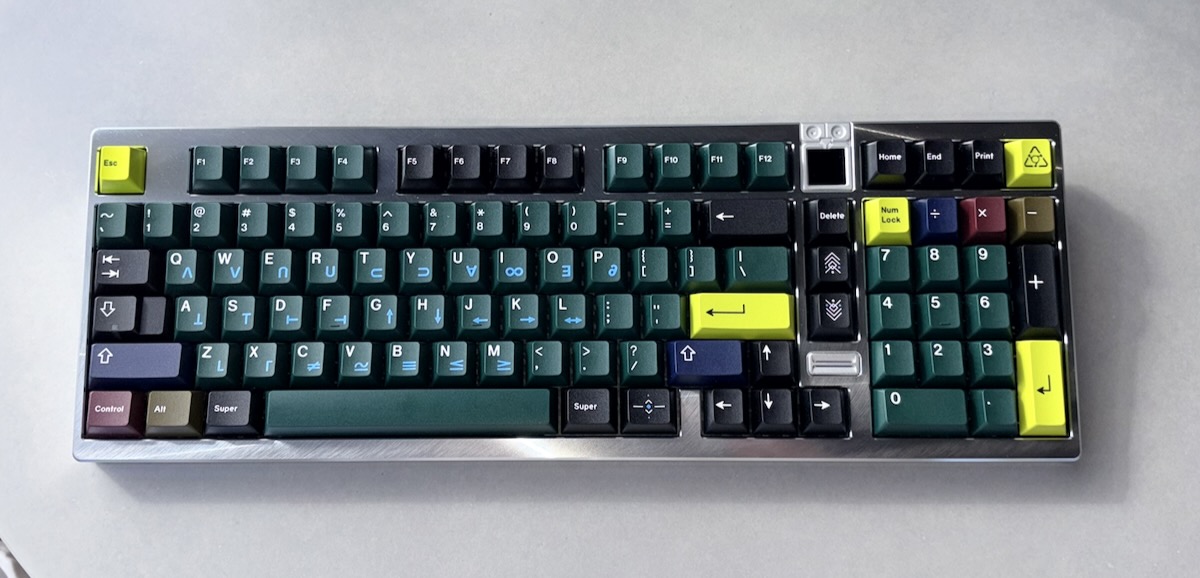
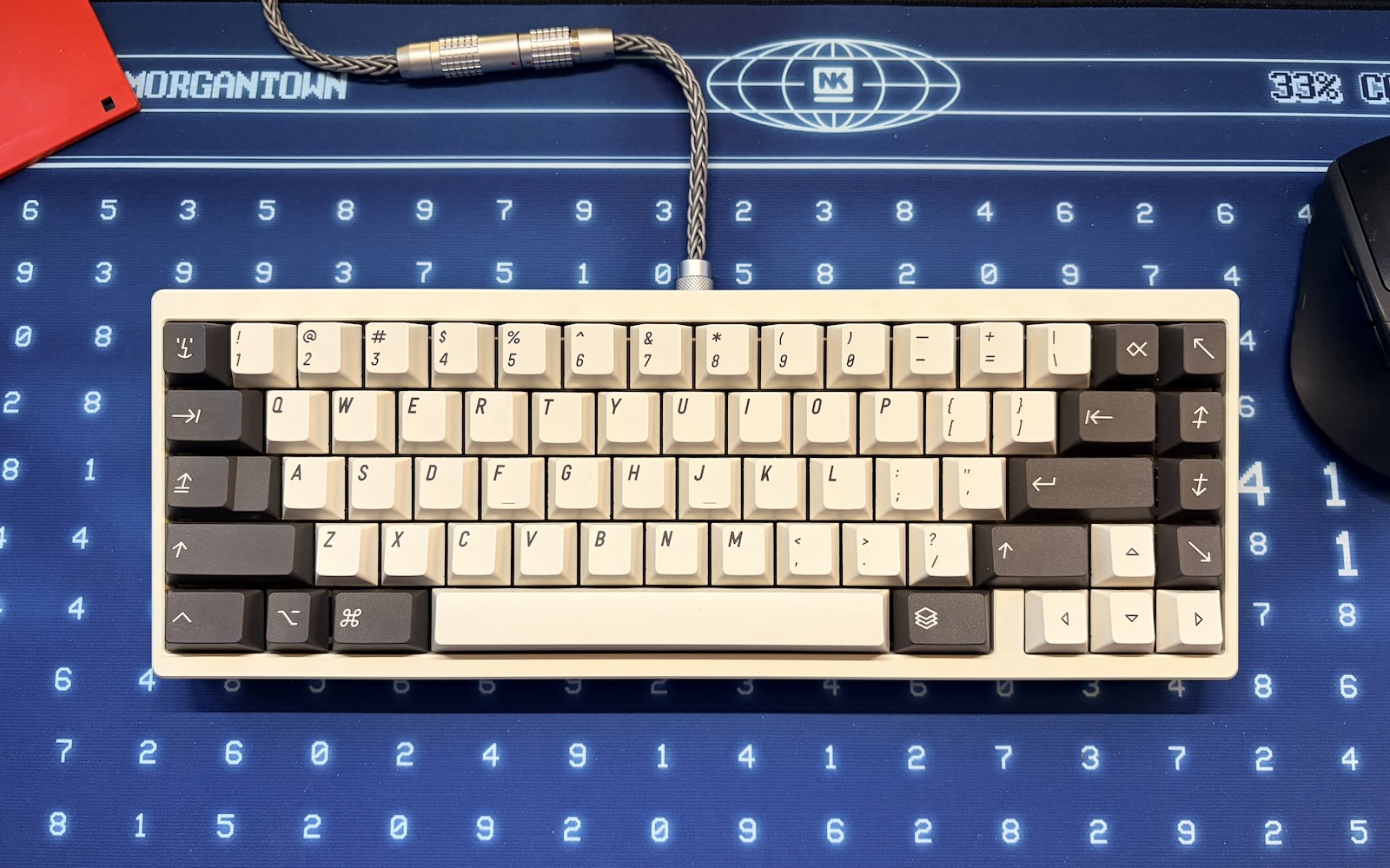
And if one uses a programmable keyboard compatible with VIA or other tools, one can program any macOS-specific shortcuts or macros (like specific keys to open the emoji panel or screenshot controls, etc).
The only function truly lost that some people will care about is of course TouchID. But, at least for me, I wear an Apple Watch, so anything that would require TouchID gets shunted to the watch, so the functionality is replicated.
Last edited:
xraydoc
Contributor
Just FYI, macOS requires Caps Lock to be held down for like half a second or so before it engages. A quick tap that would activate any other key is insufficient for Caps Lock. This was coded in on purpose, though some people don't particularly care for it.My caps lock likes to play deaf sometimes too? ha. It's not a huge deal though just a funny quirk. Guess it must be a macOS thing, never had an issue on other operating system