I went and had a read at Aperture Expert, he is very optimistic about the future to the point of looking for a new name for his site. Not that he has any additional info, but it is heartening nonetheless to have a positive spin on the situation.
The basic facts seem to be that iPhoto and Aperture will cease in favour of the cross-platform iCloud product named Photos, which features non-destructive editing which syncs automatically across all devices and keeps smaller copies suited for whichever device is being used so as not to fill it up. Apple says iPhoto and Aperture libraries can be imported complete, which indicates all edits and metadata.
A statement from Apple indicate that the iCloud storage is available if enabled, meaning it is not mandatory. It seems the cross-platform non-destructive editing works by keeping a master copy of edits in the cloud, and syncing to all devices from there, which is the best and most secure way of doing it, unlike how they have done it previously.
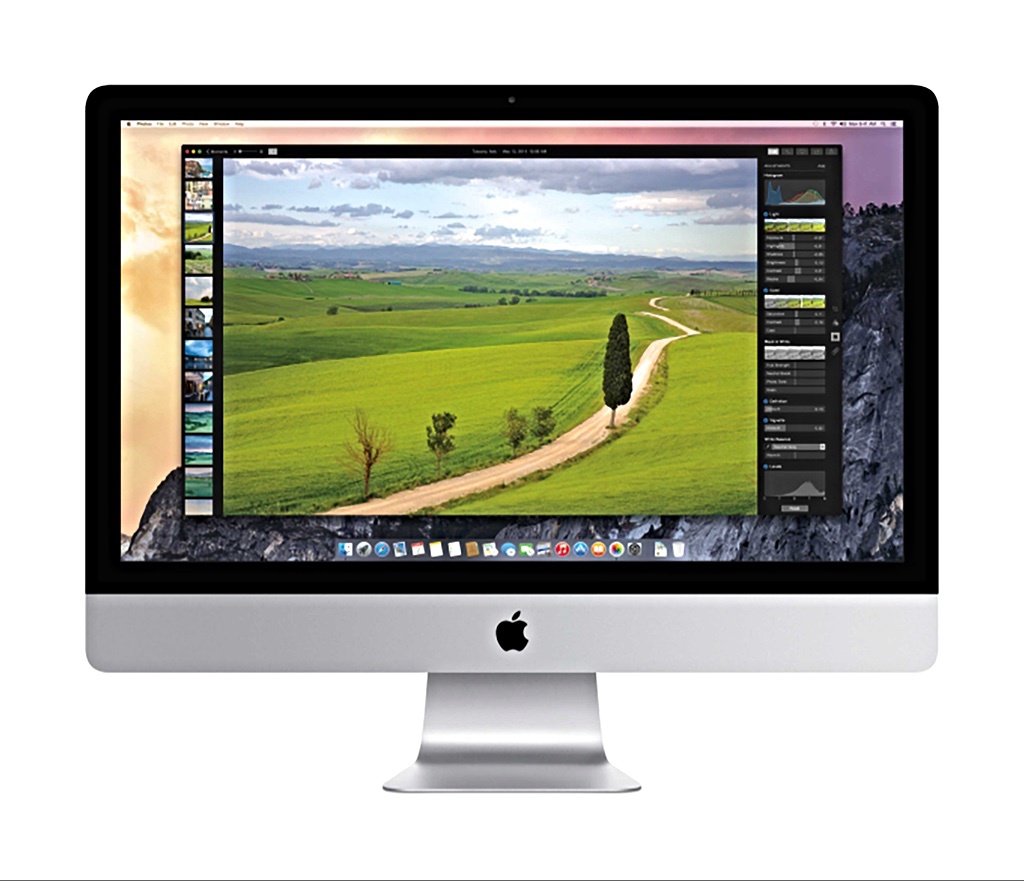
The one demo we have is from the iOS version, which features simple master sliders which enacts several changes across the more traditional sliders. The one screenshot we have of the Desktop version shows a sidebar with a lot of the controls (bricks) we know from Aperture, far more control than iPhoto currently affords, topped with these master sliders. If this is an indication of the final product, then Photos on the Desktop will be fairly powerful with seemingly the same controls we are used to. Not shown is if you can manage local content the way we are used to.
Also not shown or mentioned is metadata management and other advanced features, but it is clear they allow for a plugin architecture, so if they don't provide the facility, a 3rd party app can leverage PhotoKit to manage the features not included, which might mean photo filters like the Waterlogue example in the demo, or it might be Nik plugins.
Another article on Aperture Expert talked about the WWDC workshops which have been made available online, and what they might reveal for the future. It shows that things like advanced noise reduction and lens profiles are part of the system Raw converter in Yosemite; remember the current version powers Aperture and gives it the limited lens profile support it does have, namely certain Micro Fourthirds cameras which embed them. What was demonstrated for developers leveraging the Raw converter and PhotoKit was very powerful, showing how 3rd parties can plugin to the raw converter at the beginning of the pipeline to create a far better result than ever before.
So a lot of the advanced features we are looking for is not to be found in a successor to Aperture, but in OSX and iOS themselves, available across the board to any app. The power of those 64-bit A7 chips and its successors might find a use which no Android tablet or Lightroom app can match. The question is if Photos will expose the controls for them, or if a future 3rd party app will. It promises the possibility of leveraging iPads for the sort of advanced editing on the go in the field we have been craving, all non-destructively and all automatically synced to the cloud and any linked Macs in the office.
Whether Photos itself does it all or require a 3rd party app, the power is built into the system for both Apple and other developers to leverage. That is the real takeaway message out of all this. So not all is Doom-and-gloom let's begrudgingly learn Lightroom, there is a lot of fantastic potential in all this.
Yes, Apple has a spotted history with some of it's apps, but even Final Cut X has turned out to be a fantastic app after a shaky half-baked start, so quite likely if their record with FCX and Pages is a guide, Photos v1.0 will not be fully-featured with all of Aperture's power, but it might well gain them in time.
In the meantime, they have promised a compatibility update for Aperture, so we can bide our time waiting to see how Photos turns out or if a better Pro app leveraging the underpinning powerful photo frameworks in OSX and iOS turns up; it might even be a future Lightroom.