

Become a MacRumors Supporter for $50/year with no ads, ability to filter front page stories, and private forums.

MacRumors

macrumors bot
Original poster


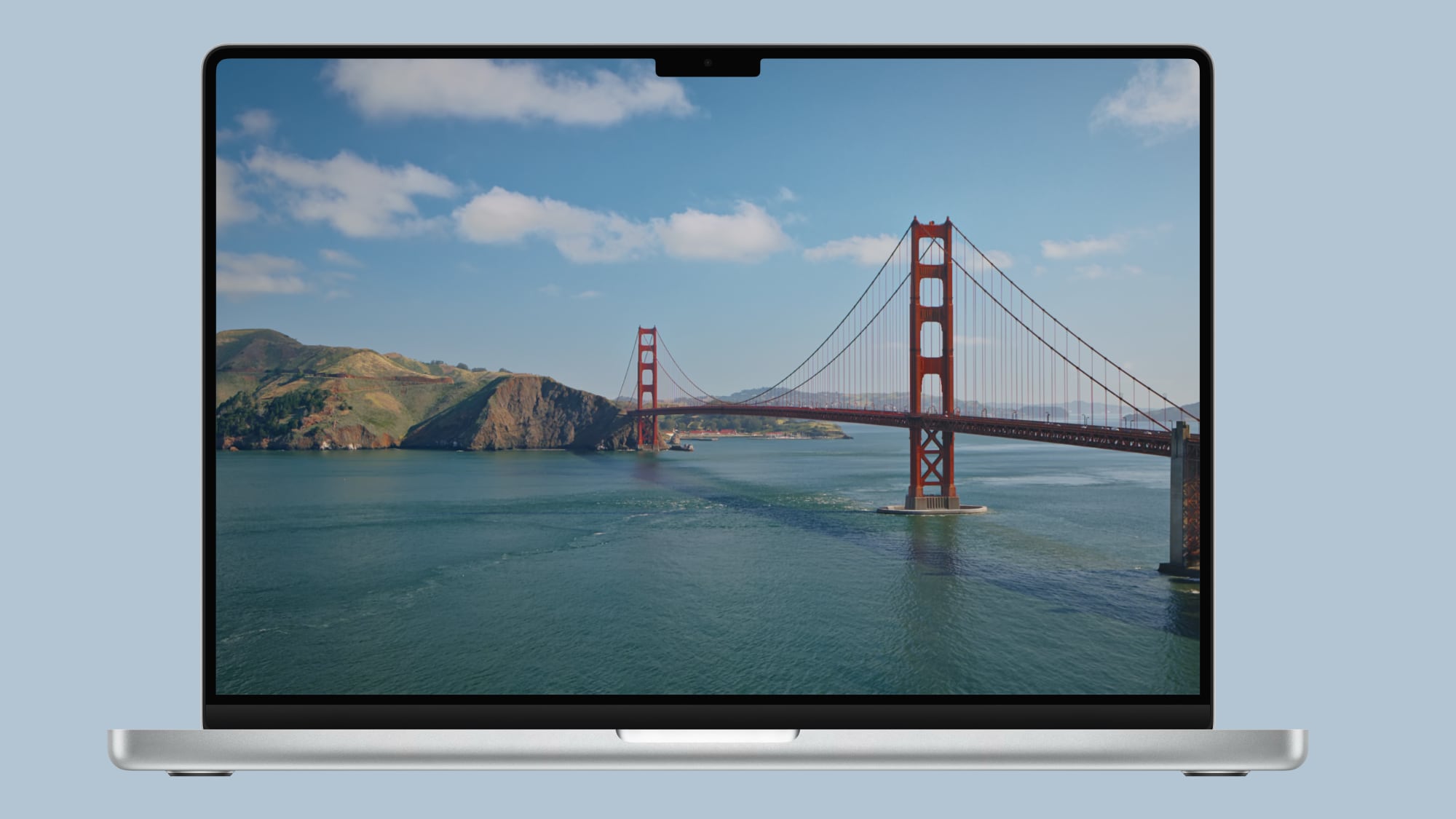
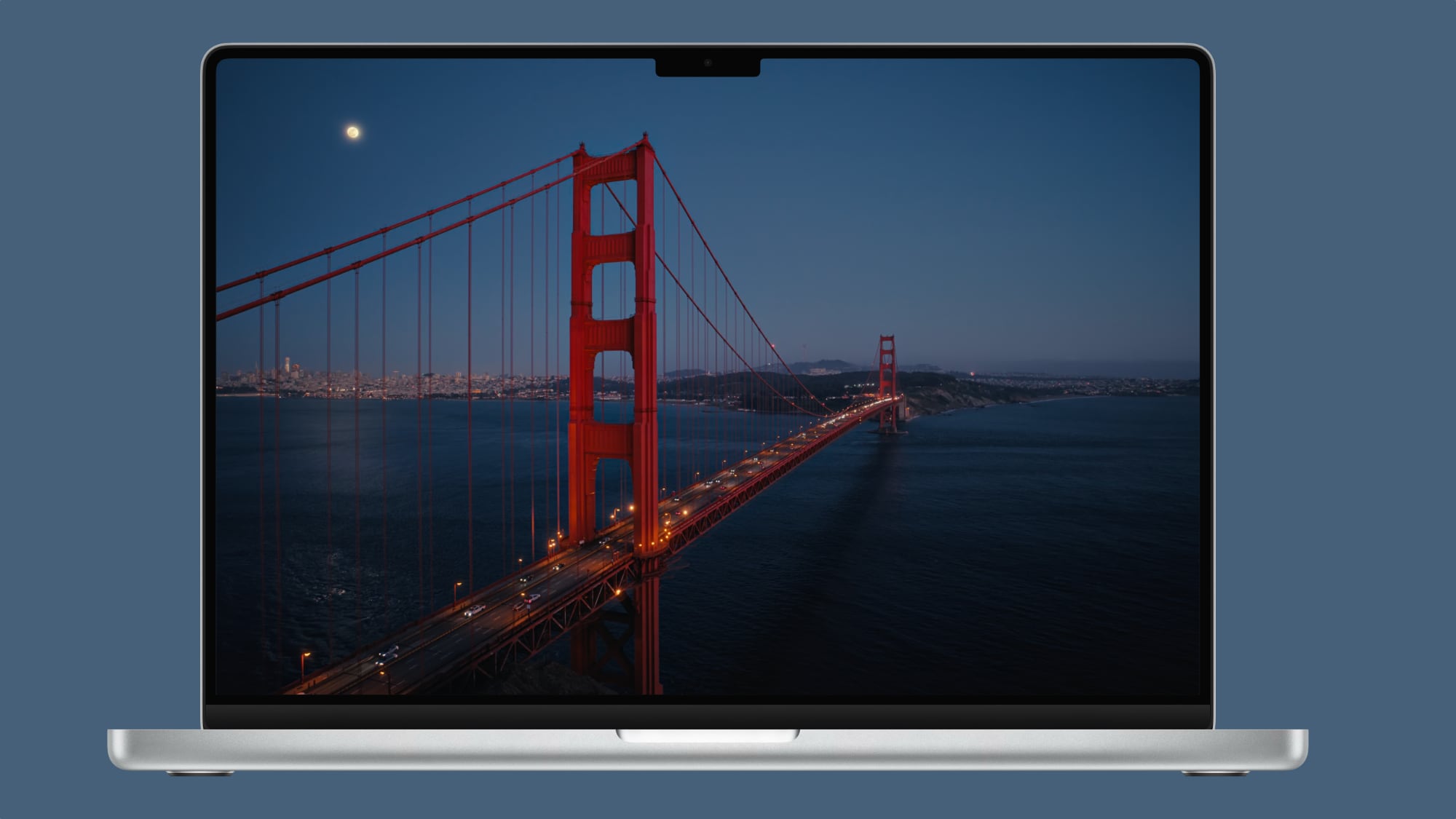
Apple today added two new Golden Gate-themed wallpaper options in the sixth beta of macOS 27.
macos-golden-gate-day-wallpaper.jpg

There are new Golden Gate Day and Golden Gate Evening wallpaper options that join the Golden Gate Sunset and Golden Gate Night wallpapers that Apple introduced in earlier betas.

macOS 27 also includes abstract Golden Gate wallpaper options for those who don't prefer scenery.
macos-golden-gate-night-wallpaper.jpg

Golden Gate Day and Golden Gate Evening animate when you unlock your Mac, and can be set as a screen saver. When used as screen saver, both wallpapers feature cars slowly driving across the bridge.

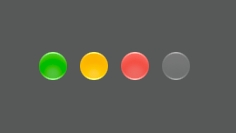
Apple also tweaked the look of the traffic light buttons in macOS Golden Gate beta six, adding a Liquid Glass aesthetic.
macos-golden-gate-liquid-glass.jpg

macOS Golden Gate is available for developers and public beta testers, with a public launch coming in September.

Article Link: Apple Adds More New Wallpapers in macOS Golden Gate
 
  • Wow
  • Like
Reactions: Z-4195 and Migelan
The bridge looks great! But I do think that's going to confuse some people who think Apple abandoned geographic macOS names... haha

PSA: The "Golden Gate" is the name of the expanse that the Golden Gate Bridge crosses, so the OS is named after the location, not the bridge.
 
Last edited:
  • Like
Reactions: jchap
Beautiful! I wish Apple would provide one of those timelapse "dynamic" versions of their wallpapers as they did with past releases of macOS to go along with the time of day 🫤 Side note: FINALLY they changed the traffic light icons, ohhh it brings me back to the Pre-Yosemite days 🥹🤍
 
  • Like
Reactions: Dj64Mk7 and KeithBN
Great. Now could they add back the ability to shuffle through all my photos for wallpaper, preferably without taking up 50gb in cache?
 
Probably dumb question here.

How do I get this to work? I’ve never used one of Apple’s dynamic backgrounds before (thank you John’s Background Switcher).

I see the separate day and night wallpapers, and I see dynamic wallpapers for previous releases, but not the Golden Gate Bridge.
 
  • Like
Reactions: eitanharlev
I was predicting a desktop wallpaper with the Golden Gate Bridge featured on it; glad to see that it's an available option!
 
Beautiful! I wish Apple would provide one of those timelapse "dynamic" versions of their wallpapers as they did with past releases of macOS to go along with the time of day 🫤 Side note: FINALLY they changed the traffic light icons, ohhh it brings me back to the Pre-Yosemite days 🥹🤍
There actually is, you have to manually enable it within the terminal. Same with the four Tahoe wallpapers.
 
The bridge looks great! But I do think that's going to confuse some people who think Apple abandoned geographic macOS names... haha

PSA: The "Golden Gate" is the name of the expanse that the Golden Gate Bridge crosses, so the OS is named after the location, not the bridge.
macOS "Golden Gate" is named that way because, as we'll find out soon enough, it bridges multitouch from iOS & iPad OS to macOS.
 
You can also bundle all Golden Gate and Tahoe Landscape wallpapers under a single option, and have macOS switch between them based on the sun's position.

1787002242108.png
1787002353507.png


  • Like
Reactions: ResolutionNZ
doesn’t matter anyway, because it broke in beta six, my bad.
But anyway, here it was and it absolutely worked just fine in the fifth beta…

https://forums.macrumors.com/thread...it-for-the-golden-gate-landscape-set.2486311/

Just updated with a guide for Beta 6. Apple has shipped a new implementation that enables the new solar behavior by default. They have removed the private feature flag, so the feature is basically complete. The only reason you're not seeing the Automatic option by default is that Apple hasn't shipped a compatible wallpaper registry.
 
Speaking of the traffic light buttons, their ”click area” is one of the things I feel could be a bit larger compared to the windows their in. When in Windows 11 the larger size areas for the corresponding function is something I find quite nice whereas macOS often gives a little bit of friction when it comes to clicking the right button.

Just a thought…
 
The bridge looks great! But I do think that's going to confuse some people who think Apple abandoned geographic macOS names... haha

PSA: The "Golden Gate" is the name of the expanse that the Golden Gate Bridge crosses, so the OS is named after the location, not the bridge.
It's a bit tough to show a photo of the Golden Gate (the expanse) without showing the bridge.
 
Register on MacRumors! This sidebar will go away, and you'll see fewer ads.