
Got a tip for us?
Let us know
Become a MacRumors Supporter for $50/year with no ads, ability to filter front page stories, and private forums.
Apple Releases 11.2.1 iTunes Update to Fix Hidden '/Users' Folder Bug
- Thread starter MacRumors
- Start date
- Sort by reaction score
You are using an out of date browser. It may not display this or other websites correctly.
You should upgrade or use an alternative browser.
You should upgrade or use an alternative browser.

Westside guy
macrumors 604
I found out about this when, right after updating and rebooting, my OpenVPN client (Tunnelblick) warned me permissions were set wrong on my Users folder. I wondered how that happened... and now I know.
ArmCortexA8
macrumors 65816
As a precaution run Disk Utility to check and repair permissions - I agree it should not be required, but it will fix it. No issues at all on my MacBook Air with any of these updates. I wish Apple would only release a patch to fix the issue, instead of having to fully download iTunes repeatedly - thats not acceptable.
Glad I threw that "stuff" away, the first time I laid eyes on it!
What??

darcyjames
macrumors member
Yeah...it's a bug thread on a slow Friday...
I don't think I opened iTunes in between the original update and the fix.
So, yeah, I have nothing to add...isn't that annoying?
I don't think I opened iTunes in between the original update and the fix.
So, yeah, I have nothing to add...isn't that annoying?
Last edited by a moderator:

jafingi
macrumors 65816
That's why Tunnelblick complained about my /Users folder after the update... Tried running Disk Utility repair permissions, but that didn't fix it.
What a stupid bug, Apple...
----------
It's not a bug in iTunes... The latest software update completely hid the /Users folder... So as my above post says, many applications have problems with these (in my case, Tunnelblick for VPN connections....).
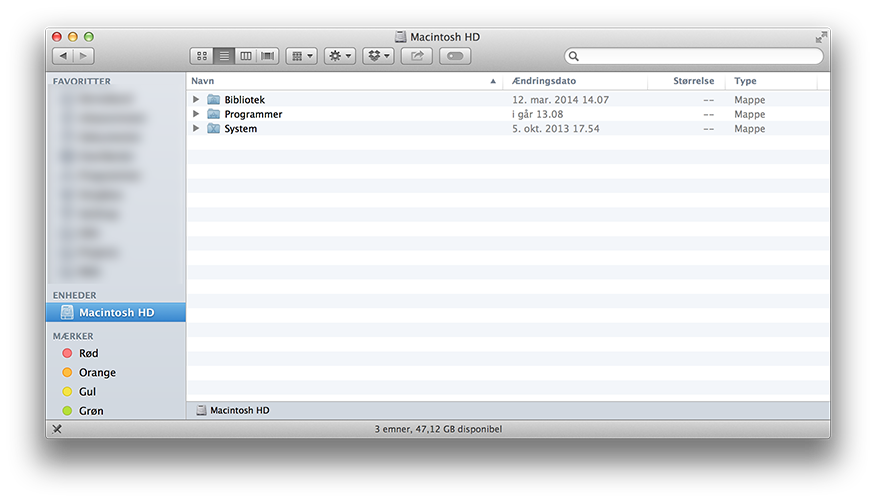
What a stupid bug, Apple...
----------
Yeah...it's a bug thread on a slow Friday...
I don't think I opened iTunes in between the original update and the fix.
So, yeah, I have nothing to add...isn't that annoying?
It's not a bug in iTunes... The latest software update completely hid the /Users folder... So as my above post says, many applications have problems with these (in my case, Tunnelblick for VPN connections....).
It's not a bug in iTunes... The latest software update completely hid the /Users folder...
But the iTunes update caused the issue, not the OS X update. So they fixed it with another iTunes update.
jafingi
macrumors 65816
But the iTunes update caused the issue, not the OS X update. So they fixed it with another iTunes update.
That was also what I wrote in the post you quoted 🙂 It was a reply to darcyjames because he said that he hadn't used iTunes, so he wasn't affected. But he was, as it was "not a bug in iTunes", but a bug caused by the iTunes update.. 😉

djtech42
macrumors 65816
That's why Tunnelblick complained about my /Users folder after the update... Tried running Disk Utility repair permissions, but that didn't fix it.
What a stupid bug, Apple...
----------
It's not a bug in iTunes... The latest software update completely hid the /Users folder... So as my above post says, many applications have problems with these (in my case, Tunnelblick for VPN connections....).
I bet the "bug" was not in the release per say but a bad revision system build with the wrong source code pulled into the make. That has burned me a few times.

iolinux333
macrumors 68000
I bet the "bug" was not in the release per say but a bad revision system build with the wrong source code pulled into the make. That has burned me a few times.
This would explain iOS 7.1
bumblebritches5
macrumors 6502
Didn't they do enough beta testing before releasing it out to the public?
The "bug" was almost certainly due to a line of code in the pre/post install scripts, that included this single line of text: chflags hidden /Users
seriously, that's all it takes, and it has NOTHING to do with iTunes actual code.
What??
iTunes, Garage Band, iPhoto, all social apps - in fact all of Apple's apps except for essential utilities.
I run a Mac for its operating system only (10.6.8). No sheep-pen for me, thank you very much!
bumblebritches5
macrumors 6502
HOLY COW! it happened! Apple was freaking lazy...they had no choice but to answer our rants!
----------
how did you type that? lol...
Take screenshot > Open lossless screenshot in Photoshop > Text tool > Match font, color, and size > Save file.
Exactly.We, as developers, have to sandbox our applications to the extreme, but Apple can release a (mediocre) music player that screws up the OS?

Watched /Users reappear
On another computer that'd been updated but runs only accounting for us, I looked and saw /Users missing. Applied iTunes 11.2.1 with a Finder window open and watched the finder window update and the /Users blink into place.
I do hope the person at the Apple Store who was convinced my computer was messed up during a Final Cut one-to-one reads about the error caused by Apple. Wasted some time in my session. Oh well.
On another computer that'd been updated but runs only accounting for us, I looked and saw /Users missing. Applied iTunes 11.2.1 with a Finder window open and watched the finder window update and the /Users blink into place.
I do hope the person at the Apple Store who was convinced my computer was messed up during a Final Cut one-to-one reads about the error caused by Apple. Wasted some time in my session. Oh well.

Rafagon
macrumors 68000
What a lazy hacky patch Apple come on... Just release a mini OS X update.
Is it a hacky patch, or maybe it was iTunes that mistakenly hid the folder in the first place? We might never know.
I love the cut-and-paste job they did on the iTunes updates notes. Disrespectful if you ask me. Up until now, I was used to that kind of stunt by Zynga during their Words With Friends update, but to see Apple doing that, it's just sad...
https://flic.kr/p/nD5Wd3

Everyone can stop freaking out about absolutely nothing now.
...yeah, absolutely nothing.
-----------------------------------------
iTunes 11.2.1
Available for: Mac OS X v10.6.8 or later
Impact: A local user can compromise other local user accounts
Description: Upon each reboot, the permissions for the /Users and /Users/Shared directories would be set to world-writable, allowing modification of these directories. This issue was addressed with improved permission handling. For information on the general content of iTunes 11.2.1, see http://support.apple.com/kb/TS5434.
CVE-ID
CVE-2014-1347
Everyone can stop freaking out about absolutely nothing now.
Nothing? I was working on a project at 2 am while I discovered I could not copy my 70gb project folder over to my laptop via thunderbolt because the users folder was hidden. I needed to get up at 5:30 am to bring the project over to a finishing suite to meet the clients deadline. This bug was not "absolutely nothing".