
Got a tip for us?
Let us know
Become a MacRumors Supporter for $50/year with no ads, ability to filter front page stories, and private forums.
Apple Seeds Release Candidate Version of macOS Sonoma 14.3
- Thread starter MacRumors
- Start date
- Sort by reaction score
You are using an out of date browser. It may not display this or other websites correctly.
You should upgrade or use an alternative browser.
You should upgrade or use an alternative browser.

Realityck
macrumors G5
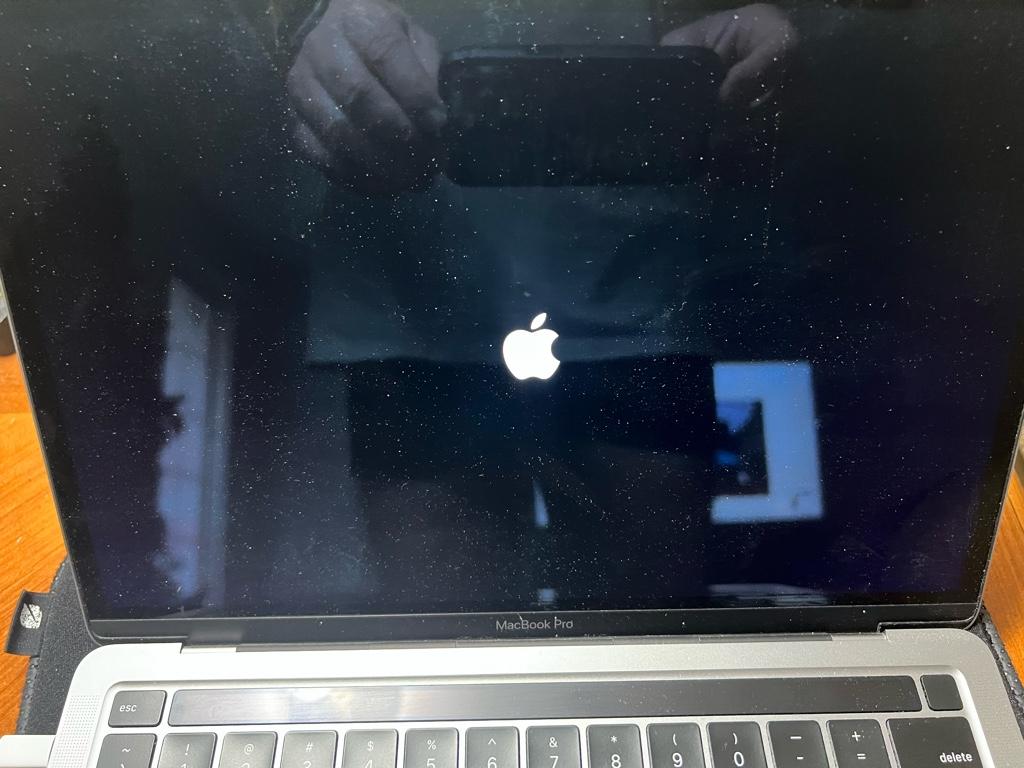
Occasionally that happens maybe because of installer CRC checks on your 13" M2 MBP. Just have to wait it out unfortunately. The install on my M1 Max 16" MBP went normal.Y’all might want to wait this one out.
45 minutes and counting. 🥲


MacGizmo
macrumors 68040

star-affinity
macrumors 68020
This has been a thing in MacOS (and OS X) for decades...The bug where the mouse cursor is not changing form based on what it's hovering over, is still not fixed.
Happens in Windows too, but less frequently for sure. But I think what you mean, in Electron based apps it has since Sonoma been more common to see the text selection pointer instead of the arrow pointer when doing a right-click in a text to bring up the contextual menu.

Morod
macrumors 68000
Looks like I will migrate to Sonoma in the next couple of weeks on my M2 Mini.

MacHeritage
macrumors 6502a
I wish I could. Since you have done so much testing and I've heard a lot about this bug over the years:This has been a problem for some- not all drives- since Big Sur.
...
Anybody with this issue noticing a fix on the betas??? (Hopefully) Give us some good news.
Do you know if it is linked to certain manufactures (WD, Seagate etc.) or just types of drives from everyone (like only 5TB self powered WD mobile drives eject but the 4TB ones are fine)?
Or is it more like: two of the same exact same drives, one has the issue and the other doesn't?
Or mobile drives are the problem and desktop drives are fine?
I will be getting a Monterey running MacBook Pro soon and I have a lot of 4TB and 5TB WD mobile drives that I can test if there is any connection to that. I'm also concerned now as well. 😱
Thanks for any answer you can give.
I had it hanging like that too for quite a long time. I force restarted it, redownloaded and the second time it installed without stalling.Y’all might want to wait this one out.
45 minutes and counting. 🥲
elvisimprsntr
macrumors 65816
I had it hanging like that too for quite a long time. I force restarted it, redownloaded and the second time it installed without stalling.
I had to do the same thing. I seem to recall having to the same thing on a build last year.
At least it was not the now infamous Apple Boot Loop.

HobeSoundDarryl
macrumors G5
I wish I could. Since you have done so much testing and I've heard a lot about this bug over the years:
Do you know if it is linked to certain manufactures (WD, Seagate etc.) or just types of drives from everyone (like only 5TB self powered WD mobile drives eject but the 4TB ones are fine)?
Or is it more like: two of the same exact same drives, one has the issue and the other doesn't?
Or mobile drives are the problem and desktop drives are fine?
I will be getting a Monterey running MacBook Pro soon and I have a lot of 4TB and 5TB WD mobile drives that I can test if there is any connection to that. I'm also concerned now as well. 😱
Thanks for any answer you can give.
Perhaps this detailed bulleted summary will be helpful to answer these questions. And there's good information in the rest of that thread too. There's also many other threads here and on other sites about this, illustrating that it's not any one cable, any one enclosure, any one bit of firmware, any one brand, any single Mac settings, any one user error, etc.
But nutshell: some devices are affected, some work fine. It SEEMS like HDD enclosures are more likely to have issues than SSD ones... and RAID HDDs seem most likely to exhibit this... but RAID SSDs are not immune. There's no brand bias/dependability: one enclosure from a brand may be fine, a different may do this. I'm not aware of any case- including for me- where 2 of the very same enclosures or drive will split with one being fine and the other having issues (I do not think that applies to this issue at all). Mobile or Desktop drives seem equally likely to have issues OR NOT... but again, SSD seems less likely vs. HDD enclosures.
I have a WD mobile HDD and generally do NOT have problems with it. But I also tend to only have it connected for brief periods and haven't left it connected for hours. I just gifted a brand new WD desk enclosure and- linked to a brand new Mac mini- it's not fully ejecting but is triggering a tall pile of notifications about "unexpected ejections" each time one comes back to do something on the Mac. This is fully a hit or miss. The U in USB may mean what it is supposed to mean with one enclosure but not with another.
I've had no issues at all with OWC Ministack STX, now reliably connected for a few years. However, another OWC enclosure (RAID HDD) won't stay connected for longer than 3 hours... UNLESS I connect it to any Mac running macOS < Big Sur or any PC and then it is as stable as it has always been (since about 2018 or so): same cable, same firmware, same drives, etc.
Rulers don’t work and lots of graphical glitching. Doesn’t affect any other versions of macOSWhat bug is that?

Hessel89
macrumors 6502a
This has been a thing in MacOS (and OS X) for decades...
Happens in Windows too, but less frequently for sure. But I think what you mean, in Electron based apps it has since Sonoma been more common to see the text selection pointer instead of the arrow pointer when doing a right-click in a text to bring up the contextual menu.
It was never a thing for me before Sonoma. It doesn't just happen with certain third party apps. Even on a completely clean install with zero third party apps it does this.
It was never a thing for me before Sonoma. It doesn't just happen with certain third party apps. Even on a completely clean install with zero third party apps it does this.
Oops, thought you were responding to my post. Never mind.
star-affinity
macrumors 68020
There are definitely situations where it happend before Sonoma. I even have videos of it.It was never a thing for me before Sonoma. It doesn't just happen with certain third party apps. Even on a completely clean install with zero third party apps it does this.
Interesting that you see it frequently on the native apps too. Do you have a way to reproduce?
Attaching a recording from how it behaves in Slack, which is an Electron app:
It doesn't happen every times as it says in the video, but seems triggered more often if moving the pointer slowly to the right when triggering the contextual menu.
Last edited:
Hessel89
macrumors 6502a
Do you have a way too reproduce?
If you have a Macbook with a camera notch, moving the mouse beneath it, reproduces the problem every time.
Hopefully fixes the bug with InDesign.
Users who had the bug report that the bug is fixed.
Ironically not updated on the Adobe website.Users who had the bug report that the bug is fixed.
Ironically not updated on the Adobe website.
Their status of InDesign's Sonoma compatibility was inconsistent and misleading from the start. They listed different status on different pages (Adobe products' Sonoma status page vs InDesign system requirements page vs Adobe Canada site etc.)