

Become a MacRumors Supporter for $50/year with no ads, ability to filter front page stories, and private forums.

MacRumors

macrumors bot
Original poster


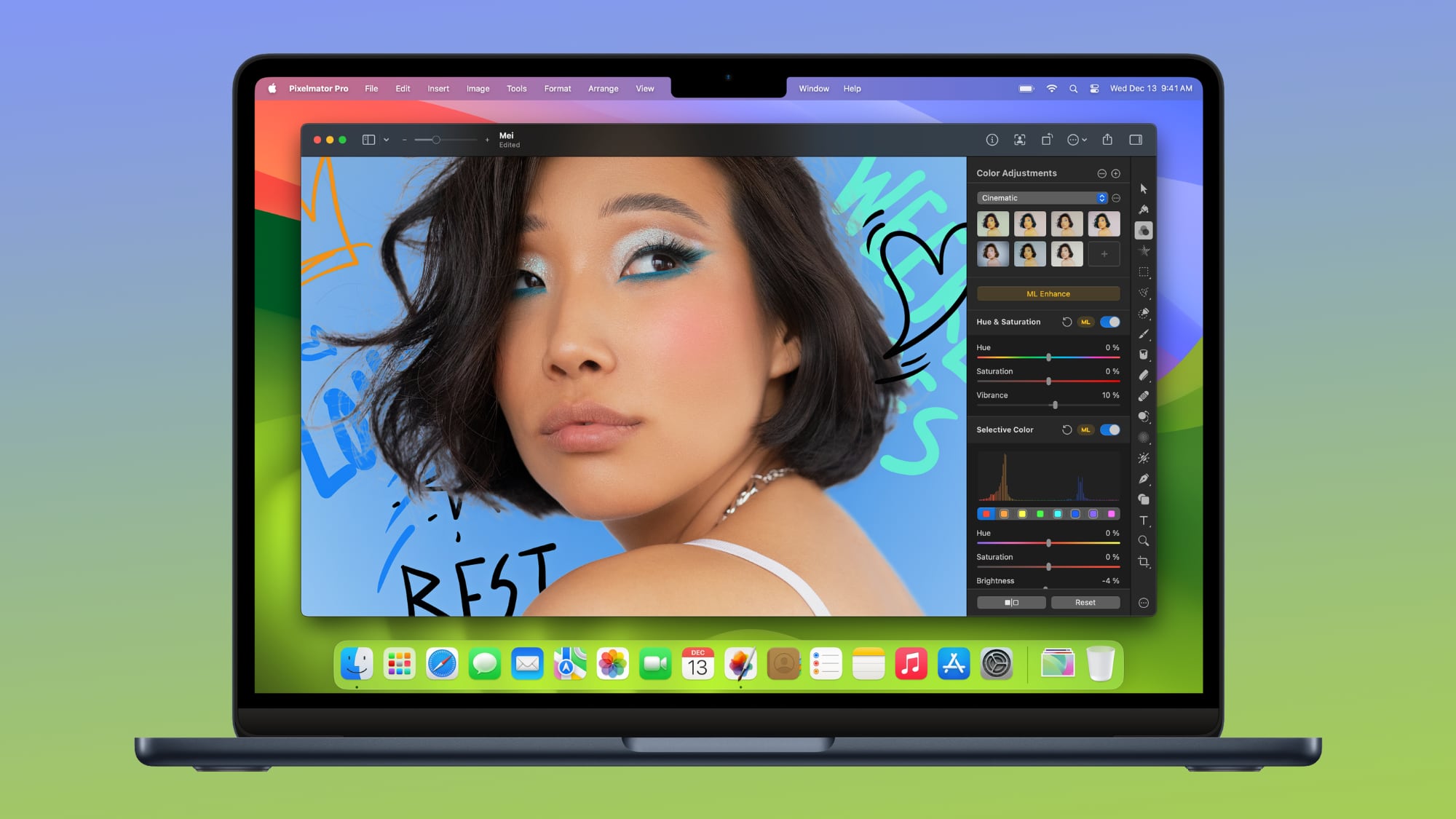
Apple today updated Pixelmator Pro, the popular image editing app that it purchased in 2024. Pixelmator Pro includes RAW image support for more cameras, new templates, improved support for SVG file exports, new keyboard shortcuts, and more. Some of the features like the keyboard shortcuts are limited to the Creator Studio version of Pixelmator Pro.
pixelmator-pro.jpg

Pixelmator Pro has a template and mockup section, which includes new app screenshot options and devices to use for app mockups on Apple devices. Apple has added support for the latest iPhone 17 models.

SVG files exported from Pixelmator Pro will have fewer issues when opened in Adobe Illustrator, and there is an option to touch and hold an image on the canvas to see before and after edits from Color Adjustments and Effects tools.

The sidebar is customizable using the toolbar setting options, and there are keyboard shortcuts for changing layer opacity, selecting layers when using Select Subject, cycling through blend modes, and swapping between layers. Apple's release notes for the Creator Studio version of Pixelmator Pro are below.
  • Enjoy full support for compressed RAW images from Sony Alpha ILCE-7M5, FUJIFILM GFX 100S II, and FUJIFILM GFX 100RF cameras
  • Work with High Efficiency (HE) and High Efficiency Star (HE*) RAW images from Nikon Z5II and Nikon Z50II cameras
  • Open and edit RAW images from Panasonic LUMIX DC-S1RM2 cameras captured in High Resolution mode
  • Discover the updated template and mockup categories, including App Screenshot, Bento Grid, and Devices, now featuring new iPhone 17 mockups
  • Open SVG files exported from Pixelmator Pro in Adobe Illustrator with improved compatibility
  • Touch and hold an image on the canvas to instantly compare before and after edits from Color Adjustments and Effects tools
  • You can now customize the Pixelmator Pro Tools sidebar from the menu bar by choosing View > Customize Tools

The iPad app was also updated with some of the keyboard shortcuts that were previously available in the Mac version of the app.
New Keyboard Shortcuts
  • Press and hold the Option key when choosing Select Subject to base the selection on all layers in a document
  • Easily change layer opacity using number keys 1 through 9 in all supported tools
  • Cycle through layer blend modes using the Shift-Plus and Shift-Minus keyboard shortcuts in all supported tools
  • Use the Command-J keyboard shortcut to duplicate and Command-Shift-J to cut and paste the selected area
  • Use the Option-Comma and Option-Period keyboard shortcuts to quickly switch between selecting topmost and bottommost layers in a document
  • Use the Space bar to play or pause video playback in documents containing video layers
The non-Creator Studio version of the app includes the same RAW image support and the new templates, but it lacks the other options that Apple added.

Photomator, a photo editing sister app to Pixelmator Pro, was updated with the new RAW image support.

Apple introduced Creator Studio earlier this year, and it incorporates apps like Final Cut Pro, Logic Pro, Pixelmator Pro, Keynote, Pages, and Numbers. Because many of these apps existed before Creator Studio was developed, Apple offers a Creator Studio version and a standard version, which can be confusing. Unlocking Creator Studio features requires a Creator Studio subscription, priced at $12.99 per month or $129 per year.

For Pixelmator Pro, Creator Studio-exclusive features include a warp tool, apparel mockups, and a dedicated iPad app.

Article Link: Apple's Pixelmator Pro Update Brings iPhone 17 Mockups, Keyboard Shortcuts, and Expanded Camera Support
 
  • Haha
Reactions: Z-4195
They're pay-walling keyboard shortcuts?

You gotta be kidding me....
From what I can tell, this is technically only true because the iPad version of Pixelmator Pro was previously not available and now is only available with the Creator Studio bundle subscription on iPad. The keyboard shortcuts should have been available on the original $50 app for Mac already.

I don't have any plans to get the Creator Studio bundle anytime soon at least, and I'm ok with "losing out" on big new features because I bought Pixelmator Pro before I even had an Apple silicon Mac and I've gotten my money's worth and tons of updates already. Heck, when I had my old MacBook Air I couldn't even upgrade the app after a while because it required a newer version of macOS than I was willing to upgrade to at the time. But I imagine they'll keep doing basic improvements like this across both to satisfy the need for the standalone purchase to exist. I hope at least.
 
Why does it cost money? macOS is free so why does this cost money?
Final Cut Pro and Logic aren't free either. Would be nice if they had an iMovie and Garageband equivalent for Pixelmator, though.

More concerning is adding features to only the Creator Studio versions and not the paid up front ones. Pixelmator Pro seems like it just happens to be the one that differs the most between Creator Studio and original, but I'd expect that gap to grow for the other Creator Studio apps too.
 
Pixelmator is so great, and indeed, helped to launch certain Apple devices of the past. I wish I could respect modern Apple; I just can't. They remain the lesser of evils in this space, but that is hardly an endorsement. Sigh. Just, sigh.

For what it's worth: I used to display them, but I now just throw the Apple stickers included in products away.
 
Pixelmator was a nice Photoshop clone, but lacked some of the features from Photoshop that I used regularly… when Pixelmator Pro was announced, I was really happy, but its interface and workflow were so different to what I was used to, I found it almost unusable… luckily, Acorn Image Editor, from Flying Meat Software, came to the rescue… and it costs USD $30… and you can communicate directly with the developer through their forums…
 
Your lack of understanding of software economy (or any economy really) is baffling.
It may be lack of understanding. But I think it is more of an unwillingness to accept reality. So a willful resistance, and not simple ignorance. I've always seen this from a certain number of people in the world, but I'm seeing more of it from a greater percentage of people. It may help explain why socialism seems to be ascendant in certain places.
 
Last edited:
It maybe lack of understanding. But I think it is more of an unwillingness to accept reality. So a willful resistance, and not simple ignorance. I've always seen this from a certain number of people in the world, but I'm seeing more of it from a greater percentage of people. It may help explain why socialism seems to be ascendant in certain places.
It’s nothing to do with “socialism”. It’s to do with software and platforms appearing to be much cheaper than they actually are because the revenue is made through advertising / data-harvesting rather than a cash price.

It’s led a lot of people, especially younger people, to believe that a product can be supplied for free or at an unrealistically low price without also having a less obvious form of payment.

Socialism is completely different - that’s the case where, rather than paying individually, people pay collectively, via tax, and pay on a sliding scale based on their income. People are still well-aware that they are paying for the products and services they are receiving.

Equating the YouTube, Facebook, Twitter, OpenAI etc model with “socialism” is bizzare.
 
It maybe lack of understanding. But I think it is more of an unwillingness to accept reality. So a willful resistance, and not simple ignorance. I've always seen this from a certain number of people in the world, but I'm seeing more of it from a greater percentage of people. It may help explain why socialism seems to be ascendant in certain places.
You are as ignorant as the rest, don't think you're special by any means, ways or reasons...
 
  • Like
Reactions: 2638se and KeithBN
Pixelmator was a nice Photoshop clone, but lacked some of the features from Photoshop that I used regularly… when Pixelmator Pro was announced, I was really happy, but its interface and workflow were so different to what I was used to, I found it almost unusable… luckily, Acorn Image Editor, from Flying Meat Software, came to the rescue… and it costs USD $30… and you can communicate directly with the developer through their forums…
Is this an ad? Or is it a genuinely sincere recommendation?
 
Register on MacRumors! This sidebar will go away, and you'll see fewer ads.