

Become a MacRumors Supporter for $50/year with no ads, ability to filter front page stories, and private forums.

MacRumors

macrumors bot
Original poster


Astropad, the company behind the popular Astropad Studio software for turning the iPad into a drawing tablet, today launched a new app called Astropad Workbench. Astropad Workbench is a remote desktop app designed for the Mac, and more specifically, built for use with AI.
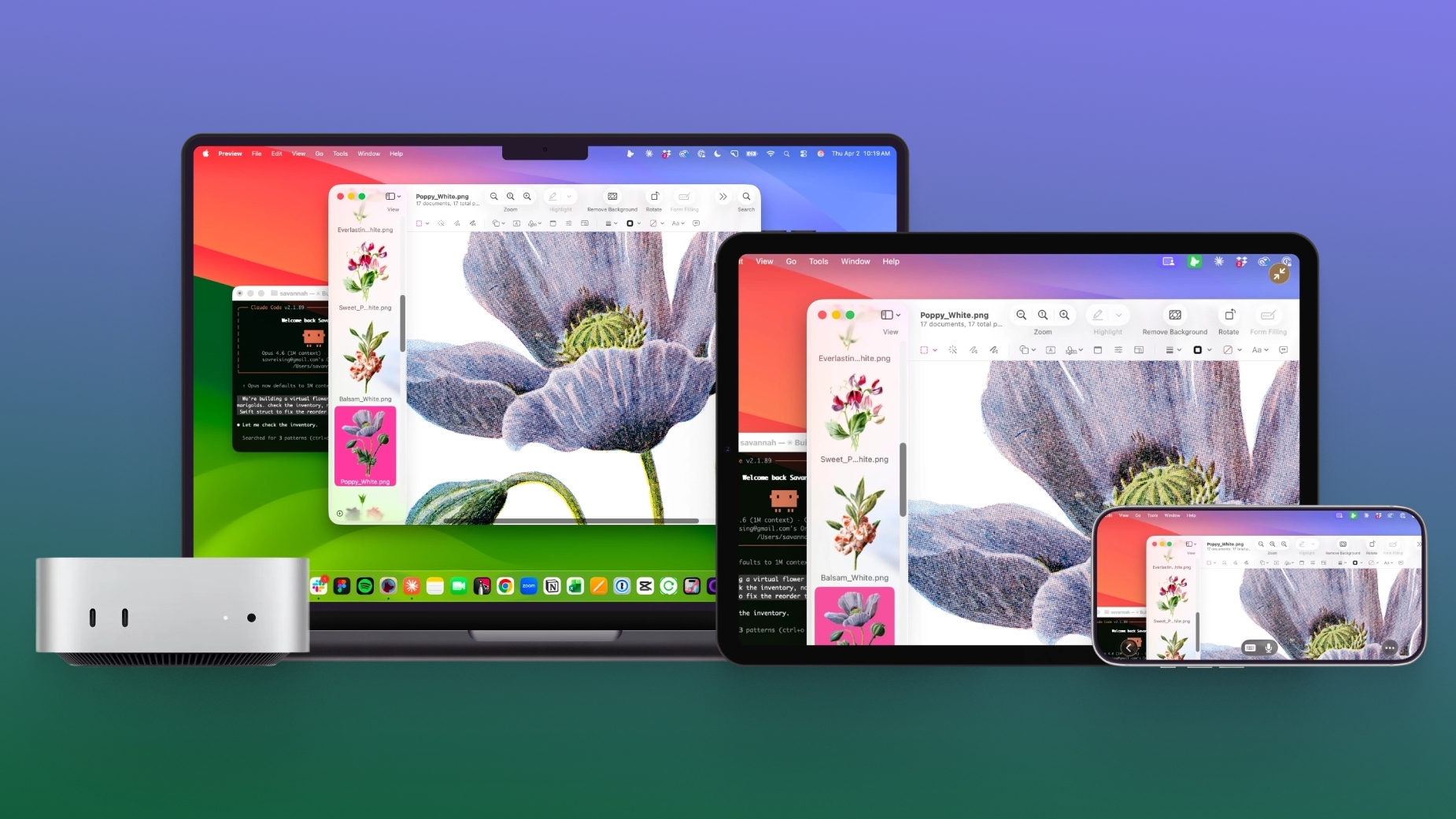
astropad-workbench.jpg

With Astropad Workbench, you can control your AI agents remotely, which makes it useful for people who have set up a Mac mini as a personal server for use with OpenClaw and other AI agent features.

Astropad says that it created Workbench to help users monitor their AI agents from anywhere, without being tied to a desk. There are native apps for Mac, iPad, and iPhone, so the iPhone and iPad are able to interface with the Mac desktop wherever you are.

It's simple to check logs and output to verify agent work, restart failed tasks, or reconnect to long-running jobs. There are also tools for switching between multiple Macs connected to a Workbench account.

Workbench offers high-fidelity streaming with a unified virtual display, low latency, speech-to-text input, and multiple control options from gestures to keyboard, mouse, and Apple Pencil. Setup is quick and easy without the need for network configurations, and AES-256 encryption is included. No display recordings are captured and saved.

New users are able to connect to Workbench for free for 20 minutes of daily access. Unlimited paid plans are priced at $10 per month or $50 per year. More information on Workbench can be found on Astropad's website.

Article Link: Astropad Workbench Lets You Remotely Control Your Mac and AI Agents From iPhone and iPad
 
  • Angry
Reactions: Z-4195
Or you could just have Claude do this in an entirely integrated way. I have Claude on my Mac mini running automated tasks all day and use dispatch from my phone or other devices to do things remotely.
"Open the front door, Claude. My key isn't working, for some reason."
"Claude, open the front door."
"Please?"
[strangers approach] "Can I help you?" "We're good, we're just renting this Airbnb from Claude, the owner."
 
Or you could just have Claude do this in an entirely integrated way. I have Claude on my Mac mini running automated tasks all day and use dispatch from my phone or other devices to do things remotely.
I think people getting into these comments curious about Workbench would appreciate if you shared a bit about how you've done that, and how you based on your practical experiences view the features of Workbench.
 
It's a handly bit of functionality, but there's a lot of similar solutions available. And given that this is a means of connecting one of my machines to another one of my machines, I won't pay a subscription for it (I will only buy such a solution outright) and I won't sign up to any service that's running through the developer's own server.

The developers own alternative product, Luna Display, would be something I would choose over this. For remote access, I'd rely on something I had far more direct control over.
 
Last edited:
Everybody complaining about the subscription model is failing to understand that there are ongoing infrastructure requirements to provide the service they are selling. This isn't a local connection, they are enabling a zero-friction tunnel no matter where your devices are.

I get the frustration, especially for all the software that only lives and runs on your local machine and has no ongoing infrastructure requirements for your usage. But this is not that, and if you're someone who is going to say they only need to be able to use this locally or through their own infrastructure, then this product is not geared toward you, move along.
 
Wow, even a remote desktop tool has to be promoted as “for AI” now.

I recommend Jump Desktop as a great remote desktop app that’s a one time purchase. But if 20 mins / day fits your use case, then this looks like a good free option. I don’t know if Jump Desktop supports the voice dictation feature this one has.
 
Everybody complaining about the subscription model is failing to understand that there are ongoing infrastructure requirements to provide the service they are selling. This isn't a local connection, they are enabling a zero-friction tunnel no matter where your devices are.

I get the frustration, especially for all the software that only lives and runs on your local machine and has no ongoing infrastructure requirements for your usage. But this is not that, and if you're someone who is going to say they only need to be able to use this locally or through their own infrastructure, then this product is not geared toward you, move along.

Not necessarily. Many people would far prefer to build their own KVM / VPN solution.
 
Last edited:
What a useless app, Teamviewer is free and it works... Also for AI there are apps that let you use the ai that runs on your Mac... come on
 
  • Like
Reactions: fastred
I think people getting into these comments curious about Workbench would appreciate if you shared a bit about how you've done that, and how you based on your practical experiences view the features of Workbench.
Firstly I've never used Workbench, so this is only from what I read, but appears to just be a Remote Desktop type service. It is not directly tied into anything AI related. But do correct me if I'm wrong.

So you can install the Claude Desktop app on a Mac (in my case I have a dedicated Mac mini I use for AI + media server). The Claude app allows you to enable Dispatch to offload tasks from other devices to this Mac.

So let's say you aren't home and wanted Claude to work on something without you having to keep engaging with the iPhone app, or maybe it is something you don't easily have access to on your phone. So you just initiate the task on your iPhone, Claude picks up the work on your remote Mac, and then returns what is needed back to you phone when complete. What is even more helpful is you can use more complex connectors and skills only available on a desktop with Claude to do things you'd never be able to on your phone.

Now back to Workbench. If I was to purchase this subscription, all this would do for me is allow me to watch Dispatch running through a Remote Desktop view. That is something you just don't need to do.
 
I’m getting older and understanding things less, but this seems like a Remote Desktop app with a gloss that makes it “tailored” to AI, unless there’s something I’m missing (there probably is 🤣),

How is this different than any other app that allows you to connect remotely to control apps and such? Many free versions exist that allow direct connection with no middleman.
 
  • Like
Reactions: Happy_John
So this is a polished VNC + TailScale subscription marketed at people who are knowledgeable enough to want to use AI agents remotely but not willing to "vibe code" their own solution.

You can complain all you want about LLMs or whatever, but I'll direct all my ire at the subscription app model.
 
  • Haha
Reactions: marte91
So this is a polished VNC + TailScale subscription marketed at people who are knowledgeable enough to want to use AI agents remotely but not willing to "vibe code" their own solution.

You can complain all you want about LLMs or whatever, but I'll direct all my ire at the subscription app model.
I agree with everything you say except the “vibe code” bit.

To know it’s secure, you’ll need to either do it yourself or review it yourself, which ends up being the sane amount of work.
 
Screens 5 and Jump Desktop are the better options and both can be purchased via a one time price.
I did know Jump Desktop, but I didn’t know Screens 5. I’ve taken a look at it, and while it looks good, it’s mostly a subscription based app. Yes, it does have a one time purchase, but it’s priced at 200€, while the annual price is 35€. That means that, in order to amortize the one time price, you have to be a subscriber for 6 years.

The annual subscription is not that bad price at 35€ per year or 4€ per month, so maybe it’s worth a try. But the developers are pushing you towards the subscription model when they price the one time purchase beyond certain quantities…
 
I did know Jump Desktop, but I didn’t know Screens 5. I’ve taken a look at it, and while it looks good, it’s mostly a subscription based app. Yes, it does have a one time purchase, but it’s priced at 200€, while the annual price is 35€. That means that, in order to amortize the one time price, you have to be a subscriber for 6 years.

The annual subscription is not that bad price at 35€ per year or 4€ per month, so maybe it’s worth a try. But the developers are pushing you towards the subscription model when they price the one time purchase beyond certain quantities…
Valid point. I bought the lifetime option several years ago when it was much cheaper.
 
Valid point. I bought the lifetime option several years ago when it was much cheaper.
Yes, Screens switched to a subscription model a while back :-( I imagine it lost them a certain amount of customers. Jump is far from perfect, but I imagine they hoovered up ex-customers of Screens.
 
  • Sad
Reactions: Populus
Yes, Screens switched to a subscription model a while back :-( I imagine it lost them a certain amount of customers. Jump is far from perfect, but I imagine they hoovered up ex-customers of Screens.
I like using Screens 5 because it now has Tailscale support integrated into the app. Prior to that, I was unable to use Screens 5 outside of my home network. While I still like JD, I think Screens is edging them out on speed and GUI.
 
I like using Screens 5 because it now has Tailscale support integrated into the app. Prior to that, I was unable to use Screens 5 outside of my home network. While I still like JD, I think Screens is edging them out on speed and GUI.
Just a FYI: While Jump Desktop UI looks like taken straight from 2010, the dev team is building a new iOS/iPadOS version of the app with a revamped interface. It is currently in Test Flight beta, and it is allegedly fresher, more modern and efficient. I haven’t tried it yet tho.
 
Register on MacRumors! This sidebar will go away, and you'll see fewer ads.