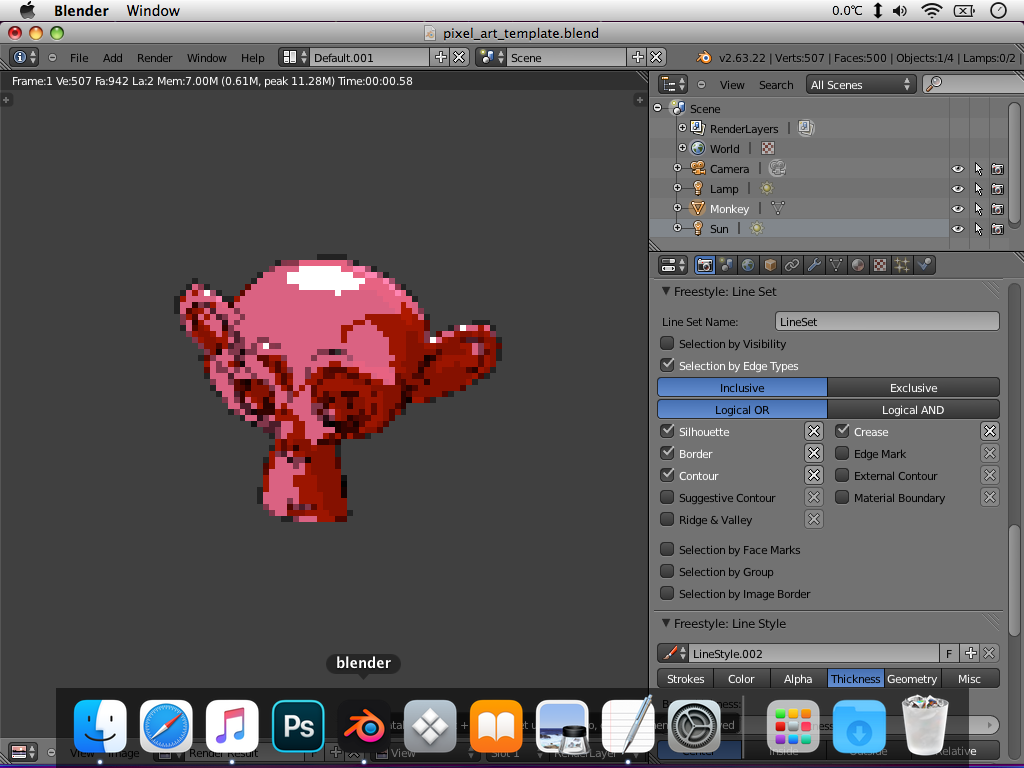
I use a blend of official Big Sur icons and icons from
https://macosicons.com and Flurry from iconfactory. The downloads folder is from some pack I found on here. I can send it over if wanted. The launchpad icon is just a folder holding app shortcuts
🙂 Works well!
The 2d dock in Leopard with some changes to the /System/Library/Core Services/Dock pngs.
If bringing icons in from that big sur site, I would just download the icns file and export the 1024x1024 png using Preview.app on my MBP and on my PB use img2icns to create a folder icon and then CandyBar. The iconfactory site icons should be good to go already.
We craft award-winning apps and icons that delight users. Our experienced team creates products on every development platform for clients of all sizes. We’d like to work with you, too.
freeware.iconfactory.com
We craft award-winning apps and icons that delight users. Our experienced team creates products on every development platform for clients of all sizes. We’d like to work with you, too.
freeware.iconfactory.com
We craft award-winning apps and icons that delight users. Our experienced team creates products on every development platform for clients of all sizes. We’d like to work with you, too.
freeware.iconfactory.com
We craft award-winning apps and icons that delight users. Our experienced team creates products on every development platform for clients of all sizes. We’d like to work with you, too.
freeware.iconfactory.com
We craft award-winning apps and icons that delight users. Our experienced team creates products on every development platform for clients of all sizes. We’d like to work with you, too.
freeware.iconfactory.com
We craft award-winning apps and icons that delight users. Our experienced team creates products on every development platform for clients of all sizes. We’d like to work with you, too.
freeware.iconfactory.com