

Become a MacRumors Supporter for $50/year with no ads, ability to filter front page stories, and private forums.

MacRumors

macrumors bot
Original poster


If you regularly share your iPhone's data connection with your laptop or iPad, or let family members piggyback on your device's data, you'll be glad to learn that Apple recently made it a lot easier to keep tabs on who's burning through your monthly allowance.
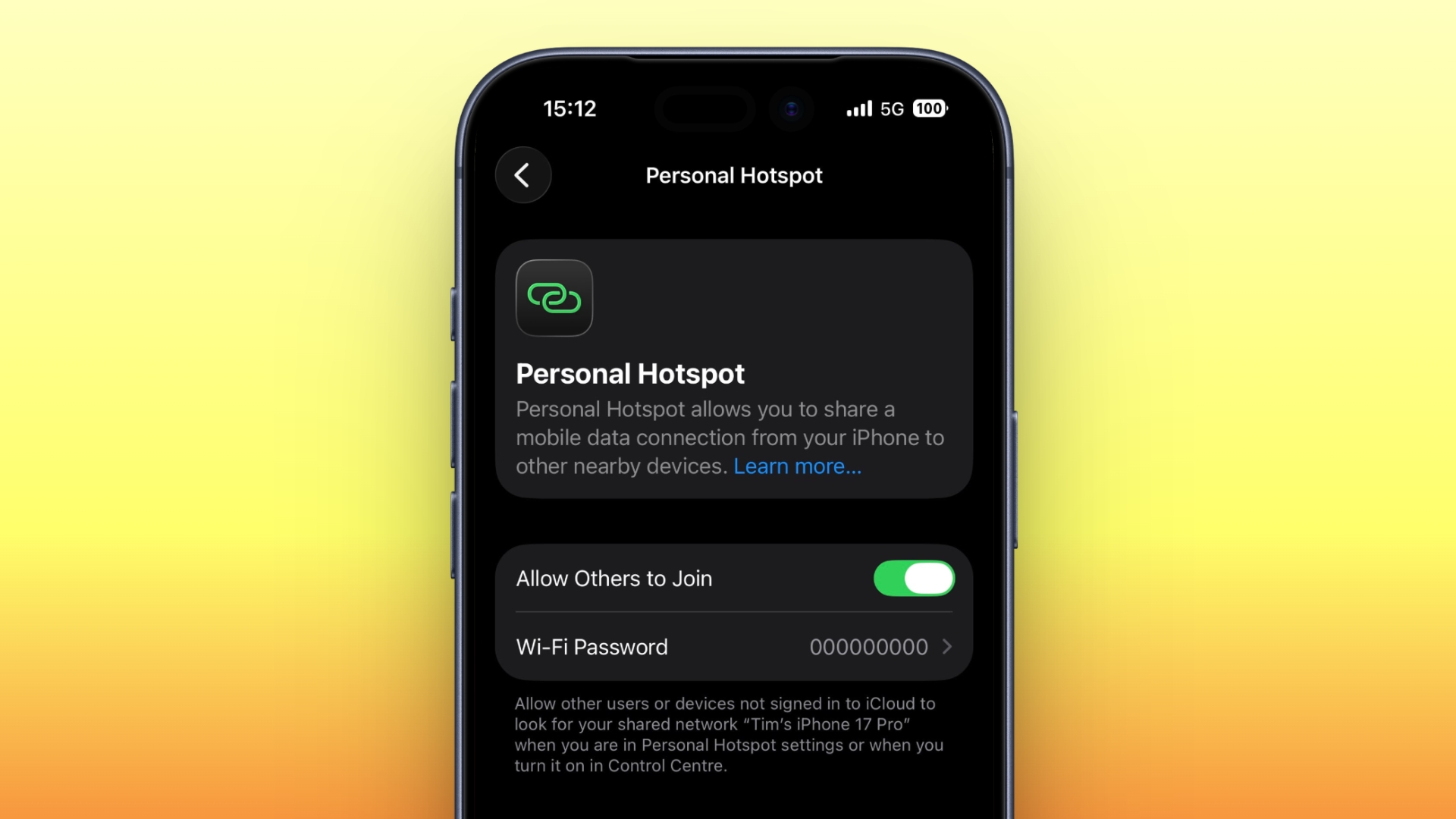
personal-hotspot.jpeg

In a welcome change with the release of iOS 26.4, Apple has moved Personal Hotspot data usage info out of its previous hiding spot and put it in a much more convenient location.

Before the latest update, Personal Hotspot's per-device breakdown was secreted away inside cellular settings, where it was easy to miss. Now it sits right inside the Personal Hotspot menu, making it way more practical for anyone on a capped data plan who's keen to keep an eye on usage.

Here's how to check it in iOS 26.4 (you can make sure your device is up-to-date via Settings ➝ General ➝ Software Update).

How to Check iPhone Hotspot Data Usage

  1. Open Settings on your iPhone.
  2. Tap Personal Hotspot.
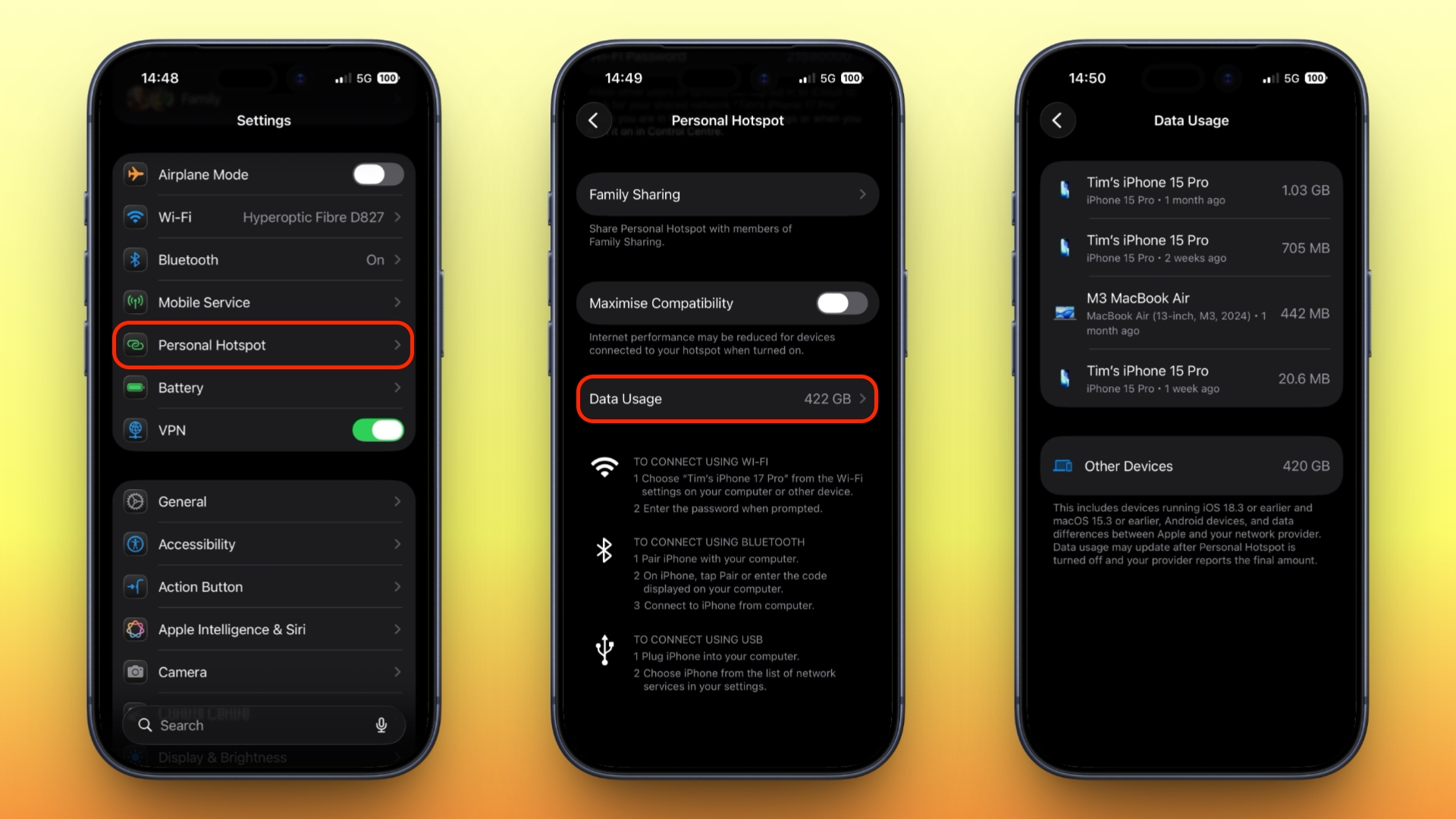
  3. Below the "Maximize Compatibility" toggle, tap Data Usage.
ios-hotspot-data-usage.jpeg


Here you'll see a list of connected devices along with how much data each one has consumed, as well as a total figure across all devices. Note that Apple devices running iOS 26.4 or macOS 26.4 appear individually by name, whereas Android phones, Windows PCs, and anything running older Apple software are grouped together under "Other Devices."

Bear in mind that the Data Usage option only appears if you've used Personal Hotspot recently. If you want, you can clear the figures and start tracking anew by heading to Settings ➝ Cellular/Mobile Service and resetting your overall cellular usage statistics (the option at the bottom). This wipes your hotspot numbers at the same time.

Article Link: Check Who's Using Your iPhone Hotspot Data
 
screenshot there is different to my iPhone & it’s up to date. my wife’s iPhone & iPad were merrily hot spot humping my iPhone only 20 hrs ago. Good for the function to break usage down tho
 
Is it going to stop turning itself off arbitrarily?

Is it still going to sometimes just not show up arbitrarily?

Who's using the data isn't going to helpful if the connected devices aren't able to connect or stay connected.
You hit the nail directly on the head 3 times!! This Hotspot feature SUCKS and I and family members have tried it on iPhones 13-16 with various iOSes along with Apple and non-Apple devices trying to (stay) connect(ed) to it.

Complete garbage if you ask me.
 
  • Like
Reactions: Konrad9 and OJK
You hit the nail directly on the head 3 times!! This Hotspot feature SUCKS and I and family members have tried it on iPhones 13-16 with various iOSes along with Apple and non-Apple devices trying to (stay) connect(ed) to it.

Complete garbage if you ask me.
Maybe the variability in usability is linked to the data provider. I have absolutely no problems with the feature here in the UK and I'm with EE. It's extremely reliable: I can connect my laptop and remain reliably connected throughout an entire 2 hour train journey or 3 hour car journey across the country.

There is a niggle, sometimes, with the Hotspot not showing up when you search for it. Used to do this all the time but over the years that's got better. Occasionally I need to wake up my iPhone and unlock it. That might just be me being impatient because I suspect what happens is that the iPhone periodically broadcasts the fact that the Hotspot is available to other Apple devices using some sort of low power BLE advertising packet, and unless my macBook has seen one recently, it doesn't show up. Presumably the macBook has to ping back a request for the phone to bring up the Hotspot, again to save battery. Perhaps this handshake is a little slow, and that's why I suspect it's just impatience. But it's very rare this affects me, and once connected, it's solid.

YMMV, I guess.
 
If you look carefully at the 3rd iPhone in pic, it says "Other Devices 420GB". And there is a blurb of text below saying what kinds of devices they likely are. HOWEVER, 1)you cannot click it to see what devices are gobbling up 420GB and 2)it appears that, generally speaking, only APPLE devices show above Other Devices. I've tested this on my iPhone and same experience.


BOOOOO! Totally lame, Apple. You tell me "here's a list of things eating 422GB" but in reality only show me a list of things eating 2GB out of that 422GB because they are, I guess, only worthy of being listed because they're Apple! Again, more worthless screens/"information" in iOS.
 
Maybe the variability in usability is linked to the data provider. I have absolutely no problems with the feature here in the UK and I'm with EE. It's extremely reliable: I can connect my laptop and remain reliably connected throughout an entire 2 hour train journey or 3 hour car journey across the country.
I and others:
  1. Often can't get a device to see the Hotspot. The fix is to try, try, try, try again and often turning the Hotpot on and off, etc.
  2. The Hotspot doesn't seem to stay enabled if the connected device doesn't use any data for say, 10 minutes. I dunno. But my Hotspot is enabled 100% of the time so it should be available and usable 100% of the time. It's my problem/own fault if I let my friends suck all my data.
  3. Building on #2, there are plenty of people (like my 80+ year old mom that doesn't have WIFI in her apartment) that attempt to use the Hotspot as their WIFI provider and it just sucks and is extremely frustrating for them. Gee, it worked this morning...why doesn't it work now? It's the same phone, same connecting device.
It's 2026, Apple. This feature should have been stable 10 years ago (Hotspot was launched in 2011 on iOS 4.3!!!). 15 YEARS AGO! 😡
 
I and others:
  1. Often can't get a device to see the Hotspot. The fix is to try, try, try, try again and often turning the Hotpot on and off, etc.
  2. The Hotspot doesn't seem to stay enabled if the connected device doesn't use any data for say, 10 minutes. I dunno. But my Hotspot is enabled 100% of the time so it should be available and usable 100% of the time. It's my problem/own fault if I let my friends suck all my data.
  3. Building on #2, there are plenty of people (like my 80+ year old mom that doesn't have WIFI in her apartment) that attempt to use the Hotspot as their WIFI provider and it just sucks and is extremely frustrating for them. Gee, it worked this morning...why doesn't it work now? It's the same phone, same connecting device.
It's 2026, Apple. This feature should have been stable 10 years ago (Hotspot was launched in 2011 on iOS 4.3!!!). 15 YEARS AGO! 😡
1 - I've found that if this occurs, I just need to wake my iPhone. Not turn anything off and on.
2 - Keeping WiFi up and running as a HotSpot will eat phone battery. If Apple kept the service running all the time, people wouldn't thank them for flattening the battery. So if there's an idle period, the service goes down.
3 - It would be great if iOS was smart enough to keep the Hotspot up permanently when connected to a power source, which would make it more usable in these situations, but AFAIK they don't do that.
 
In a welcome change with the release of iOS 26.4, Apple has moved Personal Hotspot data usage info out of its previous hiding spot and put it in a much more convenient location
That sounds like the opposite of Tim Cook era software, which moves things from a convenient location to an inconvenient hiding spot.
 
If you look carefully at the 3rd iPhone in pic, it says "Other Devices 420GB". And there is a blurb of text below saying what kinds of devices they likely are. HOWEVER, 1)you cannot click it to see what devices are gobbling up 420GB and 2)it appears that, generally speaking, only APPLE devices show above Other Devices. I've tested this on my iPhone and same experience.


BOOOOO! Totally lame, Apple. You tell me "here's a list of things eating 422GB" but in reality only show me a list of things eating 2GB out of that 422GB because they are, I guess, only worthy of being listed because they're Apple! Again, more worthless screens/"information" in iOS.
OK, but how could your phone know what those devices are? It will be able to see their MAC addresses, but how would it be able to display more information than that if it did not have access to that information? It's wi-fi, not Bluetooth.
 
I and others:
  1. Often can't get a device to see the Hotspot. The fix is to try, try, try, try again and often turning the Hotpot on and off, etc.
  2. The Hotspot doesn't seem to stay enabled if the connected device doesn't use any data for say, 10 minutes. I dunno. But my Hotspot is enabled 100% of the time so it should be available and usable 100% of the time. It's my problem/own fault if I let my friends suck all my data.
  3. Building on #2, there are plenty of people (like my 80+ year old mom that doesn't have WIFI in her apartment) that attempt to use the Hotspot as their WIFI provider and it just sucks and is extremely frustrating for them. Gee, it worked this morning...why doesn't it work now? It's the same phone, same connecting device.
It's 2026, Apple. This feature should have been stable 10 years ago (Hotspot was launched in 2011 on iOS 4.3!!!). 15 YEARS AGO! 😡
Yet I still have to toggle the hotspot off and back on again every time I want to use it.
 
OK, how do your think your phone could know what those devices are? It will be able to see their MAC addresses, but how would it be able to display more information than that if it did not have access to that information?
My wifi router is able to tell me a bit more than the MAC Address, such as the model of each of my smart devices. Surely Apple can glean some info like that, or AT LEAST split it out by MAC address.
 
My wifi router is able to tell me a bit more than the MAC Address, such as the model of each of my smart devices. Surely Apple can glean some info like that, or AT LEAST split it out by MAC address.
Some devices do provide more information, but this isn't a requirement, devices do not need to provide more information about themselves to be able to be wi-fi functional. Some do, some don't. This is beyond Apple's control. They can provide information about Apple devices because that is within their control.

Splitting up by individual MAC address is obvious useful, as would giving the feature to manually name / label a MAC address as a device, but the user would still have to manually "name" the devices when the initially connect - a notification pop-up when a new MAC address joins, prompting you to name the device, could be implemented.
 
Last edited:
  • Love
  • Like
Reactions: jonahj and CarlJ
Apple should also make it easier to boot off any devices using your Personal Hotspot. In the past, I couldn't see how I could kick off a certain device other than turning off Personal Hotspot which would then kick off everyone else. Don't know if that has changed with this iteration of the iOS.
 
Is it going to stop turning itself off arbitrarily?

Is it still going to sometimes just not show up arbitrarily?

Who's using the data isn't going to helpful if the connected devices aren't able to connect or stay connected.

It's meant as a personal hotspot, not a Wifi replacement or a dedicated mobile router.

The reason it turns off is to save energy usage and battery. It happens frequently if no (or little) data is being sent.
 
I and others:
  1. Often can't get a device to see the Hotspot. The fix is to try, try, try, try again and often turning the Hotpot on and off, etc.
  2. The Hotspot doesn't seem to stay enabled if the connected device doesn't use any data for say, 10 minutes. I dunno. But my Hotspot is enabled 100% of the time so it should be available and usable 100% of the time. It's my problem/own fault if I let my friends suck all my data.
  3. Building on #2, there are plenty of people (like my 80+ year old mom that doesn't have WIFI in her apartment) that attempt to use the Hotspot as their WIFI provider and it just sucks and is extremely frustrating for them. Gee, it worked this morning...why doesn't it work now? It's the same phone, same connecting device.
It's 2026, Apple. This feature should have been stable 10 years ago (Hotspot was launched in 2011 on iOS 4.3!!!). 15 YEARS AGO! 😡

it's not meant to work like you want for situation #2 and #3. It's a personal hotspot meant to connect one or few your devices temporarily. The reason is that the feature is designed to use as little power as possible.
 
Register on MacRumors! This sidebar will go away, and you'll see fewer ads.