

Hi everyone,
I'm the developer of Adelvo Commander, a native app for macOS (and Windows) that started life as a WinSCP replacement for the Mac — and grew into one clean dual-pane window for basically everything I do with files. I use it daily now instead of WinSCP, which is what pushed me to polish it into a real product.
The idea I kept coming back to: everything file-related — online or local — in one place, with a preview before anything destructive happens. It does four things, two of them AI-assisted:
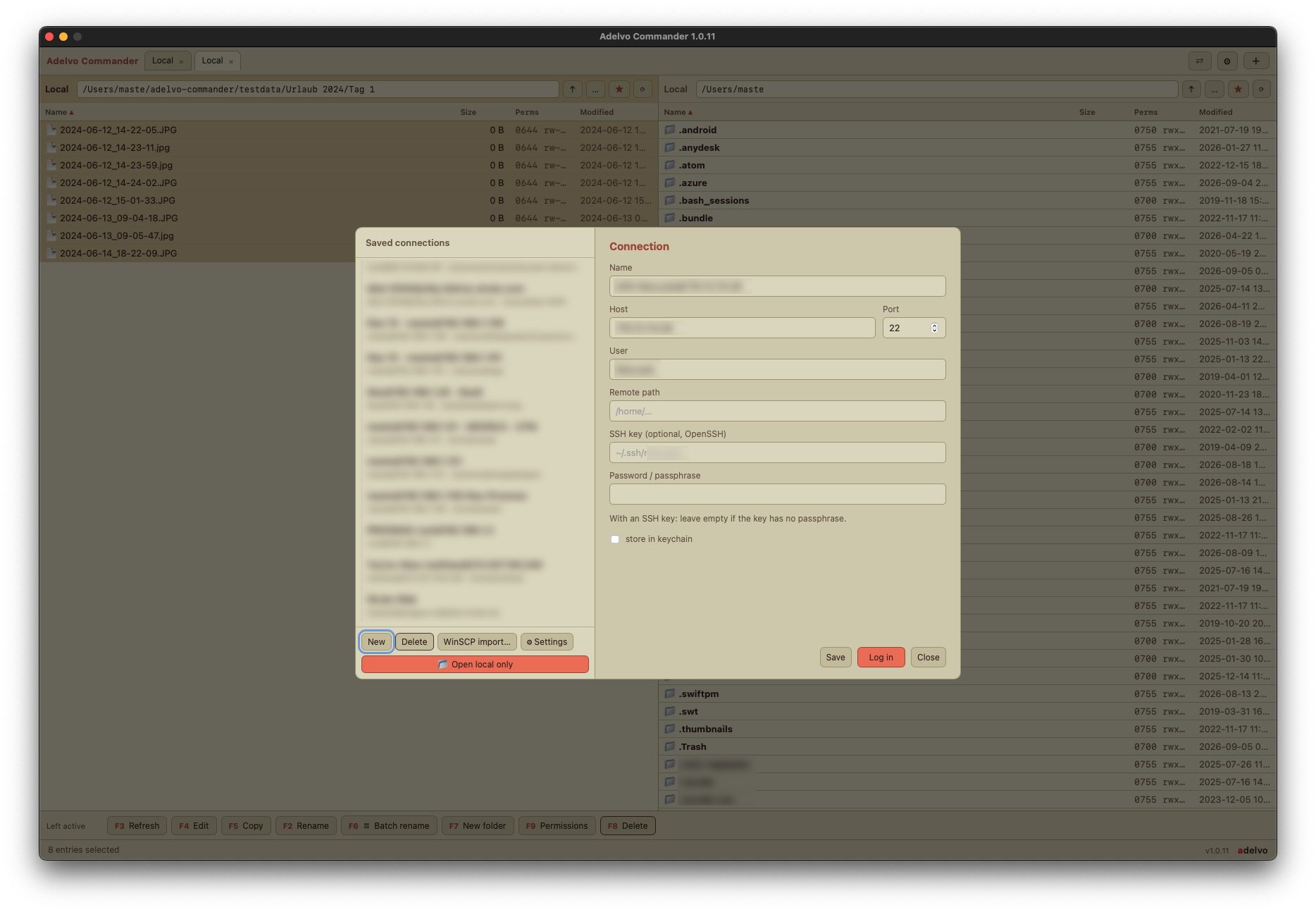
Safety was the part I cared about most, because data loss is real: mandatory compare/preview before any sync, deletes go to a recoverable trash (works on network drives too), no silent overwrites, host-key MITM protection, and everything runs locally — the only network use is your SFTP connections, optional AI calls you enable, and update checks. Signed & notarized on macOS, Authenticode-signed on Windows, 20 languages.
Pricing: 14-day free trial, fully functional. After that it's a one-time purchase where you pick the price (pay what feels fair, from $3, $9 suggested) — no subscription. One computer per license.
Site + 14-day trial download:

 adelvo.io
(There's also a live manual on the site that switches themes and languages using the app's own engine.)
adelvo.io
(There's also a live manual on the site that switches themes and languages using the app's own engine.)
I'm the developer of Adelvo Commander, a native app for macOS (and Windows) that started life as a WinSCP replacement for the Mac — and grew into one clean dual-pane window for basically everything I do with files. I use it daily now instead of WinSCP, which is what pushed me to polish it into a real product.
The idea I kept coming back to: everything file-related — online or local — in one place, with a preview before anything destructive happens. It does four things, two of them AI-assisted:
- Online / SFTP — connect to any server, manage remote files across tabs, edit-in-place with automatic re-upload on save, set permissions (chmod), host-key verification (known_hosts), per-session bookmarks, WinSCP.ini import. Passwords live in the macOS keychain.
- Local files — a classic dual-pane manager for your own disks: copy, move, edit, delete, with a fast overlapped copy engine.
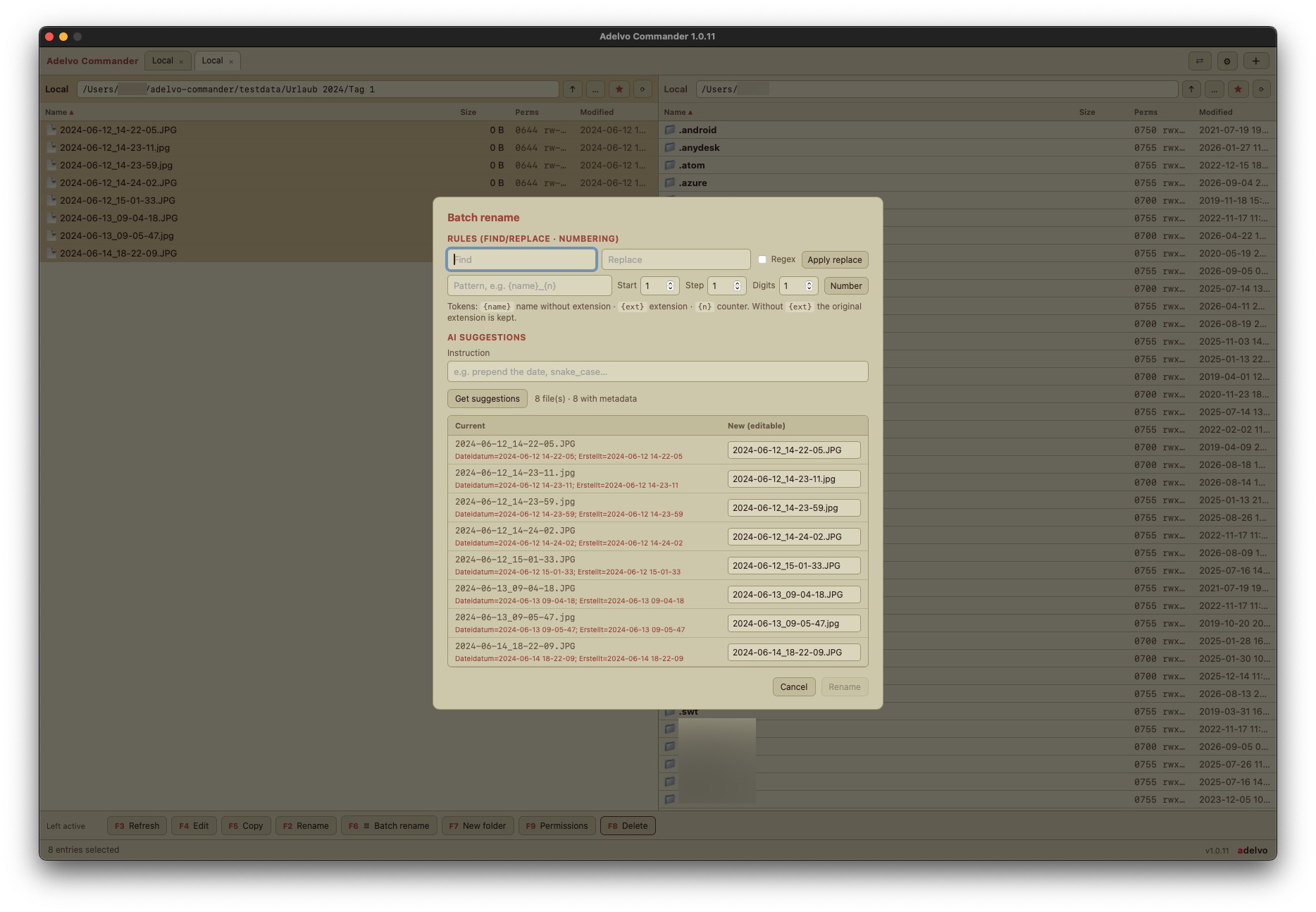
- Batch rename (AI + rules) — rename many files at once by plain-language instruction (a local Claude CLI or your own API key) or by find/replace + numbering rules. Always with a full preview and collision detection before applying.
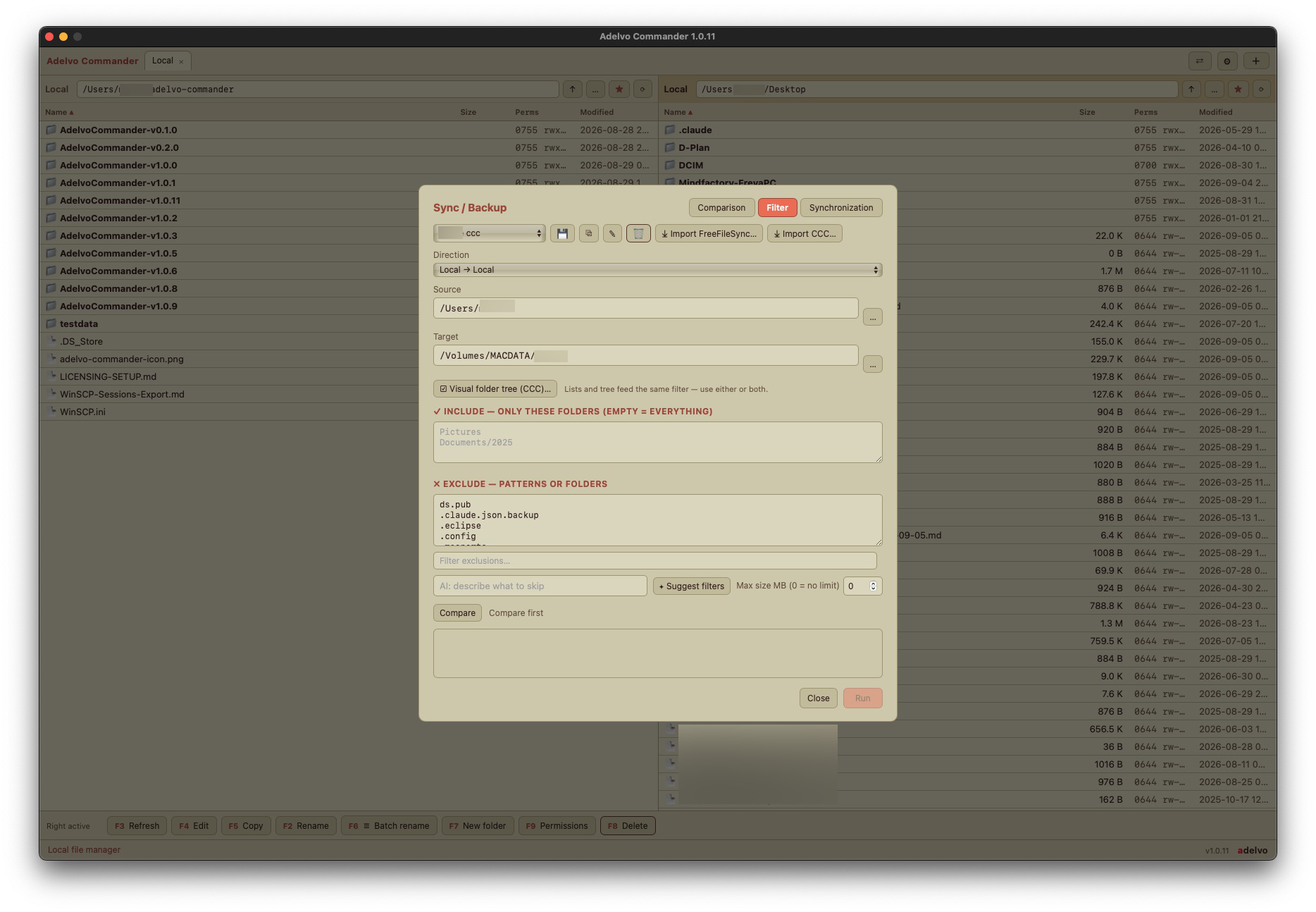
- Backup & sync (FreeFileSync-style) — named jobs, local or over SFTP, on a button (no hidden automation). Update or mirror, with a mandatory compare preview, move detection, per-plan filters, and imports of FreeFileSync and Carbon Copy Cloner tasks.
Safety was the part I cared about most, because data loss is real: mandatory compare/preview before any sync, deletes go to a recoverable trash (works on network drives too), no silent overwrites, host-key MITM protection, and everything runs locally — the only network use is your SFTP connections, optional AI calls you enable, and update checks. Signed & notarized on macOS, Authenticode-signed on Windows, 20 languages.
Pricing: 14-day free trial, fully functional. After that it's a one-time purchase where you pick the price (pay what feels fair, from $3, $9 suggested) — no subscription. One computer per license.
Site + 14-day trial download:
Adelvo Commander — Dual-Pane SFTP & File Manager
SFTP + local dual-pane manager + AI/rule batch rename + FreeFileSync-style backup, in one app. macOS & Windows. 14-day free trial, then pay what feels fair (from $3).
adelvo.io
Last edited:
