^
Another workaround is to download the app again via iTunes on your 6.1.3 iPhone. Delete it from your computer's iTunes and then sync your iPhone using the iTunes dropdown menu: File > Devices > Transfer Purchases. This will then redownload the older version into your computer's iTunes allowing you to then download that version on any other iDevice. Of course it'll always have that update badge in your iTunes (both computer and iPhone).
For example, I always thought the CAMERA+ app was better back when it was available with iOS4. I have an iPhone 4 with iOS4.2.6
I downloaded CAMERA+ on this iPhone (after the popup window declaring there is a compatible version for me- having purchased it already in the past). It is then downloaded with the iOS 7.0 version on my computer deleted.
After transferring as described above the app back into my iTunes on my Mac I now have that lower version available for my iPhone6S. (Even the older apps icon transfers over.)
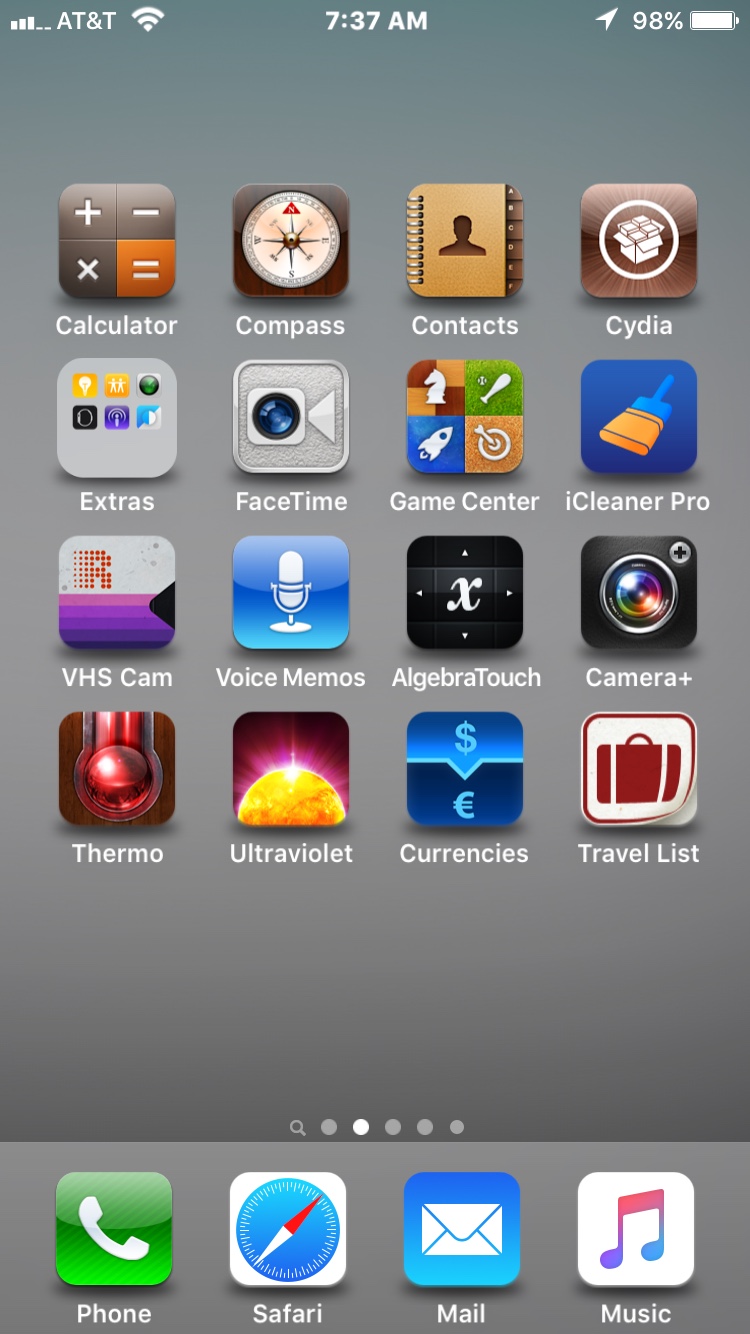
Here is that app (blending well on my iPhone6S with the jailbroken theme, 'IOS 6 COMPLETE":
Again, this is the iOS4 version of CAMERA+ running now on a 9.0.2 iPhone, working flawlessly I might add.