


Apple today provided developers with the first beta of an upcoming iOS 26.4 update, which adds quite a few new features to the iPhone. There's a video podcasts feature, updates to Stolen Device Protection, end-to-end encryption for RCS messages, an Apple Music tool for generating playlists, and much more.
We've rounded up everything we've found that's new in the first beta of iOS 26.4. The beta is limited to developers right now, but Apple should release a public beta in the next couple of weeks. iOS 26.4 is expected to launch this spring.
Playlist Playground
Apple Music has a new Playlist Playground feature that lets users create a playlist with a text-based prompt.
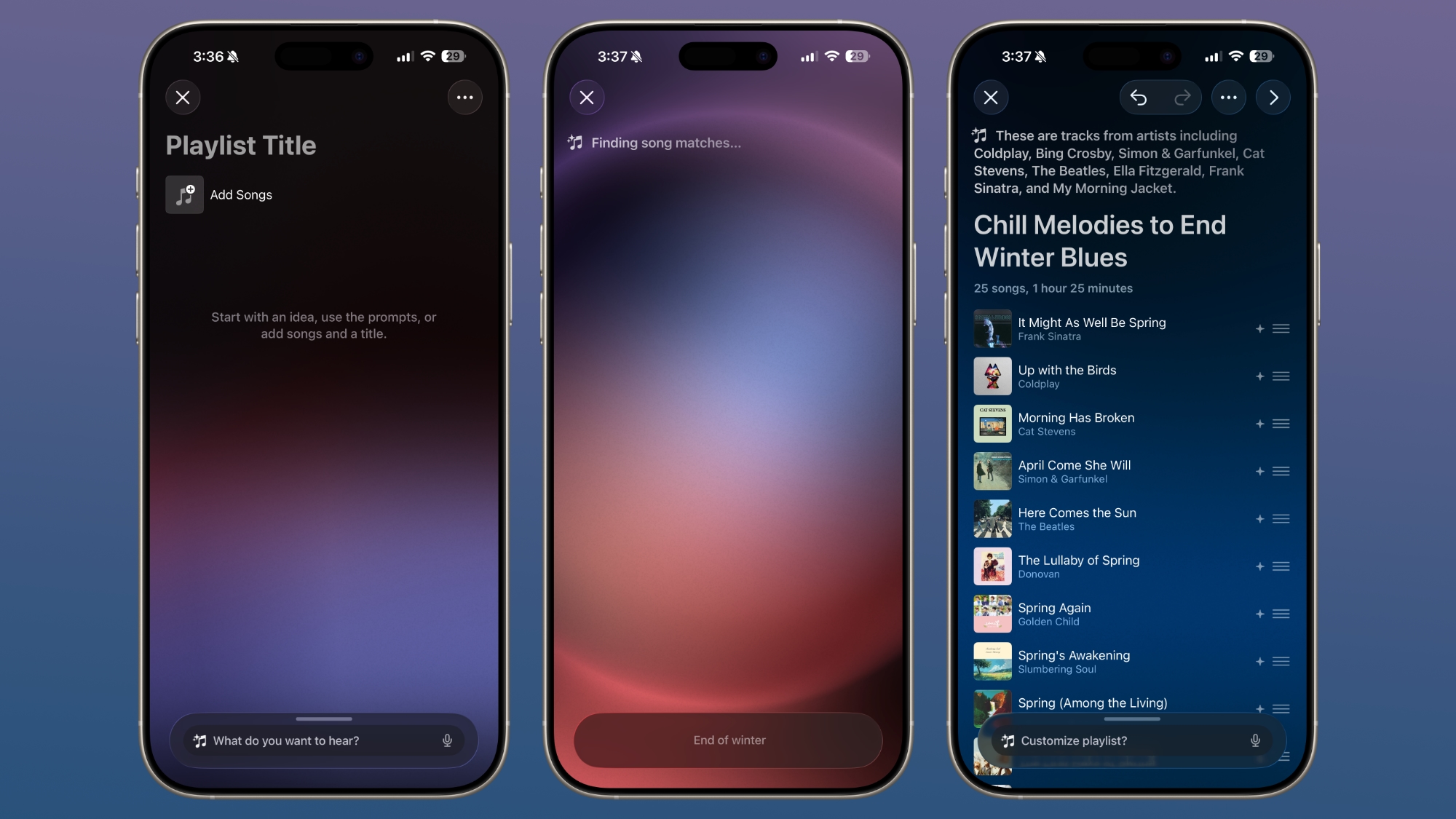
In the Apple Music app, there's an option to type in an idea and get automatic song suggestions for a playlist. Apple has some pre-set suggestions that include "morning coffee music," "hip-hop party songs," and "disco songs that defined the 1970s," but you can type in any idea, mood, or feeling.
From there, the Playlist Playground feature will automatically generate a list of 25 songs, along with a custom title. Playlists that you create can be customized further with additional text prompts, and you can select a cover and a description.
Playlist Playground is limited to the United States at the current time.
Apple Music
Apple Music features a "Concerts Near You" feature that helps you find shows in your area and tour dates for artists that you're a fan of.
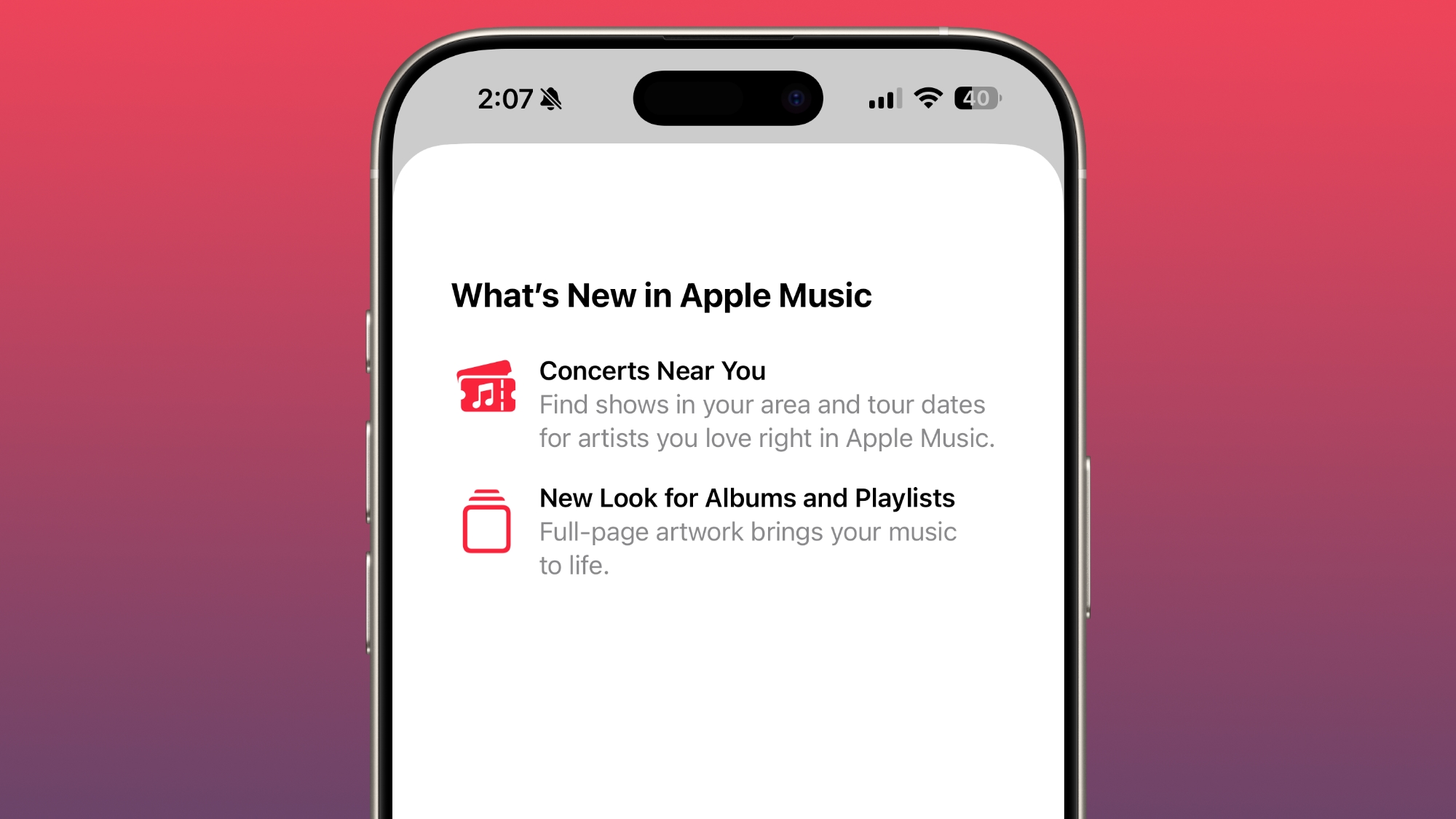
Apple has redesigned albums and playlists, adding full-page artwork.
Apple Podcasts
With iOS 26.4, Apple is adding video podcast capabilities to the Apple Podcasts app. The feature uses HTTP Live Streaming (HLS) to provide podcast creators with "unprecedented control and monetization opportunities" while also providing a high-quality viewing experience.
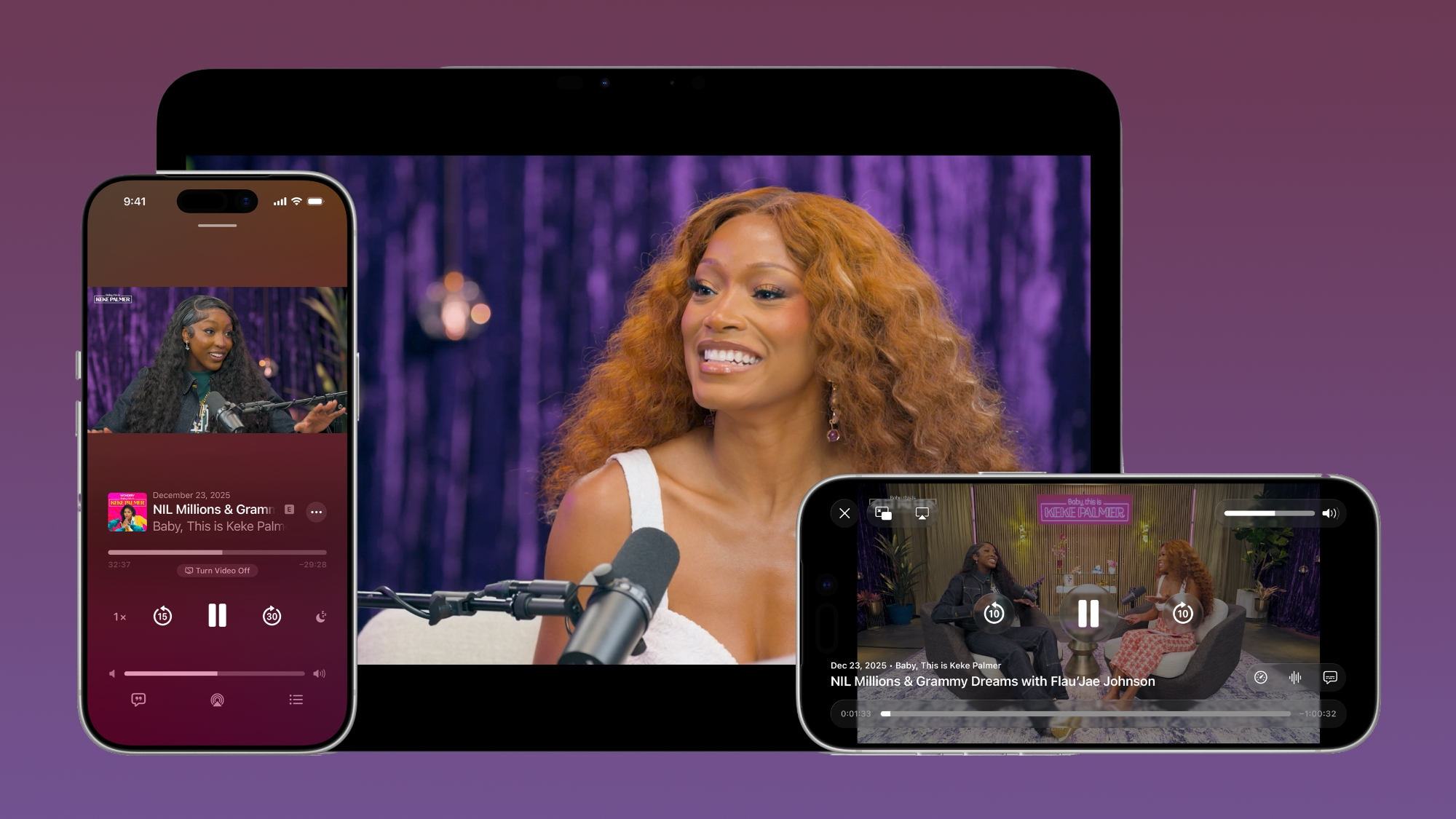
The iOS 26.4 Podcasts app will let users switch between watching and listening to shows, with videos able to be downloaded for offline viewing. HLS ensures smooth playback regardless of network connection, so videos will work on Wi-Fi or cellular. Apple says that the new video episodes will integrate with existing Apple Podcasts features, including personalized recommendations and editorial suggestions in the New and Category sections.
Stolen Device Protection
Stolen Device Protection is now enabled by default for all iPhone users, rather than being an opt-in feature.
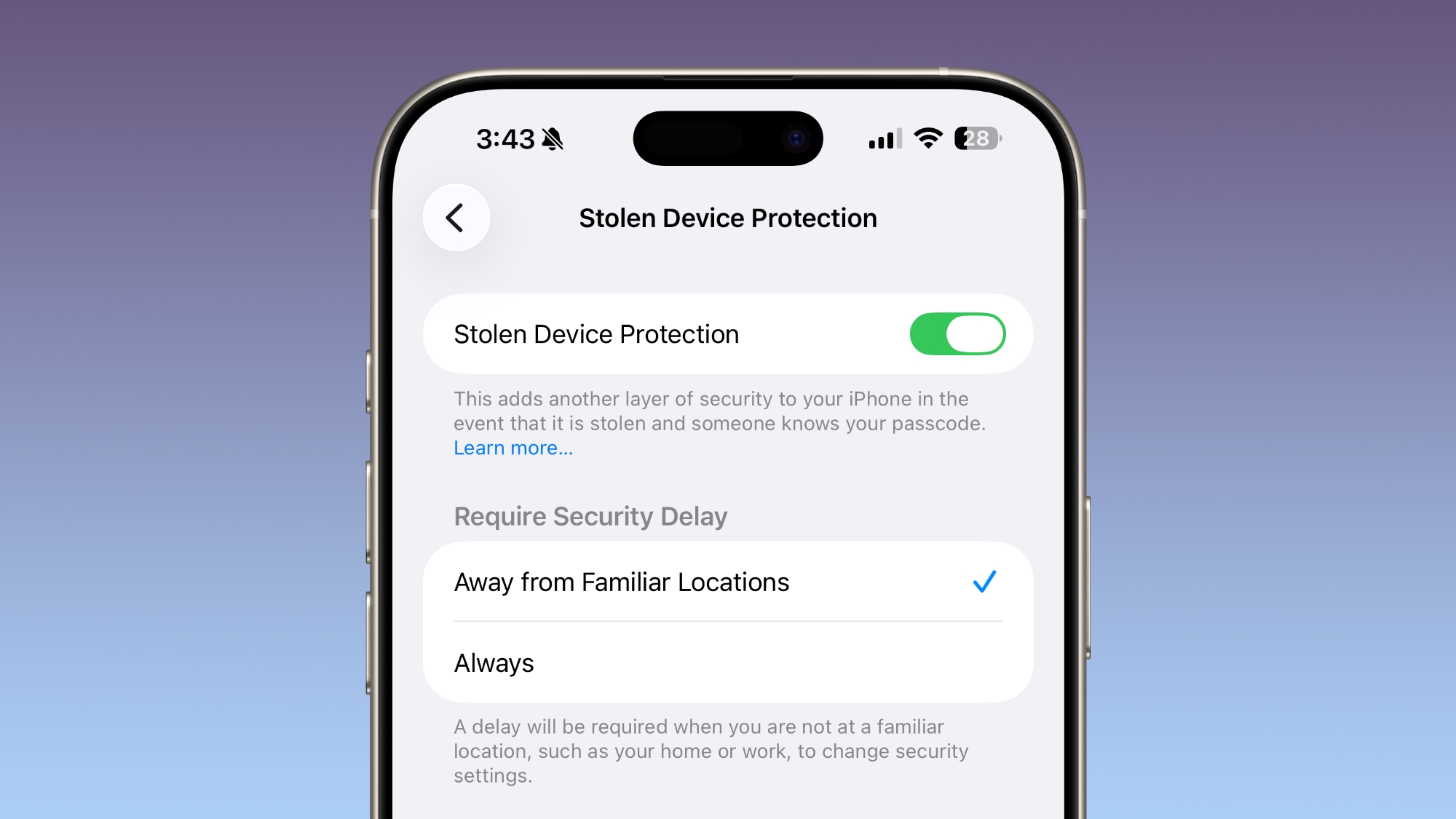
Apple implemented Stolen Device Protection back in 2023 after reports about a new iPhone theft method. Thieves would spy on an intended victim to learn their passcode, then steal the target's iPhone. With the passcode, criminals were able to empty bank accounts, access passwords, and turn off Find My.
Stolen Device Protection requires additional authentication through Face ID or Touch ID to access certain iPhone features like the Passwords app, Lost mode in Find My, Safari purchases, and more. Some features are disabled entirely without authentication, while others have a one-hour security delay.
End-to-End RCS Encryption for Messages
With iOS 26.4, iPadOS 26.4, and macOS Tahoe 26.4, Apple is testing end-to-end encryption (E2EE) for RCS messages, a security feature that is not currently available for cross-platform messaging.
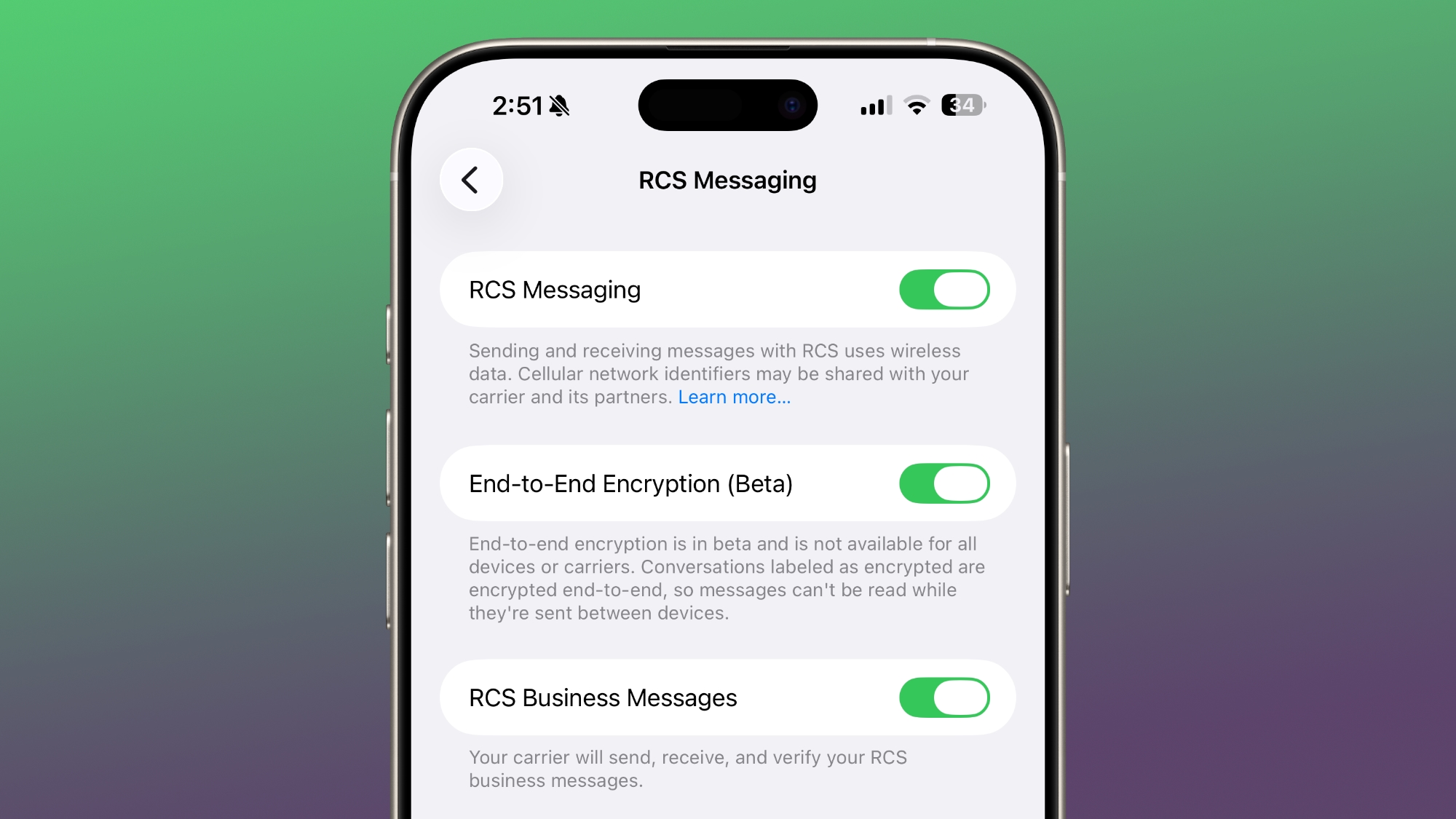
Apple has been working with the GSM Association to implement E2EE for RCS messages. iMessage, the messaging protocol for sending texts between iPhones, has long supported end-to-end encryption. RCS messages between Android devices have also featured E2EE, but there was no full encryption for Android to iPhone (or vice versa) communications. With the addition of E2EE for RCS, messages between iPhone users and Android users will eventually be just as secure as iMessage.
Messages sent by RCS that have end-to-end encryption will feature a lock icon in the conversation interface. As of right now, Apple is testing iPhone-to-iPhone RCS encryption, with the feature set to roll out for iPhone and Android conversations in a future iOS 26 update.
Messages that feature E2EE will feature a lock icon in the conversation UI, both for iMessages and RCS Messages.
Messages App
There are new animations in the Messages app for actions like launching a new conversation.
Apple Account Unified Design
In the App Store, Apple Music, and other apps that have user settings, there is a new unified Apple Account hub that replaces the existing profile feature.
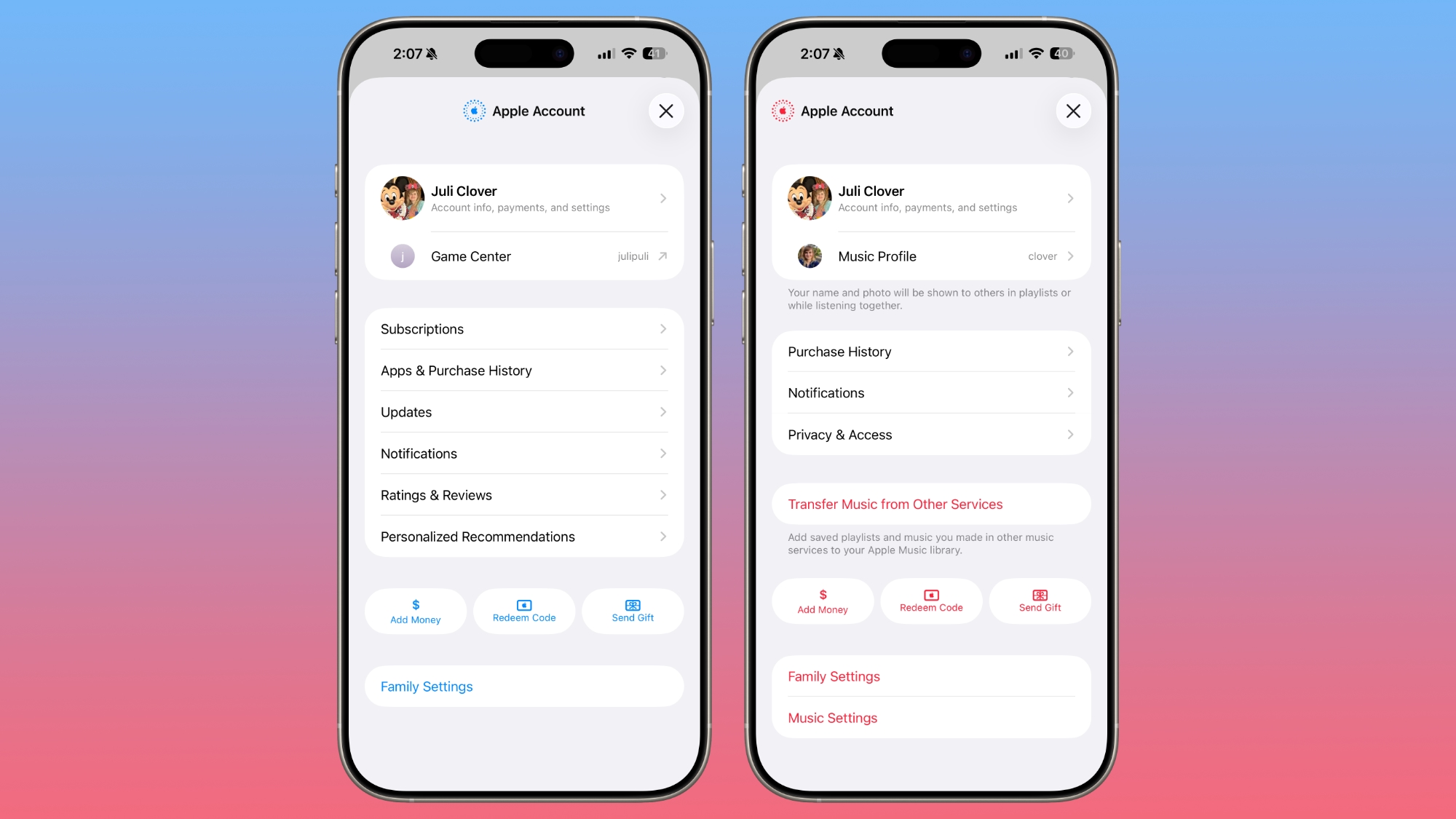
It offers largely the same functionality as the prior profile settings for each app, but there is a new unified design.
The App Store merges apps and purchase history, and has a dedicated section for app updates. It now takes two taps to get to app updates rather than having them available at the bottom of the profile page.
The App Store's navigation bar also no longer features Search as a separate button, and the search bar itself is at the top when tapped rather than the bottom.
Ambient Music Widget
There is a new Ambient Music widget for the Home and Lock Screen. It supports playing different built-in ambient music options for sleep, productivity, wellbeing, and more... Click here to read rest of article
Article Link: Everything New in iOS 26.4 Beta 1
Last edited:


