
Got a tip for us?
Let us know
Become a MacRumors Supporter for $50/year with no ads, ability to filter front page stories, and private forums.
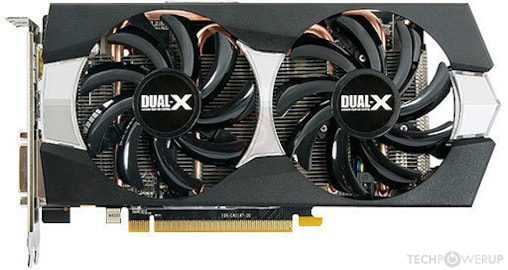
Flashing a Sapphire R9 270X
- Thread starter realbuzz
- Start date
- Sort by reaction score
You are using an out of date browser. It may not display this or other websites correctly.
You should upgrade or use an alternative browser.
You should upgrade or use an alternative browser.
xbomber2002
macrumors newbie
No problem, one dvi port working is enough for me. But how can I use the “no-inject”-EFI ? And what do you mean by vanilla bios ? Is it his original pc bios ?Please try first w/ vanilla bios.
In my opinion, the card is no good choice, because it has a complete different connector-layout and the newer "Curacao"-gpu instead "Tahiti" of the mac-version.
No fitting framebuffer exists for this card, you better use it as pc-card or w/ the "no-inject"-EFI, which provide bootscreens to one or a few connectors.
xbomber2002
macrumors newbie
So no way to reach mojave/Catalina finder if i flash the card no matter what i do.Pitcairn and Curacao family of AMD GPUs only work up to 10.13.6. Mac EFI has absolutely nothing to do with support past 10.13.6, Apple removed support for both families (it's really one family, Curacao is a Pitcairn lightly modified) from Mojave/Catalina/BigSur.
last chance is to use opencore to get a boot menu but is it possible with my nehalem processor and that card ?

tsialex
Contributor
Replace your GPU if you want support past High Sierra.So no way to reach mojave/Catalina finder if i flash the card no matter what i do.
last chance is to use opencore to get a boot menu but is it possible with my nehalem processor and that card ?
It's a GPU to old to even have OpenCore GOP support, if you find an updated GOP firmware for your card you could make it work with OpenCore and up to 10.13.6 for pre-boot configuration support (boot screens/boot picker), but without driver support after 10.13.6 the card won't work with Mojave/Catalina/BigSur after the AMD drivers are loaded during the boot process, black screen.
P.S.1: Maybe with Mojave/Catalina/BigSur and OpenCore you can get the EFI drivers to work, but the display will be completely un-accelerated and it's not useful for anything besides diagnostics.
P.S.2: OpenCore can work with a Nehalem Xeon via board-id spoofing, more or less what people with MP3,1 do, but native updates won't work via VMM flag spoofing. Replace your Xeons, it's too cumbersome to work around Nehalem limitations.
Last edited:
xbomber2002
macrumors newbie
thank for the answer,Replace your GPU if you want support past High Sierra.
It's a GPU to old to even have OpenCore GOP support, if you find an updated GOP firmware for your card you could make it work with OpenCore and up to 10.13.6 for pre-boot configuration support (boot screens/boot picker), but without driver support after 10.13.6 the card won't work with Mojave/Catalina/BigSur after the AMD drivers are loaded during the boot process, black screen.
P.S.1: Maybe with Mojave/Catalina/BigSur and OpenCore you can get the EFI drivers to work, but the display will be completely un-accelerated and it's not useful for anything besides diagnostics.
P.S.2: OpenCore can work with a Nehalem Xeon via board-id spoofing, more or less what people with MP3,1 do, but native updates won't work via VMM flag spoofing. Replace your Xeons, it's too cumbersome to work around Nehalem limitations.
Your’e talking about only the efi drivers part i suppose. i think, support for that card still remain past high Sierra. I intend bigsur. It’s a metal capable card isn’t it. at the moment i can use it with it’s stock original pc bios and get access to the Catalina finder without problems with the unique inconvenience of not being able to manage the pre/early boot stage (black screen). i should be sure that it‘s bigsur compatible before I throw it. Can you confirm ?
tsialex
Contributor
METAL support has nothing to do with driver support. NVIDIA Maxwell and Pascal are METAL supported GPUs too and don't work past High Sierra since there is no driver with Mojave/Catalina/BigSur.thank for the answer,
Your’e talking about only the efi drivers part i suppose. i think, support for that card still remain past high Sierra. I intend bigsur. It’s a metal capable card isn’t it. at the moment i can use it with it’s stock original pc bios and get access to the Catalina finder without problems with the unique inconvenience of not being able to manage the pre/early boot stage (black screen). i should be sure that it‘s bigsur compatible before I throw it. Can you confirm ?
Apple removed the PCIe IDs from Pitcairn/Curacao cards from the AMD drivers with the Mojave release.
Do you even have acceleration? If it's really a Pitcairn/Curacao GPU, there are HD7870/270xx GPUs made from binned Tahiti GPUs, you should probably only have the display working via EFI drivers and it's unaccelerated.
xbomber2002
macrumors newbie
METAL support has nothing to do with driver support. NVIDIA Maxwell and Pascal are METAL supported GPUs too and don't work past High Sierra since there is no driver with Mojave/Catalina/BigSur.
Apple removed the PCIe IDs from Pitcairn/Curacao cards from the AMD drivers with the Mojave release.
Do you even have acceleration? If it's really a Pitcairn/Curacao GPU, there are HD7870/270xx GPUs made from binned Tahiti GPUs, you should probably only have the display working via EFI drivers and it's unaccelerated.
Now i am in doubt about graphic acceleration. How can I test that in Mojave ?
tsialex
Contributor
Lot's of ways, but a good test is to see if can run CL!ng GPU OpenCL and Metal tests, for example.Now i am in doubt about graphic acceleration. How can I test that in Mojave ?

CL!ng App - App Store
Download CL!ng by Bart Vanhaeren on the App Store. See screenshots, ratings and reviews, user tips, and more apps like CL!ng.
 apps.apple.com
xbomber2002
macrumors newbie
cannot download cl!ng. it's not free and i don't have an international credit card (not convertible local currency)...Lot's of ways, but a good test is to see if can run CL!ng GPU OpenCL and Metal tests, for example.
CL!ng App - App Store
Download CL!ng by Bart Vanhaeren on the App Store. See screenshots, ratings and reviews, user tips, and more apps like CL!ng.
So I used geekbench 5 and Luxmark 3.1.Look like the card is experiencing acceleration (Mojave 10.14.6)
from geekbench5:
OpenCL Score 25653
Sobel
33145
8.58 Gpixels/sec
Canny
17697
1.11 Gpixels/sec
Stereo Matching
81299
115.0 Gpixels/sec
Histogram Equalization
22500
3.97 Gpixels/sec
Gaussian Blur
22720
1.25 Gpixels/sec
Depth of Field
60459
700.9 Mpixels/sec
Face Detection
6569
50.6 images/sec
Horizon Detection
17700
436.3 Mpixels/sec
Feature Matching
7510
155.4 Mpixels/sec
Particle Physics
118294
3150.9 FPS
SFFT
20793
286.4 Gflops
Metal Score 27526
Sobel
34122
8.83 Gpixels/sec
Canny
19589
1.23 Gpixels/sec
Stereo Matching
67025
94.8 Gpixels/sec
Histogram Equalization
23417
4.13 Gpixels/sec
Gaussian Blur
26957
1.48 Gpixels/sec
Depth of Field
59265
687.1 Mpixels/sec
Face Detection
6091
46.9 images/sec
Horizon Detection
23060
568.4 Mpixels/sec
Feature Matching
9988
206.6 Mpixels/sec
Particle Physics
127573
3398.0 FPS
SFFT
22914
315.6 Gflops
and this for Luxmark 3.1:
tsialex
Contributor
Interesting, seems someway your card is using acceleration. Can you upload an ioreg? I'd like to see how this is happening.cannot download cl!ng. it's not free and i don't have an international credit card (not convertible local currency)...
So I used geekbench 5 and Luxmark 3.1.Look like the card is experiencing acceleration (Mojave 10.14.6)
from geekbench5:
OpenCL Score 25653
Sobel
33145
8.58 Gpixels/sec
Canny
17697
1.11 Gpixels/sec
Stereo Matching
81299
115.0 Gpixels/sec
Histogram Equalization
22500
3.97 Gpixels/sec
Gaussian Blur
22720
1.25 Gpixels/sec
Depth of Field
60459
700.9 Mpixels/sec
Face Detection
6569
50.6 images/sec
Horizon Detection
17700
436.3 Mpixels/sec
Feature Matching
7510
155.4 Mpixels/sec
Particle Physics
118294
3150.9 FPS
SFFT
20793
286.4 Gflops
Metal Score 27526
Sobel
34122
8.83 Gpixels/sec
Canny
19589
1.23 Gpixels/sec
Stereo Matching
67025
94.8 Gpixels/sec
Histogram Equalization
23417
4.13 Gpixels/sec
Gaussian Blur
26957
1.48 Gpixels/sec
Depth of Field
59265
687.1 Mpixels/sec
Face Detection
6091
46.9 images/sec
Horizon Detection
23060
568.4 Mpixels/sec
Feature Matching
9988
206.6 Mpixels/sec
Particle Physics
127573
3398.0 FPS
SFFT
22914
315.6 Gflops
and this for Luxmark 3.1:
View attachment 1670040
View attachment 1670077
xbomber2002
macrumors newbie
I attach a copy of my ioreg. Best regards.Interesting, seems someway your card is using acceleration. Can you upload an ioreg? I'd like to see how this is happening.
Attachments
tsialex
Contributor
This is your card? (pci174b,e271)I attach a copy of my ioreg. Best regards.
It's weirdly configured, it's a CuracaoXT but being identified as PitcairnPRO.

Henninges
macrumors member
xbomber2002
macrumors newbie
Is that right, or have I missed something ? You said, Apple removed support from Pitcairn/Curacao cards from the AMD drivers with the Mojave release, but my card work because it's "misconfigured" as PitcairnPRO. I thought any pc based bios AMD card that support METAL including Pitcairn/Curacao should work in any case with the AMD drivers released for Mojave/Catalina and maybe BigSur. I'm not talking about Nvidia, that is another story.This is your card? (pci174b,e271)
It's weirdly configured, it's a CuracaoXT but being identified as PitcairnPRO.
Are you talking about modified romfiles ? if so, from where can i grab them ?there are HD7870/270xx GPUs made from binned Tahiti GPUs, you should probably only have the display working via EFI drivers and it's unaccelerated
Forgive my ignorance, but in a normal Mac OS boot the system begin by using EFI drivers before he hands over to the OS drivers (the AMDxxxxController.kext). is it true or I'm talking nonsense ?
tsialex
Contributor
MP6,1 D300 is still fully supported, AFAIK is the only card from Pitcairn/Curacao family that still has support after Mojave, that's why I'm surprised that your GPU still works.Is that right, or have I missed something ? You said, Apple removed support from Pitcairn/Curacao cards from the AMD drivers with the Mojave release, but my card work because it's "misconfigured" as PitcairnPRO. I thought any pc based bios AMD card that support METAL including Pitcairn/Curacao should work in any case with the AMD drivers released for Mojave/Catalina and maybe BigSur. I'm not talking about Nvidia, that is another story.
Are you talking about modified romfiles ? if so, from where can i grab them ?
Forgive my ignorance, but in a normal Mac OS boot the system begin by using EFI drivers before he hands over to the OS drivers (the AMDxxxxController.kext). is it true or I'm talking nonsense ?
METAL support has nothing to do with driver support. While METAL is a requirement for GPU support after High Sierra, being a GPU that supports METAL don't make it supported with macOS. GPUs don't work without drivers, METAL is an API.
It's the Mac EFI what make a GPU to have pre-boot support, i.e what configures the GPU enough to have a working display even before macOS loads the GPU drivers. But a GPU that has EFI support don't make it supported by macOS and EFI drivers are un-accelerated - an unsupported GPU that supports Mac EFI will have a working display, totally un-accelerated.
You can't make a GPU from one family to work with a firmware from another family. There are several hardware differences between families and you the firmware code is tied to the GPU itself. That's why using 7950 Mac Edition firmware for flashing Pitcairns GPUs kill the HDMI port and generate artefacts with some resolutions.
Last edited:
piotrbaranski1
macrumors newbie
Hi.I have the same card.You manage to find rom?kindly asking for the r9 270x dual-x rom...
piotrbaranski1
macrumors newbie
Hi everyone. Any chance to ask for help (rom) for sapphire 270x .This is more difficult ,after flashing have bootscreen but Osx hangs on end progress bar, then black screen https://www.techpowerup.com/vgabios/152468/sapphire-r9270x-2048-131209
tsialex
Contributor
Did you tested the non-flashed GPU with Mojave?Hi everyone. Any chance to ask for help (rom) for sapphire 270x .This is more difficult ,after flashing have bootscreen but Osx hangs on end progress bar, then black screen https://www.techpowerup.com/vgabios/152468/sapphire-r9270x-2048-131209
AFAIK, HD 7870/270x Pitcairn/Curacao derived GPUs had support up to 10.13.6, macOS drivers don't support it after High Sierra.
piotrbaranski1
macrumors newbie
piotrbaranski1
macrumors newbie
I done part one, (have bootscreen but stack, wrong port mapping)
but my rom must be done the same way part 2 RFB by Fl0r!an instant standard way.
I have not working Mac, send from phone
but my rom must be done the same way part 2 RFB by Fl0r!an instant standard way.
I have not working Mac, send from phone

MIKX
macrumors 68000
The original "bundle" got changed over time over at Netkas
This ( I re-named it ) is the original bundle = " Bundle2 " to allow for the differences . ..
I used this to flash my 'el cheapo Japanese R9270X ' so long ago.
Mike-Joness-Mac-Pro:bundle2 mikejones$ ./makerom.sh --efifile=7950mac.efi --romfile=efiromheader_7950.rom --originalrom=cardname.rom --devid=679a
I suggest looking at my older posts in this thread.
EDIT : I long ago threw away everything I had related to the R9 270X
as I now use an RX580 8gb as my main GPU in Mojave 10.14.6
= I no longer have my previous R9 270X flashed ROMs.
I also have a flashed & down volted 7970 as a backup which is connected
to an EVGA PowerLink with 2 X SATA to 1 x GPU 6pin to the PowerLink.
This ( I re-named it ) is the original bundle = " Bundle2 " to allow for the differences . ..
I used this to flash my 'el cheapo Japanese R9270X ' so long ago.
Mike-Joness-Mac-Pro:bundle2 mikejones$ ./makerom.sh --efifile=7950mac.efi --romfile=efiromheader_7950.rom --originalrom=cardname.rom --devid=679a
I suggest looking at my older posts in this thread.
EDIT : I long ago threw away everything I had related to the R9 270X
as I now use an RX580 8gb as my main GPU in Mojave 10.14.6
= I no longer have my previous R9 270X flashed ROMs.
I also have a flashed & down volted 7970 as a backup which is connected
to an EVGA PowerLink with 2 X SATA to 1 x GPU 6pin to the PowerLink.
Attachments
Last edited: