
Got a tip for us?
Let us know
Become a MacRumors Supporter for $50/year with no ads, ability to filter front page stories, and private forums.
Folding @ Home
- Thread starter arn
- Start date
- Sort by reaction score
You are using an out of date browser. It may not display this or other websites correctly.
You should upgrade or use an alternative browser.
You should upgrade or use an alternative browser.

mc68k
macrumors 68000
Seems that the different computers I'm running folding on get different workloads. Maybe because of the different sections that get sent to me? Some frames take 18-20 mins while others take only 4 even on the same computer with different work units.
Anyways, I've become addicted. It's real fun, thanks everyone. Our team is moving up in the ranks!
Anyways, I've become addicted. It's real fun, thanks everyone. Our team is moving up in the ranks!
L
littlejim
Guest
Core_65.exe
One thing I noticed but I'm not too sure how it happened. I got a *lot* of Core_65.exe processes going, all taking <x> percentage CPU time. It could have been me running the screen saver and the graphic client at the same time?
First time I've tried an <something>@ home. Feels good ... actually putting your kit to some real use.
littlejim (a.k.a captainpovey)
One thing I noticed but I'm not too sure how it happened. I got a *lot* of Core_65.exe processes going, all taking <x> percentage CPU time. It could have been me running the screen saver and the graphic client at the same time?
First time I've tried an <something>@ home. Feels good ... actually putting your kit to some real use.
littlejim (a.k.a captainpovey)
mc68k
macrumors 68000
Re: Core_65.exe
The Core_65.exe's are the apps that get downloaded to execute the work and take up the most CPU time. You will not benefit by running more than one of these. I would suggest to run a command-line client if possible it is faster and doesn't use the video card.
Yeah, I feel the same way. 🙂Originally posted by littlejim
One thing I noticed but I'm not too sure how it happened. I got a *lot* of Core_65.exe processes going, all taking <x> percentage CPU time. It could have been me running the screen saver and the graphic client at the same time?
First time I've tried an <something>@ home. Feels good ... actually putting your kit to some real use.
littlejim (a.k.a captainpovey)
The Core_65.exe's are the apps that get downloaded to execute the work and take up the most CPU time. You will not benefit by running more than one of these. I would suggest to run a command-line client if possible it is faster and doesn't use the video card.

Tiauguinho
macrumors 6502a
I've got the GUI version of folding@home and I've noticed that you guys are talking about Folding Control. I went to the page where you can download that, but first I would like to make you a question. Will it be faster than the GUI version???? I'm on a Powerbook 550/768Mb. I want to processe units faster so that we can take our team to the top while helping a medical research. Is it faster????
L
littlejim
Guest
Core_65.exe
I will try the console ... but I must admit, it's soothing watching the display!
littlejim a.k.a. captainpovey
----------------------------------
I didn't mean to run multiple core_65.exe! Something did it without asking me! I only noticed when my system started to grind a bit.The Core_65.exe's are the apps that get downloaded to execute the work and take up the most CPU time. You will not benefit by running more than one of these. I would suggest to run a command-line client if possible it is faster and doesn't use the video card.
I will try the console ... but I must admit, it's soothing watching the display!
littlejim a.k.a. captainpovey
----------------------------------
mc68k
macrumors 68000
Nothing is really "faster" per se, the folding system benchmarks your system, then gives you a score based on your CPU time. So regardless of how fast your system is etc., you get points for CPU time. As for "faster", if you look at a program on Mac/PC that guages CPU usage, every time it has to draw to the screen in a graphical client, it takes up lots of CPU. With a command line version, it just uses the CPU for the Core_65 process to fold the structure of the polypeptide chain.Originally posted by Tiauguinho
I've got the GUI version of folding@home and I've noticed that you guys are talking about Folding Control. I went to the page where you can download that, but first I would like to make you a question. Will it be faster than the GUI version???? I'm on a Powerbook 550/768Mb. I want to processe units faster so that we can take our team to the top while helping a medical research. Is it faster????
Tiauguinho
macrumors 6502a
Thanks mc68k!
If I minimize the window or hide the app will it help?
P.S. Arn... we need more people in our team! how can we bring them?
If I minimize the window or hide the app will it help?
P.S. Arn... we need more people in our team! how can we bring them?
Tiauguinho
macrumors 6502a


Rower_CPU
Moderator emeritus
F@H Update
We've done well so far, thanks in no small part to mc68k.
Here's the latest from the team stats page:
Team ranking 213 and climbing rapidly...w00t!!
We've done well so far, thanks in no small part to mc68k.
Here's the latest from the team stats page:
Team active since 2001-09-07 12:00:05
Date of last work unit 2002-05-27 23:01:45
Active processors (within a week) 72
Team id # 3446
Score 1188.1900024414
WU 1131
Team Ranking 213
homepage https://www.macrumors.com
Team members
Rank
(within team) User Score WU
1 mc68k 521.08 508
2 BuffSldr 258.33 332
3 Backspinner 181.28 130
4 Rower_CPU 52 17
5 firewire2001 45 9
6 jelloshotsrule 38 58
7 Bob_Eliason 27.5 10
8 captainpovey 23 19
9 mark_sloan 7 5
10 j763 7 5
11 jakejess 6.5 4
12 y 5 1
13 mmmdreg 3 6
14 captainpovey 2 4
15 Tiauguinho 2 4
16 Amichalo 1.5 3
17 mmmdreg 1 2
18 Falleron 1 2
19 paulieparker 1 2
20 Beej 1 2
21 Entropy 1 2
22 stromie952 1 2
23 fbcfabric 0.5 1
24 CountZero 0.5 1
25 opus_gumbo 0.5 1
26 nparker 0.5 1
Team ranking 213 and climbing rapidly...w00t!!
mc68k
macrumors 68000
CONTRIBUTE!
I encourage everyone to contribute. I belive folding is more productive than SETI.
Even if you just do 1 WU, you would be helping out the team greatly. It really is fun.
Thanks to everyone who has made this team so great. We should aim to be the highest Mac-based team on there.
I encourage everyone to contribute. I belive folding is more productive than SETI.
Even if you just do 1 WU, you would be helping out the team greatly. It really is fun.
Thanks to everyone who has made this team so great. We should aim to be the highest Mac-based team on there.
backspinner
macrumors 6502a
Re: CONTRIBUTE!
Thanks 🙂
What I have to say is that I lost my goal to become number one completely now that you rushed in with 36 processors...
I can't sell the idea of having my coworkers' computers folding any more so I went back to one processor. So ranking 3 is in reach for everybody!
Originally posted by mc68k
Thanks to everyone who has made this team so great. We should aim to be the highest Mac-based team on there.
Thanks 🙂
What I have to say is that I lost my goal to become number one completely now that you rushed in with 36 processors...
I can't sell the idea of having my coworkers' computers folding any more so I went back to one processor. So ranking 3 is in reach for everybody!
U
Unregistered
Guest
Your units did show up on the server. What do you mean by storing units?Originally posted by Falleron
I have started running Folding as well as SETI now. I should be sending a few units in. Is there any way to store untis for folding?

Falleron
macrumors 68000
Originally posted by Unregistered
Your units did show up on the server. What do you mean by storing units?
I have only got experience with SETI. There, you download some data, send back the result + download some more data. This is a unit. Presumably, the same process must happen on the Folding? I know when I finished my last units Folding Control did not give me a message saying it need new data. The situation that I want is a way so that I dont have to keep logging onto the net all the time.
mc68k
macrumors 68000
That was me last time as Unregistered, I guess I had some problems.Originally posted by Falleron
I have only got experience with SETI. There, you download some data, send back the result + download some more data. This is a unit. Presumably, the same process must happen on the Folding? I know when I finished my last units Folding Control did not give me a message saying it need new data. The situation that I want is a way so that I dont have to keep logging onto the net all the time.
Is "Folding Control" referring to the graphical client? Which OS are you running F@H on?
Folding DL's a WU and depending on your settings will either ask for confirmation or just DL another WU and reports the previous one back to the server automatically.
mc68k
macrumors 68000
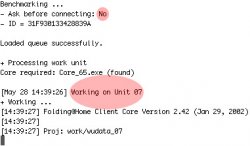
I don't know if there's switches or what not, but the default settings for the console version just tell you if you've completed a WU or not, but don't tell you all the frames like the console version for Win.Originally posted by Falleron
I downloaded and installed the Folding Control that was mentioned near the start of the thread. I am using OSX (client version - no fancy graphics).
[edit] From the FAQ:
[/edit]How do the results get back to you?
Your computer will automatically upload the results to our server each time it finishes a work unit, and download a new job at that time. At this time, there may be problems if you computer is only connected to the internet sporadically. We are working on better support for these cases. Only the console version currently works at all over a modem connection, and there still may occasionally be a few bugs with that.
Attachments
firewire2001
macrumors 6502a
hey.. jus noticed.. we've gone up a whole lot in ranking since a few weeks ago... also.. way to go mc68k! 582 work units! wow...