
Got a tip for us?
Let us know
Become a MacRumors Supporter for $50/year with no ads, ability to filter front page stories, and private forums.
[Guide] Success! Install 10.8 on old unsupported Mac
- Thread starter hackerwayne
- Start date
- Sort by reaction score
You are using an out of date browser. It may not display this or other websites correctly.
You should upgrade or use an alternative browser.
You should upgrade or use an alternative browser.

Michelasso
macrumors 6502
So I have a Mac Pro 1,1 with a Core Duo and the x1600. It seems this guide will work for me, but I can't get my hands on an unmodified DP 1. Am I SOL without DP1 from Apple? The IMZDL fixed copy doesn't have any of the folders to modify and wont boot.
The "fixed" is the good one. The other one had the dmg corrupted. It should be exactly like the on seeded by Apple.
The "fixed" is the good one. The other one had the dmg corrupted. It should be exactly like the on seeded by Apple.
So is there a reason I can't see the 'Shared Support' Folder? Is it hidden somehow?
Michelasso
macrumors 6502
So is there a reason I can't see the 'Shared Support' Folder? Is it hidden somehow?
"Shared Support"? Never heard of it. Are you sure you are not looking for the PlatformSupport.plist file? That is in the System folder that must be replaced with the downloadable one (together with EFI32.pkg and OSInstall.mpkg).
But since you have a MacPro1,1 you may want to check this thread as well:
http://forum.netkas.org/index.php/topic,1123.0.html
"Shared Support"? Never heard of it. Are you sure you are not looking for the PlatformSupport.plist file? That is in the System folder that must be replaced with the downloadable one (together with EFI32.pkg and OSInstall.mpkg).
From post #22:
1. Get a copy of Mountain Lion, I got mine from Apple. If you're not a dev, maybe you can get it at "the bay full of pirates"
2. Mount the Mountain Lion DMG installer, right click on OS X Mountain Lion Preview 1.app and click "show all content" Navigate to Shared Support and drag "InstallESD.dmg" to your desktop.
3. Bring up Terminal, (spotlight search Terminal) type in *remove $*
Code:
$cd desktop
$hdiutil convert InstallESD.dmg -format UDRW -o InstallESDhacked.dmg
After the process is complete, you will see a "InstallESDhacked.dmg on your desktop.
This will allow us to modify the new installer (read/write)
So without that Shared Support folder I am lost.
Michelasso
macrumors 6502
Awww
sorry, I gotcha now. yeah, I forgot. The one available should be just the InstallESD.dmg. Basically it has been extracted already, there is no need for anything else. Just skip step 2, you have all that's needed.
If you look inside it you'll see that there is even another "Install Mountain Lion" application. I am not really sure why and how Apple made such a nested package. In any case InstallESD.dmg is what it is used to make the bootable USB pendrive for OS X installation. That's what I did anyway, it works.
Then with DP2 and others, just get the new InstallESD.dmg, mount it and from Mountain Lion click in the installation icon. It will get upgraded. But only if you're already running the 64 bits kernel, otherwise forget about it.
If you look inside it you'll see that there is even another "Install Mountain Lion" application. I am not really sure why and how Apple made such a nested package. In any case InstallESD.dmg is what it is used to make the bootable USB pendrive for OS X installation. That's what I did anyway, it works.
Then with DP2 and others, just get the new InstallESD.dmg, mount it and from Mountain Lion click in the installation icon. It will get upgraded. But only if you're already running the 64 bits kernel, otherwise forget about it.
IllmasterMath
Cancelled
Hackerwayne and Madmacfan, let me start off by thanking you for your exhaustive work on this problem (posting this from ML DP 1 on my MacBook 4,1). This kind of arbitrary limitation is aggravating to say the least. I've read through this entire thread a couple of times and I'm stuck on the upgrade to DP 2. Using hackerwayne's guide and kexts from my 10.7.4 installation, I've been able to get DP 1 up and running twice now. I am now on a clean installation of DP 1 after DP 2 failed to install. I have used the 64-bit patch provided by madmacfan and it runs successfully. I have followed all instructions precisely, however, upon running the modified DP 2 installer it tells me it needs to check my system compatibility with Apple, and predictably, fails. Upon further inspection, despite the kexts and patches, nothing seems to be running in 64-bit mode after multiple restarts, as you can see here:
http://cl.ly/3d3B3g1Q0x172L3J1C0x
http://cl.ly/3R2F0C0v1J2F1O0V2x1Z
Suggestions?
Thanks again for your hard work! My MacBook is still a totally half-decent machine and I'd love to be able to squeeze another year or two out of it.
http://cl.ly/3d3B3g1Q0x172L3J1C0x
http://cl.ly/3R2F0C0v1J2F1O0V2x1Z
Suggestions?
Thanks again for your hard work! My MacBook is still a totally half-decent machine and I'd love to be able to squeeze another year or two out of it.
Last edited:
Michelasso
macrumors 6502
I don't believe it... I have been able to boot the ML DP1 64 bits kernel on my MacBook2,1 with GMA 950... simply applying the patch for MacBook3,1 with GMA X3100. It never worked before, but I was using an USB disk. Now I am using a 2nd partition in the internal HDD.
The patched GMA 950 kexts do not load, though. I still wonder if it has anything to do with the dsdt.aml file from madMacFan that no one knows how to use.
I am writing from ML DP1 64 bits anyway. 🙂
EDIT: The DP2 upgrade fails miserably. It starts just saying that my system isn't supported. Now I really wonder how anyone could make it working since the BoardIDs for the supported Macs are hardwired in the "Distribution" file of the OSInstall.mpkg package.
I edited the "Distribution" file and remade the package with "Flat Package Editor". I reached the point that it copies all files in the "OS X Install Data" folder in the root directory but then, when rebooting it fails and the folder content gets deleted. So I modified the Distribution file again and it still fails without deleting anything. Rebooting it just reboots DP1 and the content of the "OS X Install Data" folder is gone again.
W T F? Apple made it harder than I thought.
The patched GMA 950 kexts do not load, though. I still wonder if it has anything to do with the dsdt.aml file from madMacFan that no one knows how to use.
I am writing from ML DP1 64 bits anyway. 🙂
EDIT: The DP2 upgrade fails miserably. It starts just saying that my system isn't supported. Now I really wonder how anyone could make it working since the BoardIDs for the supported Macs are hardwired in the "Distribution" file of the OSInstall.mpkg package.
I edited the "Distribution" file and remade the package with "Flat Package Editor". I reached the point that it copies all files in the "OS X Install Data" folder in the root directory but then, when rebooting it fails and the folder content gets deleted. So I modified the Distribution file again and it still fails without deleting anything. Rebooting it just reboots DP1 and the content of the "OS X Install Data" folder is gone again.
W T F? Apple made it harder than I thought.
Last edited:
Michelasso
macrumors 6502
I'm thinking Mad Mac Fan's 64bit GMA950 drivers were a hoax, which is a real shame.
I am glad I am not the only one thinking in this way. Those GMA 950 kexts are good for nothing.
coolio2004
macrumors 6502
For me it makes no sense to discuss here about dp1-3. Wait untill ML final comes out so Mad Mac Maniac will show us how to install ML. His instructions helped me to install ML DP1.

So I have a Mac Pro 1,1 with a Core Duo and the x1600. It seems this guide will work for me, but I can't get my hands on an unmodified DP 1. Am I SOL without DP1 from Apple? The IMZDL fixed copy doesn't have any of the folders to modify and wont boot.
MacBook Pro is NOT the same as Mac Pro. MacBook Pro1,1 Core Duo processor does NOT support 64 bit, it can't even run Lion. So its definitely a no go.
----------
Hopefully it doesn't use MBR partitions for Chameleon or similar, because it wouldn't work with external USB discs. I am a little confused about the "obvious reasons" since you made a guide already that went all over the Internet.. 😀
Anyway did anyone manage to make the madmacfan patch for MacBook2,1 working?? It's very different from the MacBook3,1 patch and he disappeared. 🙁
Well.. I see Apple is making changes to the OS. Just like Lion DP1. The new method does require driver to have 64bit support. Means. No go for GMA950

Mad Mac Maniac
macrumors 601
Is this still good to go for ML release? I haven't decided if I'm going to upgrade to a new MBA or keep my late 2007 whitebook for another year.
My Macbook handles everything I need pretty well. Honestly the main driver that really makes me want to purchase a new Mac is all the multitouch gestures...
With this hack does it enable any gestures on my old trackpad? (or maybe they would work with a separate magic trackpad?) I don't know how many fingers the trackpad registers so I would understand if the 3/4 finger swipes don't work... but what about the 2 finger swipe from the right side to reveal notification center? Does that work?
My Macbook handles everything I need pretty well. Honestly the main driver that really makes me want to purchase a new Mac is all the multitouch gestures...
With this hack does it enable any gestures on my old trackpad? (or maybe they would work with a separate magic trackpad?) I don't know how many fingers the trackpad registers so I would understand if the 3/4 finger swipes don't work... but what about the 2 finger swipe from the right side to reveal notification center? Does that work?


53kyle
macrumors 65816
Can anyone upload the drivers that actually work in mountain lion? I have a working installer for dp 1 and macbook 2,1 (Late 2006), except you need either a partition with an older OSX or a compatible machine to change the plist. Otherwise you dont need a compatible mac. And, I need drivers for all of the unsupported macs to patch into the installer. Please upload all of the drivers!
----------
I haven't read through the whole forum, but what if you boot holding 32 or do something like it says in this link http://www.brighthub.com/computing/mac-platform/articles/51652.aspx to boot into 32 bit mode. will this force 32 bit kexts to work?
----------
MacBook Pro is NOT the same as Mac Pro. MacBook Pro1,1 Core Duo processor does NOT support 64 bit, it can't even run Lion. So its definitely a no go.
----------
Well.. I see Apple is making changes to the OS. Just like Lion DP1. The new method does require driver to have 64bit support. Means. No go for GMA950
I haven't read through the whole forum, but what if you boot holding 32 or do something like it says in this link http://www.brighthub.com/computing/mac-platform/articles/51652.aspx to boot into 32 bit mode. will this force 32 bit kexts to work?
Last edited:

allan.nyholm
macrumors 68020
As far as I've come with MacBook Pro 2,2
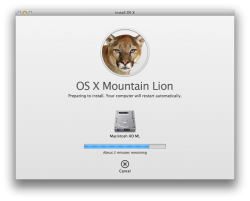
I would like to thank the person who got me this far with his posts on the initial hacking. Here's how far I've come with trying to get Mountain Lion GM installed onto a MacBook Pro 2,2 from 2006 with an ATI Radeon X1600. Please see attachment.
This is all great. But I thought that upon rebooting that I could get to the actual installer on the newly created "Macintosh HD ML" partition - sadly no. The partition is not recognized as a valid partition. I get the 'forbidden'-sign and the computer proceeds to boot into Lion.
Now, my question is; what do I actually do from here? I get that this is all new but perhaps a change in a plist can help after this? I was actually missing a file from the Lion Installer called SIUResources.pkg before Mountain Lion Installer would start up. This was found out by taking the OSInstall.mpkg through Pacifist - Pacifist complained that it couldn't go on listing the contents without this SIUResources.pkg.
I'm kinda stuck.
I would like to thank the person who got me this far with his posts on the initial hacking. Here's how far I've come with trying to get Mountain Lion GM installed onto a MacBook Pro 2,2 from 2006 with an ATI Radeon X1600. Please see attachment.
This is all great. But I thought that upon rebooting that I could get to the actual installer on the newly created "Macintosh HD ML" partition - sadly no. The partition is not recognized as a valid partition. I get the 'forbidden'-sign and the computer proceeds to boot into Lion.
Now, my question is; what do I actually do from here? I get that this is all new but perhaps a change in a plist can help after this? I was actually missing a file from the Lion Installer called SIUResources.pkg before Mountain Lion Installer would start up. This was found out by taking the OSInstall.mpkg through Pacifist - Pacifist complained that it couldn't go on listing the contents without this SIUResources.pkg.
I'm kinda stuck.
Attachments
ProfDrLuigi
macrumors member
You can get your Hands on "VMWare Fusion Tech Preview".
- Select OSX Lion 64 Bit
- Add 1 Harddisk
- Put the ML-Image into DVD-Drive of VMWare
- Boot the DVD and start the Installer
- Boot from Harddisk
- Complete the Install
- Go to the Desktop
- Install Carbon Copy Cloner
- Create an Image with CCC and save it via AFP for example on your "real" mac.
On your Real Mac:
- Start Carbon Copy Cloner
- Clone the Image to an empty Partition
Et voila. It should Work.
Do you edit the PlatformSupportList-File before?
- Select OSX Lion 64 Bit
- Add 1 Harddisk
- Put the ML-Image into DVD-Drive of VMWare
- Boot the DVD and start the Installer
- Boot from Harddisk
- Complete the Install
- Go to the Desktop
- Install Carbon Copy Cloner
- Create an Image with CCC and save it via AFP for example on your "real" mac.
On your Real Mac:
- Start Carbon Copy Cloner
- Clone the Image to an empty Partition
Et voila. It should Work.
Do you edit the PlatformSupportList-File before?
allan.nyholm
macrumors 68020
You can get your Hands on "VMWare Fusion Tech Preview".
- Select OSX Lion 64 Bit
- Add 1 Harddisk
- Put the ML-Image into DVD-Drive of VMWare
- Boot the DVD and start the Installer
- Boot from Harddisk
- Complete the Install
- Go to the Desktop
- Install Carbon Copy Cloner
- Create an Image with CCC and save it via AFP for example on your "real" mac.
On your Real Mac:
- Start Carbon Copy Cloner
- Clone the Image to an empty Partition
Et voila. It should Work.
Do you edit the PlatformSupportList-File before?
Thanks for helping!
I did try, at first, to use VMware Fusion 4, since I have that - and that all turned out somewhat okay - but the installer ultimately got stuck which in turn meant that VMware Fusion 4 brought Lion to a halt. I will try again though. Great tip on using CarbonCopyCloner. I've used this plenty of times never realized that that was an option for my situation. If only I could get to the Mountain Lion desktop....
My Hardware UUID is a really long line of digits but after examining the other entries in the plist you describe and also the other plist called InstallableMachines.plist I got nowhere. I took the last 8 digits of my UUID and put that in the two plists and looked carefully to match the others there. Still that didn't help.
I'm hoping that I do the correct edits in to two plists. But are both needed, or is it just the one that needs editing?