Got a tip for us?
Let us know
Become a MacRumors Supporter for $50/year with no ads, ability to filter front page stories, and private forums.
[Guide] Success! Install 10.8 on old unsupported Mac
- Thread starter hackerwayne
- Start date
- Sort by reaction score
You are using an out of date browser. It may not display this or other websites correctly.
You should upgrade or use an alternative browser.
You should upgrade or use an alternative browser.

Rastafabi
macrumors 6502
MLforAll is working on this as well. He started to enable those 10.6.2 kext on 10.6.8 and continued to 10.8. Once he'll have finished his work on this he'll properly try to port them to Mavericks. As Apple made major changes to the graphics implementation on 10.9 (they switched the OpenGL version) it's a tough task.@Rastafabi: Thanks for the info.. proof of principle on MB3.1 with Mavericks 10.9.1 also tested.. again with no graphics acceleration.. Any clue if someone working on that as well?
True, not even the ATI X1600, which comes with fully working, apple-offical, (Lion) 64-bit kext files do not work with Mavericks, yet, while they are working perfectly on Mountain Lion, as long as patched graphic frameworks (OpenGL.framework & OpenCL.framework) are used (using this stably since nearly a year).I learnt that kexts which work on ML might not exactly work on Mavericks..
Last edited:
chadman097
macrumors newbie
Load Issue
Hey guys,
Has this ever been a problem?
I have tried to install it following the directions, but out of 3 times, at the 8 minute mark. It says Installation failed after sitting there for about 10 minutes.
Any Ideas?
Thanks
Hey guys,
Has this ever been a problem?
I have tried to install it following the directions, but out of 3 times, at the 8 minute mark. It says Installation failed after sitting there for about 10 minutes.
Any Ideas?
Thanks
Most likely hard disc issues.. possibly bad sectors.. try re-formatting the partition in HFS+ with disk utility before beginning to install.. disk utility, terminal & others are in tools dropdown menu on the top bar in the install screen.. or worst case consider low level formatting the partition with diskutil from a live terminal session.. use secureErase option- 4 or 0 or 1.. read up man page for more..
chadman097
macrumors newbie
Hello there I have finish with the installation successfully but there is a problem
I cannot connect to any Wi-fi !
When I type the password it says "connection failure"
Any ideas ?
I have checked my Modem .
My iPhone laptop iPad works fine
But the MacBook Pro ML cannot connect !
LION = wifi Connection ok !
MOUNTAIN LION = wifii connection Fail
I cannot connect to any Wi-fi !
When I type the password it says "connection failure"
Any ideas ?
I have checked my Modem .
My iPhone laptop iPad works fine
But the MacBook Pro ML cannot connect !
LION = wifi Connection ok !
MOUNTAIN LION = wifii connection Fail
Last edited:

T'hain Esh Kelch
macrumors 604
Did you ever find a solution for Eduroam? I can't get it to work either with MLPF. It connects, and negotiates 802.1x connection and is accepted... And 3 seconds later it negotiates 802.1x again, and again, and again..Hi guys
I just installed ML with mlpostfactor in my old mackbook white and all work well but i can't connected in my university network because my mackbook don't conect whit eduroam. I installed the profile for mac os ML and i used my user and password. Any recomendation¿
Sorry I speak english very bad.
"Normal" wifi networks work fine otherwise.
Did you ever find a solution for Eduroam? I can't get it to work either with MLPF. It connects, and negotiates 802.1x connection and is accepted... And 3 seconds later it negotiates 802.1x again, and again, and again..
"Normal" wifi networks work fine otherwise.
I haven't check wifi with no password
but mine docent connect at all
T'hain Esh Kelch
macrumors 604
Actually, I just found the weirdest solution. If I connect my iPhone 4S by wire, and activate Internet Sharing on the iPhone, then the MLPF Mac remains connected to Eduroam. Turn off internet sharing on the iPhone, and the Mac jumps off the network. Wifi/BT does not have to be activated on the iPhone.I haven't check wifi with no password
but mine docent connect at all
Soooo weird. Does anyone have an explanation for why that might happen?
Actually, I just found the weirdest solution. If I connect my iPhone 4S by wire, and activate Internet Sharing on the iPhone, then the MLPF Mac remains connected to Eduroam. Turn off internet sharing on the iPhone, and the Mac jumps off the network. Wifi/BT does not have to be activated on the iPhone.
Soooo weird. Does anyone have an explanation for why that might happen?
Didn't work for me !
well
Ethernet work Perfectly
Wifi docent responce
i been trying to find something around the internet but nothing
the only thing that i found some people they fix this problem by installing 10.8.2 I'm ready to install them ill tell you when i will finish.
T'hain Esh Kelch
macrumors 604
I am running 10.8.5.
Should note that internet is still running over the phone, although it remains connected to Eduroam, for some weird reason, so it is practically useless anyway.
Should note that internet is still running over the phone, although it remains connected to Eduroam, for some weird reason, so it is practically useless anyway.
Rastafabi
macrumors 6502
Hello there I have finish with the installation successfully but there is a problem
I cannot connect to any Wi-fi !
When I type the password it says "connection failure"
Any ideas ?
I have checked my Modem .
My iPhone laptop iPad works fine
But the MacBook Pro ML cannot connect !
LION = wifi Connection ok !
MOUNTAIN LION = wifii connection Fail
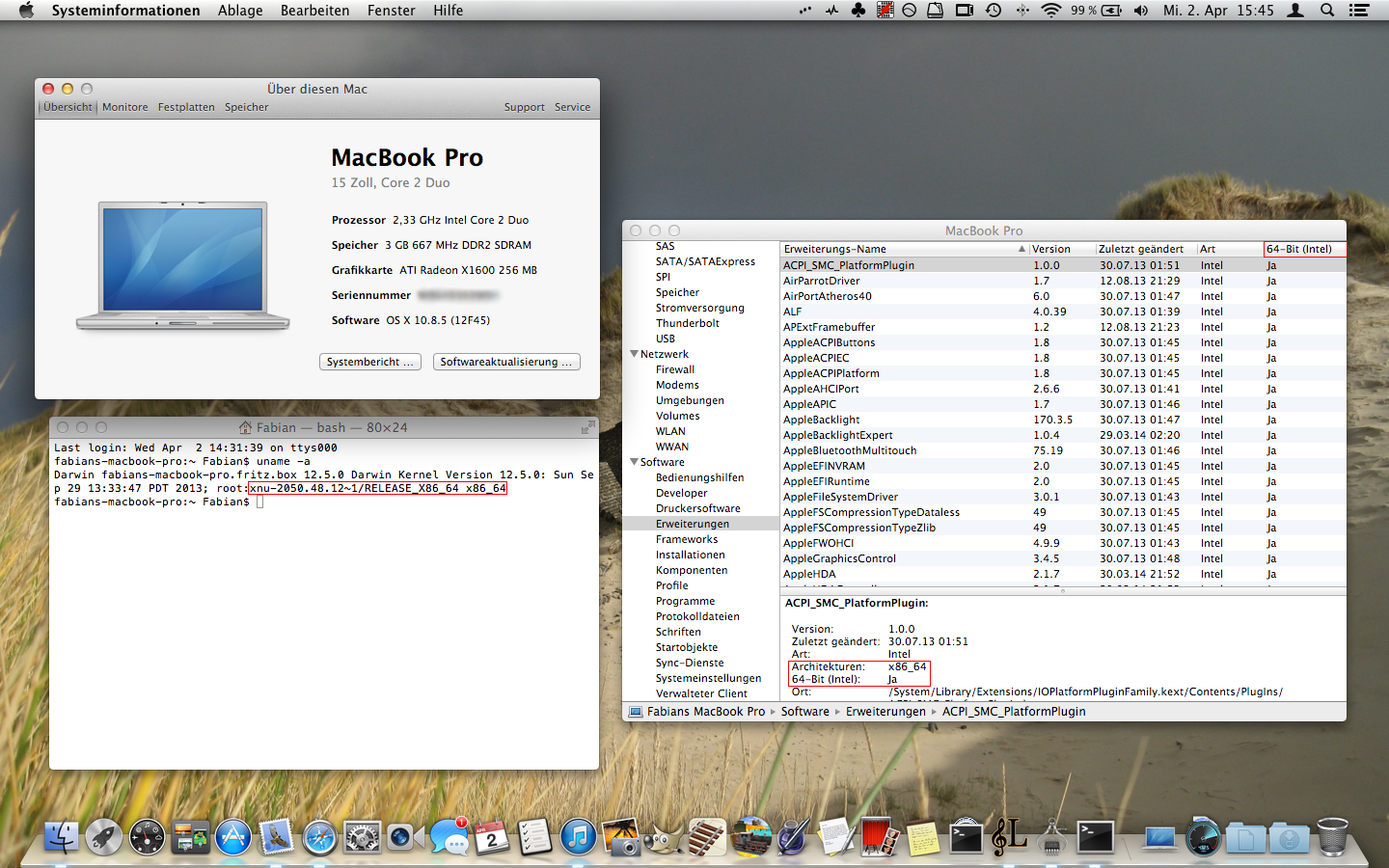
You have a MacBook Pro? You should not bother using MLPF as you can run ML 64bit nearly natively. Some packages back you should find a guide which repacks the necessary files I uploaded in the past.
You have a MacBook Pro? You should not bother using MLPF as you can run ML 64bit nearly natively. Some packages back you should find a guide which repacks the necessary files I uploaded in the past.
MacBook Pro 15-inch Core 2 Duo / 2006
Processor 2.33 GHz Intel Core 2 Duo
Memory 3 GB 667 MHz DDR2 SDRAM
Graphics ATI Radeon X1600 256 MB
Software Mac OS X Lion 10.7.5 (11G63)
I haven't found anything about it :/ wifi still not working..
Rastafabi
macrumors 6502
MacBook Pro 15-inch Core 2 Duo / 2006
Processor 2.33 GHz Intel Core 2 Duo
Memory 3 GB 667 MHz DDR2 SDRAM
Graphics ATI Radeon X1600 256 MB
Software Mac OS X Lion 10.7.5 (11G63)
I haven't found anything about it :/ wifi still not working..
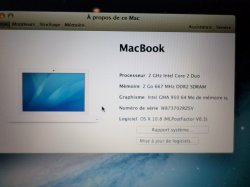
Here you are!
Thanks but i have no idea what i have to do i got confuse i will give a try and i will let you know thanks
Rastafabi
macrumors 6502
Thanks but i have no idea what i have to do i got confuse i will give a try and i will let you know thanks
Use the SFOTT.app to make an Mountain Lion install drive (it's self-explanatory).
When you finished installing apply these patches: Graphics & Audio - Therefore you will need to install the framework files from the 10.8.5 folder by copying and pasting them to the appropriate directory and the other files from this folder (kexts, bundles) by dragging them onto the "Kext Utility" application, which is also included.
The "10.8.5 Installation" folder is not of any interest.
This only works for Mountain Lion 10.8.5. Earlier versions as well as Mavericks (10.9.X) won't work.
If you install the 10.8.5 supplemental update afterwards you will have to reapply the patches described above.
That's "all".
Good luck.
!!! For anybody else: This is only for MacBook Pro 2,2 and may work on an iMac with ATI X1600 graphics. All other machines are covered by MLPF.
Use the SFOTT.app to make an Mountain Lion install drive (it's self-explanatory).
When you finished installing apply these patches: Graphics & Audio - Therefore you will need to install the framework files from the 10.8.5 folder by copying and pasting them to the appropriate directory and the other files from this folder (kexts, bundles) by dragging them onto the "Kext Utility" application, which is also included.
The "10.8.5 Installation" folder is not of any interest.
This only works for Mountain Lion 10.8.5. Earlier versions as well as Mavericks (10.9.X) won't work.
If you install the 10.8.5 supplemental update afterwards you will have to reapply the patches described above.
That's "all".
Good luck.
!!! For anybody else: This is only for MacBook Pro 2,2 and may work on an iMac with ATI X1600 graphics. All other machines are covered by MLPF.
Ohh.. So I have to re-install ML with the SFOTT.app I'm right ?
Rastafabi
macrumors 6502
Ohh.. So I have to re-install ML with the SFOTT.app I'm right ?
Jep. It's neccessary, because MLPF.app replaced 64bit files with 32bit ones that prevent your machine from working in 64bit mode, which is necessary to fix the issues. Also it's simply the better option having it working in 64bit mode, because it's native ML and does not rely on beta stage software (like those 32bit files).
I'd just like to thank Rastafabi, gpatpandp, mlforall, tiamo, hackerwayne and anyone else who has been involved in making our older machines work with ML (and perhaps MV in the future).
In particular, after undergoing steps Rastafabi and gpatpandp described that allow MBP 2,1 with x1600 graphics to run 64-bit ML has, my MBP has been working like a charm. I even decided such capability makes purchasing an SSD for the said machine worthwhile. Now, this 2006 laptop feels like a fully contemporary machine, perfectly capable of performing everyday tasks. Soon, I'll be doing the same to my 17 inch x1600 iMac.
Hopefully, we see further development with mlforall figuring out GMA 64bit ML support and then, perhaps, some way to make these older graphics work with MV frameworks.
In particular, after undergoing steps Rastafabi and gpatpandp described that allow MBP 2,1 with x1600 graphics to run 64-bit ML has, my MBP has been working like a charm. I even decided such capability makes purchasing an SSD for the said machine worthwhile. Now, this 2006 laptop feels like a fully contemporary machine, perfectly capable of performing everyday tasks. Soon, I'll be doing the same to my 17 inch x1600 iMac.
Hopefully, we see further development with mlforall figuring out GMA 64bit ML support and then, perhaps, some way to make these older graphics work with MV frameworks.
Use the SFOTT.app to make an Mountain Lion install drive (it's self-explanatory).
When you finished installing apply these patches: Graphics & Audio - Therefore you will need to install the framework files from the 10.8.5 folder by copying and pasting them to the appropriate directory and the other files from this folder (kexts, bundles) by dragging them onto the "Kext Utility" application, which is also included.
The "10.8.5 Installation" folder is not of any interest.
This only works for Mountain Lion 10.8.5. Earlier versions as well as Mavericks (10.9.X) won't work.
If you install the 10.8.5 supplemental update afterwards you will have to reapply the patches described above.
That's "all".
Good luck.
!!! For anybody else: This is only for MacBook Pro 2,2 and may work on an iMac with ATI X1600 graphics. All other machines are covered by MLPF.
THANKS!!!! its really worked but there is another problem if it is a problem
the graphics is lagi is this normal?
Rastafabi
macrumors 6502
THANKS!!!! its really worked but there is another problem if it is a problem
the graphics is lagi is this normal?
No it's not. Did you copy both Frameworks to the /System/Library/Frameworks directory? (On the drive you installed ML to.) Additionally check the /System/Library/Extension directory, whether the other kext and bundle files can be found there. Also, there should be an ATISupport.kext.backup folder. If not reinstall the files using "Kext Utility.app".
Afterwards you should repair permissions using "Disk Utility.app" just to be sure.

Partron22
macrumors 68030
I modified the Mac's Systemversion.plist file, to tell it that it was really running 10.8.5. That let me do the Safari and security updates.How to install new Safari 6.1.3 ? Now I have 10.8.5, but system shows 10.8.4 (MLPFv0.3). To install new Safari- system requires 10.8.5. Any ideas?
Thanks man ! It finally works !I modified the Mac's Systemversion.plist file, to tell it that it was really running 10.8.5. That let me do the Safari and security updates.