Become a MacRumors Supporter for $50/year with no ads, ability to filter front page stories, and private forums.
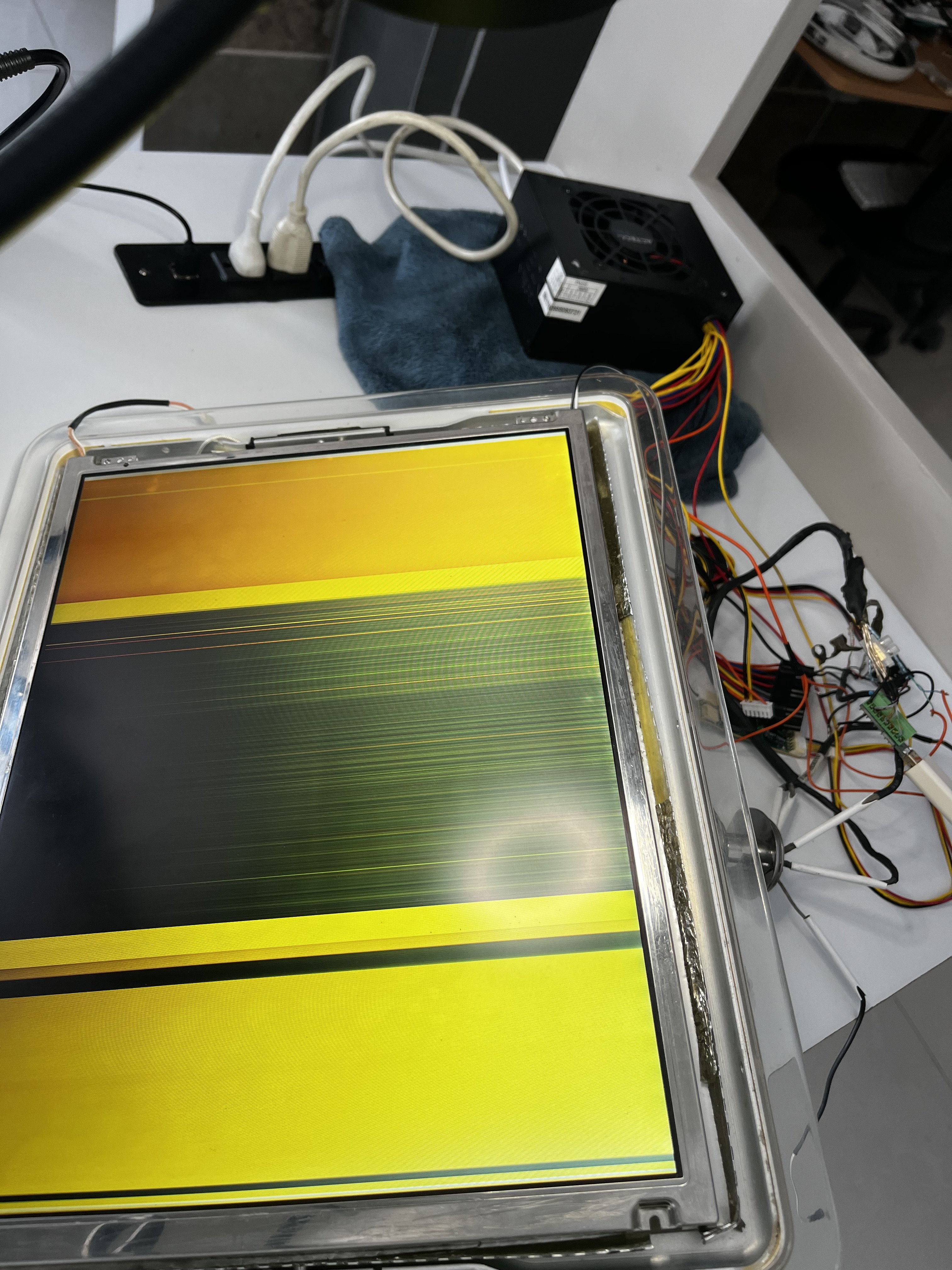
I triple checked, 3 days in a row all connections. All are ok. Is this how a damaged panel looks? Im out of ideas. When I found this iMac was at non working condition, so I do not know if it was working before. It actually was in a really bad shape.

Any ideas?
IMG_8557.jpeg
 
Last edited:
Why did you remove the front bezel? I see two pair of wires that you routed of there? This should'nt be necessary.

Unfortunately - as stated before - I am no expert in electronics but my wild guess is that the display is either defective or not wired correctly.

Is that the 17 inch or 15 inch display? All my wiring is for the 15 inch variant. If yours has 17 inch you better look here:
 
Thanks for your reply. I have cleaned it, removed glue and a lot of work to the display. The front bezel has been removed while work in progress due to it has been polished.

LED Backlight is being tested (bottom monitor led bar comes with black and white wires) Top CCFL still not replaced but unplugged, so no inverter is connected.

Its a 15" Samsung LTM150XL-P01 Panel. Today (since I only work on it the weekends) I was able to eliminate all those vertical rainbow lines and it all became gray. Regardless panel is powered on, connected, disconnected, it only shows a gray / white screen.

I have tried connecting it directly to hdmi, via mini displayport but non seems to work.

I have an external hp LT1506 monitor (15" 1024 x 768 4:3 aspect ratio) as a control monitor. When I plug/unplug the iMac G4 panel to the mac mini, the hp monitor "blinks" once, but is not recognized.

Any ideas? Shall I solder them all?
 

Attachments

  • IMG_8566.jpeg
    IMG_8566.jpeg
    940.3 KB · Views: 58
  • IMG_8567.jpeg
    IMG_8567.jpeg
    1 MB · Views: 58
  • IMG_8565.jpeg
    IMG_8565.jpeg
    1 MB · Views: 67
  • IMG_8568.jpeg
    IMG_8568.jpeg
    1.5 MB · Views: 36
  • IMG_8572.jpeg
    IMG_8572.jpeg
    1.3 MB · Views: 36
  • IMG_8571.jpeg
    IMG_8571.jpeg
    1.6 MB · Views: 65
Last edited:
To be honest, I think that you're probably way more competent regarding this than I am.

Just a few hints maybe:
A grey/white screen is normal as far I can remember as there is no OSD menu. When I connect my display the display is grey as well when hdmi is unplugged and fades back to grey when unplugged. I use it mainly as a display for a raspberry pi.

Soldering the wires will probably not help but make it worse as I read that the image would get grainy and unstable - so let this be a last resort. You could try another hdmi connector or maybe switch to DVI but I think you're getting close to a solution.

Check the voltages, double-check the wiring and maybe plug in the hdmi directly to HDMI.
Are you sure that you have 3.3v / 5v and 12v attached?

My Macbook would recognize the display even before outputting an image.
 
Once again I really appreciate your reply. I did some progress last night. Or not. See, now mac mini recognizes the display but all I see is vertical rainbow lights. However, in mirror mode those vertical lines seems to glow/fade accordingly as the screen changes, like a deep blur.

I double checked everything. The only thing i have different, is that my HDMI breakout board have a male HDMI connector instead of the female connector I've seen you used. Didnt notice that at first, but now with so much troubleshooting i came to realize that it could be the culprit. Regardless, I already ordered the "right" breakout board and will try again with it. Will give it a try as soon as it arrives.

Plan B is that this HP monitor will be the donor, with all it represents of opening the iMac arm to make all wiring.

Meanwhile, will work on my "non negotiables" like the ports in the back, the power connector and power button and CD-ROM / DVD bay.

Thanks again so much for your support. Will keep updating as I progress.
 

Attachments

  • IMG_8574.jpeg
    IMG_8574.jpeg
    2.7 MB · Views: 72
  • IMG_8573.jpeg
    IMG_8573.jpeg
    1.8 MB · Views: 50
You're welcome - thanks for sharing your experience.
If there was a display specialist around they could surely tell you what's wrong.

Having the display recognized is quite the leap forward. Also I couldn't see that you're using a male HDMI connector but still the corresponding pins should be the same.

Are you sure that you have identified the seven bundles of wiring and connected them as described?
TMDS-Data 0/1/2, TMDS Clock, EDID Clock, Power and Inverter

I started over with the wiring several times and had to measure voltages plenty of times before I got it right.
Connecting the HDMI port was a no-brainer but getting the different voltages right was a challenge.
 
  • Like
Reactions: evallgar
Are you sure that you have identified the seven bundles of wiring and connected them as described?
TMDS-Data 0/1/2, TMDS Clock, EDID Clock, Power and Inverter
I could say im sure, but im not. I have been very throughly, three times and still unsure. Will do it again and again until something different happens (as this sunday did) and I can either succeed with this panel or move to plan B.

Will keep you posted.

Again, thanks for your help / support, I really appreciate it.

Have a great week,

Regards,
Ernesto V
 
  • Like
Reactions: paardenkapper
Well, good news is that im done testing. Bad news is that panel remains the same. Im always keeping hope I wil get it right, but none so far and time just passes by and no significant advances.

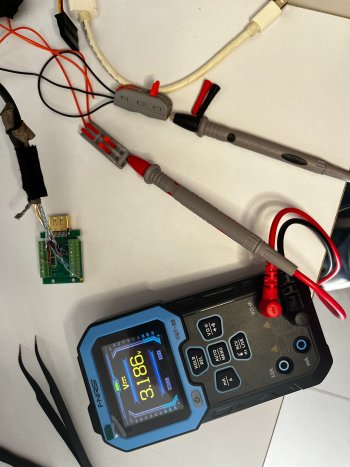
So, new adapter showed up, Triple checked wiring (as can be seen in the pictures), triple checked voltages (the only doubt I still have is that if 3.18V is not good enough) but everything has been properly wired as instructed.

Panel now shows different "color patterns" but still showing straight vertical colored lines pattern, just different color.

Will do 1 more try (i dont want to rewire iMac arm) next weekend and then start with plan B (arm wiring, new 15" panel, 3d printed holding bracket)

Again, appreciate your support and guidance. Will keep you post it as this seems to progress.


IMG_8581.jpeg
 

Attachments

  • IMG_8610.jpeg
    IMG_8610.jpeg
    2.3 MB · Views: 53
  • IMG_8611.jpeg
    IMG_8611.jpeg
    1.5 MB · Views: 57
  • IMG_8609.jpeg
    IMG_8609.jpeg
    1.1 MB · Views: 53
  • IMG_8605.jpeg
    IMG_8605.jpeg
    1.8 MB · Views: 48
  • IMG_8604.jpeg
    IMG_8604.jpeg
    1.8 MB · Views: 57
  • IMG_8606.jpeg
    IMG_8606.jpeg
    1.7 MB · Views: 53
  • IMG_8607.jpeg
    IMG_8607.jpeg
    1.6 MB · Views: 41
  • IMG_8603.jpeg
    IMG_8603.jpeg
    1 MB · Views: 51
  • IMG_8602.jpeg
    IMG_8602.jpeg
    993.8 KB · Views: 54
  • IMG_8601.jpeg
    IMG_8601.jpeg
    863.5 KB · Views: 57
  • IMG_8599.jpeg
    IMG_8599.jpeg
    920.9 KB · Views: 53
  • IMG_8596.jpeg
    IMG_8596.jpeg
    979.1 KB · Views: 52
  • IMG_8598.jpeg
    IMG_8598.jpeg
    1,021.2 KB · Views: 53
  • IMG_8600.jpeg
    IMG_8600.jpeg
    1 MB · Views: 50
  • IMG_8597.jpeg
    IMG_8597.jpeg
    1.1 MB · Views: 49
  • Like
Reactions: paardenkapper
Hi evallgar. Thanks for keeping me posted!
Its great to see your process and progress! This will surely help others in the future.

Maybe your panel does not want to be converted? The resolution of the original panel is really nothing to write home about. Maybe you could find a cheap 1080p panel that fits?

Keep it up mate!
 
  • Like
Reactions: evallgar
Hi evallgar. Thanks for keeping me posted!
Its great to see your process and progress! This will surely help others in the future.

Maybe your panel does not want to be converted? The resolution of the original panel is really nothing to write home about. Maybe you could find a cheap 1080p panel that fits?

Keep it up mate!
The HP L1506 Monitor volunteered to donor its panel. Plan B in motion. Keep you posted. Regards !!
 
Hi All,

I have two 17" and 15". I just finished 17" v0.1 and searched 15" pin out and find here.
- I used HDMI bulk connector because I have some. After checking, I poured glue
- Used Mac mini. (2024). Original G4 power button would be used afterward.
- Because I referenced old guide, status LED is not working.
- Currently Mac mini is thrown into iMac base but would be fixed with additional connectors..

IMG_0511.jpeg

IMG_0512.jpeg

IMG_0513.jpeg

IMG_0514.jpeg
 
The HP L1506 Monitor volunteered to donor its panel. Plan B in motion. Keep you posted. Regards !!
HP L1506 panel uses TTL and you couldn't use. Existing iMac panel uses TMDS signaling and this is compatible with HDMI and DVI. If you want to use TTL or LVDS panel, you need to have extra scaler board and need to have full wiring.
 
  • Like
Reactions: evallgar
I just wanted to say thank you for the awesome detailing of this project! I just finished my conversion and it looks great. Time to design some 3D printable brackets to mount everthing
 
HP L1506 panel uses TTL and you couldn't use. Existing iMac panel uses TMDS signaling and this is compatible with HDMI and DVI. If you want to use TTL or LVDS panel, you need to have extra scaler board and need to have full wiring.
Thanks for your comment. Plan B is that this HP monitor will be the donor, with all it represents of opening the iMac arm to make all wiring.

Been busy lately so this project has been in pause for some weeks now (work, customers, kids, vacation, my parents). Hopefully in a month will get back to it.
 
Hi,
Thank you paardenkapper,
I followed your diagrams and advices to convert the same iMac and add a male Hdmi inside, which thanks to your explanations work on the first try.
I removed everything inside the iMac and add a small 170W Psu and a Raspberry pi 4 inside, I took 12V, 5V and 3.3V on the Psu, even 5V for the Pi, and wired the Psu to the iMac power cable. I'll may try to put a power switch somewhere but managing to use the one on the iMac should be great. Nice looking Hdmi monitor.
 
Register on MacRumors! This sidebar will go away, and you'll see fewer ads.