Become a MacRumors Supporter for $50/year with no ads, ability to filter front page stories, and private forums.
Infuse 8.2.3 now available! 💪

Context menus and playlist management for Emby, Jellyfin, and Plex, playback and streaming improvements, plus a handful of other changes.


823.jpg
 
Infuse 8.2.4 with a handful of improvements and fixes is now available!

 
Infuse 8.2.5 is now available! 🚀

Design updates for Liquid Glass plus other optimizations and fixes for the new 26 updates.


825.jpg
 
Infuse 8.2.6 with a handful of improvements and fixes is now available. 💪

 
Infuse 8.2.7 now available! 🙌

Liquid Glass design + new dark mode icon for macOS, updated player controls on iOS/tvOS, and a handful of other improvements.


8271.jpg
 
We’re thrilled to announce that Infuse 8.3 is available today, which includes a major leap forward for Apple Vision Pro users — plus some other great features and improvements for everyone!

Immersive Environments on Apple Vision Pro​

Starting with version 8.3, Infuse lets you drop into one of Infuse’s all-new Immersive Environments, which include: Cinema, Room, Space, Sunset, and Void (pure black). These environments aren’t just decorative — they let you fully enjoy the content and setting around you, so your movie night isn’t just on a screen; it’s in the room.

Each environment includes a set of customizable settings allow things like screen size, screen angle, seating position, and more to be fine-tuned to perfection.

And the best part? All the Infuse features you love (broad format support, subtitles, metadata fetching, and streaming from network shares) now fold seamlessly into this new spatial experience.

infuse83-cinema_2x.jpg


Other features, improvements, and fixes​

A handful of additional features, improvements, and fixes are included so be sure to check out the full list of what’s new in 8.3.

Thanks!​

We always love hearing your comments, feedback, and suggestions—so please feel free to continue the conversation in our community forum.

Thanks so much for using Infuse! 🧡

 
Infuse 8.3.1 is now live! 🔥

Quickly jump to other videos and manage playback queue while a video is playing, faster library scanning, new options for adding links for TV series on iCloud Drive, plus various other improvements and fixes.


831.jpg
 
Infuse 8.3.2 is now available! 💪

Temporary 2x playback speed on Apple TV, quickly remove items from the Continue Watching list on Emby and Plex, improvements for Jellyfin 10.11, plus other improvements and fixes.


832.jpg
 
🎁 Infuse Black Friday Sale

Get 3 months free when you start (or reactivate) a yearly Infuse Pro subscription.

Ends 12/1 ⏳


hero-bf.png
 
Infuse 8.3.3 is now live! 💥

New ‘Ambient Mode’ displays glowing colors in the black bar areas, playback stats overlay on Apple TV (à la Stats for nerds), improved handling of various subtitle types, plus other fixes and improvements.


833.jpg
 
Infuse 8.3.5 with a handful of fixes and improvements is now available. 💪


Merry Christmas and Happy Holidays! 🎄🎅

835.jpg
 
Infuse 8.3.6 is now live! 🚀

Features support for Plex Home (managed) users, initial support for Jellyfin 10.12, playback improvements, better handling of subtitles, and many other changes.


836.jpg
 
Infuse 8.3.6 is now live! 🚀

Features support for Plex Home (managed) users, initial support for Jellyfin 10.12, playback improvements, better handling of subtitles, and many other changes.

Please check ticket 184739.
I wrote a long time ago about PIP not working correctly.
Still the case with the latest version of the app.
Thank you!
 
Infuse 8.3.7 is now available with a number of fixes and improvements. 💪


837.jpg
 
Infuse 8.3.8 with a handful of fixes and improvements is now available! 🙌


838.jpg
 
Infuse 8.3.9 is now available! 🔥

Added ‘Are you still watching?’ prompt on Apple TV, improved connection support for fnOS, fixed missing search results for cast & crew, optimizations for Trakt sync, plus other improvements and fixes.


Still-Watching.jpg
 
We’re pleased to announce that Infuse 8.4 is available today, bringing a host of powerful new features and improvements to iPhone, iPad, Apple TV, Mac, and Vision Pro.

This release introduces support for browsing and playing extras, community-powered skipping for intros and credits, home screen favorites on more devices, and a major upgrade to Infuse’s playback core. Together, these updates make enjoying your library in Infuse better than ever before!

Extras, deleted scenes, trailers, and more

Infuse 8.4 adds support for browsing and playing a variety of additional local content for movies and TV shows, including deleted scenes, featurettes, shorts, trailers, and more.

These extras can be pulled from Emby, Jellyfin, and Plex or from directly connected folders, network shares, and cloud services. When available, these extras will appear directly on the title’s details page, making it easy to discover and enjoy even more from your library without ever having to leave Infuse. Learn more about naming and organizing extras.

Extras, deleted scenes, trailers, and more...


Skip intros, credits, and recaps

When binge-watching, nothing should get in the way of the story and now it’s now easy to skip intros, credits, recaps, and more.

This feature is powered by two new — but fast-growing — community-driven databases: IntroDB.app and TheIntroDB.org. Similar to TMDB, which Infuse uses for movie and TV metadata and artwork, these services rely on contributions from the community. Creating a free account and submitting timestamp data helps improve the experience for everyone.

Skip features are available for all share types and can be set to skip automatically or manually. Settings to adjust (or disable) these features can be found in Infuse > Settings > Playback.

Skip intros & credits


Home screen favorites on every platform

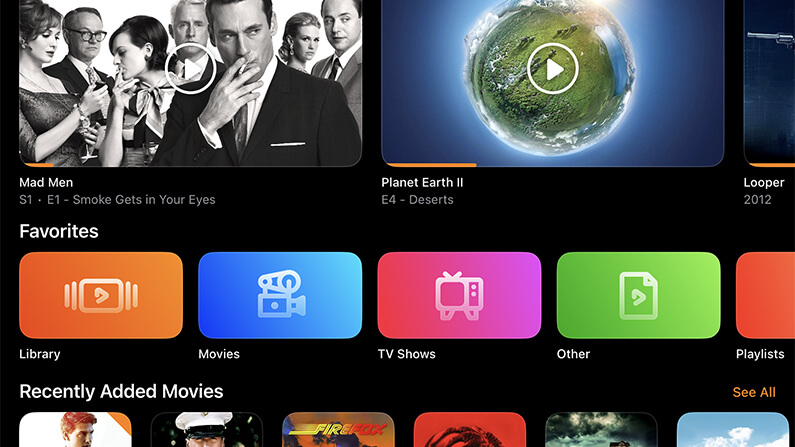
Pinning favorites to the Infuse home screen is one of the easiest ways to keep your most-used folders and library categories close at hand. This has long been available on Apple TV, and now it’s available on iPhone, iPad, Mac, and Vision Pro as well.

The Favorites row is added by default and can be customized by choosing which favorites appear and where the row is placed on the home screen. Prefer a cleaner look? It can be hidden too.

Home screen favorites


A supercharged playback core

At the heart of Infuse is a powerful playback engine built to handle just about any video file you throw at it. Today, that playback core receives a major upgrade with a wide range of improvements, fixes, and optimizations.

This update touches nearly every aspect of how Infuse accesses and plays video, resulting in an even better playback experience across the board. Also included is initial support for the relatively new VVC (H.266) codec, which is beginning to appear more frequently in the wild.

Note: VVC decoding is currently handled in software, so performance may vary depending on the device being used.

Supercharged playback core


More improvements throughout

In addition to these major features, Infuse 8.4 includes a number of other enhancements, refinements, and fixes. Be sure to check out the full release notes for a complete look at everything that’s new in this update.

Thanks!

We always love hearing your comments, feedback, and suggestions, so please feel free to continue the conversation in our community forum.

Thanks so much for using Infuse! 🧡
 
Infuse 8.4.1 with a handful of improvements and fixes is now rolling out on the App Store. 🙂


841.jpg
 
Infuse 8.4.2 now available! 🙌

New Bwdif deinterlacing option (highest quality), improved handling of extras and bonus content, better support for PiP features, and more!


842.jpg
 
  • Love
Reactions: McScooby
Infuse 8.4.3 is now available! 👌

Reorder home screen favorites, mark multiple items as watched/unwatched, better handling of subtitles, and many other improvements.


843.jpg
 
  • Like
Reactions: eilavid
Infuse 8.4.4 is now available! 👏

New APIs for 3rd party developers, improved indexing of TV series and extras, plus many other various fixes and improvements.


844.jpg
 
Infuse 8.4.5 is now available! 👊

Custom artwork for home screen favorites, improved language support for metadata and artwork, better support for 115 Cloud Drive, and a number of other improvements and fixes.


845.jpg
 
Register on MacRumors! This sidebar will go away, and you'll see fewer ads.