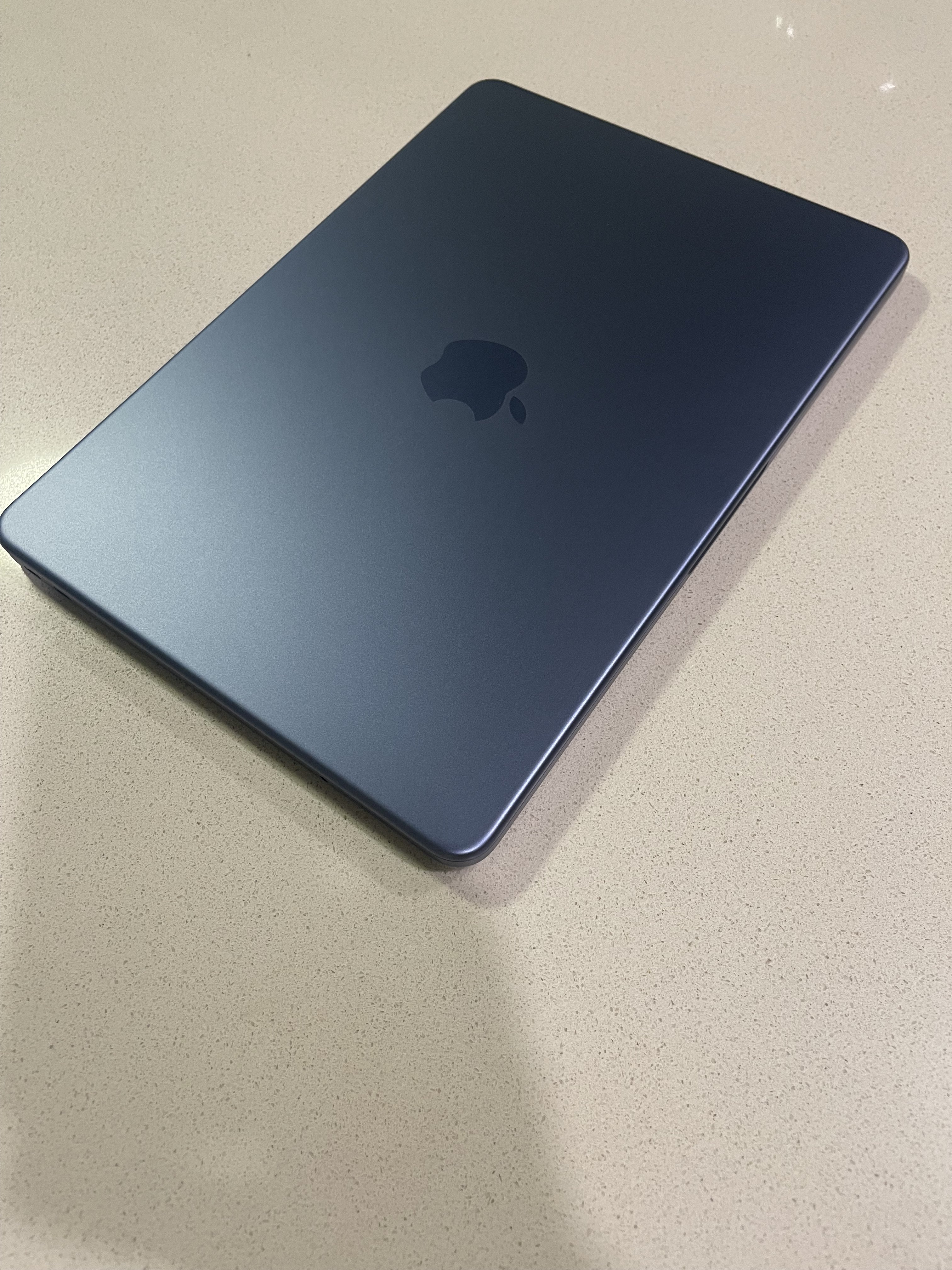
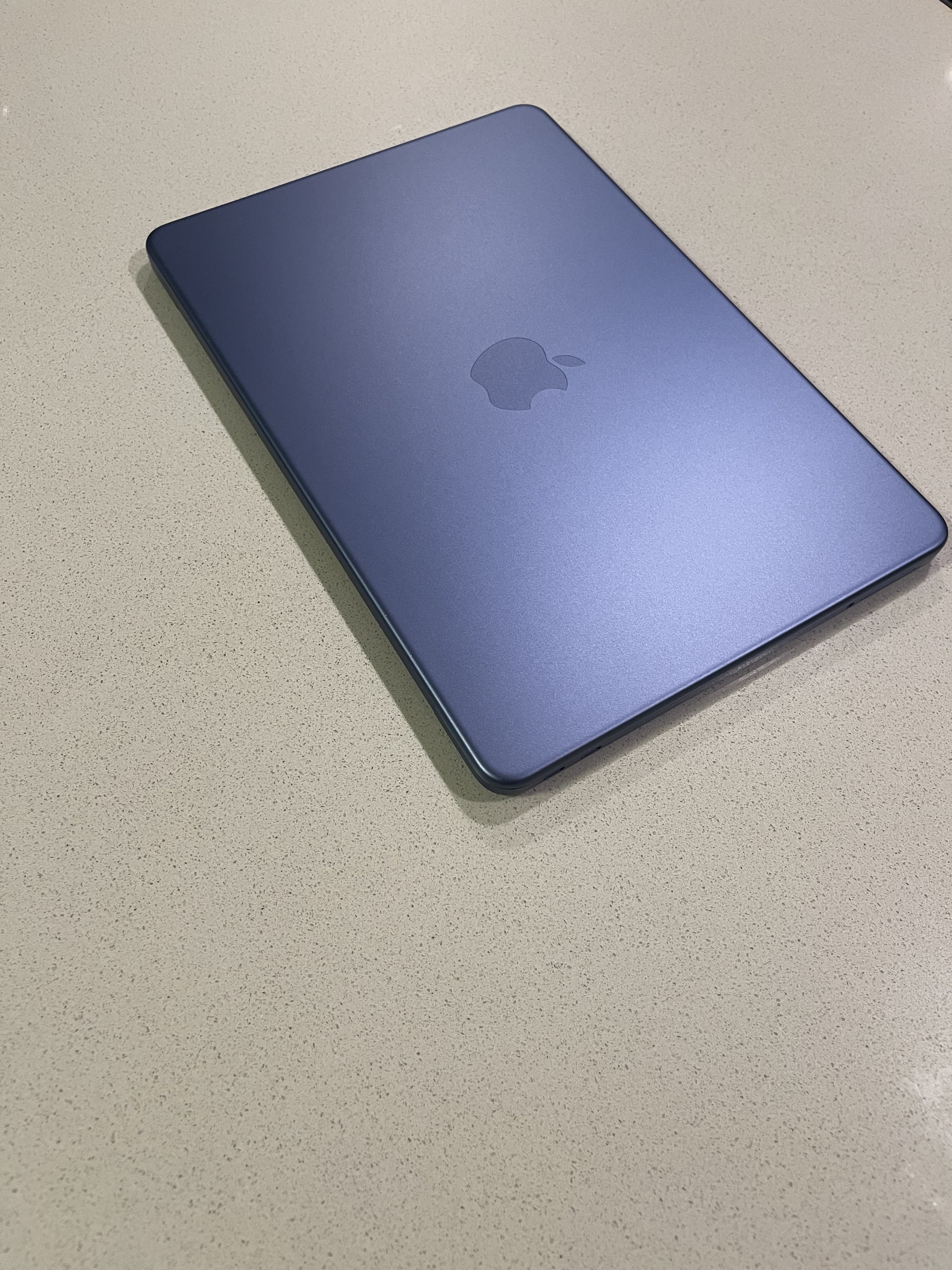
Indigo changes quite a bit depending on lighting. The below two images were taken by just moving my feet a bit. This was sitting between a room with warm lights and a room with cool lights.

Got a tip for us?
Let us know
Become a MacRumors Supporter for $50/year with no ads, ability to filter front page stories, and private forums.
Initial NEO thoughts
- Thread starter mk313
- Start date
- Sort by reaction score
You are using an out of date browser. It may not display this or other websites correctly.
You should upgrade or use an alternative browser.
You should upgrade or use an alternative browser.


4sallypat
macrumors 603
Yup, mine looks like a chameleon color too.Indigo changes quite a bit depending on lighting. The below two images were taken by just moving my feet a bit. This was sitting between a room with warm lights and a room with cool lights.
View attachment 2612513
View attachment 2612512
In store the color was way different than when I took it home.


Andeddu
macrumors 68020
Yup, totally expected as the RE series will play reasonably well on even a 15 Pro.That’s both impressive but expected at the same time. RE2R has an iPhone version that also plays very well on the 16 Pro that it shares a chip with. What I’d like to know is how the battery handled that gameplay.
The game barely made a dent on the battery. I don’t have anything solid to report because I wasn’t tracking my battery use but I’ll stick it on for 30 mins to an hour during the weekend let you know how the battery fares.
4sallypat
macrumors 603
Yes, Citrus looks different at the Apple store vs home.I wonder if Citrus changes colour this much depending on lighting.
Same with Indigo.

chanchowancho
macrumors member
I came to this thread hoping someone had tried some gaming - kudos to you! Looks great!View attachment 2612338
Spent 30 minutes playing Resident Evil 2 using the 'quality' preset at 1920x1080p with a 30fps cap. It's very playable with no notable drops in performance and the machine stayed cool throughout. Seems like the Neo is a solid all-round entertainment device, good for some AAA gaming, web-browsing, word processing, FaceTime, video streaming, music, video/photo editing, etc...
I wasn't expecting a Pro level machine or anything but I am really impressed with what we've been given at this price point.

jz0309
macrumors P6
I am very happy after I spent a couple hours using it this afternoon, it's about 20 or so months since I last had a laptop, a M1 MBA, the Neo feels just as solid as the MBA did, as any (current) Mac laptop.
I ran Speedtest and it showed a download speed of like 920 Mbps vs about 670 on my 17 PM in the same location, upload was slower though around 350 vs 450.
Charging seems slow(ish) though I used a port on my Studio Display, not sure what the wattage in those is.
Tomorrow morning comes the first real test when I'll use it for my morning browsing instead of my iPad Air...
So far, quite impressed
I ran Speedtest and it showed a download speed of like 920 Mbps vs about 670 on my 17 PM in the same location, upload was slower though around 350 vs 450.
Charging seems slow(ish) though I used a port on my Studio Display, not sure what the wattage in those is.
Tomorrow morning comes the first real test when I'll use it for my morning browsing instead of my iPad Air...
So far, quite impressed
jz0309
macrumors P6
One more "test" I just did, I set my Neo up as new, don't need any of my data on there and if I ever do, will just copy necessary files from my Mac Studio, but, I wanted my music which is on an external sandisk pro extreme (I think), not the fastest as it's 4+ years old.I am very happy after I spent a couple hours using it this afternoon, it's about 20 or so months since I last had a laptop, a M1 MBA, the Neo feels just as solid as the MBA did, as any (current) Mac laptop.
I ran Speedtest and it showed a download speed of like 920 Mbps vs about 670 on my 17 PM in the same location, upload was slower though around 350 vs 450.
Charging seems slow(ish) though I used a port on my Studio Display, not sure what the wattage in those is.
Tomorrow morning comes the first real test when I'll use it for my morning browsing instead of my iPad Air...
So far, quite impressed
So my music library is about 16.6 GB and 2300 or so files, it took somewhere between 20-25 sec to copy, with the SSD plugged into the "fast" port, I was surprised it was that quick ... maybe that's right in line with the SSD speed benchmarks that were posted, I'm quite happy with that as it is highly unlikely I'll ever copy large amounts of data

Apple_Robert
Contributor
Glad to read positive reports. I expected as much given what we already knew. I missed UPS delivery today and have to wait until tomorrow to get my Citrus.

Lobwedgephil
macrumors 603
Happy to hear most people liking these, have 2 for kids upcoming bdays, but not opening for a month.
Why not just wait a month to buy them?Happy to hear most people liking these, have 2 for kids upcoming bdays, but not opening for a month.
1. I have an OWC Thunderbolt Dock and the Neo appears to have connected to it and my Dell 34 ultrawide screen with no issues at its max 3440 x 1440 resolution. It also seemed to charge without any problems.
2. An external webcam I have was also picked up.
3. When I was at the store, the sales guy tried to tell me the device had Thunderbolt when I was trying to ask about charging the device while connected to a external monitor. He then looked at a Neo and corrected himself. I add this only to say do your homework on specs and limitations before you go.
For me I see this as a productivity device that I can use when my iPad 4th gen won't work. I already have a M4 Mac Mini to handle other stuff. I may take the iPad and Nano out together-I don't see it replacing the iPad.
Keyboard is responsive and trackpad works well. I think I forgot it does not have backlit keys but that is a minor item.
Performance wise I have not noticed much lag so far-that 8GB RAM does get eaten up but I am not really seeing noticable lagging so far. I will be curious if an app like Parallels Desktop can be run-I have not tried yet but if Parallels says it works I might try as that is the most intense app I use.
2. An external webcam I have was also picked up.
3. When I was at the store, the sales guy tried to tell me the device had Thunderbolt when I was trying to ask about charging the device while connected to a external monitor. He then looked at a Neo and corrected himself. I add this only to say do your homework on specs and limitations before you go.
For me I see this as a productivity device that I can use when my iPad 4th gen won't work. I already have a M4 Mac Mini to handle other stuff. I may take the iPad and Nano out together-I don't see it replacing the iPad.
Keyboard is responsive and trackpad works well. I think I forgot it does not have backlit keys but that is a minor item.
Performance wise I have not noticed much lag so far-that 8GB RAM does get eaten up but I am not really seeing noticable lagging so far. I will be curious if an app like Parallels Desktop can be run-I have not tried yet but if Parallels says it works I might try as that is the most intense app I use.
Apple_Robert
Contributor

lisag
macrumors member
Still there under trackpad settings.The first thing I turn on all Apple laptops is the “Tap to click” setting. Has this gone? I haven’t heard a trackpad click in a long time!

Arran
macrumors 603
Here’s the thing many have forgotten: The old-fashioned mechanical trackpads ARE the gold standard. The latest haptic trackpads are trying to emulate the mechanical ones of yore (but with less moving parts to simply to increase reliability and decrease warranty repair costs).…I was not concerned, but curious about the trackpad, as that was the biggest variable. Glad to see that it feels 'normal' (although loud) to me. …
Mechanical is an upgrade. Congrats.

capamac
macrumors 6502a
Comment from user in #macosx on Libera IRC:
23:28 < Meow> Just realised that Neo sounds like 尿 (nyō, urine) in Japanese
23:28 < Meow> Just realised that Neo sounds like 尿 (nyō, urine) in Japanese
Basically anything you can find on people’s experience with M1 Macs is true for Neo.I came to this thread hoping someone had tried some gaming - kudos to you! Looks great!
I’m not a gamer, but have played some Civilization VI, and that worked well. VII however is not supported by M1, but I believe it is supported by Neo… I wouldn’t buy it with gaming as a focus, but for some casual gaming, especially if you are willing to limit yourself to games that are available on Mac in the first place, it’s fine.
I also play some Bloons TD6, which works better than on my non-gamer Windows laptop (I have not compared benchmarks to find out how they compare technically). I will argue that while not a gamer computer, it is better than non-gamer Windows laptops for gaming (for games that are available…)

throAU
macrumors G4
Should be no problem to emulate ps2.Answering the real questions 👍
I’m hoping it can emulate up to PS2
PS3 might be a stretch though
throAU
macrumors G4
Doing that you’ll be limited by the speed of the usb port (even the fast one)One more "test" I just did, I set my Neo up as new, don't need any of my data on there and if I ever do, will just copy necessary files from my Mac Studio, but, I wanted my music which is on an external sandisk pro extreme (I think), not the fastest as it's 4+ years old.
So my music library is about 16.6 GB and 2300 or so files, it took somewhere between 20-25 sec to copy, with the SSD plugged into the "fast" port, I was surprised it was that quick ... maybe that's right in line with the SSD speed benchmarks that were posted, I'm quite happy with that as it is highly unlikely I'll ever copy large amounts of data
The ssd can do somewhere around 1.5-1.8 gigabytes per second which is almost 2x a 10Gbit usb3 port.
I have two random conspiracy theories on the Neo that I’d like to air, although they are only half serious:
One: Apple somehow managed to get two USB ports on a chip with one controller. We don’t know how, other than that they apparently had to bed over backwards to make that happen. USB 3 is 10gbps and USB 2 is 480mbps. What if they actually run on the same controller on the chip, and the USB2 port is a “daughter” to the USB3 - so if you run both maxed out, the USB2 port “steals” half a gigabit from the USB3? No one would notice outside of benchmarks. Just a completely unfounded theory.
Second: we say A18Pro is “last year’s iPhone chip”. But actually, it’s more like 18 months old. Presumably it takes longer to ramp up a completely new design, than to do a spec bump. Would it be possible that for next year’s version Apple skips a chip generation, and go directly to A20Pro? Perhaps by letting this version run for 18 months rather than twelve, and release it in the fall of 2027, with a then one year old A20Pro?
One: Apple somehow managed to get two USB ports on a chip with one controller. We don’t know how, other than that they apparently had to bed over backwards to make that happen. USB 3 is 10gbps and USB 2 is 480mbps. What if they actually run on the same controller on the chip, and the USB2 port is a “daughter” to the USB3 - so if you run both maxed out, the USB2 port “steals” half a gigabit from the USB3? No one would notice outside of benchmarks. Just a completely unfounded theory.
Second: we say A18Pro is “last year’s iPhone chip”. But actually, it’s more like 18 months old. Presumably it takes longer to ramp up a completely new design, than to do a spec bump. Would it be possible that for next year’s version Apple skips a chip generation, and go directly to A20Pro? Perhaps by letting this version run for 18 months rather than twelve, and release it in the fall of 2027, with a then one year old A20Pro?
My conspiracy to your second note is that last years iPhones sold like poo which we kinda knew and thus a surplus in chips and affordable to make more.I have two random conspiracy theories on the Neo that I’d like to air, although they are only half serious:
One: Apple somehow managed to get two USB ports on a chip with one controller. We don’t know how, other than that they apparently had to bed over backwards to make that happen. USB 3 is 10gbps and USB 2 is 480mbps. What if they actually run on the same controller on the chip, and the USB2 port is a “daughter” to the USB3 - so if you run both maxed out, the USB2 port “steals” half a gigabit from the USB3? No one would notice outside of benchmarks. Just a completely unfounded theory.
Second: we say A18Pro is “last year’s iPhone chip”. But actually, it’s more like 18 months old. Presumably it takes longer to ramp up a completely new design, than to do a spec bump. Would it be possible that for next year’s version Apple skips a chip generation, and go directly to A20Pro? Perhaps by letting this version run for 18 months rather than twelve, and release it in the fall of 2027, with a then one year old A20Pro?
Meanwhile, this years iPhones are doing better thus may justify a year skip for the next Neo. But I also know I’m crazy. It’s fun to be crazy though 🤪
Schrödinger’s
macrumors member
My Neo’s colour matches that too 😂 Well, only if one has consumed too much of vitamin-B.Comment from user in #macosx on Libera IRC:
23:28 < Meow> Just realised that Neo sounds like 尿 (nyō, urine) in Japanese
Interesting theories. I do remember reading an article on here (I believe) that Apple's engineers performed a minor miracle to ge the second USB port into the chip, so I wonder if that is correct. It's not implausible.I have two random conspiracy theories on the Neo that I’d like to air, although they are only half serious:
One: Apple somehow managed to get two USB ports on a chip with one controller. We don’t know how, other than that they apparently had to bed over backwards to make that happen. USB 3 is 10gbps and USB 2 is 480mbps. What if they actually run on the same controller on the chip, and the USB2 port is a “daughter” to the USB3 - so if you run both maxed out, the USB2 port “steals” half a gigabit from the USB3? No one would notice outside of benchmarks. Just a completely unfounded theory.
Second: we say A18Pro is “last year’s iPhone chip”. But actually, it’s more like 18 months old. Presumably it takes longer to ramp up a completely new design, than to do a spec bump. Would it be possible that for next year’s version Apple skips a chip generation, and go directly to A20Pro? Perhaps by letting this version run for 18 months rather than twelve, and release it in the fall of 2027, with a then one year old A20Pro?

JPack
macrumors P6
I have two random conspiracy theories on the Neo that I’d like to air, although they are only half serious:
One: Apple somehow managed to get two USB ports on a chip with one controller. We don’t know how, other than that they apparently had to bed over backwards to make that happen. USB 3 is 10gbps and USB 2 is 480mbps. What if they actually run on the same controller on the chip, and the USB2 port is a “daughter” to the USB3 - so if you run both maxed out, the USB2 port “steals” half a gigabit from the USB3? No one would notice outside of benchmarks. Just a completely unfounded theory.
Second: we say A18Pro is “last year’s iPhone chip”. But actually, it’s more like 18 months old. Presumably it takes longer to ramp up a completely new design, than to do a spec bump. Would it be possible that for next year’s version Apple skips a chip generation, and go directly to A20Pro? Perhaps by letting this version run for 18 months rather than twelve, and release it in the fall of 2027, with a then one year old A20Pro?
#1 is nothing fancy. Teardowns show USB 2.0 port uses a VLI VL122 USB controller. The “bend over backwards” probably refers to Apple having to use a third party controller when they’ve already integrated one.
#2 is entirely possible and probably dictated by cost of A19 vs. A20.