no, your carrier doesn't need to know what room in your house you're standing in to provide cell signal.What is the purpose of hiding your precise location from your carrier in iOS 26.3? If carriers can't pinpoint your exact location, won't we experience network coverage or signal strength issues?

Got a tip for us?
Let us know
Become a MacRumors Supporter for $50/year with no ads, ability to filter front page stories, and private forums.
iOS 26.3 RC ― Bug Fixes, Changes, and Improvements
- Thread starter Banglazed
- WikiPost WikiPost
- Start date
- Sort by reaction score
You are using an out of date browser. It may not display this or other websites correctly.
You should upgrade or use an alternative browser.
You should upgrade or use an alternative browser.
- Status
- The first post of this thread is a WikiPost and can be edited by anyone with the appropiate permissions. Your edits will be public.

they can triangulate your relative location using cell towers. But they certainly don't need to do that in order to provide service.What is the purpose of hiding your precise location from your carrier in iOS 26.3? If carriers can't pinpoint your exact location, won't we experience network coverage or signal strength issues?
ValerieDurden
macrumors 6502a
I came from an S24+ SnapDragon so yes, never a stutter was smooth as butter.Have you used an Android phone recently though? It’s even worse than iOS…Apple is still king, even though their lead is shrinking.

uhaas
macrumors 6502a
I barely have resprings anymore, but my resprings only occurred in beta releases and on older hardware (iPad).Has anyone with the respring bug found it to be fixed or better?
uhaas
macrumors 6502a
I think y'all are fooling yourselves that this will be addressed in iOS 27.Every time I plug in my phone to charge and it activates the shortcut automation that triggers sleep mode, it keeps reloading all the icons on the home screen. iOS 26 has had many problems in this regard since its inception, and it seems we'll have to live with them until iOS 27. Since the first beta of iOS 26, I've had icons that appear with a light icon in the folder preview on the home screen, but when I open the folder, they appear with a dark icon. This bug has been acknowledged by Apple in more than 10 other reports and is awaiting resolution in a future version of iOS. Similarly, the problem with AssistiveTouch, which has been present since beta 3 of iOS 26.0, is also pending resolution, and like the rest of my reports, it seems that the future iOS version that will fix these issues will be iOS 27.

eyespy03
macrumors 6502
I had one not soon after I installed it, but after a hard reboot, I have not had one. It has been very smooth so far on the RCHas anyone with the respring bug found it to be fixed or better?

srbNYC
macrumors 68020
did you try "sync now" in settings for Messages on each device. Fixed everything up for me.It’s been for a while iMessages from iPhones dont sync with iOS (i mean - not all of them, probably 10/20%. Anyone else?
This is the only bug I experienced
uhaas
macrumors 6502a
Where is "Sync Now"? Do you need to have iCloud Messages Sync enabled to see it (I don't).did you try "sync now" in settings for Messages on each device. Fixed everything up for me.

adrianlondon
macrumors 604
Yes. The sync option is only if you sync messages using iCloud. If you don't use iCloud for messages then there's no sync function and deletions don't get replicated.Where is "Sync Now"? Do you need to have iCloud Messages Sync enabled to see it (I don't).
Most messages should get sent to your other devices (if they're on, or have been on relatively recently) so long as the "Text Message Forwarding" setting has the devices named in there. However, it's flaky, and some SMS messages don't ever sync for some reason.
Not at all my M3 iPad is on fire just off doing an iCloud backup. It runs smoother but the thermals are terrible, never had this issue before the 26.3RCIs this de-railed train-wreck of software already polished for a RC release ?

janezblond
macrumors regular
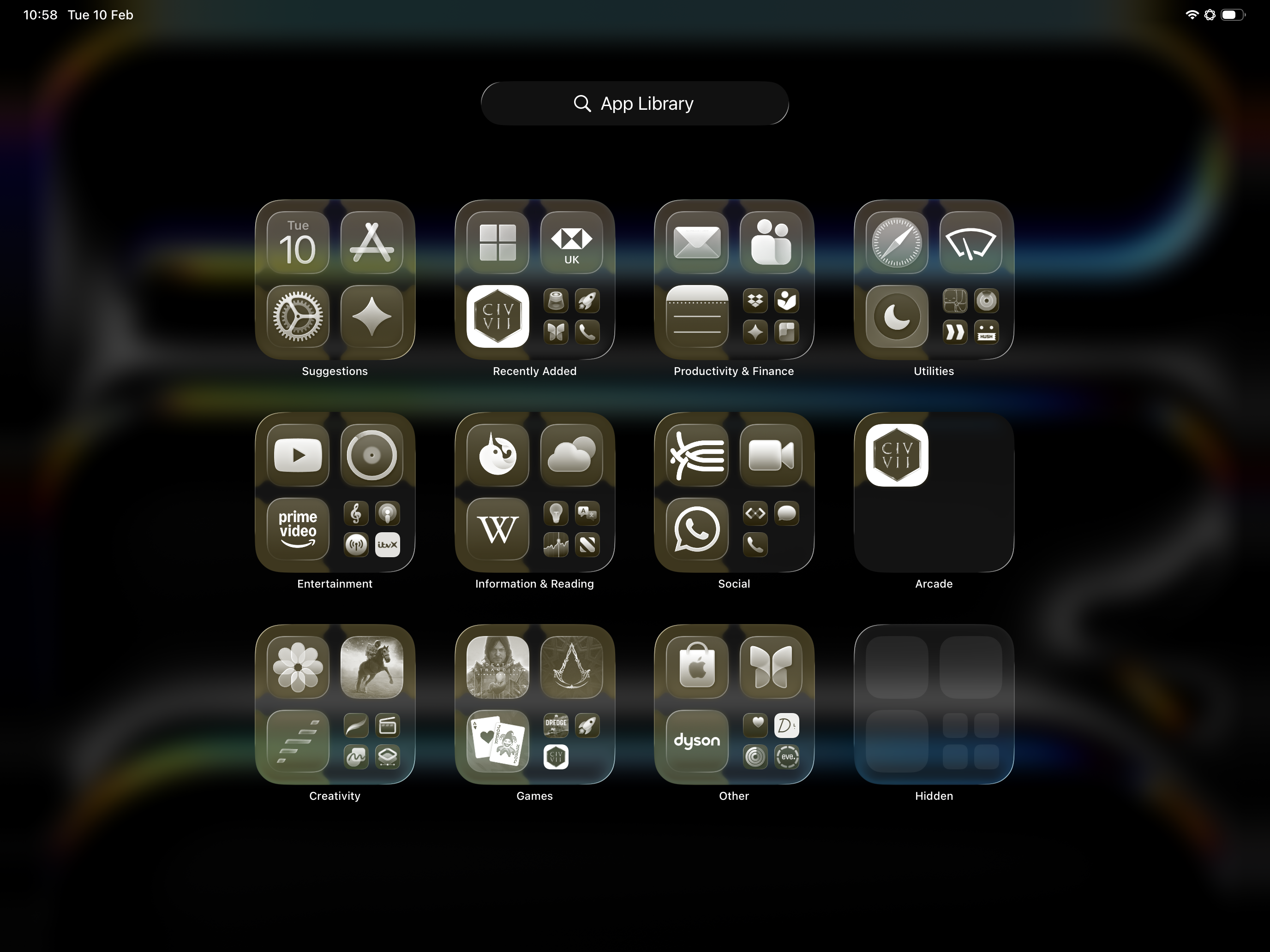
The rendering bug when using glass/tinted icons in the App Library on ipadOS is still alive and well :/

Dog Bone Malone
macrumors 6502a
Battery life seems pretty solid so far.👍
Imho, this is the best version of IOS 26 yet.
Imho, this is the best version of IOS 26 yet.
Last edited:

thatJohann
macrumors 68030

MCKLMT
macrumors 6502a
I have no issues with iPhone Air.Did they improve the slowness and unresponsiveness of the keyboard when typing fast? it's driving me bonkers.
WildstarBR2020
macrumors 6502
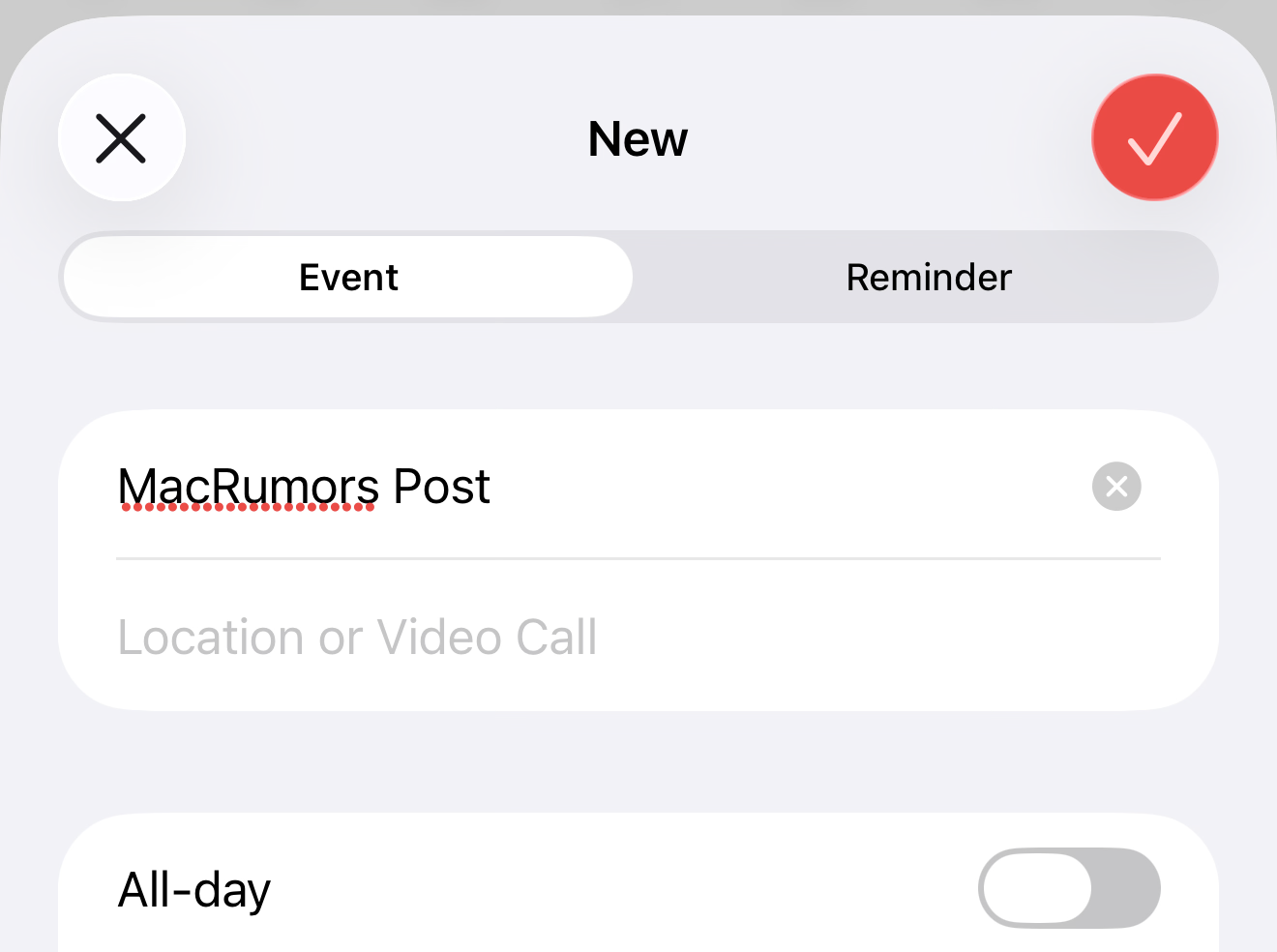
Guys, it’s only me or anyone here noticed the “OK” button color is not consistent? For example: in the Calendar App, it’s red - what usually means it’s a “no” - in my opinion, it should be green… and then in the screenshot page, it’s “clear”… shouldn’t it be green for a confirmation and red for a no?
Attachments

Seems like it’s hit or miss because my friend’s s25U had a lot of stuttering so he ended up switching to the 17PM. I guess people on Reddit have also reported the same.I came from an S24+ SnapDragon so yes, never a stutter was smooth as butter.
uhaas
macrumors 6502a
Agreed. Battery has improved.Battery life seems pretty solid so far.👍
Imho, this is the best version of IOS 26 yet.
Guys, it’s only me or anyone here noticed the “OK” button color is not consistent? For example: in the Calendar App, it’s red - what usually means it’s a “no” - in my opinion, it should be green… and then in the screenshot page, it’s “clear”… shouldn’t it be green for a confirmation and red for a no?View attachment 2603624
It seems to be using Calendar's accent colour instead of a custom colour for this particular action. The same happens in the Notes app. Screen Capture presumably has a clear or white accent colour. You are right though that it is confusing in this case.

jonnyb098
macrumors 601
That eventually goes away, however did they fix the lag when using clear icons in App Library? Opening folders on 26.2 is like 10FPS right now.The rendering bug when using glass/tinted icons in the App Library on ipadOS is still alive and well :/View attachment 2603554
janezblond
macrumors regular
It’s better, but still bad. And the visual bug goes away, but also comes back :/That eventually goes away, however did they fix the lag when using clear icons in App Library? Opening folders on 26.2 is like 10FPS right now.

dustin.haley
macrumors member
Betting the final release is tomorrow, after today’s final day of support for the old home architecture 🤔😅 if it is, they’ve been planning the exact release date for 26.3 since at least November.
jonnyb098
macrumors 601
That's unfortunate, 26.1 was the most stable and smooth on my M4 iPadPro I hope this update comes close to that!It’s better, but still bad. And the visual bug goes away, but also comes back :/
janezblond
macrumors regular
From what I can tell, the final version is actually a regression from the RC in terms of performance in the App Library :/That's unfortunate, 26.1 was the most stable and smooth on my M4 iPadPro I hope this update comes close to that!

Reeneman
macrumors 68020
Oh no. No update without complaining 😅From what I can tell, the final version is actually a regression from the RC in terms of performance in the App Library :/
jonnyb098
macrumors 601
Yeah barely anything has changed as far as overall animation stutters and choppiness. It’s all a TAD better. What a load of BS nearly a year after 26 started the beta process. Only way to make it all more useable is not use clear icons.From what I can tell, the final version is actually a regression from the RC in terms of performance in the App Library :/