

Become a MacRumors Supporter for $50/year with no ads, ability to filter front page stories, and private forums.

MacRumors

macrumors bot
Original poster


The Maps app didn't get as many iOS 27 updates as some of Apple's other apps, but there are still several useful features worth knowing about.

iOS-27-Maps-Feature.jpg

Flyover Improvements

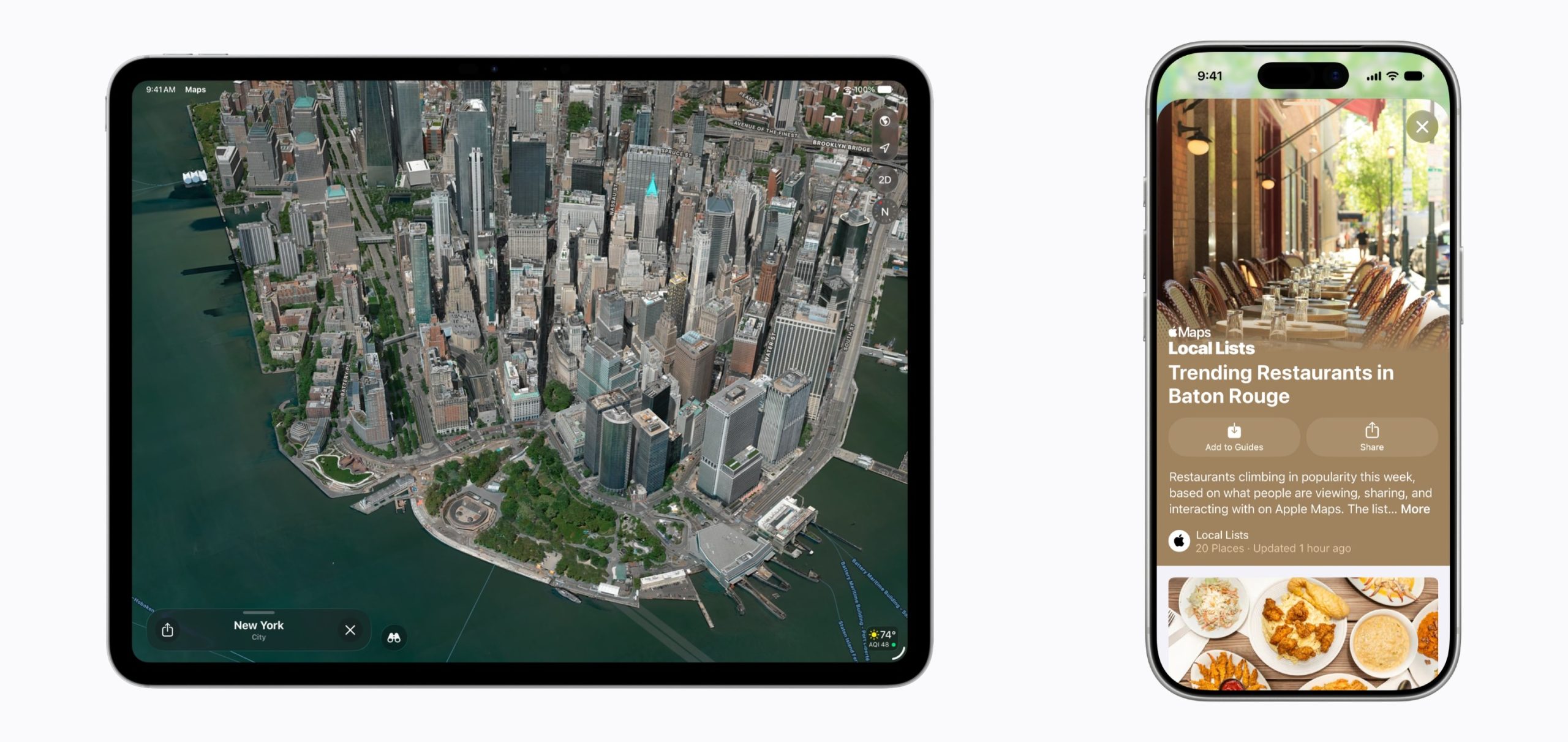
Apple is upgrading Flyover in iOS 27, making it more detailed than before. It combines aerial imagery with Vision Intelligence models to add more texture and sharper visuals for trees, architecture, and more.
Apple-Maps-Enhanced-Flyover-Local-Lists-scaled.jpg

Apple says select cities around the world are rendered in sharper, more lifelike detail with improvements to everything from the "shapes of individual trees to the way light reflects off the glass of skyscrapers."

Flyover is an Apple Maps feature that offers detailed 3D landmarks, roads, parks, buildings, and more in more than 350 cities. The current version of Flyover uses aerial imagery captured by planes, but the new iOS 27 version improves the quality using AI.

New Maps Icon

Apple updated several of its Liquid Glass app icons in iOS 27 to add more glass-like layers. Icons have more depth, and the Maps app icon makes the difference especially clear.

Local Lists

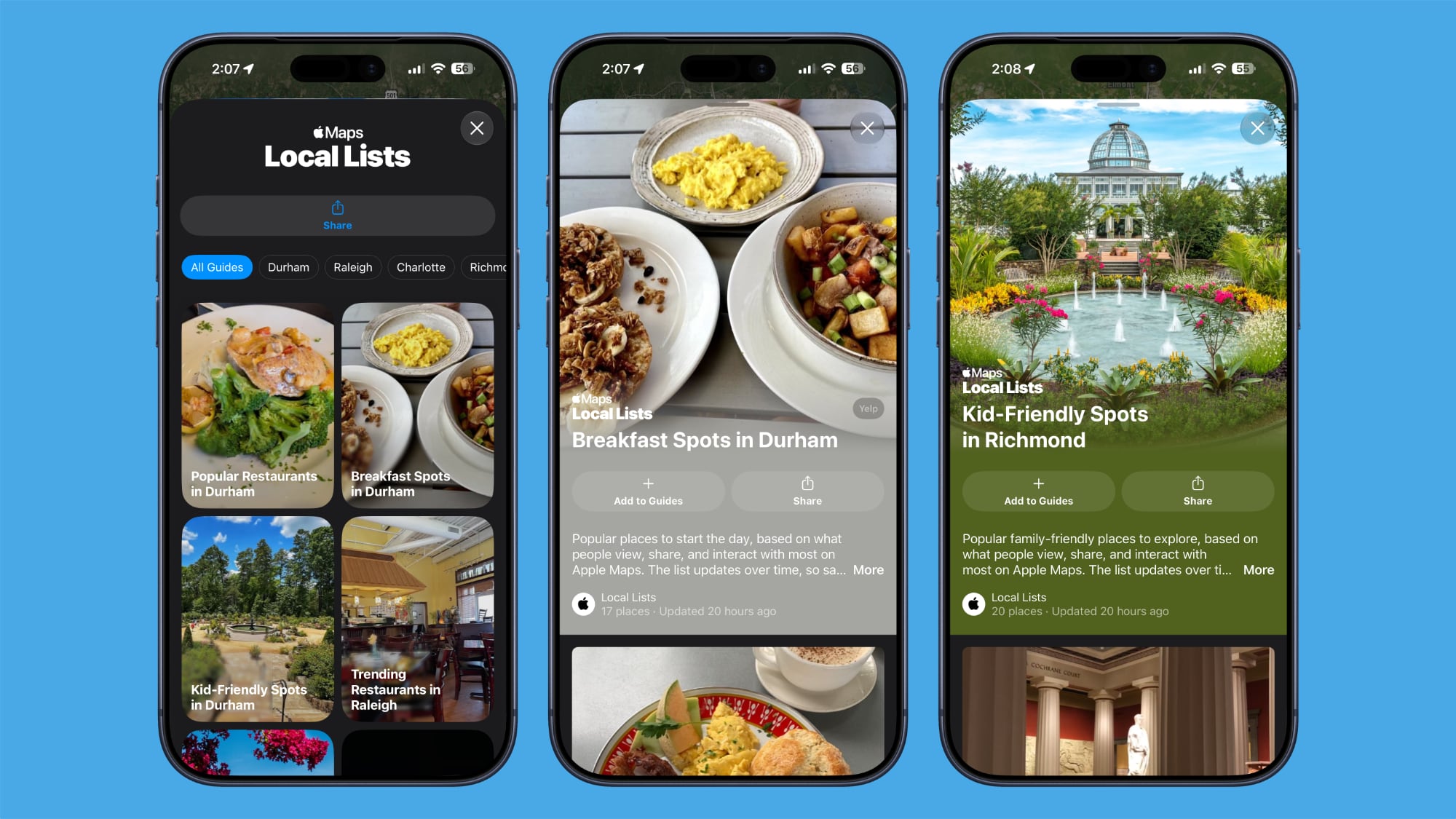
Local Lists uses intelligent insights from what's trending around you for suggestions on places you should visit. Maps surfaces locally relevant collections of places to make it easier to find popular and interesting locations to visit.
ios-27-maps-local-lists.jpg

Local Lists is privacy-focused and does not use information tied to individual users. It is a U.S.-only feature.

Trending Restaurants

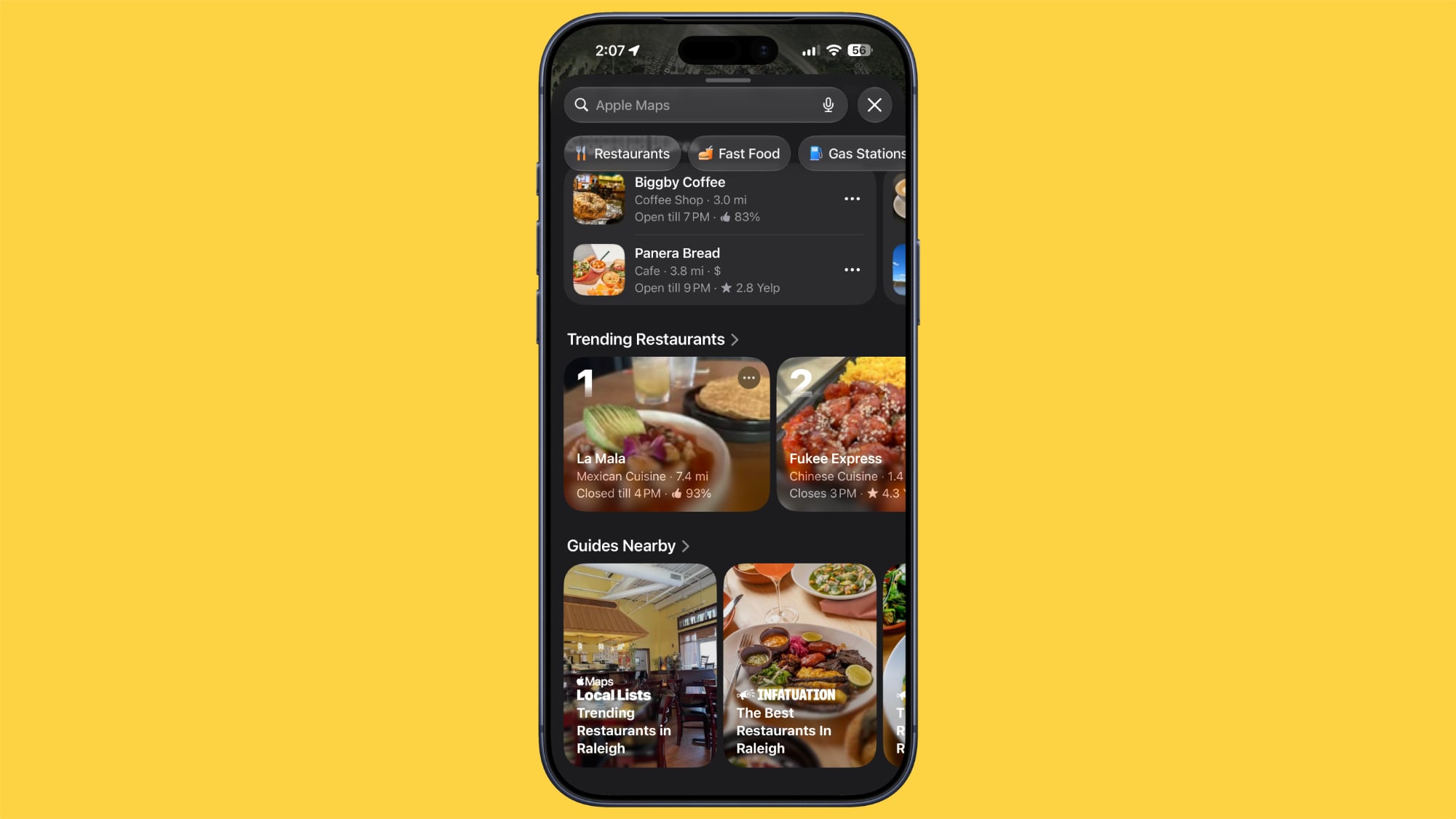
In the Search interface, there's a Trending Restaurants section that shows you the top restaurants in the area you're in.
ios-27-maps-trending-restaurants.jpg

Natural Language Search Expansion

Natural language search in Maps now lets you ask for directions that avoid toll roads or highways.

Widgets

On the Apple Watch, there's a new Parked Car widget in the Smart Stack so you can easily see your car's last known location, with info synced from the iPhone.

Offline Maps

Apple says Offline Maps have improved in iOS 27. More locations are shown on the map, labels are darker and clearer, and there are icons that are easier to view at a glance. When you tap on a location, like a town, it will zoom into the area automatically so you can see what's there.

Visited Places

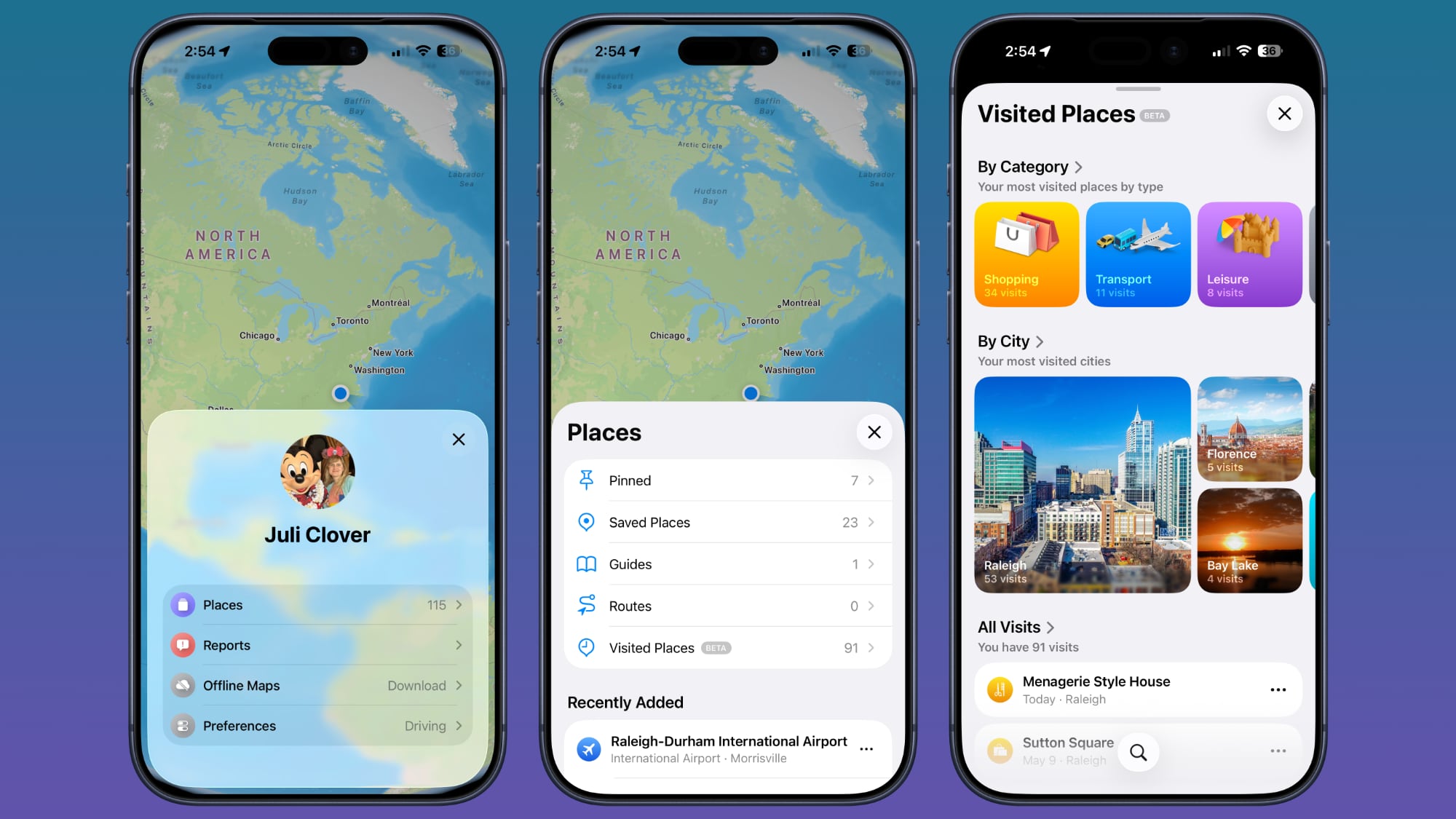
The Visited Places feature is more accurate in iOS 27 and less likely to miss locations. Visited Places keeps track of locations you've been to, organizing stops by category and location. It's accessible by tapping on your profile picture, choosing Places, and selecting Visited Places.
maps-app-visited-places.jpg

Visited Places is also expanding to more locations in iOS 27.

More iOS 27 Features

For more on what's new in iOS 27, we have a dedicated roundup.

Article Link: iOS 27: All the New Apple Maps Features
 
Widgets

On the Apple Watch, there's a new Parked Car widget in the Smart Stack so you can easily see your car's last known location, with info synced from the iPhone.

Offline Maps

Apple says Offline Maps have improved in iOS 27. More locations are shown on the map, labels are darker and clearer, and there are icons that are easier to view at a glance
2 awesome new features 👍👌
Apple 🍎 still got that innovation going 😎
would like to see apple eventually incorporate ‘find my’ directly into the maps app - while making it optional as well - so the ability to disable ‘find my’ integration directly into maps

It would be awesome if you could see your devices and friends/family location sharing directly while viewing/exploring new places in the Maps app 😎
 
Oh jeez, why can't Apple just fix all the crappy UI/UX issues with making maps a usable navigation app. Trying to create a list of destinations is a mess, and works differently between the various OSes. I have wireless Apple CarPlay and can mostly make it work for me, but damn, it's really frustrating to use at times.

I'm a not-stupid retired software engineer who worked on UI/UX issues now and then, but find the Apple Maps apps bewildering to use effectively. What a frickin' mess.
 
Please Apple, spend all the money on keeping the Maps up to date instead of these new features. Every time I accidentally open Apple Maps instead of Google, I see some error. Yesterday, I saw a Starbucks marked near my house that's been closed for four years now.
 
Apple maps still sucks compared to Google Maps and Waze.
We bought a '26 Hyundai Palisade (Hybrid AWD Calligraphy) in May, for road trips. Our salesperson said we should try Waze. I've downloaded it but haven't tried it yet. Is it really all that compelling? We're going on a road trip from St. Louis to Frisco, CO in a few weeks.
 
Don’t forget: ads!! … and we think you’re gonna love it.
Yes, sponsored search results labeled as ads, that don’t provide the business with any personal information.

And there’s only one or two.

For anyone who travels a lot, trying to find a good place to have dinner in a strange city is the roughest thing. For new restaurants, the challenge is letting those travelers know they exist - when every hotel’s list is outdated and closed to newcomers.

So yes, I will love it.
 
Can they make it where I don't have to confirm approximately 17 times that I actually want directions to the address I enter?
Oh? I do the following...
1. Enter place name.
2. Click result.
3. Click the Walk/Drive button.

That's it.
Directions/route load and are active the second I tap the walk/drive button.
 
Last edited:
  • Like
Reactions: ignatius345
Apple maps still sucks compared to Google Maps and Waze.
Google Maps still looks like ass, though, and last time I tried Waze it was even worse and totally encrusted with sponsored crap. I will admit Google has better POI data, hands down, but I find Apple Maps navigation totally on par with Google Maps, and with better prompts.
 
  • Like
Reactions: insomniac86
Register on MacRumors! This sidebar will go away, and you'll see fewer ads.