Become a MacRumors Supporter for $50/year with no ads, ability to filter front page stories, and private forums.

ShawnyRHarvey

macrumors regular
Original poster
I’m curious what everyone is using for email on iOS 27 these days.


I’ve been a Spark user for years, but I recently stopped using it after running into a few issues with its AI features. That has me looking around to see what else people are using.


Are you sticking with Apple’s built-in Mail app in iOS 27? If so, has it improved enough to replace third-party apps?


Or are you using another client that integrates really well with iOS 27 (notifications, Focus modes, widgets, Siri/Apple Intelligence, etc.)?


My email accounts are a mix of:
  • iCloud
  • Gmail
  • Microsoft 365/Exchange

I’m less concerned about having tons of features and more interested in reliability, privacy, and a clean interface.


What would you recommend, and why?

I’ve heard good and bad things about Avec, Boomerang and AirMail
 
Air mail pretty much is ok , other than the fact that a banner is always popping up for the paid version.
 
I have used Spark for many years, about 3 years agoI stopped and with the improvements in Apple Mail I went back to it. One of the main reasons was the improvement in creating and organizing folders. My only main draw is that I have, is the print command on the bottom of the email and having to go to it create a PDF of the email for filing purposes or printing it.
 
I was using Spark until a couple of years ago, where I started to experience a bug that would use endless amounts of background resources. They were never able to fix it so I gave up.

I have been using Apple Mail since then, even though I was unhappy with its search feature (I use Fastmail as my main mail provider and connect to it via IMAP). Now with iOS 27, search also works, so I'm definitely sticking to Apple Mail.

Honestly no other third party app comes even close, they're all ugly and quirky to me.
 
Apple Mail (AM) is quite good once you get used to it. 😉

Several things to consider:

- your Gmail messages will not be pushed, so may be delivered with a maximum of 15 minutes’ delay. Your iCloud and Outlook messages will push instantly;

- AM is device-based, so if you ask it to send a message later at a set time, the device on which you composed the message will need to be online at that time, else the message won’t send;

- AM does not use “aggressive” dark mode, as Gmail, for example, so you might see a few blinding white newsletters, which can be annoying;

- AM does not sync very well between our Apple devices. Say, I open a new incoming email message on my iPhone and even once it is read on my iPhone, AM would still display an unread red circle on my iPad. To get rid of it I would need to open the AM app on my iPad and let it sync. This is a bit odd, especially if you are coming from the Gmail iOS app.
 
With your combination of accounts I would simply use Outlook.
I'm not a fan of Microsoft, but with Outlook they have a really good and reliable one! 👍
I’ve tried to keep Outlook for work-only emails.

For other emails in unified inbox, I’ve been testing Canary & Dove since yesterday and loving what both bring to the table.
 
I have used Spark for many years, about 3 years agoI stopped and with the improvements in Apple Mail I went back to it. One of the main reasons was the improvement in creating and organizing folders. My only main draw is that I have, is the print command on the bottom of the email and having to go to it create a PDF of the email for filing purposes or printing it.
Spark is solid, but something recently went weird in their TestFlight builds and my original subscription wasn’t compatible even in sandbox anymore. They asked $200/yr for a subscription, even though I’ve been exclusively on TestFlight builds for several years.

Cost breakdown with Canary makes it easier for an individual.
 
I was using Spark until a couple of years ago, where I started to experience a bug that would use endless amounts of background resources. They were never able to fix it so I gave up.

I have been using Apple Mail since then, even though I was unhappy with its search feature (I use Fastmail as my main mail provider and connect to it via IMAP). Now with iOS 27, search also works, so I'm definitely sticking to Apple Mail.

Honestly no other third party app comes even close, they're all ugly and quirky to me.
Yeah! Also felt Spark wasn’t solid cross-device (Mac wasn’t as smooth as iPhone and iPad)
 
Apple Mail (AM) is quite good once you get used to it. 😉

Several things to consider:

- your Gmail messages will not be pushed, so may be delivered with a maximum of 15 minutes’ delay. Your iCloud and Outlook messages will push instantly;

- AM is device-based, so if you ask it to send a message later at a set time, the device on which you composed the message will need to be online at that time, else the message won’t send;

- AM does not use “aggressive” dark mode, as Gmail, for example, so you might see a few blinding white newsletters, which can be annoying;

- AM does not sync very well between our Apple devices. Say, I open a new incoming email message on my iPhone and even once it is read on my iPhone, AM would still display an unread red circle on my iPad. To get rid of it I would need to open the AM app on my iPad and let it sync. This is a bit odd, especially if you are coming from the Gmail iOS app.
Noticed the lack of push emails, but wasn’t a big deal breaker
 
  • Love
Reactions: _Mitchan1999
Canary email is great. been using it for 3 years. Main email app on all my mac and iphone.
11 accounts, 7 gmail, 3 Microsoft, icloud.
Probably the only email app that has a read receipts option that I really need.
AI working fine within the app, search engine is also very good. Push is excellent on both mac and ios
I paid £100 - 3 years ago for both versions, I am not sure if you can still get it for one-off payment.

The two things that I don't like are:
- one out of my 3 Microsoft 365/Exchange doesn't work.
- my paid version is limited to 5 devices which is a pain sometimes.....

Overall I am very happy with the app.
 
Though I'm only on IOS 26, I'm following this thread.

I use the Gmail app because it snoozes and Delay Sends my messages across all devices. When I last tried Snooze (or I guess it's called "Remind me"?) on native Mail when it came out a couple years ago, I noticed it didn't sync across my iPhone, iPad, and Mac. It could have been a setting I was missing, but I haven't dug into it since. (The battery life on my 17 Pro is also crazy good. I used to worry about Gmail using too much battery back on my SE1 and then my 13 Pro when it got long in the tooth.)
 
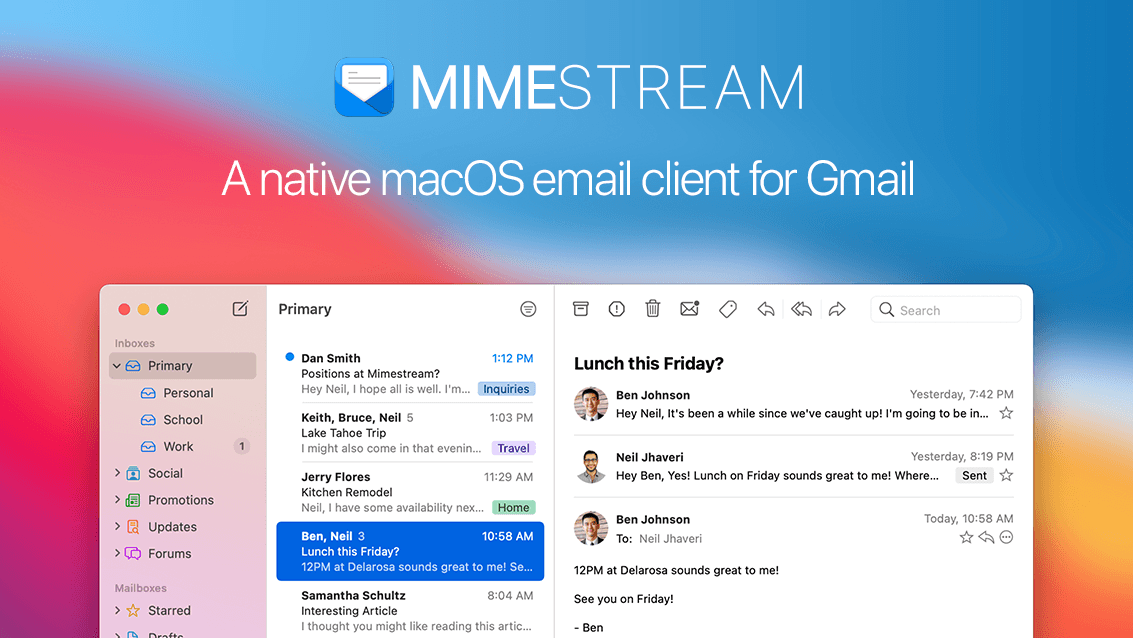
I use Mimestream - I appreciate that this is a Gmail-only client so Outlook is probably your best bet, but if you want a really great client for your Gmail accounts this is a brilliant product. I was a Mail loyalist until I got sick of the bloat and refusal to play nicely with gmail (I get that some of this may be down to Google's proprietary approach in Gmail).

I cast around for a while and I tried Spark, but i find the inbox management annoying and the AI upgrade nagging really annoying.

I discovered Mimestream on macOS and have gone from the beta period to paying for a subscription - i like it because it's fast, regularly updated and improved, clean and minimal UI, and just works really well with gmail. Also handy if you use another gmail account for work.

They have an iOS version in beta, which is very stable and i use that with TestFlight on my iPhone and I love it.


I'm certainly not affiliated with the company, i'm just an end user who really likes it - I would certainly recommend it if you find Mail too bloated and slow with gmail.
 
Last edited:
  • Like
Reactions: Hey Thomas
I don't like Outlook as it can't handle those of us who own domains, or simply want to use aliases, such as google's (<name>+anything@gmail.com).

I tried some third party ones, but don't like them having my email passwords, plus I don't need any of the options they advertise, such as AI scanning, automatically categorising them, marking them read for a while then highlighting them again etc.

So, on both iOS and MacOS I use Apple Mail and it works well for me.
 
  • Like
Reactions: Biro and one more
Interesting side note, the magazine MAC Life for email app recommendation rates spark their #1 choice, issue 190 since 2021-2022 as per current issue. Also of note for note taking from issue #174 they recommend Notability.
Come on Mac Life get with it and update your reviews.
 
  • Like
Reactions: LiquidGlassfan
I had Apple Mail for a long time, then Outlook, then moved back to Apple Mail in Tahoe and it works OK.
Outlook is too buggy - it feels like it's in a perpetual beta.
I've always thought text formatting was an issue in this thing, but hey, it's native, it's lightweight, it works.
 
  • Like
Reactions: AdamInKent
I use Apple Mail on iPhone, Outlook on Mac, both on iPad.

My issue with Apple Mail is the whole "read message on one device doesn't update on another device". I hate that with a passion. I don't care if it saves a little battery. I really wish it could be forced to update as soon as the mailbox state updates on the server like every other app -- including Outlook and Gmail -- does.

My issue with the Outlook app is that there's no way to configure it to mark messages read as soon as they're open. It will only let you mark messages read after they're opened and then closed. And that behavior is just not consistent. Every time I open a message and then move it to a folder, it is a 50/50 gamble whether it will mark the message as read when it moves the message to another folder. So I end up manually backing out of every message to make sure it is marked as read, and then go back in to move it. Really annoying.

The only other reason I keep Outlook on iPad is that the Junk Mail folder management in Apple Mail is awful. It doesn't sync consistently, it often shows residual messages that were deleted days or weeks ago, and there's no way to mark a message as "not junk" that Microsoft seems to acknowledge. The Outlook app handles junk mail management a lot better than Apple's app. So I do my throughout-the-day email stuff from iPhone using the Apple Mail app, and once or twice a day do the other tasks from the Outlook app on iPad or Mac.

Oh yeah, and there's no way to create/delete folders in the mailbox with the Apple Mail app. Another reason that I have to keep Outlook around.
 
I’m curious what everyone is using for email on iOS 27 these days.


I’ve been a Spark user for years, but I recently stopped using it after running into a few issues with its AI features. That has me looking around to see what else people are using.


Are you sticking with Apple’s built-in Mail app in iOS 27? If so, has it improved enough to replace third-party apps?


Or are you using another client that integrates really well with iOS 27 (notifications, Focus modes, widgets, Siri/Apple Intelligence, etc.)?


My email accounts are a mix of:
  • iCloud
  • Gmail
  • Microsoft 365/Exchange

I’m less concerned about having tons of features and more interested in reliability, privacy, and a clean interface.


What would you recommend, and why?

I’ve heard good and bad things about Avec, Boomerang and AirMail
I have used the Mail application rather than third party email applications as I find it better than the rest as the rest have given no reason to switch. Of course Mail is better than Outlook and Gmail.
 
Register on MacRumors! This sidebar will go away, and you'll see fewer ads.