

Got a tip for us?
Let us know
Become a MacRumors Supporter for $50/year with no ads, ability to filter front page stories, and private forums.
iOS 27 Mail App: Is Native Better Than 3rd Party?
- Thread starter ShawnyRHarvey
- Start date
- Sort by reaction score
You are using an out of date browser. It may not display this or other websites correctly.
You should upgrade or use an alternative browser.
You should upgrade or use an alternative browser.


Luftkopf
macrumors 68000
I used to use Airmail, but switched back to Apple Mail years ago. Gmail isn’t my primary email, so I don’t care that it doesn’t have push notifications.
I don’t have any issues with read status syncing between my iPhone, iPad, and MacBook. I just open the app, wait a moment for the server to sync, and it’s good.
I like my smart mailboxes for sorting my emails. Everything’s always where I want it.
I don’t have any issues with read status syncing between my iPhone, iPad, and MacBook. I just open the app, wait a moment for the server to sync, and it’s good.
I like my smart mailboxes for sorting my emails. Everything’s always where I want it.

one more
macrumors 603
My issue with Apple Mail is the whole "read message on one device doesn't update on another device".
Oh yeah, and there's no way to create/delete folders in the mailbox with the Apple Mail app.
Agreed on the read messages update, but you can create and delete folders in the mailbox if you get into Mailbox view of Apple Mail and click the Edit button in the top-right corner of the screen.

johannnn
macrumors 68030
For anyone reading, what is the technology behind push really?Would like to use Mail but the lack of Gmail push
Like is it only a iCloud thing? Or does all email providers have it (gmail, outlook, proton mail, iCloud, etc), but it's only supported in their own email client (Mail.app, Spark, AirMail, Thunderbird, etc)?
johannnn
macrumors 68030
Mind telling us some more? I've never gotten into smart mailboxes really.I like my smart mailboxes for sorting my emails. Everything’s always where I want it.
Do you archive directly (so you don't have a billion read emails in the inbox), and then keep smart mailboxes to "tag" them?
I currently use normal mailboxes, but I'm a bit annoyed that they can only live in one mailbox. So maybe smart mailboxes are the way to go. But then the issue is that they don't sync to iOS and iPadOS right? Are they even on iCloud.com web client? Or do they even sync if I set up a new Mac from scratch?

con2apple
macrumors 6502a
I prefer Apple Mail. Have tried Outlook (no data protection and ads), Thunderbird (too outdated) and Spark (options I don‘t need)
Apple Mail is simple, fast, streamlined and for free. And it offers also export options, like pdf.
I use it with iCloud Mail and a small independent provider on Mac, iPhone and iPad.
Apple Mail is simple, fast, streamlined and for free. And it offers also export options, like pdf.
I use it with iCloud Mail and a small independent provider on Mac, iPhone and iPad.
Luftkopf
macrumors 68000
That’s their weak point, they don’t sync to iOS/icloud.com.Mind telling us some more? I've never gotten into smart mailboxes really.
Do you archive directly (so you don't have a billion read emails in the inbox), and then keep smart mailboxes to "tag" them?
I currently use normal mailboxes, but I'm a bit annoyed that they can only live in one mailbox. So maybe smart mailboxes are the way to go. But then the issue is that they don't sync to iOS and iPadOS right? Are they even on iCloud.com web client? Or do they even sync if I set up a new Mac from scratch?
I use smart mailboxes with various topic so I can always find what I want. I’ve got one for work email, and several for other topics, a mailing list that I actually follow, church roster emails, etc. That way I don’t need to search for them. They’re all just in their mailboxes.

adrianlondon
macrumors 604
For anyone reading, what is the technology behind push really?
Like is it only a iCloud thing? Or does all email providers have it (gmail, outlook, proton mail, iCloud, etc), but it's only supported in their own email client (Mail.app, Spark, AirMail, Thunderbird, etc)?
Good question. My understanding is that it's Apple proprietary.
The standard "push" technology for mails is IDLE. This is supported on MacOS, but not on IOS.
I assume Apple's excuse is "poor battery!" but in reality they're ringfencing iCloud mail. However, they also support Microsoft's EAS, which I assume involved some kind of monetary transfer between Apple and MS 🙂
It’s called Exchange ActiveSync. It was developed by Microsoft to provide mobile-friendly (power-efficient with minimal data use) push sync for email, largely as a competing option to BlackBerry that didn’t require BES.For anyone reading, what is the technology behind push really?
Like is it only a iCloud thing? Or does all email providers have it (gmail, outlook, proton mail, iCloud, etc), but it's only supported in their own email client (Mail.app, Spark, AirMail, Thunderbird, etc)?
It natively worked with Microsoft Exchange, which was a big deal for organizations when most ran their own Exchange email infrastructure.
By 2010 or so, many public email providers were supporting EAS. Gmail used to, but they stopped supporting it on personal accounts in order to steer users into using their app. They still support it on enterprise Google Apps for Work (or whatever they’re called nowadays) mail accounts.
brilliantthings
macrumors 65816
I love Gmail apps and I created a Gmail webapp from Safari on Mac and it works great. Impressively powerful for a website.
Sippincider
macrumors 6502a
Am forced to use Outlook on my workplace-issued phone, and have low opinion of it.
Receiving emails off the server works great, that's the good part.
Sending, not so much. Many emails either hang or fail to send without warning. Had a time-important email yesterday that hung and finally sent four hours later. Thank you MS! Would 100% rather use Apple's Mail (which we did use and worked great until Outlook got mandated).
Receiving emails off the server works great, that's the good part.
Sending, not so much. Many emails either hang or fail to send without warning. Had a time-important email yesterday that hung and finally sent four hours later. Thank you MS! Would 100% rather use Apple's Mail (which we did use and worked great until Outlook got mandated).


mansplains
macrumors 68000
I ran into issues where Mail lost several of my emails. There was no discernible reason why, I’m not the user with ten thousand emails over a long period. I found Hey around then and switched. However, I switched to Fastmail earlier this year. There are still features I miss having in Hey, but Fastmail has been better overall for my use cases.
These are full email accounts, not email clients.
I now only use Mail on my iPhone for school accounts, mainly because I can’t stand Outlook and Gmail, the former app is awful in my opinion. I’m surprised to see any praise for Outlook here.
These are full email accounts, not email clients.
I now only use Mail on my iPhone for school accounts, mainly because I can’t stand Outlook and Gmail, the former app is awful in my opinion. I’m surprised to see any praise for Outlook here.
For anyone reading, what is the technology behind push really?
Like is it only a iCloud thing? Or does all email providers have it (gmail, outlook, proton mail, iCloud, etc), but it's only supported in their own email client (Mail.app, Spark, AirMail, Thunderbird, etc)?
There are ways to do push via IMAP. My email provider (Fastmail) has implemented this a long time ago and it works really well on Apple Mail. No Exchange ActiveSync or anything.
Push email now available in iOS Mail

Jakimo
macrumors 6502a
Superhuman.
Yep, I know it costs.. and I do subscribe to it and Grammarly, and I've tried to get out of it countless times, but no email app is nearly as efficient and fast on a Mac
I love the single key shortcuts and the active float function (as you move the mouse over any email list, you can act on it with just a key - without opening or otherwise engaging it)
Nothing comes close to how well it speeds through email, unfortunately (the only unfortunate thing really is the subscription cost)
Yep, I know it costs.. and I do subscribe to it and Grammarly, and I've tried to get out of it countless times, but no email app is nearly as efficient and fast on a Mac
I love the single key shortcuts and the active float function (as you move the mouse over any email list, you can act on it with just a key - without opening or otherwise engaging it)
Nothing comes close to how well it speeds through email, unfortunately (the only unfortunate thing really is the subscription cost)

nibster
macrumors member
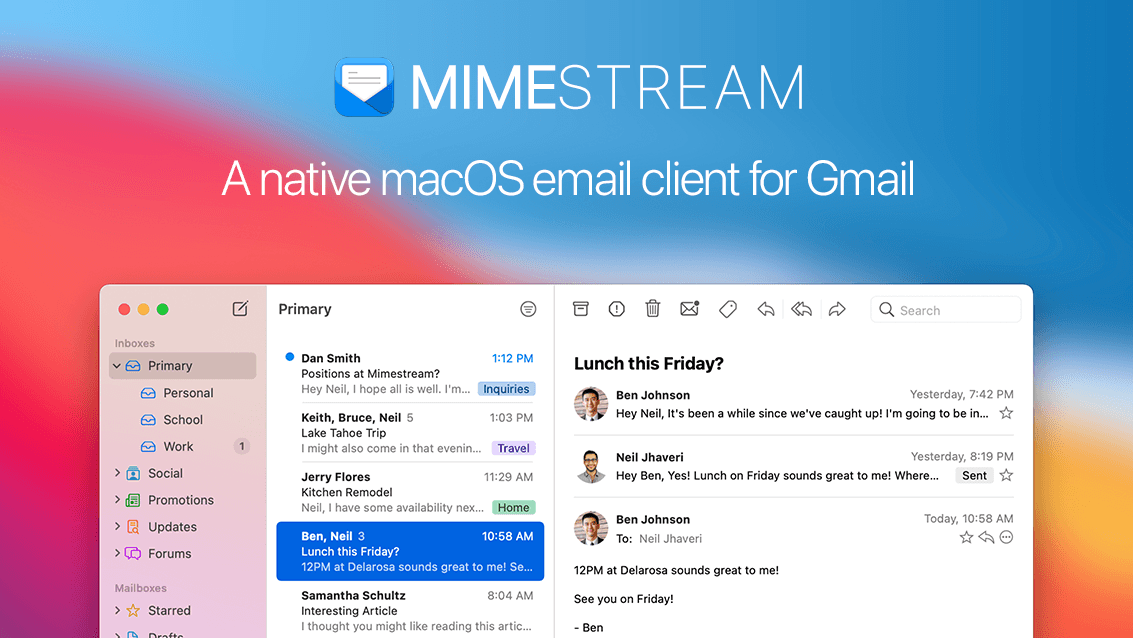
Regarding push notification, for anyone interested, Mimestream has developed a private push implementation that avoids IMAP IDLE, and uses Gmail API Push Notifications but without them holding user OAuth credentials on their servers and which performs really well on macOS and iOS.

There’s something about the way the iOS Mail app handles email replies that I find quite frustrating. When replying to a message, Mail only shows a brief reference to the original email, such as “On [date], [name] wrote:”, followed by the quoted content. It doesn’t retain any of the original email headers, like To, Cc, or Subject, as it does when forwarding.
This is particularly inconvenient when dealing with long email conversations for business purposes. As the thread evolves, people may be added to or removed from Cc, but there’s no way to tell when those changes occurred. More importantly, there’s no way to verify whether a particular person was included in Cc on an earlier message.
I think Outlook handles this much more effectively, since it provides an option to include the original email headers when replying.
That's why I use Outlook for business purpose and keep Apple Mail for personal stuff.
This is particularly inconvenient when dealing with long email conversations for business purposes. As the thread evolves, people may be added to or removed from Cc, but there’s no way to tell when those changes occurred. More importantly, there’s no way to verify whether a particular person was included in Cc on an earlier message.
I think Outlook handles this much more effectively, since it provides an option to include the original email headers when replying.
That's why I use Outlook for business purpose and keep Apple Mail for personal stuff.

walterpaisley
macrumors 6502
Mimestream for both iOS and Mac as my primary. I forward my iCloud account to my gmail domain as I only use it for a a few services and rarely get email there. I used to use Spark – as a longtime beta tester I have a comped pro account – but it's gotten slower and more bloated over time so I jumped to Mimestream.

kecinzer
macrumors 65816
If you want use Apple Mail, try Fastmail. It has the best sync and push notifications on IMAP. Even better than iCloud mails. With Fastmail, you don’t need to open app to sync.
I would love to love Outlook. But I've tried it twice and it call no end of pain on both trys.
First time round - it unsynced the number of unread emails I had. My phone showed x. My Mac showed y.
Then I tried again a few months ago. This time it duplicated all my emails on my mac.
Not sure I want to risk it again!
First time round - it unsynced the number of unread emails I had. My phone showed x. My Mac showed y.
Then I tried again a few months ago. This time it duplicated all my emails on my mac.
Not sure I want to risk it again!

dburkhanaev
macrumors 6502
Microsoft pushes your third party email credentials through their servers to pass your email back down to their fake email clients. I wouldn’t use it unless your email is provided by Microsoft. I’d choose the Apple mail program or something similar.With your combination of accounts I would simply use Outlook.
I'm not a fan of Microsoft, but with Outlook they have a really good and reliable one! 👍