

Become a MacRumors Supporter for $50/year with no ads, ability to filter front page stories, and private forums.

MacRumors

macrumors bot
Original poster


ios-26-digital-id-passport-wallet.jpg
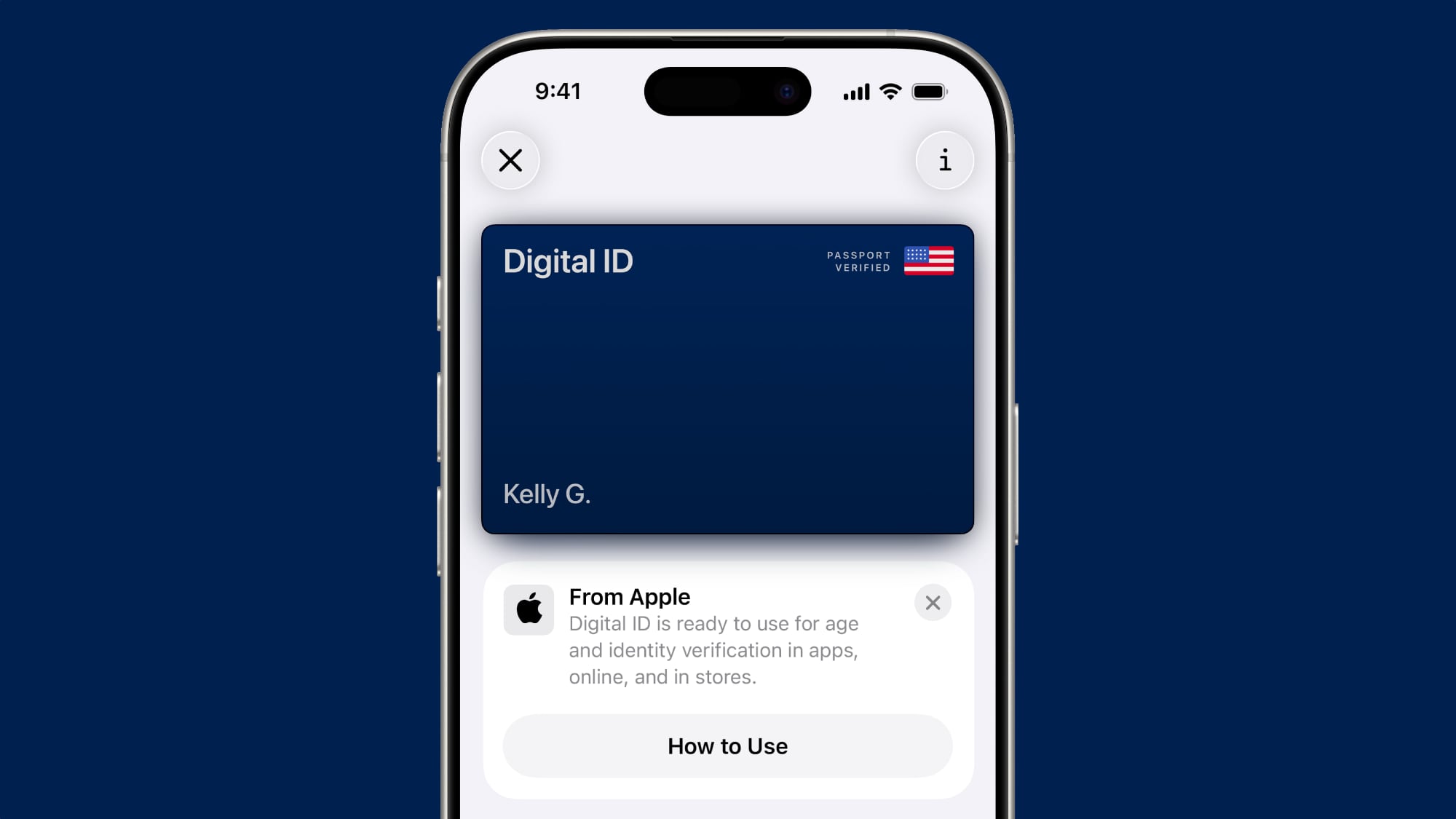
iOS 27 tweaks some of the information and menus shown alongside the Digital ID passport feature in the Apple Wallet app.

As a result of these changes and/or a related bug, some iPhone users have seen their Digital ID deactivated on recent iOS 27 beta versions. Apple says affected users must remove the card and re-add it to the Apple Wallet app in order to use it again.

Article Link: iOS 27 Tweaks Apple Wallet's U.S. Passport Feature


ios-26-digital-id-passport-wallet.jpg
iOS 27 tweaks some of the information and menus shown alongside the Digital ID passport feature in the Apple Wallet app.

As a result of these changes and/or a related bug, some iPhone users have seen their Digital ID deactivated on recent iOS 27 beta versions. Apple says affected users must remove the card and re-add it to the Apple Wallet app in order to use it again.

Article Link: iOS 27 Tweaks Apple Wallet's U.S. Passport Feature
Now THAT’S dang inconvenient! 🪪
 
  • Like
Reactions: Huck
Just checked mine and it was deactivated. I’d spent months with support trying to get this to work back when it was released on 26.something, and eventually I was told the engineering team couldn’t say why it wasn’t working because of privacy concerns, and basically: too bad, you don’t get to use this feature.

At some point in the 26 cycle I tried again and was able to add it successfully. Hopefully re-adding it works again.
 
Happened to me this morning. First attempt to re-add failed. Second attempt worked. Glad it’s a bug on Apple’s end. I’d read that if your passport is ever erroneously marked as stolen and deactivated, one telltale sign is that it becomes in unavailable in your Apple wallet.
 
  • Like
Reactions: Robert.Walter
Just received the alert a few minutes ago. Removed it from my iPhone and watch and added it back. Took verification about 15 minutes to alert me and say it was ready.
 
  • Like
Reactions: hieranonymous
Given what TSA and ICE are doing at the border, I've actually started removing digital IDs from my iPhone and reverted to a numerical unlock instead of Face ID.
You can temporarily disable Face ID by long pressing the side and volume up buttons, or by pressing the side button five times quickly. Either way it brings up the off-switch screen, and Face/Touch ID won't work again until the phone is unlocked by passcode.

I understand the thought behind turning all this stuff off, but I think knowing you can quickly and temporarily disable it if you're in a situation where you need to is good enough. I say that from a place of privilege, of course, but I figured it might be of interest to people who don't know.
 
  • Like
Reactions: hieranonymous
My passport also deactivated and my only iPhone is still on iOS 26. It re-added just fine. I never had iOS 27 on that device.

I do have macOS 27 beta on my Mac, and iPadOS 27 on my iPad, but those don't have my passport.
 
Given what TSA and ICE are doing at the border, I've actually started removing digital IDs from my iPhone and reverted to a numerical unlock instead of Face ID.
That’s actually not a bad idea. Courts have ruled that the Fifth Amendment does not apply to biometrics, so you can be compelled to unlock a device using biometrics, but you can’t be compelled to divulge a password or be forced to unlock a device using one. The reason is because biometrics is something you “have” and a password is something you “know.”
 
  • Like
Reactions: FoxyKaye
Happened to me this morning. First attempt to re-add failed. Second attempt worked. Glad it’s a bug on Apple’s end. I’d read that if your passport is ever erroneously marked as stolen and deactivated, one telltale sign is that it becomes in unavailable in your Apple wallet.
Yeah, I doubt it's a 'bug', but a necessary reset to make the backend db work as they want it to. They just didn't give any explanation so it seemed like fraud / hack.. even Apple Support said to me 'it's nothing to do with Apple, it's the issuing authority'...which I doubted at the time, but who really knows which entity needed the reset. I'm just glad it wasn't more than that. Removal and re-add took just a few mins and worked fine. YMMV.
 
  • Like
Reactions: hieranonymous
Register on MacRumors! This sidebar will go away, and you'll see fewer ads.