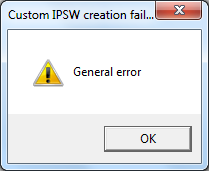
Thank you, thank you!!!!!
I just registered to say thanks!
My iphone 4 is now restored with ios 5.1.1. The snowbreeze method worked for me.
As someone told, there is another thread on how to do the same with redsn0w: first (order is important) stich the shsh, then do a 'custom ipsw'. This method might work on Macs, not on two PCs (win xp and win 7) that I tried. The url to that post is (just for referencing):
https://forums.macrumors.com/threads/1370719/
Quote:
Originally Posted by milk242
I just did this today with my iPhone 4.
Here is what I did:
1. Stitch blobs to original 5.0.1 firmware under extras->shsh blobs
2. Preserver baseband using my stitched firmware file under extras->custom ipsw
3. Enter pwned dfu mode
4. Options + restore to the stitched AND preserved baseband firmware.
Wow, thank you so much! This method worked for me too. Stitching the "original" fw FIRST, then taking it into custom firmware. pwned dfu mode, done. Holy crap, I was going through this all yesterday. Thanks so much guys!!
🙂🙂🙂 I got it to work!!
I used snowbreeze on PC instead of redsnow on mac.
On PC:
-I extracted the SHSH blob from the iPhone using ifaith
-Used snow breeze to create a custom IPW (in faith mode to stitch the extracted blob)
-I also increased the part ions size to 2024 instead of 1024
-DFU, itunes shift restore.. Viola!!
I really don't know why i couldn't get it to work on mac using . I even tried to restore on the pc before, but i was using the firmware created by redsnow. I still got the 1600 error. But when using the custome firmware created by snowbreeze, worked like a dream!! Now my phone is restored to FW5.0.1 BB1.59 and signal is back !
Thank you all for your help 🙂🙂
Tags: itunes error 21, error 1600, custom ipsw, iphone 4, ios 5.1.1, ios 5.0.1, ios 5.1