

Hi everyone — developer here.
Third-party mice on macOS are frustrating. Smooth scrolling is a coin flip depending on the driver. Side buttons either do nothing or you have to install Logi Options+ / Razer Synapse / Kensington's whatever — huge installers, background daemons, forced accounts, and they still don't recognize half the mice on the market.
LinguaX is a ~10 MB native menu-bar app that adds Logi-Options+-style polish to any USB or Bluetooth mouse on macOS. No account, no telemetry, no daemon.
Core: mouse enhancement
Two more things it does, because they shared the same plumbing:
Tech / compatibility
Pricing: 30-day full-feature trial, then $9.90 lifetime. No subscription.
Download: https://linguax.app
If you use a non-Logitech mouse and Options+ still won't recognize it, or you just don't want yet another vendor daemon in your menu bar, I'd love feedback — especially on which mice/behaviors you'd like to see in the compatibility DB.
Third-party mice on macOS are frustrating. Smooth scrolling is a coin flip depending on the driver. Side buttons either do nothing or you have to install Logi Options+ / Razer Synapse / Kensington's whatever — huge installers, background daemons, forced accounts, and they still don't recognize half the mice on the market.
LinguaX is a ~10 MB native menu-bar app that adds Logi-Options+-style polish to any USB or Bluetooth mouse on macOS. No account, no telemetry, no daemon.
Core: mouse enhancement
- Smooth pixel-level scrolling (with per-app tuning) — works on any mouse, not just Logitech
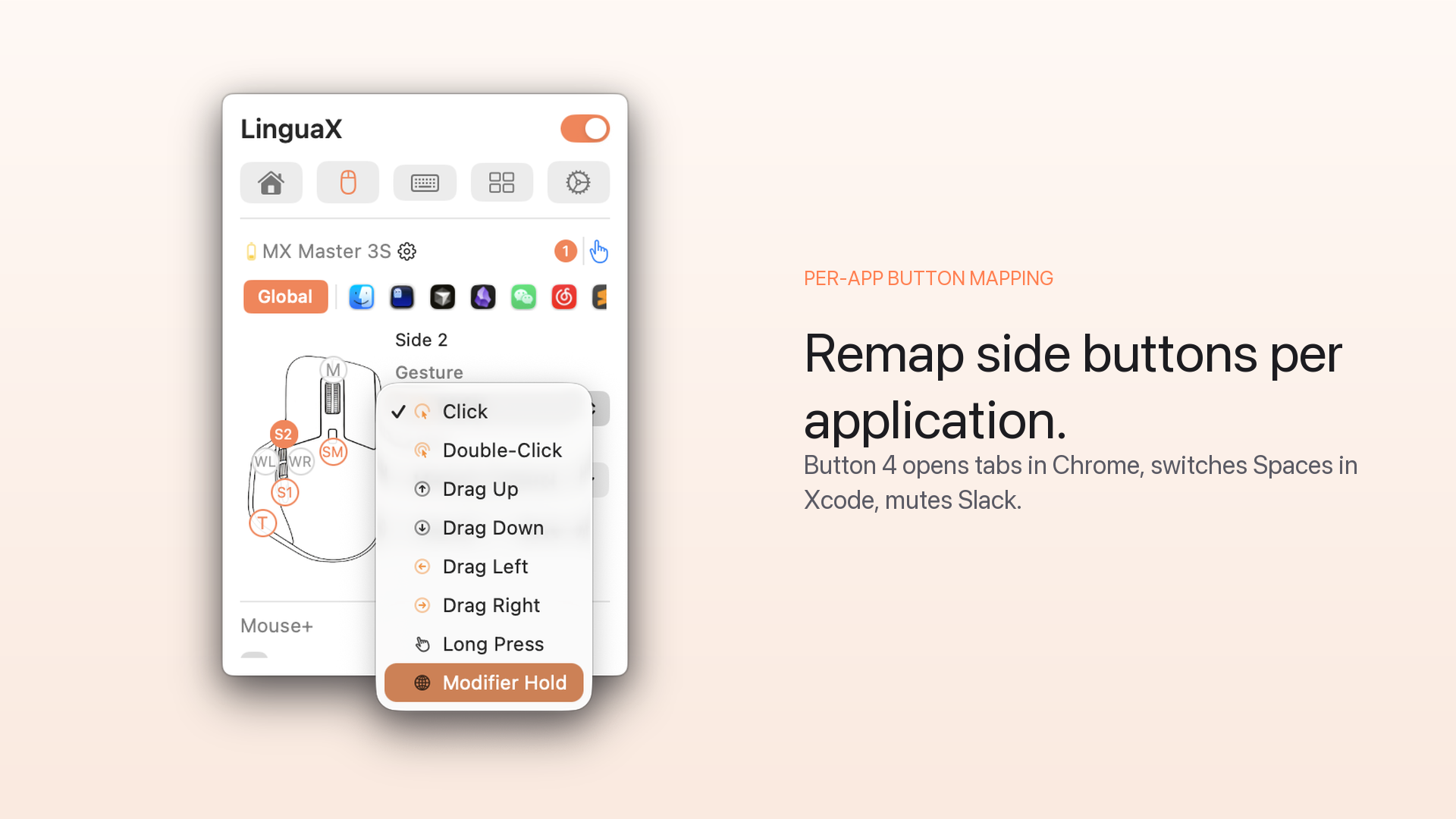
- Side-button mapping — map thumb buttons to any action: launch an app, media keys, a custom shortcut, a script
- Gesture mapping — middle-click / rocker / tilt if your mouse has them
- Compatibility database for popular gaming and productivity mice so side buttons work out of the box
Two more things it does, because they shared the same plumbing:
- Push-to-talk voice typing — hold a side button, speak, release, text lands in any app (hands never leave the mouse)
- Automatic input source switching — one rule per app, one per website; input source follows your focus (useful if you type in more than one language)
Tech / compatibility
- macOS 13+, native Apple Silicon + Intel
- ~10 MB, menu bar only, no dock icon
- Zero telemetry, all local, no account required
- Sparkle auto-updates
Pricing: 30-day full-feature trial, then $9.90 lifetime. No subscription.
Download: https://linguax.app
If you use a non-Logitech mouse and Options+ still won't recognize it, or you just don't want yet another vendor daemon in your menu bar, I'd love feedback — especially on which mice/behaviors you'd like to see in the compatibility DB.


