Become a MacRumors Supporter for $50/year with no ads, ability to filter front page stories, and private forums.
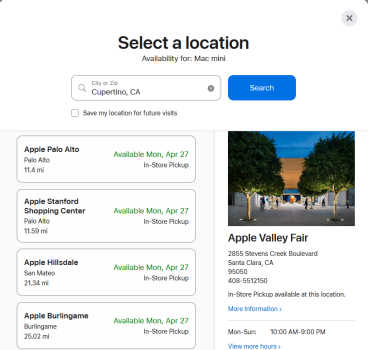
delivery times are a month

Doesn’t that usually indicate a refresh is imminent?
The base M4 Mac Mini with lowest spec is 6-8 days and the M4 pro lowest spec is 1-2 days. Some spec upgrades affect delivery time more than other.

A refresh could still be imminent but I am not sure the delivery time argument holds.
 
  • Like
Reactions: Isengardtom
For anything except the base model: 2 months in Australia from Apple and unavailable in high street retail stores.
In the US I'm seeing this tonight:

BEST BUY
Mini M4: 16/256 - Deliver Mar 21, 16/512 - Unavailable, 24/512 - Unavailable
Mini M4 Pro: Unavailable
Studio: Unavailable

AMAZON
Mini M4: 16/256 - Used Only, 16/512 - Unavailable, 24/512 - Used Only
Mini M4 Pro: 24/512 - Used Only
Studio: Can't find a listing for the current version

B&H
Mini M4: 16/1TB, 24/1TB, 32/512 - Only versions available.
Lists the 24/256 Mini as “Expected availability: Mar 25, 2026”

Mini M4 Pro: One configuration in stock. All others OOS.
Studio: 36GB version available in 512 or 1TB
 
To buy or not to buy... any silicon Mac mini will be a huge improvement on what you have... so ... is the 15% potential gain of the M5 over the M4 worth it when the gain over your Intel iMac mini is huge? The M5 Mac mini will likely be identical in almost all ways to the M4 in terms of ports etc... so practical people will likely look for the best deal they can get on a M4 as stores try to clear inventory for the M5. and the FOMO will wait for the M5. Which are you?
 
If the M5 Mini follows what Apple has been doing with the Air, I think you'll find they'll increase the price by $US100, but in justifying that, they'll also increase the minimum storage to 512GB. Which is fine, I guess, but it does inch the Mini upwards away from the appearance of an affordable 'sweet spot'.

Unless, of course, they then release a Mini Neo - using the iPhone chip and keeping the 256GB storage. Maybe fewer ports. And price it at $US399.

The M1 Mini came out in November, the M2 in January, the M4 in November - so either January or November?
 
My feeling is that if you've made it this far on an Intel Mac, then wait as long as you can for the M5. Might as well get the latest and greatest. If for some reason the M5 doesn't work for you there will be plenty of M4 models in the channel, possibly for less.

That is unless you're relying on your Intel machine to pay the rent right now.
 
To buy or not to buy... any silicon Mac mini will be a huge improvement on what you have... so ... is the 15% potential gain of the M5 over the M4 worth it when the gain over your Intel iMac mini is huge? The M5 Mac mini will likely be identical in almost all ways to the M4 in terms of ports etc... so practical people will likely look for the best deal they can get on a M4 as stores try to clear inventory for the M5. and the FOMO will wait for the M5. Which are you?

I noticed a big difference going from a 2018 Mac Min with I5 and 64GB of Ram to the M4 with 24GB of RAM. The M4 is way faster and also runs much cooler. Both have 512 GB of storage.

I would personally wait as long as the Intel iMac is still working for you. Otherwise go ahead and get the M4 Mini.
 
  • Like
Reactions: turbineseaplane
The new machines are all amazing but I agree with everyone saying get the most life out of your Intel one that you can.

There’s no reason to move on from a machine that does what you need to do still.
 
The new base machines are rumored to ship with a 512GB SSD which IMO is the minimum any power users should get anyway. I'm very happy with my M4 but performance upgrades are always appreciated.
 
  • Like
Reactions: bapegg
I feel that 512 GB is minimum for a lot of people, even those that are not power users. It's real easy to fill up 256GB if you transfer a lot of photos from your phone to a Mac or save a lot of documents to the internal drive.

256 GB will work as long as you do clear your download folder often and don't store a bunch of documents and photos on the drive. Downloading a bunch of funny photos and memes can add up quickly if you don't periodically delete them.
 
I feel that 512 GB is minimum for a lot of people, even those that are not power users. It's real easy to fill up 256GB if you transfer a lot of photos from your phone to a Mac or save a lot of documents to the internal drive.

256 GB will work as long as you do clear your download folder often and don't store a bunch of documents and photos on the drive. Downloading a bunch of funny photos and memes can add up quickly if you don't periodically delete them.
I have 16,000 documents, 5700 photos, 5000 tunes and 30 movies (plus apps) on my 256GB Mini and still have 95GB free. And I don't need all that for day-to-day activities on my computer. I also have a pocketable external SSD, where I maintain a manual backup as well as files I really don't need to have on my computer, but are there when I need them.
Then there's my external Time Machine....

I get the fascination with having more and more onboard storage - especially if the user comes from an earlier Windows machine, where large storage capabilities was always a selling point; or an era when the onboard storage on a laptop was the only convenient way to carry everything - but I think neither hold true anymore. I think people have learned to be a lot more selective on what is on their computer, maybe keep some of their 'nice to have' stuff on external (or cloud) drives, and are also more cognizant of the fact that if the laptop they have everything on upchucks, its really not a good idea to have relied on one drive.

 
  • Like
Reactions: Ben J.
Personally, I always want an internal that can hold all of my files so that when I back it up I know I have everything backed up.

Having primary copies of files scattered about on externals and cloud services is a recipe to confusion and losing stuff and ultimately not knowing what you have and how/where/or if it's backed up at all.

Yes, I'm an old school user .. and yes my files are important to me.
 
it can happen, that the Mac mini wont get M5 at all and you will have to wait until M6 or later. Maybe at Apple the think, they go back to the 4 year refreshment cycle.

Look at the Mac Pro. It is still at M2 series of SoCs.
 
We also don't even know what the Mac Mini future might be here.

For the price and the power with the M4, it's INSANE value.

I could totally see modern Apple deciding the Mini is "entry level" and basically making it Macbook Neo powered and telling folks who want more to "get a Mac Studio" in the future.
 
  • Like
Reactions: opeter
I have 16,000 documents, 5700 photos, 5000 tunes and 30 movies (plus apps) on my 256GB Mini and still have 95GB free. And I don't need all that for day-to-day activities on my computer. I also have a pocketable external SSD, where I maintain a manual backup as well as files I really don't need to have on my computer, but are there when I need them.
Then there's my external Time Machine....

I get the fascination with having more and more onboard storage - especially if the user comes from an earlier Windows machine, where large storage capabilities was always a selling point; or an era when the onboard storage on a laptop was the only convenient way to carry everything - but I think neither hold true anymore. I think people have learned to be a lot more selective on what is on their computer, maybe keep some of their 'nice to have' stuff on external (or cloud) drives, and are also more cognizant of the fact that if the laptop they have everything on upchucks, its really not a good idea to have relied on one drive.

I'm glad that 256 GB is working for you. It would have not been enough for me when I setup up my M4 Mini using a Time Machine backup of my 2018 Mini.

Having 35% or less of your drive free can affect caching and virtual memory/swapping no matter what operating system one is using.

Again each person's experiences and use cases are going to be different.
 
  • Like
Reactions: weaztek and opeter
We also don't even know what the Mac Mini future might be here.

For the price and the power with the M4, it's INSANE value.

I could totally see modern Apple deciding the Mini is "entry level" and basically making it Macbook Neo powered and telling folks who want more to "get a Mac Studio" in the future.
Remember, when Apple downgraded the Mac mini performance-wise? 2012 > 2014.

I can image and I agree with you, that the future Mac mini could potentionally get the internal(s) of the Macbook Neo.
For anyone, who wants more power, they will need to pay/buy the Mac Studio.
 
  • Love
Reactions: turbineseaplane
Remember, when Apple downgraded the Mac mini performance-wise? 2012 > 2014.

I can image and I agree with you, that the future Mac mini could potentionally get the internal(s) of the Macbook Neo.
For anyone, who wants more power, they will need to pay/buy the Mac Studio.

Honestly, if I had to bet money ... I'd bet on something like this happening.

It'd be a very Tim Cook move.
 
  • Like
Reactions: opeter
I'm glad that 256 GB is working for you. It would have not been enough for me when I setup up my M4 Mini using a Time Machine backup of my 2018 Mini.

Having 35% or less of your drive free can affect caching and virtual memory/swapping no matter what operating system one is using.

Again each person's experiences and use cases are going to be different.
But that's the case, regardless of the room available.

Much like the argument that if you widen streets, the traffic will improve. In all likelihood, it won't, there will simply be more people putting more traffic on the road. Increasing the size of your storage will likely find a user just throwing more stuff on the drive - and just as likely taking them to that 35% threshold.

Not sure everyone needs to keep all the variations of the 12 different photos of themselves doing duck lips with friends in front of a famous location, all saved in RAW or .heic.

Just sayin'. 😏
 
Increasing the size of your storage will likely find a user just throwing more stuff on the drive - and just as likely taking them to that 35% threshold.

Not sure everyone needs to keep all the variations of the 12 different photos of themselves doing duck lips with friends in front of a famous location, all saved in RAW or .heic.

Does it matter what people "should" do?
I'm all for folks keeping as much data as they want!
 
  • Like
Reactions: bapegg
I'm glad that 256 GB is working for you. It would have not been enough for me when I setup up my M4 Mini using a Time Machine backup of my 2018 Mini.

Having 35% or less of your drive free can affect caching and virtual memory/swapping no matter what operating system one is using.

Again each person's experiences and use cases are going to be different.
Exactly. One large movie project and my Mini would be over the limit (I had 256GB on my 2018 intel Mini and I'd fill it up).
 
  • Like
Reactions: bapegg
Does it matter what people "should" do?
I'm all for folks keeping as much data as they want!

I'm a firm believer in having multiple copies of important documents and photos on my Mac mini, on a DAS attached to my Mac mini and on 1 or more NAS.

Exactly. One large movie project and my Mini would be over the limit (I had 256GB on my 2018 intel Mini and I'd fill it up).

I use to have to keep large spread sheets and photos for a non profit that I volunteered with. It wouldn't take long to fill up a 256 GB storage. My 2010 Ma Mini had a 320 GB drive and I had to either use external storage or keep deleting things so that I would not fill the 320 GB drive.

Everyone's use case is different. Some can get by with 256 GB of storage while others need a minimum of 512 GB. My 2018 Mac mini and my M4 Mac mini both have 512 GB. I also bought the Neo with 512 GB.
 
Yeah, it's imminent. Unless you actually believe it takes 1 month for Apple restock an 18-month old base model product.

1774557804143.png
 
Register on MacRumors! This sidebar will go away, and you'll see fewer ads.