Become a MacRumors Supporter for $50/year with no ads, ability to filter front page stories, and private forums.
Is a screen brightness of 500 nits (MBA) enough while sitting under a big parasol in summer and work? Or do you then need the 1000/1600 nits of a MBP? Love the light weight of the 13" MBA (1.24 kg); the 14" MBP already is 300 grams heavier.

For travel, I currently still use my Macbook Pro 15" mid 2015 (±350 nits) with Sequoia (via OCLP). But it's not bright enough in summer light and well over 2 kg. Want to replace it soon by one of the macbooks mentioned. Any suggestions?
14" pro nano texture if you can actually 'work' under a parasol in the sun outside 😀
 
  • Like
Reactions: davidespinosa
I'm a developer using an OLED every day for hours. Burn-in is a lie told by the same people who said that flash storage was bad because of limited write cycles.
The same people you say... That's as vague as burn-in warranty coverage is.
 
I don't get all this hype about oled. If macbook pro is for developers then in my opinion it cannot be oled.

If you spend hours using xcode or visual studio (code) or any other software really where you keep it open for hours the only thing that comes to my mind is oled = burn-in.

I do not believe burn-in is not a problem, it is. Having oled screens replaced in the past I now what I know. Also, oled screen warranties small print wouldn't be so vague, unclear on the matter (looking at you LG last time I checked).

Would applecare+ cover 100% for oled burn-in or similar to LG it's rather vague if it's covered or not? Rather obvious clue if it is not that clear.
Thats the whole point of Tandem oled, it increases brightness and also virtually eliminates any possible burn in. The next MBP will have a tandem oled display like the iPP M4/M5.
 
Here is my opinion on this discussion.

I went from a MacBook Pro 16 M1 Pro to a MacBook Air 15 M4 in April 2025. The difference in weight was dramatic. The difference in screen real estate almost imperceptible, screen quality noticeable as well as sound quality. At the time there was no nano screen option. When Apple released it I tried until now to find one to see live. The Air performance was very good in general tasks (I don't do video or photo editing) and the passive cooling was never an issue. I used the machine almost exclusively in low power mode, even connected through mains.

Then I updated to Tahoe and Microsoft Teams started giving me some issues with cursor movement lag when sharing screen with an iPad attached. Switching off low power mode solved the issue, but I had to scratch the itch that I was feeling with the nano screen option. My 50 yo eyes really need some help even with glasses.

Unfortunately I could never see a nano screen display in person. The Air is a fantastic machine with a major flaw for someone who loves to work with multiple screens: no ports on the right side. Coincidently that's where I like my secondary monitor to be. No major issue, just get a longer cable, right? Well, sorta.

So I pulled the trigger even knowing the OLED and touch might be there in 7-8 months time. But then again so will the price hike, and I am one of the "older vision" guys who think touch is not needed at all (the screen has enough dirt as it is). So I configured a 14 MacBook Pro 14 with nano screen. Bought 11 march, received 18 march.
Here is my vision:
- The screen is just phenomenal, whoa! I don't miss the added real estate of the 15 air since I almost always use it with an external portable monitor. The text seems to me better to read and much easier on my eyes on the Pro than it ever did on the Air
- the weight is almost the same as the 15 Air, but it feels sturdier. The Air was not wobbly, but sometimes on a table it just feels not so solid
- the M5 Pro 18/20c on low power mode Geekbench benchmarks are 2700/12600. The Air was 1800/6300. It is noticeable in Teams. The SSD on the Air was crippled to 3GB/s, this one has 12GB/s, not so visible in day to day tasks, but surely on Time Machine
- the keyboard on the Pro seems nicer to type on. Maybe it's placebo, but that's how I feel. It has a nicer feeling to it
- the Air sound is average, even in 15" form. I don't give it much importance since on the workplace one has phones to listen to music anyway
- the M5 Pro processor runs cooler. Writing this with several tabs open and background tasks it is at 29/30ºC. The Air was around 35/36ºC with equivalent workload. I haven't heard the fans yet, even after software updates, time machine migration and even some coding in Xcode and Python AI with VSC
- Overall the sensations of using the machine are more "premium" and even if I just went for a base version versus the maxed out Air 15 I owned (32GB) still would prefer the Pro for the screen alone. I could not anticipate just how much the nano texture screen is a life saver even indoors with artificial light. Since the footprint is smaller it fits on a smaller bag than the 15, although the weight is the same. Carrying to a meeting or class is just easier. Even when using single monitor if not placing side by side with two apps I don't miss the screen size of the 15. Some apps were difficult to work on side by side even on the 15 such as Excel anyway.

Yes the Pro is more expensive. Yes, some people will argue the Air is better for them. That's why they both exist. If you have the chance to try them before buying, especially if you can see the nano screen in person, you will know which one is for you. There is no confusion, just maybe some lack of information to decide.
 
Last edited:
are people on M series Pros hearing loud fans? the most i’ve ever heard is a faint whisper that would get lost in the slightest background noise. i don’t think i could actually tell the difference between this and a fan less device (m1p 16”).
 
I am very happy with the 15” M4 Air with 24GB RAM. Won’t buy another MacBook until there is a fanless one with pro motion OLED.
 
  • Like
Reactions: tpannier
Thats the whole point of Tandem oled, it increases brightness and also virtually eliminates any possible burn in. The next MBP will have a tandem oled display like the iPP M4/M5.
Ok, if you say it's/could be that good... Don't get me wrong, oled is the best picture quality you can get, it's just that being "burnt" by the burn-in in the past makes me really unease with oled. That's all.
 
  • Like
Reactions: snipr125
Me too, it's my main machine that never leaves my desk - it really is too big and heavy for a portable machine IMO.
I have the same M1 MBP 16". Every time I pick it up its just so heavy.
Like going back to laptops of the early 2000's weight wise. Makes me reluctant to carry it around.
Am toying with 15" Air vs M5 or M4 MBP 14" instead.
 
  • Like
Reactions: tpannier
Here is my opinion on this discussion.

I went from a MacBook Pro 16 M1 Pro to a MacBook Air 15 M4 in April 2025. The difference in weight was dramatic. The difference in screen real estate almost imperceptible, screen quality noticeable as well as sound quality. At the time there was no nano screen option. When Apple released it I tried until now to find one to see live. The Air performance was very good in general tasks (I don't do video or photo editing) and the passive cooling was never an issue. I used the machine almost exclusively in low power mode, even connected through mains.

Then I updated to Tahoe and Microsoft Teams started giving me some issues with cursor movement lag when sharing screen with an iPad attached. Switching off low power mode solved the issue, but I had to scratch the itch that I was feeling with the nano screen option. My 50 yo eyes really need some help even with glasses.

Unfortunately I could never see a nano screen display in person. The Air is a fantastic machine with a major flaw for someone who loves to work with multiple screens: no ports on the right side. Coincidently that's where I like my secondary monitor to be. No major issue, just get a longer cable, right? Well, sorta.

So I pulled the trigger even knowing the OLED and touch might be there in 7-8 months time. But then again so will the price hike, and I am one of the "older vision" guys who think touch is not needed at all (the screen has enough dirt as it is). So I configured a 14 MacBook Pro 14 with nano screen. Bought 11 march, received 18 march.
Here is my vision:
- The screen is just phenomenal, whoa! I don't miss the added real estate of the 15 air since I almost always use it with an external portable monitor. The text seems to me better to read and much easier on my eyes on the Pro than it ever did on the Air
- the weight is almost the same as the 15 Air, but it feels sturdier. The Air was not wobbly, but sometimes on a table it just feels not so solid
- the M5 Pro 18/20c on low power mode Geekbench benchmarks are 2700/12600. The Air was 1800/6300. It is noticeable in Teams. The SSD on the Air was crippled to 3GB/s, this one has 12GB/s, not so visible in day to day tasks, but surely on Time Machine
- the keyboard on the Pro seems nicer to type on. Maybe it's placebo, but that's how I feel. It has a nicer feeling to it
- the Air sound is average, even in 15" form. I don't give it much importance since on the workplace one has phones to listen to music anyway
- the M5 Pro processor runs cooler. Writing this with several tabs open and background tasks it is at 29/30ºC. The Air was around 35/36ºC with equivalent workload. I haven't heard the fans yet, even after software updates, time machine migration and even some coding in Xcode and Python AI with VSC
- Overall the sensations of using the machine are more "premium" and even if I just went for a base version versus the maxed out Air 15 I owned (32GB) still would prefer the Pro for the screen alone. I could not anticipate just how much the nano texture screen is a life saver even indoors with artificial light. Since the footprint is smaller it fits on a smaller bag than the 15, although the weight is the same. Carrying to a meeting or class is just easier. Even when using single monitor if not placing side by side with two apps I don't miss the screen size of the 15. Some apps were difficult to work on side by side even on the 15 such as Excel anyway.

Yes the Pro is more expensive. Yes, some people will argue the Air is better for them. That's why they both exist. If you have the chance to try them before buying, especially if you can see the nano screen in person, you will know which one is for you. There is no confusion, just maybe some lack of information to decide.
I am with you on the lack of interest in a touch screen. I am trying to make up my mind regarding an upgrade for my 16” M3 Pro MPB to the M5 Pro model vs waiting for the M6/redesign, mainly because I have no interest in a price increase for a touch enabled OLED screen. When I use my 13” M5 IPP as a secondary display for my MBP I cannot say that I personally think that the iPad’s OLED screen looks any better than the screen on my MBP. The OLED IPP is definitely a better screen than the one on my wife’s 13” M3 iPad Air though.

The one improvement I wish that Apple would make across the whole line is to do something to prevent the shine that looks like grease stains on their black keyboard keys after a few months of use. Other than that I believe that the MacBook Pro is the best laptop made in basically every way followed very closely by the MacBook Air (my father has the 15 and I think it is great). There is no such thing as an Apple tax in my opinion, I think that the prices are perfectly reasonable when compared against the competition at the same price (unless what you want the computer for is to play all of the latest AAA games).
 
Last edited:
  • Like
Reactions: pneves1975
Got the Air 2-3 days back, loving it! Pro's weight turned me off. Same with 17 Pro vs Air, I picked an Air currently on a $1,000 off discount at Telus.
 
  • Wow
Reactions: Wanted797
still loving my M1 Pro MBP, and take it almost everywhere, but I'm considering the M5 15" Air as a replacement. The $$ of a MBP (w/ Pro cpu) is hard to swallow, plus the extra screen real estate from a 15" are swaying me. Also, I just dont need the performance of a Pro cpu (wouldn't bother getting a non Pro MBP)
ps. I can count on one hand the number of times I've heard the fans.
 
Last edited:
For those of you who’ve heard the fans on the Pros, what exactly are you doing? The fans should be whisper quiet unless you’re doing extremely cpu intensive tasks.
 
  • Like
Reactions: Kyberplayer
ProMotion will only be better noticeable once the Pro switches to OLED, which won’t happen anytime soon for the base M5 MacBook Pro. Better display, more ports are the main reasons one would choose to buy the Pro. Wish Apple will make a 16” MacBook Pro with the base M chip for those who do not want the power of the Pro/Max chips.
 
  • Like
Reactions: mganu
I am with you on the lack of interest in a touch screen. I am trying to make up my mind regarding an upgrade for my 16” M3 Pro MPB to the M5 Pro model vs waiting for the M6/redesign, mainly because I have no interest in a price increase for a touch enabled OLED screen. When I use my 13” M5 IPP as a secondary display for my MBP I cannot say that I personally think that the iPad’s OLED screen looks any better than the screen on my MBP. The OLED IPP is definitely a better screen than the one on my wife’s 13” M3 iPad Air though.

The one improvement I wish that Apple would make across the whole line is to do something to prevent the shine that looks like grease stains on their black keyboard keys after a few months of use. Other than that I believe that the MacBook Pro is the best laptop made in basically every way followed very closely by the MacBook Air (my father has the 15 and I think it is great). There is no such thing as an Apple tax in my opinion, I think that the prices are perfectly reasonable when compared against the competition at the same price (unless what you want the computer for is to play all of the latest AAA games).
Agreed on the keyboard stains. RE: IPP Oled quality when using SideCar, I wonder if AirPlay compression is holding back on max quality…

I canny remember the last time I heard the fan on my M1 16” MBP. I have two: one for work and a personal one. Our company has extended the laptop refresh cycle from 3 to 6 years, so I’m due for new one this year. M1 is such a beast of a machine 5 years later, can’t imagine the gains on the M5. If the OLED rumors are true I might wait longer. I’ll be keeping my personal M1 though. No reason to upgrade.
 
Last edited:
  • Like
Reactions: jdawgnoonan
Yes the Pro screen might be overall superior to that of the Air but there is one area where the Air screen shines and that is that it doesn’t suffer from PWM, a significant deal for those that are sensitive to this.
 
  • Like
Reactions: snipr125
I have an M2 Air and use it outside a lot. It's mostly fine but when the sun's just so (but never directly on my computer) I do have problems. Mostly only when I happen to be watching some movie on my laptop and the scene is somewhat dark.
🙏


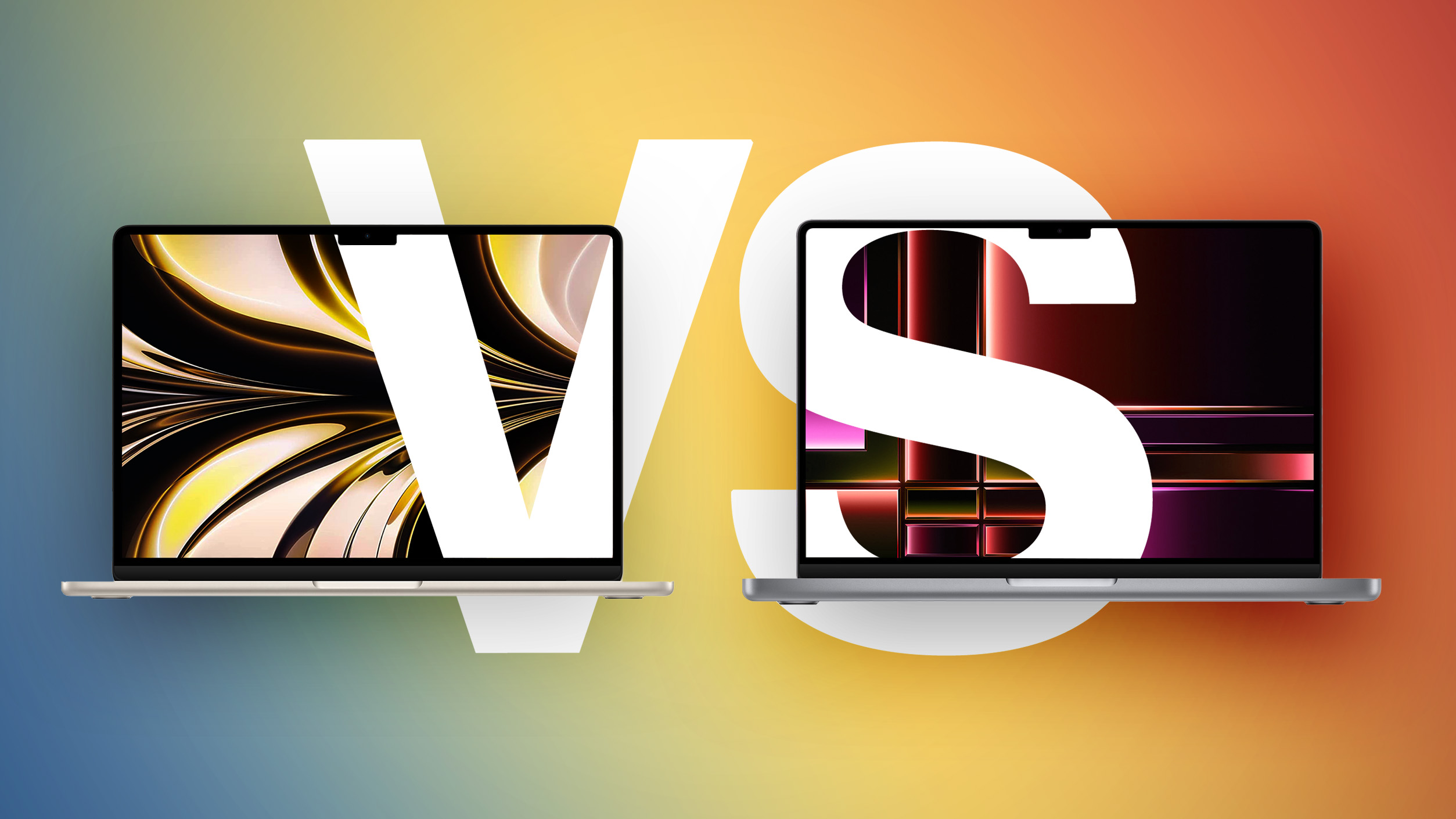
Both the MacBook Air and entry-level MacBook Pro now feature the M5 chip, so how do the latest models compare?

M2-MBA-vs-M2-MacBook-Pro-Buyers-Guide-Feature.jpg

While the 13-inch MacBook Air starts at $1,099 and the 15-inch model at $1,299, moving to the 14-inch MacBook Pro requires spending at least $300 more. For some buyers, the extra cost is unnecessary; for others, the Pro's ability to sustain performance, along with its more advanced display and expanded I/O, meaningfully change the experience in ways the Air cannot match even with higher configurations.

With the introduction of the MacBook Neo as a new entry-level option, the Mac lineup now spans three distinct tiers. As a result, the MacBook Air no longer represents the default choice for most buyers, but instead occupies a middle position between affordability and performance. If you've already ruled out the MacBook Neo, this guide helps to answer the question of how to decide which of Apple's other two popular laptops is best for you. The key differences are as follows:

MacBook AirMacBook Pro
13.6- or 15.3-inch display14.2-inch display
Slimmer borders around the display
LCD Liquid Retina displayMini-LED Liquid Retina XDR display
60Hz refresh rateProMotion for refresh rates up to 120Hz
Up to 500 nits brightnessUp to 1,000 nits brightness and 1,600 nits peak HDR brightness
Nano-texture display option
Passive coolingActive cooling
Two Thunderbolt 4 (USB-C) portsThree Thunderbolt 4 (USB-C) ports
HDMI 2.1 port with support for multichannel audio output
SDXC card slot
13-Inch: Four-speaker sound system
15-Inch: Six-speaker sound system with force-canceling woofers
High-fidelity six-speaker sound system with force-cancelling woofers
Three-mic array with directional beamformingStudio-quality three-mic array with high signal-to-noise ratio and directional beamforming
512GB, 1TB, or 2TB of storage512GB, 1TB, 2TB, or 4TB storage
13-Inch: 53.8-watt-hour lithium-polymer battery
15-Inch: 66.5-watt-hour lithium-polymer battery
14-Inch: 72.4-watt-hour lithium-polymer battery
18-hour battery life24-hour battery life30W, 35W, or 70W USB-C Power Adapter70W or 96W USB-C Power Adapter
Silver, Sky Blue, Starlight, or Midnight color optionsSilver or Space Black color options
13-Inch: Starts at $1,099
15-Inch: Starts at $1,299
Starts at $1,599


Dimensions are also a key area of difference between the MacBook Air and MacBook Pro. The MacBook Pro is noticeably thicker and heavier than both MacBook Air models:

MacBook Air (13-Inch)MacBook Air (15-Inch)MacBook Pro (14-Inch)
Height0.44 inches (1.13 cm)0.45 inch (1.15 cm)0.61 inches (1.55 cm)
Width11.97 inches (30.41 cm)13.40 inches (34.04 cm)12.31 inches (31.26 cm)
Depth8.46 inches (21.5 cm)9.35 inches (23.76 cm)8.71 inches (22.12 cm)
Weight2.7 pounds (1.24 kg)3.3 pounds (1.51 kg)3.4 pounds (1.55 kg)


Taken as a whole, the MacBook Air now occupies a more clearly defined middle position in Apple's laptop lineup. With the introduction of the MacBook Neo as a lower-cost entry point, the Air no longer represents the default choice for most buyers, but instead serves those who want a meaningful step up in performance, features, and long-term usability without moving into the MacBook Pro tier.

The MacBook Air offers excellent performance with the M5 chip, capable memory and storage options, a good all-round display, and key features like a backlit keyboard, 18 hours of battery life, and a 12MP Center Stage camera. For everyday tasks, performance remains effectively indistinguishable from more expensive models, but the Air is far less likely to feel constrained after several years of use compared to the MacBook Neo. Its thinner chassis, lower weight, silent fanless design, and broader range of color options also remain important advantages.

By contrast, the 14-inch MacBook Pro is differentiated less by baseline performance and more by its ability to sustain it, as well as by a collection of hardware features that materially change the experience. Active cooling allows the M5 chip to operate at higher levels for prolonged periods, avoiding the thermal limitations inherent to the Air's passive design. This becomes noticeable in extended workloads such as video editing, 3D rendering, compiling large codebases, or running intensive AI-driven tasks. If your workload regularly involves sustained performance, such as long video exports, large code builds, or intensive multitasking, the MacBook Air's fanless design may become a limiting factor.

Alongside this, MacBook Pro's mini-LED Liquid Retina XDR display with ProMotion offers substantially higher brightness, contrast, and motion fluidity, while the inclusion of HDMI, SDXC, and an additional Thunderbolt port expands its versatility in professional environments. It also delivers consistently better speakers, higher-quality microphones, and longer battery life. For users planning to keep their machine for several years, this sustained performance headroom and broader feature set can make the MacBook Pro a more resilient long-term investment.

The most consequential trade-off emerges at the upper end of the MacBook Air's pricing. At $1,299, the 15-inch MacBook Air sits close enough to the 14-inch MacBook Pro's $1,599 starting price that the decision becomes less about affordability and more about priorities. For an additional $300, the Pro offers a significantly more advanced display, active cooling for sustained performance, longer battery life, additional I/O, and overall greater versatility. Once you are already considering spending over $1,000 on a laptop, these advantages become disproportionately impactful, particularly for users intending to keep their machine for several years.

As a result, the MacBook Air is best understood as the balanced option within the lineup: Meanin... Click here to read rest of article

Article Link: M5 MacBook Air vs. M5 MacBook Pro Buyer's Guide

The most important (from Mac Tracker):

MY
MBP M1 2021
200 GB/s (M1 Pro) 400 GB/s (M1 Max)

MB Air M5
153 GB/s

MBP 16“ M5
307 GB/s (M5 Pro) 460 GB/s (M5 Max with 32-core GPU) 614 GB/s (M5 Max with 40-core GPU)

MBP 14“ M5
307 GB/s (M5 Pro) 460 GB/s (M5 Max with 32-core GPU) 614 GB/s (M5 Max with 40-core GPU)

But be clear, the main problem is the buggy software of macOS in Finder (I guess still troubles with APFS), that make even my M1 Max slow, when I open some of my big folders...

I fear the young programmers within Apple don't know what is the real work with a Mac

iOS kids 😛
 
Agreed on the keyboard stains. RE: IPP Oled quality when using SideCar, I wonder if AirPlay compression is holding back on max quality…

I canny remember the last time I heard the fan on my M1 16” MBP. I have two: one for work and a personal one. Our company has extended the laptop refresh cycle from 3 to 6 years, so I’m due for new one this year. M1 is such a beast of a machine 5 years later, can’t imagine the gains on the M5. If the OLED rumors are true I might wait longer. I’ll be keeping my personal M1 though. No reason to upgrade
You make a good point about maybe something causing the screens to look equal. Apple actually could be doing something intentional for user experience reasons.
 
Coming from Windows, my first instinct was of course to go for Pro and spec it out as much as I could afford. Thanks to the Apple community, I was told that the Air will be more than capable for what I need it for.
I am super happy with my m4 Air. I went with 24GB and that will keep me going for years to come.
I get that some people will need the Pro and I'm sure that for many the Neo will be sufficient. The MBA, I believe, is the line that will be the best choice for the majority of users.
 
Here’s the input I offered a friend looking at these two. Targeted for her needs, but any other big call outs I missed?

I went from thinking Air (best machine for most) to 14” pro for those who do presentations.


Pro

-better and brighter screen

-built in HDMI port (if doing a lot of presentations to external devices, this is probably THE deciding factor)

-24-hour vs 18 hour battery life


Air

-smaller, lighter

-No fan, so more quiet. No down side unless doing heavy duty processor stuff

-more “fun” color choices
 
Register on MacRumors! This sidebar will go away, and you'll see fewer ads.