• Did you order new AirTags? We've opened a dedicated AirTags forum.

Apple fanboy

macrumors Westmere
Original poster
Feb 21, 2012
43,604
34,974
Behind the Lens, UK
So my 2018 Mac mini just died during a software update. Won’t restart. Won’t light up.
Tried unplugging cable.
Tried holding down button for 10 seconds.
Tried different cable.

Apple support have advised me to take it to a third party shop an hour away. Great in a lockdown. You’d think I could send it via UPS!
Another case of Apple thinking different I suppose. Hopefully I don’t get pulled by the police driving there.
 

djc6

macrumors 6502a
Aug 11, 2007
715
247
Cleveland, OH
I just had an issue today with mac mini after installing macOS Catalina 10.15.4 supplemental update.

None of my monitors would wake up - but I would get the white LED on front of mac mini.

I had to reset NVRAM by pressing power button and immediately pressing Option, Command, P, and R - and holding it for a while (20-30 second). Then I released. Then I pressed power button again.

I had to use a wired keyboard directly into mac for this to work.

Is your mac under warranty? If so, if you ask they will ship you a box to send it in for repair.
 
Comment

Apple fanboy

macrumors Westmere
Original poster
Feb 21, 2012
43,604
34,974
Behind the Lens, UK
I just had an issue today with mac mini after installing macOS Catalina 10.15.4 supplemental update.

None of my monitors would wake up - but I would get the white LED on front of mac mini.

I had to reset NVRAM by pressing power button and immediately pressing Option, Command, P, and R - and holding it for a while (20-30 second). Then I released. Then I pressed power button again.

I had to use a wired keyboard directly into mac for this to work.

Is your mac under warranty? If so, if you ask they will ship you a box to send it in for repair.
Yes still under AppleCare. No light so it seems completely dead. I also have an Apple keyboard. I tried recovery mode but nothing. Not a sound comes out of it.
I’ll call Apple when they are open. But as tomorrow is a holiday I’m not sure when that will be.
 
Comment

MevetS

macrumors 6502
Dec 27, 2018
370
287
Earth
I just had an issue today with mac mini after installing macOS Catalina 10.15.4 supplemental update.

None of my monitors would wake up - but I would get the white LED on front of mac mini.

... snip ...

I had a similar issue. The update seemed to be complete, but the monitors did not turn on but the white light was on. I was going to force a shutdown by holding the power button in for five seconds. But as soon as I pressed the power button the monitors both came on. I logged in and the system is working fine. Very odd.
 
Comment

Apple fanboy

macrumors Westmere
Original poster
Feb 21, 2012
43,604
34,974
Behind the Lens, UK
I had a similar issue. The update seemed to be complete, but the monitors did not turn on but the white light was on. I was going to force a shutdown by holding the power button in for five seconds. But as soon as I pressed the power button the monitors both came on. I logged in and the system is working fine. Very odd.
Frustrating isn’t it.
 
Comment

MevetS

macrumors 6502
Dec 27, 2018
370
287
Earth
Yes frustrating. But also a wonderful machine that is a worthy replacement for my 2010 Mac Pro, which I acquired as soon as it came out and used until last December. If the Mini lasts half as long as my primary machine I'll be happy.

As for the Mini, right now I have 11 drives attached, (one in the Mini, six in drive enclosures, and four standalone USB). A Razor Core X with a Sapphire Pulse RX 580 driving two ancient Apple Cinema displays, a USB 3 dock, a Satechi dock (the one that fits under the Mini), a USB scanner, a USB printer, a USB monitor calibrator, a USB card reader, a USB Apple DVD superdrive, a USB webcam, a Satechi Bluetooth keyboard and Magic Trackpad (first addition). And some speakers. And it despite its quirks it works fine.
 
Comment

naplesblue

macrumors newbie
Apr 9, 2020
5
3
Finally! It turns out I'm not the only one who runs into this problem. It's the third time my 2018 mac mini acting weird. During 10.15.4 supplement update, my mac mini just won't power up. No light, No sound, No sign of life. Changing power cord or outlet won't make any differences. Last time it did this to me was during 10.15.4.1 update. I brought it back to the genius bar, they did nothing but it booted up again. I don't think the logic board has totally died, maybe there is a chip on board is controlling power and it decided not to let go...

Anyway, I will get my mac mini back the genius bar to find out if they can fix it.
 
Comment

Zhongke Chen

macrumors newbie
Apr 9, 2020
7
1
My Mac mini is completely dead after the 10.15.4 supplemental update. LED is off. Sent it to Genius Bar, still waiting for the diagnosis.
 
Comment

naplesblue

macrumors newbie
Apr 9, 2020
5
3
Just got my mac mini back from Genius Bar. They tell me that the newest system update will check system integrity including memory. My mac mini was not using Apple memory during system reboot process, so mac mini went into something like DFU mode. Only genius bar has env can bring it back to life. I doubt it, but it's good to have it back without pay anything.
 
Comment

platyhsu

macrumors newbie
Apr 10, 2020
3
0
I also have a Mac mini 2018 with non-Apple memory sticks installed and my problem is a bit different — the mini refuses to install the update because it can’t “verify the update.” I’ve read quite a lot of posts since yesterday about how this update has bricked Macs with T2 chip. Not sure whether I’m actually luckier for being blocked from installing the update…
 
Comment

naplesblue

macrumors newbie
Apr 9, 2020
5
3
I also have a Mac mini 2018 with non-Apple memory sticks installed and my problem is a bit different — the mini refuses to install the update because it can’t “verify the update.” I’ve read quite a lot of posts since yesterday about how this update has bricked Macs with T2 chip. Not sure whether I’m actually luckier for being blocked from installing the update…

can't verify the update may have nothing to do with your memory stick, network is always the reason.
[automerge]1586509036[/automerge]
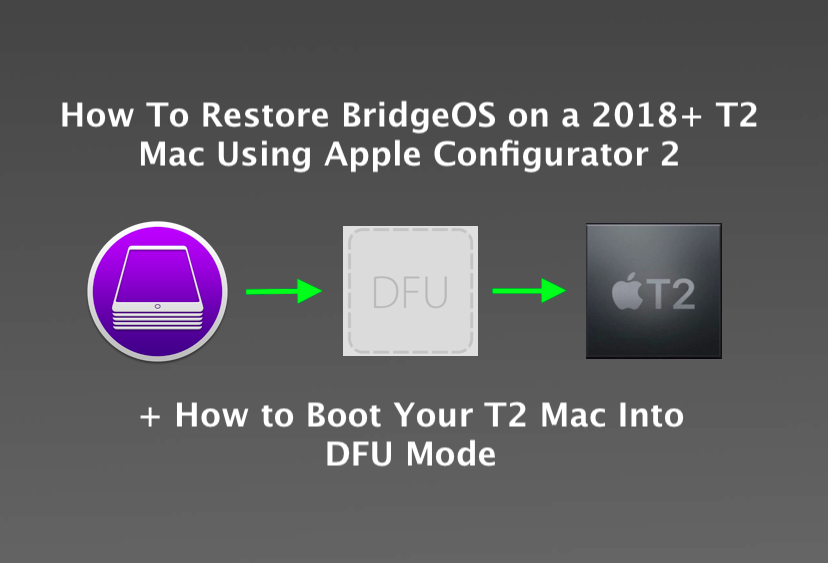
For those who find this post, I think I found the one stop article that may help us bring mac mini back to life. -restore T2's bridgeOS.

To do that: you can follow this link. Not that easy, but helpful.
 
Last edited:
Comment

Apple fanboy

macrumors Westmere
Original poster
Feb 21, 2012
43,604
34,974
Behind the Lens, UK
I also have a Mac mini 2018 with non-Apple memory sticks installed and my problem is a bit different — the mini refuses to install the update because it can’t “verify the update.” I’ve read quite a lot of posts since yesterday about how this update has bricked Macs with T2 chip. Not sure whether I’m actually luckier for being blocked from installing the update…
You are!
On the phone to Apple. Service centres are not accepting desk top Macs do repair in the UK. So my options are just to wait until they reopen.
If it was a laptop or iOS device they are open. Or if I ordered a new product they would send me one.
[automerge]1586510802[/automerge]
AppleCare was a waste of money. I mentioned they were in breach of contract and I am now on to a senior advisor.
 
  • Like
Reactions: AE_stc
Comment

AE_stc

Suspended
Feb 25, 2020
161
223
Why is Catalina so destructive to this new Mac mini? Mine is still in Mojave and I have absolutely zero plans to ever upgrade it
 
  • Like
Reactions: OLDCODGER
Comment

getrealbro

macrumors 6502a
Sep 25, 2015
568
245
I’m keeping our Macs in voluntary lockdown, running Mojave 10.14.6 w/Security Update 2020-001, until Apple is “back to work” e.g. Apple Stores are open and fully staffed.

The posts in this and several other threads, make it clear to me that our Macs are at greater risk from Apple’s recent macOS and Security Updates than the issues they are supposed to address.

GetRealBro
 
Comment

Boyd01

Moderator
Staff member
Feb 21, 2012
5,558
2,617
New Jersey Pine Barrens
Wow, that sounds terrible. Finally upgraded my 2012 quad mini server to Catalina a few days ago, just to see how I like it. No problems at all (yet). But still booting into Sierra from an external SSD to do "real" work. :)
 
Comment

Apple fanboy

macrumors Westmere
Original poster
Feb 21, 2012
43,604
34,974
Behind the Lens, UK
Wow, that sounds terrible. Finally upgraded my 2012 quad mini server to Catalina a few days ago, just to see how I like it. No problems at all (yet). But still booting into Sierra from an external SSD to do "real" work. :)
I wasn’t best pleased! When I spoke to a senior advisor I got a slightly different story.
I’m waiting on a call back from a third party service centre that should be able to assist. I did point out they were in breach of contract before I got that response though!
 
Comment

gusping

macrumors 65816
Mar 12, 2012
1,163
1,009
London, UK
Why is Catalina so destructive to this new Mac mini? Mine is still in Mojave and I have absolutely zero plans to ever upgrade it
I updated to Catalina a week ago after thinking everything had been ironed out. Huge mistake. Constant issues since.... If I could be bothered, I'd restore to my previous TM backup, but It's not worth the hassle. Very disappointing recently how poor Apple's software has been. You name it, it's all been horrific - Mac OS, iOS, Watch OS. Running a Mac without a screen doesn't not appear to be something for the faint-hearted.
 
  • Sad
Reactions: AE_stc
Comment

hagjohn

macrumors 65816
Aug 27, 2006
1,129
2,395
Pennsylvania
I also have a Mac mini 2018 with non-Apple memory sticks installed and my problem is a bit different — the mini refuses to install the update because it can’t “verify the update.” I’ve read quite a lot of posts since yesterday about how this update has bricked Macs with T2 chip. Not sure whether I’m actually luckier for being blocked from installing the update…
I believe I had that on the last update or 2 ago. Just wait a few days and it will eventually install okay.
 
Comment

Zhongke Chen

macrumors newbie
Apr 9, 2020
7
1
My Mac mini is completely dead after the 10.15.4 supplemental update. LED is off. Sent it to Genius Bar, still waiting for the diagnosis.
Genius Bar tried to restore BridgeOS but failed. They are still waiting for the replacement parts. Probably will charge me money.
 
Comment

naplesblue

macrumors newbie
Apr 9, 2020
5
3
You can do it at home. What genius bar can do is to replace your logic board, that will cost you a lot... If you have to pay that, why not consider the newest mac mini. Same price, larger storage.

Genius Bar tried to restore BridgeOS but failed. They are still waiting for the replacement parts. Probably will charge me money.
 
Comment

Zhongke Chen

macrumors newbie
Apr 9, 2020
7
1
You can do it at home. What genius bar can do is to replace your logic board, that will cost you a lot... If you have to pay that, why not consider the newest mac mini. Same price, larger storage.
I would consider a 3rd party repair service for a chip level fix if I had to replace the logic board.
 
Comment

Apple fanboy

macrumors Westmere
Original poster
Feb 21, 2012
43,604
34,974
Behind the Lens, UK
So off my Mac mini goes today to the other end of the country for its repair. Hope it’s back soon. Meanwhile I’ve just got my iPhone and iPad. But that’s no good for photography :(
 
Comment

Zhongke Chen

macrumors newbie
Apr 9, 2020
7
1
After 8 days, Genius bar told me mini had been fixed, and costs 540 USD. Apple must be crazy!
 
Comment
Register on MacRumors! This sidebar will go away, and you'll see fewer ads.