I posted it on the Mojave beta forum, and just updated this to confirm problem still exists on official release. https://forums.developer.apple.com/thread/104471Has anyone posted this on the apple forums or sent them this bug? Do you think it will help?

Got a tip for us?
Let us know
Become a MacRumors Supporter for $50/year with no ads, ability to filter front page stories, and private forums.
MacOS Mojave Wont Install 'Not Supported Core Storage'
- Thread starter M3Jedi77
- Start date
- Sort by reaction score
You are using an out of date browser. It may not display this or other websites correctly.
You should upgrade or use an alternative browser.
You should upgrade or use an alternative browser.

phoenix_bladen
macrumors newbie
I posted it on the Mojave beta forum, and just updated this to confirm problem still exists on official release. https://forums.developer.apple.com/thread/104471
I’m wondering if they would just eventually release a fix for this and none of us have to worry about formatting our hdd
techfit360
macrumors newbie
I'm another one who can't install Mojave on my 2012 iMAC The Volume is not a Supported Core Storage Configuration. A year ago I replaced my 3TB with a 1TB SSD had no problems installing High Sierra.

dumastudetto
macrumors 603
I'm another one who can't install Mojave on my 2012 iMAC The Volume is not a Supported Core Storage Configuration. A year ago I replaced my 3TB with a 1TB SSD had no problems installing High Sierra.
Yes but you're not using an officially supported storage device. This isn't really Apple's fault.
Altern8545
macrumors newbie
I took a backup using time machine and scrubbed the disk using APFS and was able to install the new OS. I was ready to break apart the fusion drive if need be but the installer took it without issue (original 128 SSD + Samsung 256).
I took a backup using time machine and scrubbed the disk using APFS and was able to install the new OS. I was ready to break apart the fusion drive if need be but the installer took it without issue (original 128 SSD + Samsung 256).
Glad to hear it worked out for you!
Damn, I have a 2TB drive thats nearly full, that time-machine process would probably take an eternity!
Is it me or are we not all using a Samsung EVO replacement to our hard drives? Does someone here have the issue and not have a Samsung EVO?
yes i'm using crucial mx500 ssd as a replacement for my 1tb hdd with the original 128gb fusion ssd on my mac mini 2014, same error.
yes i'm using crucial mx500 ssd as a replacement for my 1tb hdd with the original 128gb fusion ssd on my mac mini 2014, same error.
So in short, it's anyone that opened up their mac and replaced an existing HDD with an SSD. Let's hope this is seen as a bug. I'm still not entirely sure re-installing will work.

Lune
macrumors newbie
So in short, it's anyone that opened up their mac and replaced an existing HDD with an SSD. Let's hope this is seen as a bug. I'm still not entirely sure re-installing will work.
I got it working with Fusion Drive Setup with Third Party SSD

- Create a bootable disk - following this link
- Restart computer and hold option
- Open Disk Utility and Erase the Drive
- I have Spitted the Original Fusion - following this link
- Open the terminal - create the fusion drive again - following this link
- Quit terminal and open disk utility
- Erase the Fusion Drive which you just created and choose Format as APFS
- Quit Disk Utility and go to install mac os
- Recovery from your time machine
I believe that I have gone through extra steps, I think I would suggest you guys to try erase the fusion drive in Disk Utility and choose APFS as your format.
It may be able to work.
Attachments
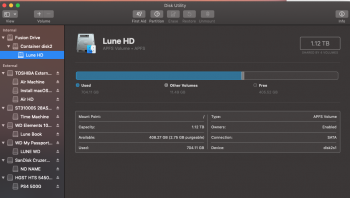
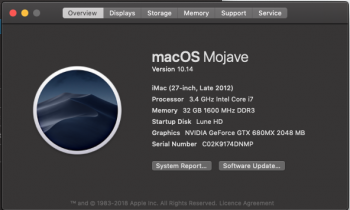
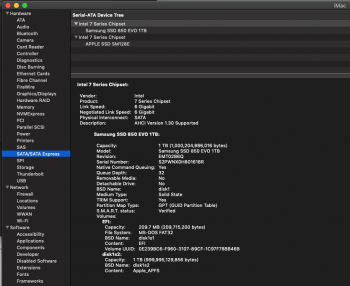
Last edited:
I got it working with Fusion Drive Setup with Third Party SSD
Thank you for your feedback! Did you get all your files/apps back with TimeMachine?
phoenix_bladen
macrumors newbie
I got it working with Fusion Drive Setup with Third Party SSD
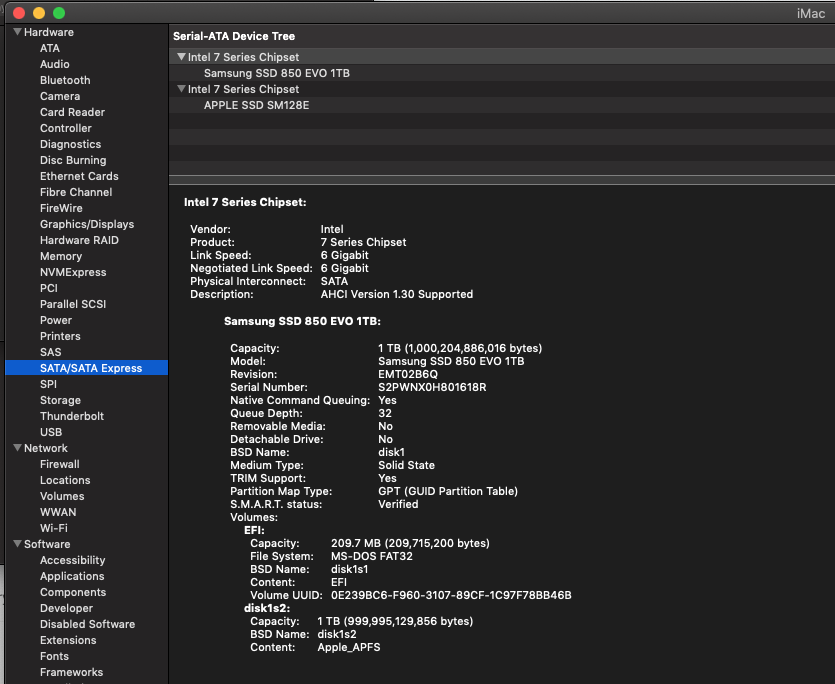
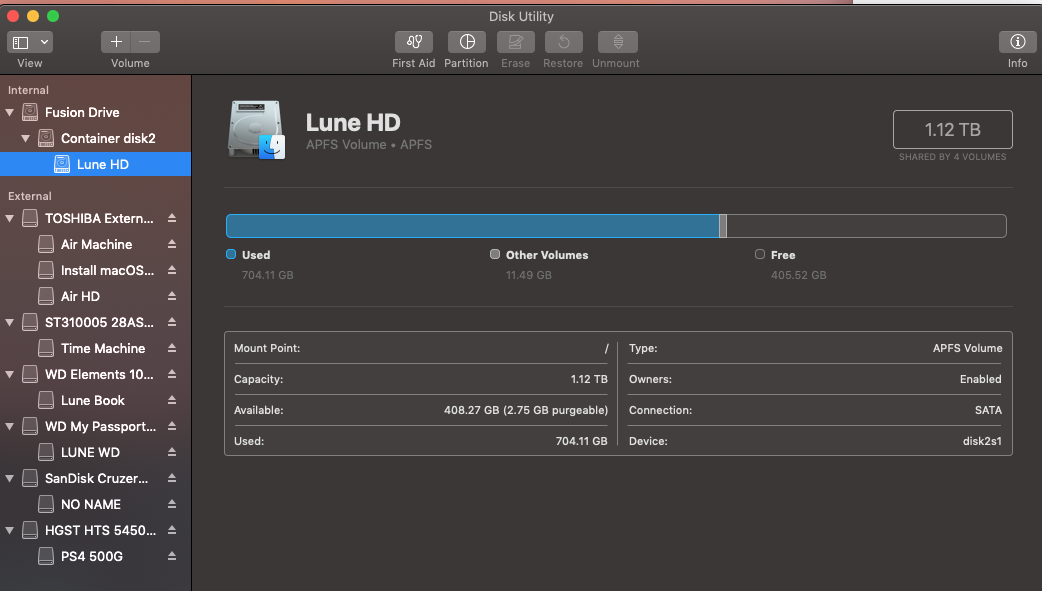
- Create a bootable disk - following this link
- Restart computer and hold option
- Open Disk Utility and Erase the Drive
- I have Spitted the Original Fusion - following this link
- Open the terminal - create the fusion drive again - following this link
- Quit terminal and open disk utility
- Erase the Fusion Drive which you just created and choose Format as APFS
- Quit Disk Utility and go to install mac os
- Recovery from your time machine
I believe that I have gone through extra steps, I think I would suggest you guys to try erase the fusion drive in Disk Utility and choose APFS as your format.
It may be able to work.
Thanks Lune ! i will give it a try as well !
Lune
macrumors newbie
Yes, I was using the migration assistant on the Mojave start up screen, thats why it took a long time to reply you guys back.Thank you for your feedback! Did you get all your files/apps back with TimeMachine?
phoenix_bladen
macrumors newbie
Yes, I was using the migration assistant on the Mojave start up screen, thats why it took a long time to reply you guys back.
Lune I will try your steps but skip the splitting step and directly format the fusion as APFS as a whole and let you guys know if that works
[doublepost=1538002280][/doublepost]
Oh wait advadva already tried it directly without splitting and confirmed it works ! Good news !Confirming, works for me too after formatting to APFS. I use 2 x 850 EVO 500GB set as CoreStorage.
techfit360
macrumors newbie
I was on the phone with Apple Support and it has been sent up the Tech Chain I should hear something back today. I'll keep everyone posted!!
Thanks for all those who tried it and posted the recipe!
As far as the bug report goes: they closed it 🙁 WTF. Worse yet, it was closed based on "iBot" analyzing the logs I provided and deciding that everything was fine. Here's what it said:
This is not a failure: ----- iBot Summary of [Logs.zip/install.log] ----- Install Assistant prepared the installation successfully. osishelperd stashed successfully. The OSInstaller began installation of 17G65. The installation was successful. OSInstaller stashed successfully. The system successfully booted 17G65.
Please file a new bug report for any remaining issues with installing 10.14. We are closing this bug report. If you have questions regarding the resolution of this issue, please update your bug report with that information.
I responded and will post on the thread if a human appears to respond instead of "iBot"
As far as the bug report goes: they closed it 🙁 WTF. Worse yet, it was closed based on "iBot" analyzing the logs I provided and deciding that everything was fine. Here's what it said:
Apple Developer Relations
September 27 2018, 2:00 PMThis is not a failure: ----- iBot Summary of [Logs.zip/install.log] ----- Install Assistant prepared the installation successfully. osishelperd stashed successfully. The OSInstaller began installation of 17G65. The installation was successful. OSInstaller stashed successfully. The system successfully booted 17G65.
Please file a new bug report for any remaining issues with installing 10.14. We are closing this bug report. If you have questions regarding the resolution of this issue, please update your bug report with that information.
I responded and will post on the thread if a human appears to respond instead of "iBot"
Thanks for all those who tried it and posted the recipe!
As far as the bug report goes: they closed it 🙁 WTF.
Thanks for the feedback!
Does anyone experienced problems with time machine?
I'm constantly getting this error while I have plenty of space on CS volume:
Time Machine could not create a local snapshot to back up from because there was insufficient free space on the source volume(s).
My setup is 2x500GB SSDs combined as CoreStorage volume, 400GB free.
Apparently it is somehow related to local snapshots, after cleaning backup works until system creates new snapshots.
Same setup on HFS+ High Sierra worked fine.
I feel it is related to APFS on CoreStorage.
I'm constantly getting this error while I have plenty of space on CS volume:
Time Machine could not create a local snapshot to back up from because there was insufficient free space on the source volume(s).
My setup is 2x500GB SSDs combined as CoreStorage volume, 400GB free.
Apparently it is somehow related to local snapshots, after cleaning backup works until system creates new snapshots.
Same setup on HFS+ High Sierra worked fine.
I feel it is related to APFS on CoreStorage.
phoenix_bladen
macrumors newbie
Works for me !
You can simply format to APFS and then reinstall via bootable USB !
thanks for everyone's help !!!!!!!
You can simply format to APFS and then reinstall via bootable USB !
thanks for everyone's help !!!!!!!

Ill will try to install this weekend by first formating my volume.Works for me !
You can simply format to APFS and then reinstall via bootable USB !
thanks for everyone's help !!!!!!!
FWIW, my iMac is a late 2014. Recently replaced the 1tb fusion drive with a
Samsung SSD 860 EVO 4TB. I am getting the same error message that this thread is discussing.
I'll deal with it later, but I just wanted to inform the forum that the date of the machine's model--at least as far as "late 2014"--seems not to be a factor.
Samsung SSD 860 EVO 4TB. I am getting the same error message that this thread is discussing.
I'll deal with it later, but I just wanted to inform the forum that the date of the machine's model--at least as far as "late 2014"--seems not to be a factor.
I've reformatted and successfully installed Mojave. My problem now is that I'm restoring from a Time Machine backup (USB hard drive) and it is showing an insanely long estimate for the restore, currently saying 86 hours (for about 1TB of data) ... anyone have experience with how fast Time Machine should restore?
UPDATE -- the time estimate is now dropping into a more reasonable range of <6hrs ...
UPDATE -- the time estimate is now dropping into a more reasonable range of <6hrs ...
Last edited: