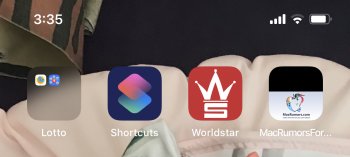
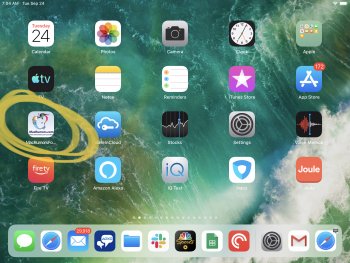
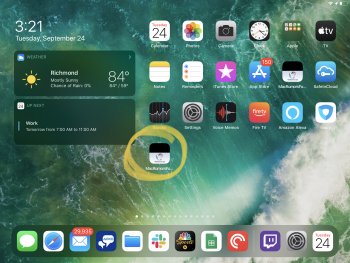
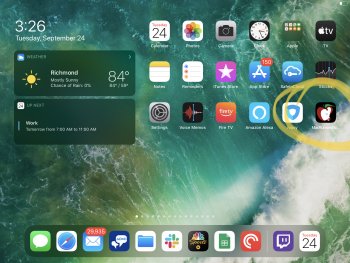
MsRandall macrumors 65816 Original poster Sep 24, 2019 #1 Please help me fix this - on my pro max 11 this Is how my macrumor icon looks Last edited: Sep 24, 2019
maflynn macrumors Broadwell Sep 24, 2019 #2 MsRandall said: this Is how my macrumor app looks Click to expand... I don't think Mac Rumors has an app
MsRandall said: this Is how my macrumor app looks Click to expand... I don't think Mac Rumors has an app
sman789 Customer Support Staff member Sep 24, 2019 #4 @MsRandall is saving the website to the homepage from the Safari app. Could you try it again? It looks proper on my iPad. Attachments IMG_30DE370E77AD-1.jpeg 3.3 MB · Views: 206 Reactions: MsRandall
@MsRandall is saving the website to the homepage from the Safari app. Could you try it again? It looks proper on my iPad.
MsRandall macrumors 65816 Original poster Sep 24, 2019 #5 sman789 said: @MsRandall is saving the website to the homepage from the Safari app. Could you try it again? It looks proper on my iPad. Click to expand... Thank you its been so long since I set it up I thought it was an official app until I couldn’t find it in the App Store Anyway reloading doesn't work - Icon is still swished/half black
sman789 said: @MsRandall is saving the website to the homepage from the Safari app. Could you try it again? It looks proper on my iPad. Click to expand... Thank you its been so long since I set it up I thought it was an official app until I couldn’t find it in the App Store Anyway reloading doesn't work - Icon is still swished/half black
arn macrumors god Staff member Sep 24, 2019 #6 I know why. Let me look into it. arn Reactions: MsRandall and willmtaylor
sman789 Customer Support Staff member Sep 24, 2019 #8 Strange, it changed to that after doing the IPadOS update. Let me try recreating the bookmark and restarting.
Strange, it changed to that after doing the IPadOS update. Let me try recreating the bookmark and restarting.
MsRandall macrumors 65816 Original poster Sep 24, 2019 #10 Thank you all ❤️ Reactions: sman789, Breezygirl and arn
sman789 Customer Support Staff member Sep 25, 2019 #12 Have you tried deleting the favorite and recreating it? gigatoaster said: Hello there I have the same issue in my favorites: View attachment 863353 Click to expand...
Have you tried deleting the favorite and recreating it? gigatoaster said: Hello there I have the same issue in my favorites: View attachment 863353 Click to expand...
gigatoaster macrumors 68000 Sep 25, 2019 #13 Yes I did and I also clear the cache & cookies on iOS Safari. Unfortunately it is the same favicon.