

Become a MacRumors Supporter for $50/year with no ads, ability to filter front page stories, and private forums.

MacRumors

macrumors bot
Original poster


Apple's Retina MacBook Pro and MacBook Airs from 2012 on incorporate the thinner MagSafe 2 power port, requiring the use of a small MagSafe to MagSafe 2 Converter in order to use the computers with older power adapters.
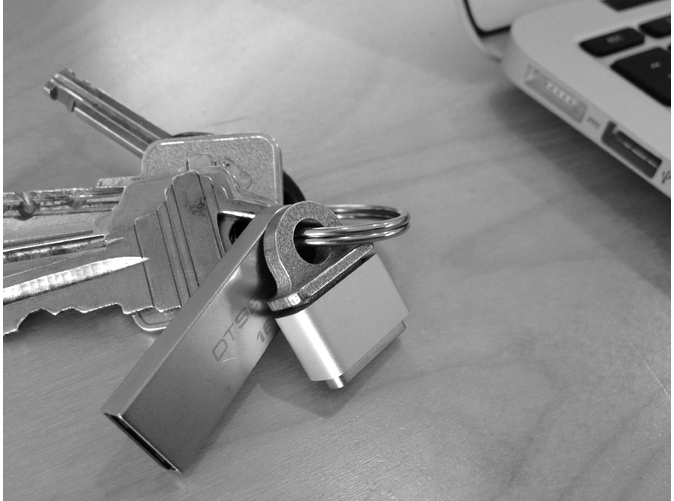
magsafekeyring.jpg
The MagSafe Adapter Key Ring is designed to prevent the loss of the MagSafe Converter by connecting it to a set of keys. Printed from stainless steel, the Key Ring attaches to the Converter using its internal magnet. We asked the creator, Jonathan Bobrow, about the strength of the magnetic hold:
It holds very well. I have been wearing it on my exposed keychain (carabiner) around NYC through crowds and subways and have not had an issue. The magnet is shockingly strong and really relies on the torque of the cable to get loose (i.e if you pull the cable straight, you can still knock your laptop to the ground).
The MagSafe Adapter Key Ring is available from Shapeways and is priced at $15.00.

Article Link: MagSafe Adapter Key Ring Connects MagSafe Converter to Keys
 
Amazing.. I literally was just saying to myself yesterday "I wish Apple put a hole in this so I could attach it to something and not lose it!"
 
Was thinking about doing this for the Digital AV Adapter (whilst also making the Digital AV Adapter shorter).
 
Nice idea. I'll pass on the carabiner though - probably not much call for mountain climbing equipment in NYC.
 
Amazing.. I literally was just saying to myself yesterday "I wish Apple put a hole in this so I could attach it to something and not lose it!"

And there was me thinking that leaving it connected to the MagSafe 2 was all that was necessary...

...Nope, still thinking that.
 
And there was me thinking that leaving it connected to the MagSafe 2 was all that was necessary...

...Nope, still thinking that.

Maybe when multiple people/multiple computers use the same cord such as myself... Quit thinking, you'll hurt yourself!
 
I use this same concept with my lightning to 30-pin adapter. Using this keychain.
 
As an Amazon Associate, MacRumors earns a commission from qualifying purchases made through links in this post.
Amazing.. I literally was just saying to myself yesterday "I wish Apple put a hole in this so I could attach it to something and not lose it!"

I was thinking the same thing--I usually put it on the end of a USB cord or something though 🙂
 
$15 is fine... I've already lost 2 converters. I'm always accepting of anyone who calls me an idiot for losing 2, but man they are tiiiiny
 
Register on MacRumors! This sidebar will go away, and you'll see fewer ads.