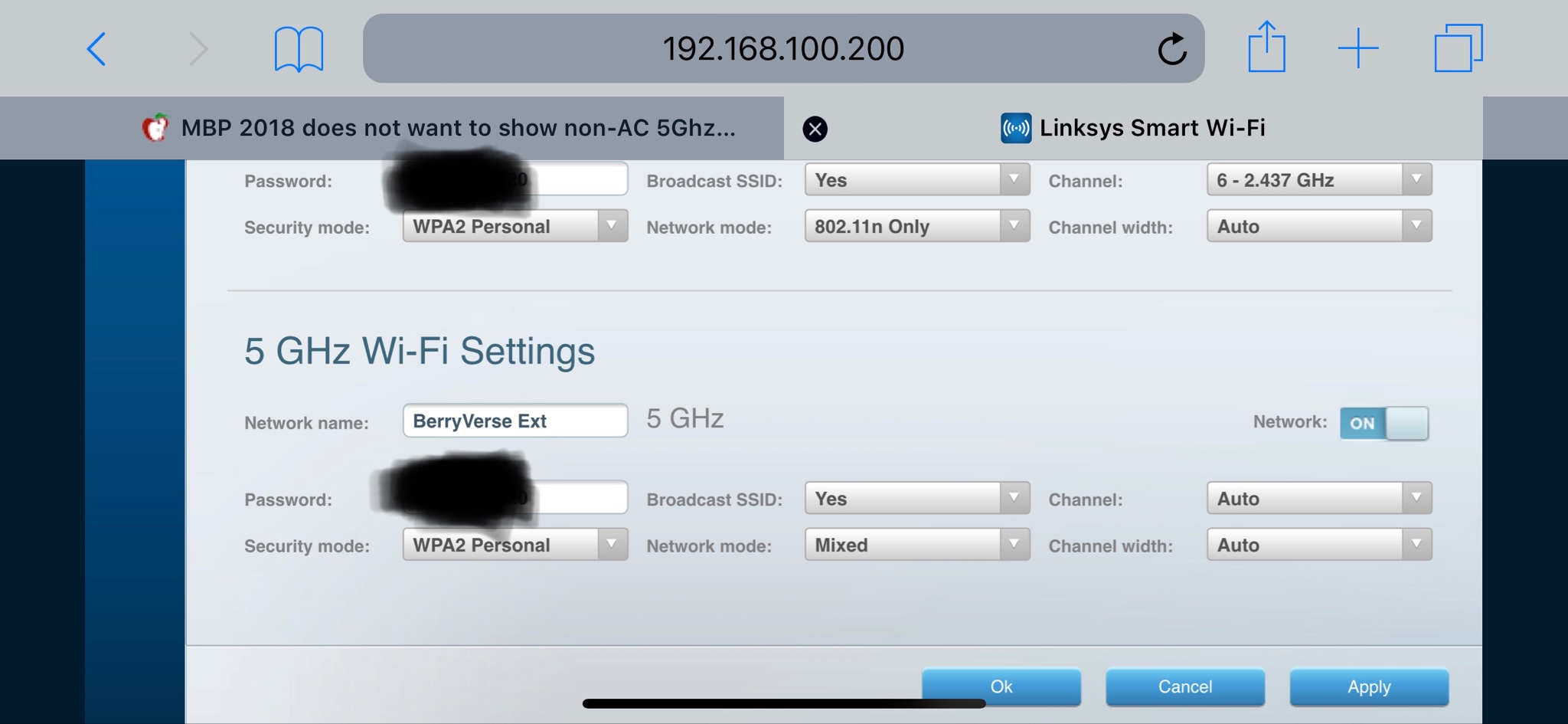
I have an AC router that I keep close to my office room and living room. I just use the older router in areas with no much speed demands as the kitchen, entrance, garage, etc.
I use a different SSID for 2.4, and 5. Also different for each router to know which I am connected to.
I am not sure if it is draft-n or not but all my other devices including the 2011 MBP have no issue connecting to it. Even the 2018 MBP connected to it but only when I gave it the same SSID as the AC WiFi and went out of the AC WiFi range.
I am using Linksys EA4500 (N900). Nothing special regarding configs.
Thanks.
So I'm not sure it's totally adding, up, but maybe you can clarify.
Your MBPro cannot see the
BerryVerse Ext network (5GHz 802.11n) but if you rename the 5GHz 802.11n network to match your 802.11ac network, it will connect. Not to ask a stupid question, but to ask a stupid question, how do you know that your MBPro is connecting to the 802.11n network and not the 802.11ac network if the names are the same?
The EA4500 is proper 802.11n, not draft, so you should be ok. I would check the firmware all the same. If you're in the US it looks like it should be 3.1.7.
I would also force the network mode to 802.11n (not mixed), and set the channel and channel width manually. Just pick a channel at this point, doesn't matter which, can be adjusted later. And set the channel to 20MHz. Ideally you want 40MHz, but let's try 20.
So:
1 - check firmware version, should be 3.1.7 I think.
2 - set channel specs to 20Mhz and specify a channel, and set it to 802.11n only, not mixed.
And then let me know how you determined whether it connected if it had the same name.
WRT your other devices working, yeah different chipsets in the other devices, they will behave differently. Looks to me like this SHOULD work though.
Thanks
EDIT: Last throw of the dice, making a note of this now in case I forget for later - rename your 802.11ac to
Berry Verse Ext and make this connect to the 802.11ac network. Then it will connect to either, if I understand your comments correctly. Turn off the wifi on the MBPro, and rename the 5GHz 802.11ac network back to the current name. You will then have made you MBPro connect to the 802.11ac network called Berry Verse Ext and if I understand your other comments about the 802.11n connection, this might fool it into work when you turn it back on - because turning on the wifi it is looking for a Berry Verse Ext network in 5Ghz and the 802.11ac network no longer exists with that name. Again, I'm not sure I'm understanding that part of your explanation correctly, and again, last throw of the dice. I'd try the other stuff first.
🙂