Become a MacRumors Supporter for $50/year with no ads, ability to filter front page stories, and private forums.
The only problem is that this is technically impossible. Conversion HDMI->DisplayPort (unlike reverse DisplayPort->HDMI) requires an active adapter/cable. A basic passive DisplayPort->HDMI cable cannot be used in the reverse direction.
Also as I said earlier HDMI port on the M1 Max Mac Studio is 2.0 so it cannot drive resolutions larger than 4K@60.
So I think there was some misunderstanding. Are you sure this test:

was performed correctly? Maybe there was another cable connected to the mac at the same time?
Double checking, you are correct. In all my cable-swapping of every cable to each monitor every which way, I must have thought I did HDMI->DP, but looking closer, it appears I only tried the DP->HDMI direction to the 5K display. Because that cable is run through a cable trough on my monitor arm I know I didn't undo, and I don't have any other HDMI<->DP cable I could have tried in the other direction.
 
I have this monitor now, really impressed so far. At first when I connected my Dell 7450 via USB-C I was only able to get 5k 60hz, however there is a handy setting in the monitor that allows you to toggle between USB 2.0 and 3.2 bandwidth on the USB-C port. Reducing the bandwidth to 2.0 allows my Dell 7450 to now run at 5k 120hz.

View attachment 2614587

That's a cool desk. Do you mind sharing its name?
 
Hello everyone. I recently ordered this XG27JCG monitor, and I can't figure out how to connect it to my MacBook Pro M4 Pro: USB-C Thunderbolt 4/5 or HDMI 2.1. Can you please advise me on the correct connection method?

 
all methods are correct. If you need a USB Hub functionality then choose USB-C. If you don't need a hub then choose whatever you like.
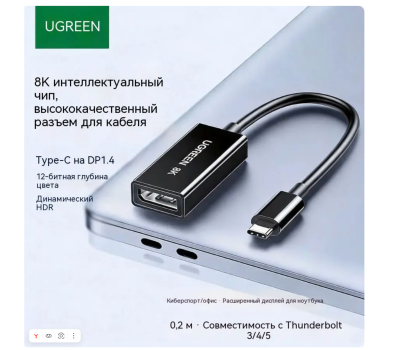
Is the USB-C port on this monitor capable of receiving a signal from a Mac, so that the resulting image has a 5K resolution at 120 Hz? And what Thunderbolt cable is needed for this? Or can I simply use a Type-C to DP 1.4 adapter, as shown in the photo?
 

Attachments

  • Снимок экрана — 2026-05-25 в 10.45.06.png
    Снимок экрана — 2026-05-25 в 10.45.06.png
    2.2 MB · Views: 6
Last edited:
Is the USB-C port on this monitor capable of receiving a signal from a Mac, so that the resulting image has a 5K resolution at 120 Hz
yes, it is.
And what Thunderbolt cable is needed for this?
Basically any passive TB3/TB4/TB5 cable or any active TB4/TB5 cable. Or any USB4 40+Gbit cable.
Or can I simply use a Type-C to DP 1.4 adapter, as shown in the photo?
such an adapter will also work (without USB Hub functionality in this case, of course).
 
yes, it is.

Basically any passive TB3/TB4/TB5 cable or any active TB4/TB5 cable. Or any USB4 40+Gbit cable.

such an adapter will also work (without USB Hub functionality in this case, of course).


Thanks. It seems I was wrong about the Mac transmitting the image in 5K. In the end, it all depends on the resolution set on the Mac itself. I have 1800x1169 for example, and for this resolution, you don't need a cable and a TB-5 port.
 
Register on MacRumors! This sidebar will go away, and you'll see fewer ads.