
Got a tip for us?
Let us know
Become a MacRumors Supporter for $50/year with no ads, ability to filter front page stories, and private forums.
November Desktops
- Thread starter duncyboy
- Start date
- Sort by reaction score
You are using an out of date browser. It may not display this or other websites correctly.
You should upgrade or use an alternative browser.
You should upgrade or use an alternative browser.
- Status
- Not open for further replies.


Slothapotamus
macrumors member
What is it about posting a link to the original NON CLUTTERED image that people don't get?
That's the entire point of these threads.
Someone should put that in the thread guidelines🙄
Yes, I find this frustrating myself. There are so many great wallpapers in these monthly threads and every month the first post tells people to POST THE ORIGINAL (except this month because I think the OP just gave up). Please people, we're interested in your backgrounds otherwise we wouldn't be looking at this thread. If you don't know where you got the original then upload your background to Image Shack or PhotoBucket or something similar for us to use it ourselves.

xUKHCx
Administrator emeritus
Yes, I find this frustrating myself. There are so many great wallpapers in these monthly threads and every month the first post tells people to POST THE ORIGINAL (except this month because I think the OP just gave up). Please people, we're interested in your backgrounds otherwise we wouldn't be looking at this thread. If you don't know where you got the original then upload your background to Image Shack or PhotoBucket or something similar for us to use it ourselves.
Have you checked the first post.I created that text quite a few months ago now as the general guidelines for these threads. Since then we have added it to every thread. This month we were a little late adding it however it was added to the first post and posted in the thread as a reminder.
You can upload images to the forum directly through the paper clip icon

Anyway I will re-add the reminder here now as well
Mod Note
Please refrain from quoting images. If you want to see the picture that a post is referring to, you can press this button:

For large images, please use [/SIZE][/B] tags rather than plain old [img] tags.
[size=5][b][center]Try to include links to the full-size original in your first post so that people can download it if they want. This will help stop the hundreds of "link please" posts.
If you can't/don't want to share (for example your own work), that is fine but please state that in the post when showing your desktop.[/center][/b][/size]
[b]Please report any posts you feel need attention by clicking on this icon: [IMG]http://images.macrumors.com/vb/images/buttons/report.gif. Thank you.

quicksilver77
macrumors 6502


fleshman03
macrumors 68000
Any chance of a adding a link to the original please?
Sorry it too so long to reply. No idea where I got the file. Part of me seems to think in the December threads. I uploaded the file. Use it well:
Attachments

Have you checked the first post.
Hence my sarcasm smily after my last sentence....
Someone should put that in the thread guidelines🙄
Peoples replies should be edited to be just a big red "edited because poster did not read guidelines"


ShadowSpandex
macrumors member
can i has wallpaper please? Thanks
Here
Attachments

timerollson
macrumors 65816


Elphaba
macrumors regular
mikelong622
macrumors 6502

PeterQC
macrumors 6502a

Tex-Twil
macrumors 68030
Please, how do you integrate the now playing song to the desktop ?Click the image to see the full desktop:

Tex


redshift20
macrumors member
What theme is that on your Adium chat (I'm assuming it's Adium). How did you get the titlebar, text window and tabs to be black/gray? The themes never seem to change those areas and it bugs the crap outta me.
Thanks...
Thanks...
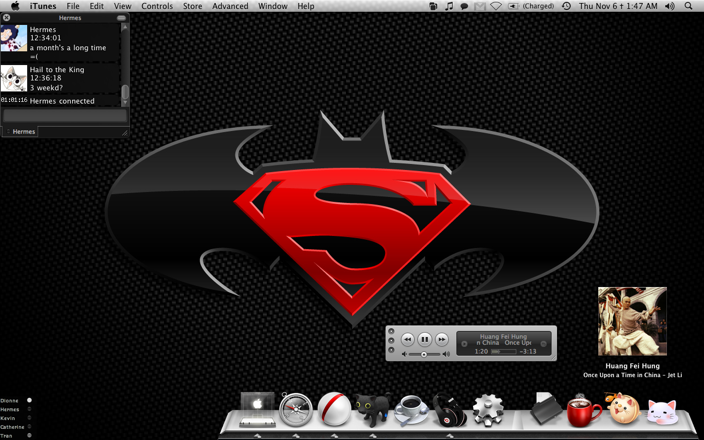
Supes needs some action soon.

FSUSem1noles
macrumors 68000
Here
Can you please tell me where you got that Finder and Safari icon from that you have in your dock..
I love the concept.. does it come in a set??


iMacBook
macrumors 6502a

acee88
macrumors newbie


apfhex
macrumors 68030
I agree, I might just enjoy that. 😀Peoples replies should be edited to be just a big red "edited because poster did not read guidelines"
Like this poster right here 🙁 several posts down from the guides... oh well. *sigh* I want to know what wall that is too. And maybe even a bigger screenshot, that one it too tiny to enjoy the details.http://farm4.static.flickr.com/3233/3011176446_62343d1622.jpg?v=0
CoverSutra.Please, how do you integrate the now playing song to the desktop ?
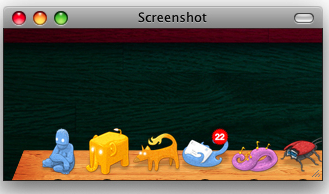
Here's what I currently have on my PowerBook at home while my Mac Pro is out of service due to video card issues. 😡 Wallpaper is from Duckfarm: http://www.duckfarm.net/gallery/pages/image90.html. Icons are from "Pry" by JRdesign and I think "Milkapp" by Rimshotdesign.
Attachments


uncleSmurf
macrumors regular
that's a sweet background.
can i get a link to it?
Sorry forgot to link it...
here ya go.
http://interfacelift.com/wallpaper_beta/details/1707/the_spectrum_of_the_sky.html
uncleSmurf
macrumors regular


- Status
- Not open for further replies.