

Become a MacRumors Supporter for $50/year with no ads, ability to filter front page stories, and private forums.

MacRumors

macrumors bot
Original poster


Apple's refreshed Studio Display arrives alongside the all-new Studio Display XDR, which replaces the previous Pro Display XDR. The Studio Display XDR is more than twice the price of the Studio Display, so which should you choose?
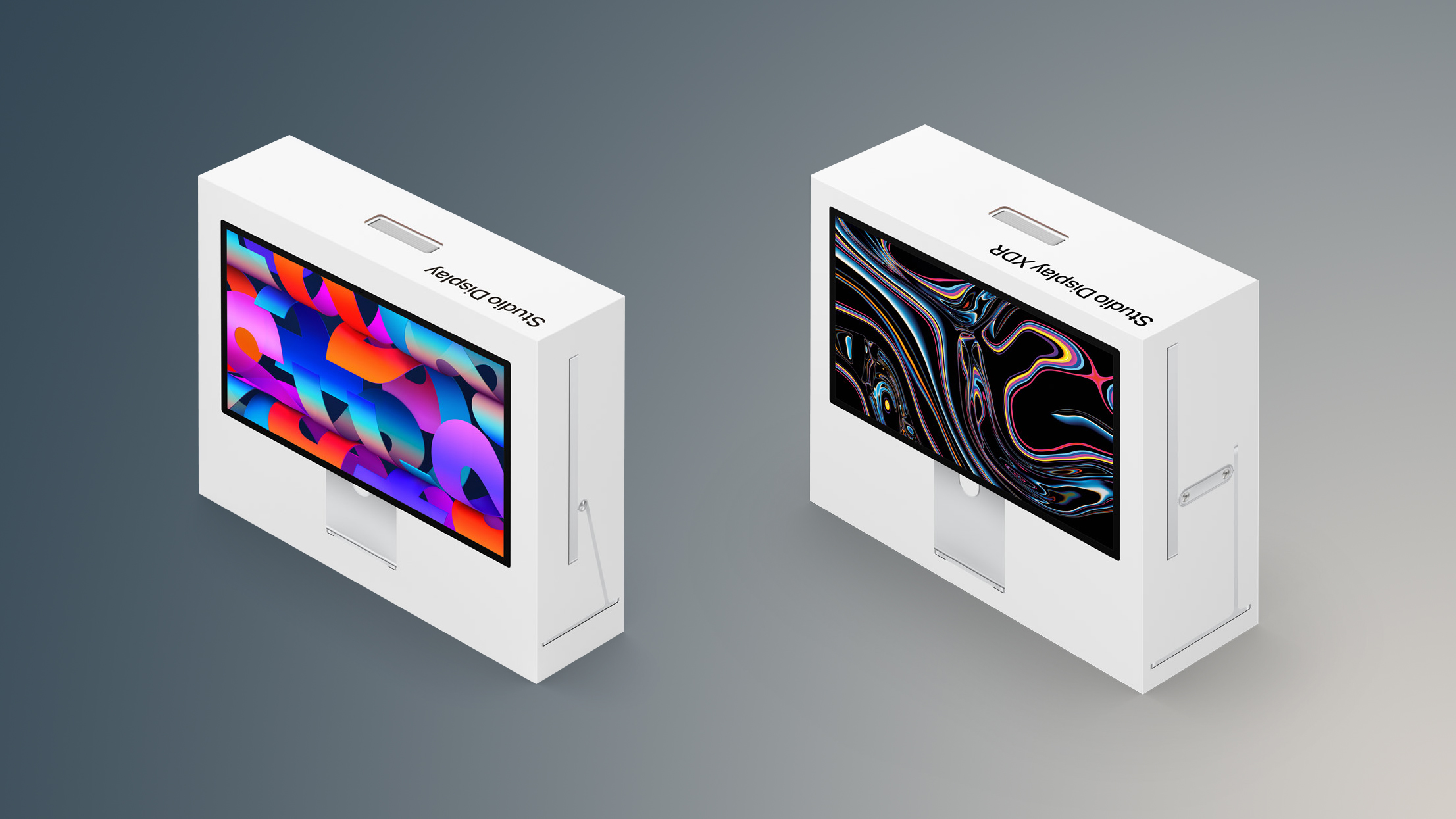
Studio-Display-and-Studio-Display-XDR-Boxes.jpg

Both Studio Display models offer a wide range of the same core features and are designed to provide a very similar overall experience for everyday use. They share the same aluminum enclosure, identical 27-inch 5K resolution with a high pixel density of 218 ppi, and many of Apple's built-in workstation features such as the 12-megapixel Center Stage camera, studio-quality microphones, and six-speaker sound system with Spatial Audio. Both displays also include Thunderbolt connectivity, along with options like nano-texture glass and VESA mounting for different workstation setups. As a result, the two displays are much more alike than their price difference might initially suggest. The shared features include:

  • Design
  • 27-inch display size
  • 5120 by 2880 pixels
  • 218 ppi
  • P3 wide color gamut
  • True Tone
  • Anti-reflective coating
  • Nano-texture glass option
  • 12MP Center Stage camera with Desk View
  • Studio‑quality three‑mic array
  • Six-speaker sound system with Spatial Audio
  • One upstream Thunderbolt 5 port for connecting to a Mac and charging
  • One downstream Thunderbolt 5 port for high-speed accessories or daisy-chaining additional displays
  • Two USB-C ports for accessories and charging
  • VESA mount adapter option

Despite these similarities, there are still several key differences that separate the two displays and explain the substantial jump in price. Most of these distinctions relate to the underlying display technology and performance capabilities of the Studio Display XDR, which introduces a more advanced mini-LED panel, higher brightness levels for both SDR and HDR content, and a faster refresh rate with Adaptive Sync. It also offers additional professional-focused capabilities such as expanded color support and a more powerful chip. In total, there are 10 major differences between the two monitors:

Studio Display (2026)Studio Display XDR (2026)
Apple A19 chipApple A19 Pro chip
LCD panelMini-LED panel
60Hz refresh rate120Hz refresh rate
Adaptive Sync
2,304 dimming zones
600 nits brightness1,000 nits brightness (SDR)
2,000 nits peak HDR brightness
Adobe RGB wide color gamut
Tilt-adjustable stand included
Tilt- and height-adjustable stand option
Tilt- and height-adjustable stand included
$1,599 (Tilt-adjustable stand)
$1,999 (Tilt- and height-adjustable stand option)
$3,299


The standard Studio Display is the better choice for most users. It offers the same 27-inch 5K resolution, design, camera, speakers, and Thunderbolt connectivity as the Studio Display XDR, making it an excellent general-purpose display for everyday Mac use. For tasks such as productivity, software development, office work, and most creative projects, the 5K Retina, 600-nit panel with P3 wide color provides more than enough brightness and accuracy. It is also substantially more affordable, starting at $1,599, which makes it far easier to justify as a monitor for Mac mini, MacBook Air, and MacBook Pro users.

The Studio Display is still well suited to photographers, designers, and video editors working primarily in standard dynamic range (SDR). Its high pixel density and wide color support allow images and graphics to appear extremely sharp and vibrant, while the built-in camera, microphones, and six-speaker system make it ideal for video calls and general-purpose workstation setups. In many workflows, especially those focused on web content, software development, or SDR video production, the additional technologies offered by the Studio Display XDR provide few practical advantages.

The Studio Display XDR is aimed at far more specialized professional workflows. Its mini-LED backlight with more than 2,000 local dimming zones enables dramatically higher contrast and brightness, reaching up to 1,000 nits in SDR and 2,000 nits for HDR content. It also supports a 120Hz refresh rate with Adaptive Sync and adds broader color support, including Adobe RGB, which is important for certain print and professional imaging workflows.

These capabilities make the display particularly valuable for HDR video editing, color grading, 3D rendering, and other production environments where accurate brightness, contrast, and color reproduction are critical. As a result, the Studio Display XDR is primarily intended for high-end creative professionals who rely on reference-grade display performance, just like the Pro Display XDR it replaced.

Some prosumers and enthusiasts who are happy to spend more for a more capable product may also gravitate toward the Studio Display XDR simply to obtain the most advanced panel Apple offers. Its 120Hz refresh rate, higher brightness, and mini-LED backlight make it much closer to the display technology used in the MacBook Pro, allowing content to appear more consistent with the built-in Liquid Retina XDR display.

Users who are accustomed to ProMotion and high dynamic range on a MacBook Pro may prefer the smoother motion and greater contrast of the XDR model, even if their work does not require it. For these buyers, the additional cost may be easier to justify as a way to achieve a more premium and future-proof desktop setup that aligns with Apple's highest-end Mac hardware.

For everyone else, the Studio Display remains the more sensible option. The two displays share most of the same everyday features and design, but the XDR model's advanced panel technology significantly increases the price. Unless your work directly requires HDR, extremely high brightness, or specialized color spaces, the standard Studio Display delivers a nearly identical day-to-day experience at roughly half the cost.

Article Link: Studio Display vs. Studio Display XDR Buyer's Guide
 
  • Like
  • Wow
Reactions: drrich2 and Z-4195
So $3000 if you want decent blacks, or another four years wait because the rest of the industry isn't going to push the envelope. Bummer.

Considering buying a reduced price 2022 Studio Display with the new one coming out. I just need it for my Mac mini M4 to partner with my Odyssey G9. There just aren't many key differences between the 2022 and 2026 version

If you’re price-sensitive, a lot of the competing 5k’s are just fine. I’d only consider the last-gen Studio Display if ambient light is a factor, the nanotexture is pretty amazing.

[edit] okay I was curious what an Odyssey G9 is, now I’m wondering how you’re going to fit another display on your desk. Unless it’s like a kitchen table…?
 
The new webcam on the 2026 Studio Display seems much improved over the older model according Macworld review. By their comparisons it looks like it. I know not a good reason to upgrade, but if was buying new would be a good reason.
 
  • Like
Reactions: drrich2 and Huck
$1600 for a 27" 60hz monitor , even a 5K one is not something I would describe as an affordable option. It shouldn't even exist in 2026.
Apple should have released a 120hz 5K model for no more than $1K and 32" version as well for a couple of hundred more. Daylight robbery at the current price.
The XDR is not a realistic option for most people either.
Really bad refresh from Apple unless money is not a consideration and even then no 32" option.
 
Looks nice, I just wish they included an Ethernet port in the display giving you truly everything in one cable. Dell does this with the Hub displays they offer.
That is a great idea by Dell. Monitor stays on the desk, so to have it plugged in to the ethernet all the time is a very useful option. Arrive at desk, just plug in the thunderbolt to the laptop and off you go!
 
Save your hard earned money, these monitors are way overpriced IMO.

It depends on what you're doing. If you're just surfing the web, using email, making spreadsheets, watching movies, etc. then a regular display (Dell, LG, Samsung, Acer, Phillips, etc) is the way to go. And you'll save a lot of money.

If you're a photographer who processes and prints a lot of image files, and are fussy about color, the standard Studio Display is the way to go.

Best move I've made was getting rid of my LG large screen display that after calibrating with a puck calibrator, drifted after a week or two of use Resulting in wasting a lot of printer paper and ink when making prints of my Lightroom processed image files.

My Studio Display has had zero drift from when I purchased it and set it up with the proper color profile 2-3 years ago. Every time I turn it on and print my Lightroom processed files, they come out perfect every time. Zero wasted paper and printer ink. In other words, zero drift and no need for a puck calibrator.
 
This is nuts. I just bought a Samsung 4K 32" M70F monitor for $200 and am pretty ecstatic about the value. Still 60Hz, but so is the standard Studio Display. 5K resolution is nicer, but not commisserate with the insane price difference.

I know it isn't the point, but can't help thinking I could get four of the Samsung and create an 8K array for less cost than the regular ASD...totally ignoring space constraints and something to drive four 4K monitors.
 
Last edited:
HDR format playback support is unlisted. Previously the Pro XDR was the only external display capable of Dolby Vision playback. This remains a strange software limitation on MacOS, forcing 3rd party displays to use the HDR10 stream variants.
 
$1600 for a 27" 60hz monitor , even a 5K one is not something I would describe as an affordable option. It shouldn't even exist in 2026.
Apple should have released a 120hz 5K model for no more than $1K and 32" version as well for a couple of hundred more. Daylight robbery at the current price.
They're certainly not great value. What bugs me are things like the lack of a second video inout, the captive mains cable, no after-markey VESA mount option and (on the non-XDR) the lack of a height-adjustable stand which are corners that shouldn't be cut on a premium-priced product. Maybe not everybody shares my bugbears about this. Personally, I also prefer a dual screen setup & use an external audio adapter and studio monitor speakers, which makes the Studio Display fairly ridiculous. Plus I'm quite happy with 4k since I don't primarily use my displays by climbing on the desk with a jeweller's loupe and hunting for scaling artefacts.

However... in terms of the actual display - even though the regular SD is only marginally better than the old 5k iMac display, that is still ahead of the game as a general-use display. There are other more affordable 27" 5k3k displays - but not that many and the reviews of those have always pretty much "close but no cigar". The Apple screen is particularly bright and even the standard "glossy" screen has a very effective optical coating that reduces glare without reducing contrast. It's nicely made and non-plasticky. It doesn't have an external power brick the size of Manhattan. Plus, nothing will beat it on built-in speakers for those people who are still pining for an iMac. So I think a goodly number of people will just grit their teeth and pay the Apple tax on this one.

The non-XDR is certainly a non-starter as an upgrade from the old Studio Display and doesn't fix any of my personal reasons for not wanting one - but for people who want to buy a new Studio Display and were already budgeting $1600 it's a reasonable update.

The XDR is currently getting by on the fact that you can count the number of competing 27" 5120x2880, 2000+ zone MiniLED, 120Hz displays in the shops right now on the fingers of both feet.

However, there's a LG 27GM950B coming out Real Soon Now which could upset that applecart.
 
  • Like
Reactions: drrich2 and triom
It will be interesting to see how this monitor performs when it comes out: https://www.bhphotovideo.com/c/product/1946413-REG/asus_proart_display_oled_pa27ucdmr.html

It's only a 4K, but depending on how far away you sit, it will likely only appear slightly fuzzier than 5K at the same 27".

The big selling points are:
  • OLED
  • HDR, 1000 nits
  • Panel is true RGB stripe OLED, so you won't get the slight fringing that OLED gaming monitors have
  • 240Hz, compatible with ProMotion (presumably maxes out at 120 but still)
  • Thunderbolt 4, 96W charging
  • $1299
Only annoying thing I see so far is that to control brightness in MacOS it needs an ASUS utility.
 
Register on MacRumors! This sidebar will go away, and you'll see fewer ads.