Become a MacRumors Supporter for $50/year with no ads, ability to filter front page stories, and private forums.

noryka

macrumors newbie
Original poster
Hi, i need some help. I was clearing out some fonts from my system and all of a sudden this happened. (see image attached.) Its a disaster..
How do i fix this?
 

Attachments

  • Screen Shot 2018-03-29 at 01.26.17.png
    Screen Shot 2018-03-29 at 01.26.17.png
    444 KB · Views: 303
If you made the mistake of deleting some of the standard system fonts, particularly those in the System/Library folder, you can get those properly back in place by reinstalling your macOS system.
In the future, try to avoid messing about inside your System folder 😎
 
  • Like
Reactions: BrianBaughn
If you made the mistake of deleting some of the standard system fonts, particularly those in the System/Library folder, you can get those properly back in place by reinstalling your macOS system.
In the future, try to avoid messing about inside your System folder 😎


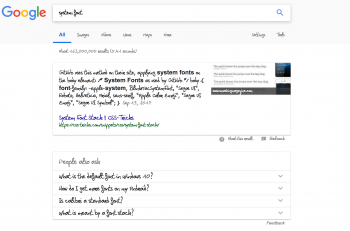
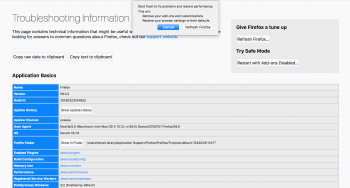
I was clearing out free fonts, i havent touched the default system settings. Firefox still think she is using times. This is more of a faulty free font issue rather then me messing with the system.
[doublepost=1523033318][/doublepost]i also reset firefox to default and the issue is still there
 

Attachments

  • Screen Shot 2018-04-06 at 17.32.30.png
    Screen Shot 2018-04-06 at 17.32.30.png
    34.4 KB · Views: 200
  • Screen Shot 2018-04-06 at 17.45.26.png
    Screen Shot 2018-04-06 at 17.45.26.png
    342.2 KB · Views: 230
Try restoring the fonts using the Font Book application. You may also have to rebuild the font cache, if it isn’t done automatically.
 
Assuming we’re not talking about an older version of macOS…you could reinstall the system without removing your apps, files or settings.
 
Register on MacRumors! This sidebar will go away, and you'll see fewer ads.